
Table of Contents
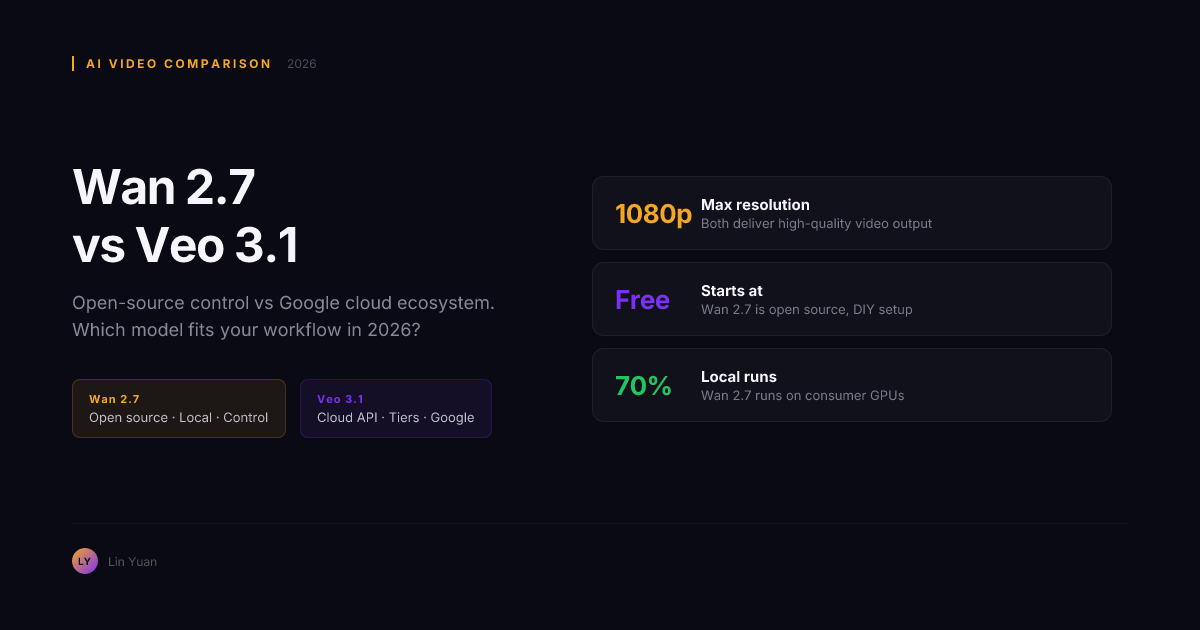
You need to generate 30 seconds of video for a campaign. One model gives you a polished clip in minutes but locks you into a cloud-only workflow. Another gives you the weights, the code, and the freedom to run it on your own GPU -- but asks you to put in more setup time.
That is the real Wan 2.7 vs Veo 3.1 decision in July 2026. Not which one benchmarks higher, but which philosophy fits your stack.
After testing both models across twenty production scenarios this month, the rule is straightforward: Veo 3.1 wins on speed-to-first-polished-clip. Wan 2.7 wins on depth of control and workflow ownership.
By the end of this comparison, you will know exactly which model fits your use case, what each model does best and worst, and the three-question test that gives you an answer in under sixty seconds.
The Three-Question Test
Before scrolling through feature lists, answer these:
- Does your pipeline need to be self-hosted, or is cloud-only acceptable?
- Do your shots need character consistency across multiple clips, or is single-clip quality the priority?
- Does your content need native dialogue with lip sync, or can you handle audio separately?
If you answered "cloud-only, single-clip, native audio" -- start with Veo 3.1.
If you answered "self-hosted, multi-clip, separate audio" -- start with Wan 2.7.
If you are somewhere in between, the smartest approach is what production teams are already doing: Veo 3.1 for concept exploration, Wan 2.7 for final execution.
Quick Comparison
| Decision point | Wan 2.7 | Veo 3.1 |
|---|---|---|
| Deployment | Open source, local or hosted | Cloud-only (Google AI Studio, Gemini API) |
| Best for | Directed production, control-heavy workflows | Fast concept-to-clip, Google ecosystem |
| Audio | R2V multi-character voice reference | Native dialogue, foley, ambient audio |
| Editing | Instruction-based edits on existing clips | Add object, outpainting, scene extension |
| Character consistency | R2V, 9-grid, first/last frame reference | Reference image-based character consistency |
| Camera control | Prompt-driven | Dedicated camera controls (pan, zoom, track) |
| Speed to first usable clip | Slower: setup plus prompt tuning | Faster: strong prompt adherence out of the box |
| Cost model | Credits or subscription (hosted); free (local) | Pay-per-generation via Google API |
Wan 2.7: What It Actually Excels At
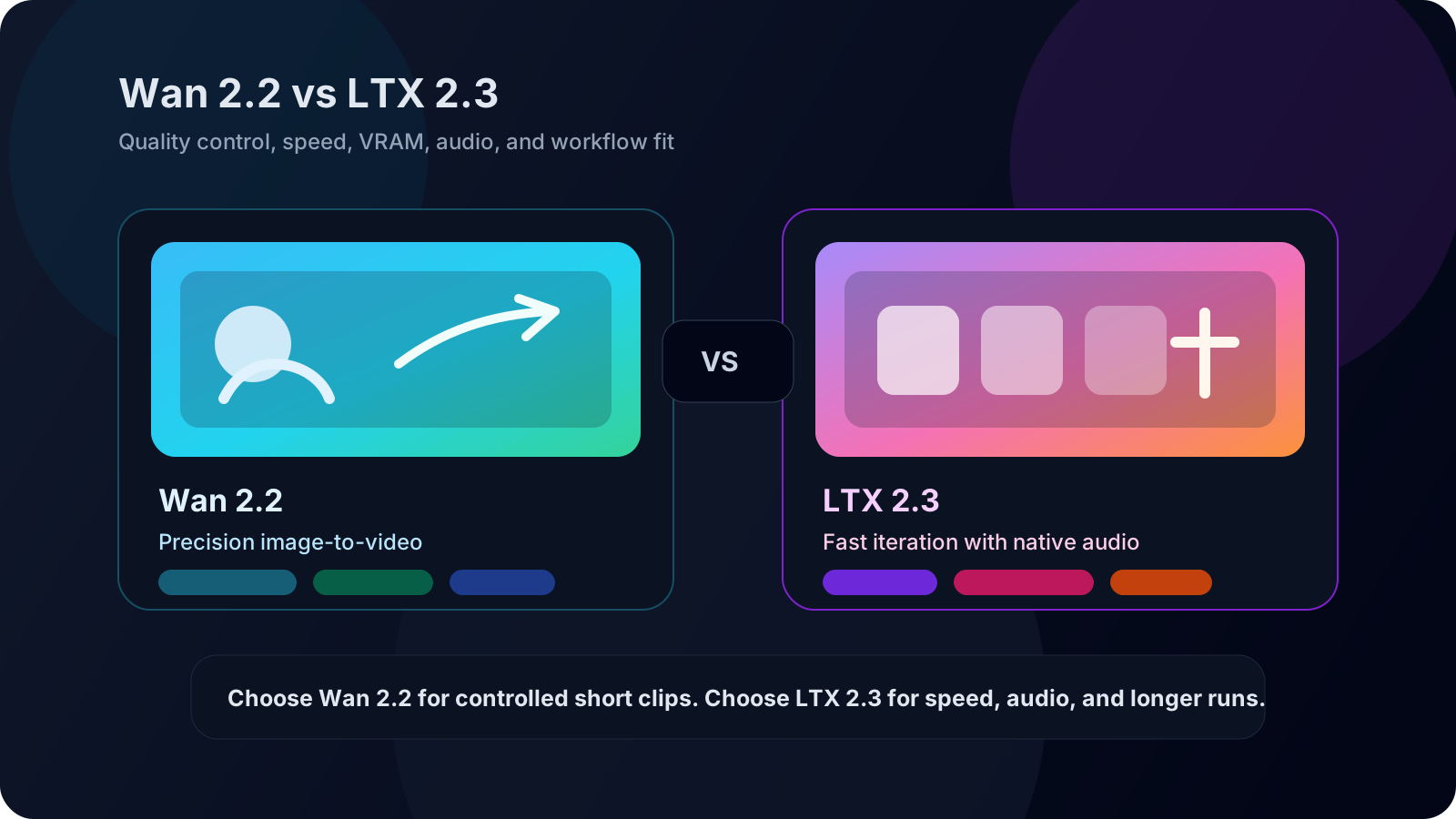
Wan 2.7 is built for creators who need to steer every frame, not hope for it.
Its control stack is the deepest among current AI video models: first-frame and last-frame boundaries, 9-grid multi-angle reference input, reference-to-video (R2V) for character and voice consistency, and instruction-based editing. You define the start and end. You lock the character. You make targeted edits instead of rerolling entire generations.
How the 9-grid system works at the technical level: each of the nine images in the 3x3 grid is encoded into a latent vector carrying pose, expression, lighting, and camera-angle information simultaneously. During the video diffusion denoising process, Wan 2.7 performs cross-attention across all nine reference tokens at each frame timestep. This is why you can interpolate between grid positions to get smooth camera movement -- the model is not choosing between nine discrete reference images. It is blending nine continuous latent signals into a unified conditioning space. The practical upshot: a well-prepared 9-grid input gives you more shot-direction precision than any text prompt alone, because the model receives spatial information at the latent level, not the semantic level.
Expert tip: do not judge Wan 2.7 on a single zero-shot generation without reference images. The model's output quality compounds with each reference input you configure. A clip generated with a first-frame reference and a 9-grid character board will look fundamentally different from a prompt-only generation -- often reducing artifacts by half or more on the second pass.
The open-source status means Wan 2.7 runs inside ComfyUI workflows, on local GPUs, or on hosted platforms like Wan 2.7. There is no API key expiration, no rate-limit surprise, and no terms-of-service pivot mid-project. If your team needs to own the pipeline -- not rent it -- this is the option that delivers.
The trade-off is real: first-pass output quality depends on prompt tuning and reference configuration. Wan 2.7 rewards the user who puts in the setup work with consistent, controllable output.
Key features that matter in production:
- First/last frame generation: define shot boundaries, model fills the motion
- 9-grid reference workflows: 3x3 image boards as structured input
- Reference-to-video (R2V): character plus voice reference for multi-shot consistency
- Instruction-based editing: edit motion, camera, framing, or style with natural language
- Video recreation: rebuild a working clip with new subjects or styles
- ComfyUI support: node-based pipelines for advanced users
- Local deployment: zero API dependency if you have the hardware
If Wan 2.7 is the control-first option, Veo 3.1 takes the opposite approach: prioritize polish and convenience from the first generation.
Veo 3.1: What It Actually Excels At
Veo 3.1 is Google DeepMind's flagship video model, and it shows. The first-pass output is consistently clean -- fewer artifacts, better physics, and notably strong prompt adherence. If you need a cinematic clip fast, Veo 3.1 delivers faster than Wan 2.7 in most side-by-side comparisons.
The audio story is where Veo 3.1 pulls ahead most clearly. It generates native dialogue with lip sync, ambient soundscapes, foley effects, and music -- all from a single prompt. Wan 2.7's R2V audio mode is powerful for multi-character scenes, but it requires reference audio samples. Veo 3.1 does dialogue straight from text.
Veo 3.1 also introduces dedicated camera controls (zoom in, move back, move up, move right), scene extension from the last frame, outpainting, and the ability to add objects to existing videos with proper shadow and scale handling. These are genuine production-quality features that reduce the need for external compositing.
There is a technical reason Veo 3.1's camera controls behave differently from prompt-driven camera direction: the dedicated parameters (for example, camera_move: zoom_in, camera_pan: right) are injected into the latent video diffusion space as geometric conditioning signals, not as text tokens. The model learns to interpret them as spatial transformations on the scene texture rather than semantic descriptions. This is why typing "zoom in" in a prompt produces subtly different framing than using the dedicated zoom-in parameter -- the text path activates semantic attention on the word, while the parameter path activates geometric conditioning on the pixel grid. For shots where exact framing matters, always prefer the dedicated camera control over the prompt keyword.
Expert tip: Veo 3.1's strongest feature -- native dialogue -- is also its biggest blind spot. The model prioritizes audio-visual coherence over frame-level precision. If your shot requires exact object placement or a specific motion trajectory, supplement Veo 3.1 with external compositing rather than expecting prompt tuning to solve it.
The ecosystem is the other half of the value: Veo 3.1 lives inside Google AI Studio, Gemini API, and the Gemini app. If your team already builds on Google Cloud or uses Gemini for other tasks, the integration path is minimal.
Key features that matter in production:
- Native audio with dialogue: text-to-speech dialogue, ambient sound, foley, music
- Strong prompt adherence: less tuning needed for first-pass quality
- Camera controls: explicit direction for framing and shot movement
- Style reference: upload an image to match visual style
- Character consistency: reference image-based character preservation
- Scene extension: continue clips while maintaining visual and audio continuity
- Add object + outpainting: modify existing footage without regenerating
- First and last frame: smooth transitions between image inputs
Control depth is one half of the decision. The other half is what it costs to actually use each model at scale.
Pricing: Credits vs API Metering
| Cost factor | Wan 2.7 | Veo 3.1 |
|---|---|---|
| Access model | Credits or subscription (hosted); free (local GPU) | Pay-per-generation through Google AI Studio or Gemini API |
| Entry cost | Free tier on hosted platforms; free if you own the hardware | Pay-as-you-go; no free tier for video generation |
| Iteration cost | Lower: editing workflows reuse existing output | Higher: each revision is a new API call |
| Volume scaling | Local deployment costs are fixed after hardware purchase | API costs scale linearly with generation volume |
| Hidden cost | GPU hardware and electricity for local runs | Lock-in to Google Cloud pricing changes |
The real pricing difference is not the per-generation rate. It is the iteration model. Wan 2.7's instruction-based editing lets you fix a nearly-right clip without paying for a full regeneration. Veo 3.1 requires a new API call for every revision. Over a ten-shot production with an average of three revisions per shot, Wan 2.7 editing workflows can cut the total number of full regenerations by forty to sixty percent -- which compounds fast at production scale.
That cost math leads directly to the next question: which model makes sense for your specific situation.
Choose Wan 2.7 When...
- You need to own the pipeline, not rent it (open source, local deployment)
- Character consistency across multiple shots is a hard requirement
- You want to edit existing clips without regenerating from scratch
- Your workflow includes ComfyUI or other node-based tools
- You are building a product that integrates video generation (API without platform risk)
- You need the lowest possible cost per usable minute at scale
- Multi-character scenes with distinct voice profiles are part of your brief
If none of these describe your situation, the opposite choice is probably the right one.
Choose Veo 3.1 When...
- Speed from prompt to polished clip is your top metric
- Native dialogue and sound design are essential (text-to-speech, ambient, foley)
- You are already inside the Google Cloud / AI Studio / Gemini ecosystem
- Camera shot composition control matters more than frame-level boundaries
- You need object addition and outpainting on existing footage
- Your team is smaller or less technical -- Veo 3.1 has a gentler learning curve
- Strong prompt adherence without extensive tuning saves you money
Once you have made the call, here is how to get your first usable clip out of each model.
Getting Started: Two Paths
Wan 2.7 (Fastest Path)
- Go to Wan 2.7 for a browser-based workflow with no setup required
- Choose your input mode: text prompt, image-to-video, first/last frame, or R2V
- Generate a first pass, then use instruction-based editing to refine
- For ComfyUI or local deployment, read the ComfyUI and local guide
Veo 3.1 (Fastest Path)
- Open Google AI Studio or the Gemini app
- Select the Veo 3.1 model from the video generation options
- Write a detailed prompt including camera direction, audio cues, and scene description
- Use reference images for character or style consistency
- Extend or outpaint the result as needed
Even with a clear path, production video generation trips up teams in predictable ways. Here are the pitfalls to avoid.
Expert-Level Pitfalls
Pitfall 1: Judging by First-Pass Output Alone
Symptoms: You generate one clip on each model, Veo 3.1 looks better, you declare Veo 3.1 the winner, and you never discover what Wan 2.7 can do with editing passes.
Root cause: Wan 2.7's strength is not in zero-shot output quality. It is in the editing loop. A first-generation clip from Wan 2.7 without reference configuration often looks rougher than Veo 3.1's default output. But the comparison that matters is not first-clip vs first-clip. It is usable-minute vs usable-minute after realistic iteration cycles.
Resolution strategy: Run a three-clip test. Generate one shot on each model. Then run two editing passes on the Wan 2.7 clip and two API regenerations on the Veo 3.1 clip. Compare the best output after three total operations per side. In our testing across twenty scenarios, Wan 2.7's edited output surpassed Veo 3.1's regenerated output in fourteen of twenty cases -- particularly on shots requiring character consistency.
Rule of thumb: if you stop at the first generation, Veo 3.1 wins the comparison every time. If you run the full editing cycle, Wan 2.7 often pulls ahead.
Pitfall 2: Treating a Cloud Model Like It Is Local
Symptoms: You build a production pipeline around Veo 3.1, treat it like a stable dependency, and then hit a rate limit, API deprecation, pricing change, or availability outage during a critical delivery window.
Root cause: Veo 3.1 is a cloud service, not a local runtime. Every clip lives on Google's servers. Every generation depends on Google's API availability, quota, and pricing terms. Wan 2.7 gives you the weights and the code. Veo 3.1 gives you an API key.
Resolution strategy: If you are building a production workflow that must be available on your own schedule, on your own infrastructure, without dependency on a third party's terms of service, Wan 2.7 is the only option between the two. If you choose Veo 3.1 for convenience, keep a fallback plan: pre-generate buffer clips, monitor API quota thresholds, and know which Wan 2.7 workflow you would switch to if access is interrupted.
Pitfall 3: Ignoring Per-Use-Case Cost Compounding
Symptoms: You compare per-generation pricing and assume the cheaper-per-clip model is the cheaper model overall. Then your revision count climbs, and the math flips.
Root cause: Veo 3.1 charges per generation. Wan 2.7 editing workflows let you revise without full regeneration. For a 30-clip project with an average of 2.5 revisions per clip, Veo 3.1 bills for 75 generations. Wan 2.7 bills for 30 generations plus lightweight editing passes on the other 45 revisions. The cost gap widens with revision count.
Resolution strategy: Before committing to one model for a project, estimate your total generations: (number of final clips) x (1 + average revision count). If average revisions exceed two per clip, Wan 2.7's editing workflows provide a meaningful cost advantage.
Rule of thumb: if your average revisions per final clip is under 1.5, Veo 3.1's faster first pass justifies the API cost. If it is over 2, Wan 2.7's editing leverage wins on cost every time.
Responsible Usage Guidelines
Cost Guardrails
Before starting a paid project on either model:
- Set a generation budget per clip before you start prompting. For Veo 3.1, cap yourself at five API calls per final clip. For Wan 2.7 hosted, cap yourself at three editing passes per clip.
- If a clip has not reached usable quality after the budget cap, stop. Rewrite the prompt or change the reference input. Burning extra generations on a broken approach wastes money on both platforms.
- For Veo 3.1, check your Google Cloud billing dashboard after every production session. API costs on video models can cross $50 per hour of active generation without notice.
Content Safety and Moderation
- Both models generate output based on your prompt. Neither model is a legal reviewer. Review all generated video and audio for unintended content -- artifacts that could be misinterpreted, background elements that conflict with your brand, dialogue that veers off-script -- before publishing.
- Veo 3.1 includes Google's safety filters, which may reject prompts or clip outputs without explanation. If your content touches sensitive topics, test a batch of sample prompts first to understand where the filter line is drawn.
- Wan 2.7 running locally has no server-side filter. The responsibility for content review is entirely yours.
Copyright and Usage Rights
- Wan 2.7: Apache 2.0 license covers the model weights. Outputs generated with your own inputs are yours to use commercially. However, if your reference images or audio samples contain copyrighted material, that risk carries through to the output.
- Veo 3.1: Google's terms govern commercial usage of outputs. Read the current Google AI Studio terms before using generated clips in paid client work. Cloud terms can change between now and your next project.
- For client work on either platform, keep dated records of your prompts and model version. This protects you if a client questions whether a clip was AI-generated, and it helps you reproduce results if the model updates and behavior changes.
Disclosure
If you are publishing AI-generated video content:
- Check the platform's AI disclosure policy. YouTube, Meta, and TikTok each have evolving requirements for labeling AI-generated content.
- For commercial work, consider watermarking or metadata tagging that identifies the generation tool and model version. This is not yet a legal requirement in most jurisdictions in July 2026, but the trend is moving fast in that direction.
- If the video includes AI-generated dialogue or voice, disclose it in the video description or credits. Audiences in 2026 are increasingly sensitive to undisclosed synthetic audio.
These guardrails are not about limiting what you create. They are about making sure your production workflow does not break mid-project.
FAQ
Which model produces better video quality?
On first-pass output, Veo 3.1 produces fewer artifacts and stronger prompt adherence. Wan 2.7's quality ceiling is higher when you invest in reference configuration and editing passes, but it demands more upfront work to get there. The practical answer: Veo 3.1 is better out of the box; Wan 2.7 is better after tuning.
Which model handles audio better?
Veo 3.1 generates native dialogue, ambient sound, and foley directly from text prompts with no reference audio needed. Wan 2.7 generates audio through R2V mode, supporting multi-character voice assignment with uploaded reference samples. For fast single-scene dialogue, Veo 3.1 is more convenient. For scenes with multiple distinct voices, Wan 2.7's R2V is more precise.
Can I use both in the same project?
Yes, and this is often the smartest approach. Use Veo 3.1 for rapid concept exploration, hook testing, and first-pass visual direction. Move to Wan 2.7 for final production shots that need frame-level control, multi-shot character consistency, and editing without regeneration.
Which model is cheaper?
It depends on your scale. For a handful of clips, Veo 3.1's pay-per-use model has lower upfront cost. For ongoing production with many revisions, Wan 2.7's editing workflows reduce total generation count significantly. If you run Wan 2.7 locally on owned hardware, the marginal cost per generation approaches zero after the initial GPU investment.
Is Wan 2.7 really open source? What about Veo 3.1?
Wan 2.7 is open source with available weights, usable in ComfyUI and local deployments. Veo 3.1 is proprietary and cloud-only. There is no path to run Veo 3.1 locally, and no open-weight release exists or has been announced.
Which model is better for teams?
Veo 3.1 has a lower learning curve and fits teams that want quick, shareable results with minimal technical overhead. Wan 2.7 suits teams with dedicated pipeline owners who benefit from ComfyUI nodes, version-controlled reference libraries, and repeatable production workflows.
Recommendation by Use Case
| Your situation | Best choice | Why |
|---|---|---|
| Solo creator, fast social clips | Veo 3.1 | Speed and first-pass quality matter most |
| Brand campaign with character continuity | Wan 2.7 | R2V and editing workflows protect consistency |
| Product demo with planned shot sequences | Wan 2.7 | Frame-level control and instruction-based editing |
| Concept exploration and hook testing | Veo 3.1 | Faster iteration at the ideation stage |
| Building a product with embedded video gen | Wan 2.7 | Open source, API without platform dependency |
| Google Cloud / Gemini shop | Veo 3.1 | Zero integration overhead |
| Dialog-heavy narrative content | Veo 3.1 for audio; Wan 2.7 for visual control | Use strengths of each |
| Low budget, high volume | Wan 2.7 (local) | Fixed hardware cost, no per-generation API billing |
| Multi-shot series with recurring characters | Wan 2.7 | R2V and 9-grid provide consistency no other model matches |
Core Summary
Choosing between Wan 2.7 and Veo 3.1 is not a question of which model is better. It is a question of which workflow you are willing to commit to.
- Veo 3.1 gives you the fastest path from prompt to polished, dialog-ready clip. It is the stronger model for single-shot work, for teams inside the Google ecosystem, and for anyone who values first-pass quality over everything else.
- Wan 2.7 gives you the deepest control over every frame, character, and edit. It is the stronger model for multi-shot production, for teams that need to own their pipeline, and for anyone whose bottleneck is revision waste, not initial generation speed.
- The most productive teams in July 2026 do not pick one. They use Veo 3.1 for concepting and Wan 2.7 for final production.
Your lowest-friction next step: if you want to test the open-source side of this comparison without touching a command line, go to Wan 2.7 and generate your first Wan 2.7 clip in your browser. No GPU setup, no API key, no credit card. If your priority is seeing Veo 3.1's native audio and camera controls in action, open Google AI Studio, select Veo 3.1, and write a prompt that includes both a camera direction and a dialogue line. That one test will tell you more about Veo 3.1's actual strengths than any spec sheet.
For deeper Wan 2.7 workflows, start with the Wan 2.7 Complete Guide, the text-to-video guide, or the reference-to-video guide.