
Yourself, before you buy a costume
See yourself as a vampire, witch or pirate before you spend money on the real thing.
Upload one photo. A few minutes later your AI Halloween costume transformation is ready: a 15-second vertical video of you in your everyday clothes, purple smoke, a slow turn, then you in full costume.
Start here
Add one clear photo of yourself. Leave the box empty for the vampire with a cape, or write the costume and place you want.
Most people already know whose AI Halloween costume transformation they want to see first.
See yourself as a vampire, witch or pirate before you spend money on the real thing.
Upload one photo of the two of you and watch you both turn into a matching costume pair.
Drop a reveal of your best friend as a werewolf in the chat and wait for the replies.
Send guests your own costume reveal instead of a plain text invite.
Post the outfit-change trend on Halloween week without filming or editing a single transition.
How it works
No filming, no editing app, no costume to buy first.
Step 1
Pick a clear photo where your face and most of your outfit are visible.
Step 2
Leave it empty for the vampire with a cape, or write any costume and setting you like, then press the button.
Step 3
In a few minutes your 15-second vertical video is ready to save as an MP4 and post.
Real results
Clips from this trend and the looks you can ask for. Steal any idea for your own AI Halloween costume transformation.
Everyday clothes, a slow turn in purple smoke, then a dark red gown and a sweeping cape.
A fast spin that lands on a pointed hat, a broom and a green potion glow.
A lighter reveal for your party post, with a playful costume and warm string lights.
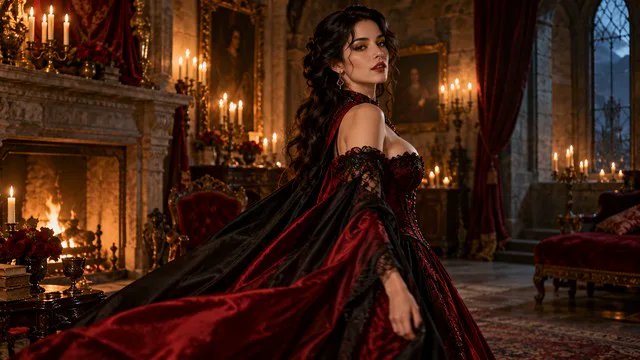
A velvet gown with red accents in a candlelit hall, for a darker, elegant you.
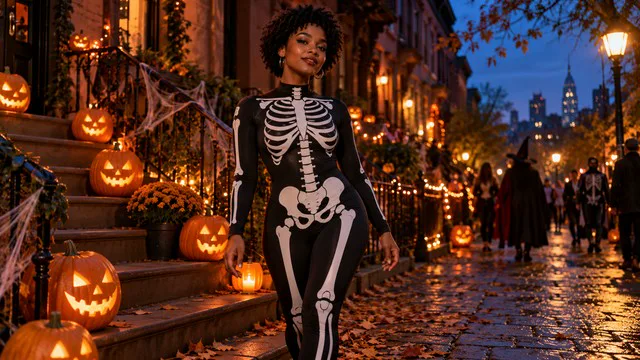
A glowing skeleton bodysuit on a street lined with jack-o-lanterns, bold and graphic.
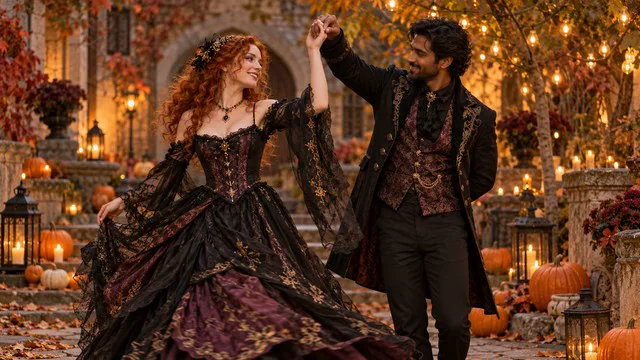
Two people, one photo, and a matching pair of costumes revealed side by side.
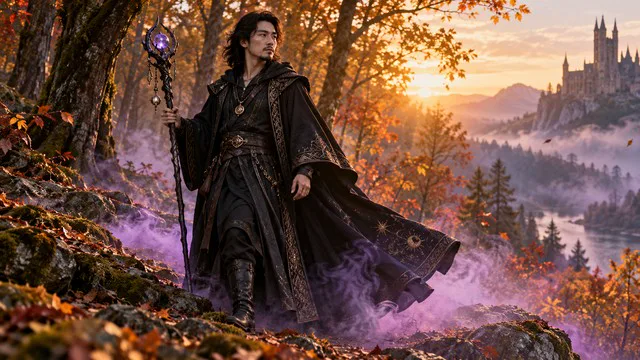
A hooded robe and a glowing staff in a misty autumn forest.
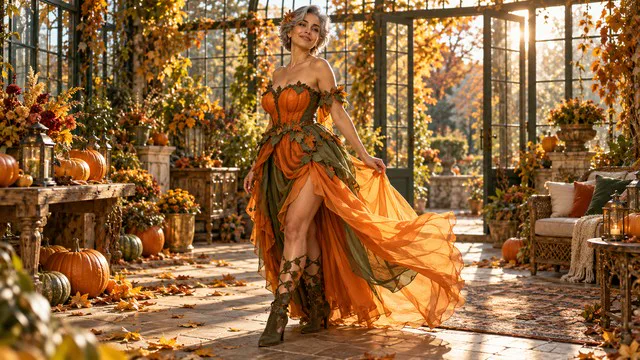
An orange gown with leaves and pumpkins, soft and colorful from start to finish.
Every October, short-video feeds fill with the same move: ordinary clothes, a turn, then a full costume. Video template sites now list it as a Halloween effect, and AI video makers share Halloween prompt ideas for vampire and witch looks. The sources are listed further down the page.
Make yours this week so it's ready to post before the party.
Your AI Halloween costume transformation starts from this photo, so a clean first frame matters most.
Every AI Halloween costume transformation is 15 seconds and vertical. You only pick the sharpness, and you have until Saturday, October 31 to post it.
| Video | Credits | Best for |
|---|---|---|
| 480p · 15s | 120 | Testing a costume idea |
| 720p · 15s | 270 | TikTok, Reels and Shorts |
| 1080p · 15s | 660 | The sharpest final version |
A 720p costume video costs 270 credits. 480p costs 120 and 1080p costs 660.
Costume ideas
Paste one into the Costume and setting box, or tap the same idea above the box in the generator.
Classic and easy to recognize
A green-and-black witch costume with a tall pointed hat, striped stockings and a small broom, in a misty pumpkin patch at night with purple moonlight.
Bold and graphic
A black skeleton-print bodysuit with glowing white bones, on a city street lined with carved jack-o-lanterns and warm porch lights.
Spooky but not gory
A werewolf costume with a fur-trimmed torn jacket, pointed ears and soft grey fur on the hands, under a full moon in an autumn forest.
Pale makeup, no blood
A tattered white wedding dress with a long veil and pale zombie makeup without blood, in a candlelit old chapel with dry leaves on the floor.
Fun for parties
A pirate captain costume with a long red coat, tricorn hat and gold buttons, on a wooden ship deck with lanterns and fog.
A split look in one reveal
Half white angel costume with a feathered wing and half red devil costume with a horn and tail, in a dark room with one warm spotlight.
What people ask before they make their first one.
In your AI Halloween costume transformation, your face, hairstyle and build are kept recognizable while only your clothes change. A clear, front-facing photo gives you the closest likeness.
Use a photo of one adult with the face clearly visible and most of the outfit in frame, in even light. A vertical half-body or full-body shot gives you the cleanest reveal.
Your 15-second video costs 120 credits at 480p, 270 at 720p and 660 at 1080p. You see the exact number on the button before you start.
If a render fails, your credits go back to your balance automatically. If it works but you want a different look, change the photo or the costume words and try again.
Yes. You download an MP4 in 9:16 vertical and upload it like any other clip. Only use photos of yourself or of people who agreed to it, and never photos of children.
Yes for couples: upload one photo with both of you clearly visible and describe a matching pair. You can try a pet too, but the result is less predictable than with a person.
Yes, your video comes with generated sound such as ambience and effects. It does not include a licensed song, so you can add trending audio in TikTok, Instagram or CapCut.
Your video is ready in a few minutes. It is always 15 seconds in 9:16 vertical, the format short-video apps use, so there is nothing to crop or edit.
Halloween is Saturday, October 31
Upload their photo, or yours, and have the AI Halloween costume transformation ready before the party.
More about the trend
A simple before and after format that fits Halloween season on short-video apps.
An AI Halloween costume transformation is a short vertical video, generated from one photo, in which a person starts in everyday clothes and changes into a Halloween costume on camera.
Halloween falls on Saturday, October 31, 2026. Every year in the weeks before it, short-video feeds fill up with outfit transitions: a person starts in ordinary clothes, turns or snaps, and comes back in costume. The AI version skips the costume shopping and the editing.
Video template sites list it as a Halloween effect, and AI video makers publish Halloween prompt ideas for vampire, witch and horror looks. Most clips are vertical, short, and end on a clear full-body reveal so the costume reads on a phone screen.
This page uses the same format: one photo in, a 15-second 9:16 reveal out, with generated sound. The default costume is a black and deep-red vampire with a cape, and you can name any other costume and setting.
The clips on this page are examples of the trend. Your video is generated from your own photo, and results vary with the photo and the costume you describe.
So you know what to expect before you spend credits.
It is a short video where a person starts in everyday clothes and changes into a Halloween costume. Here it is generated from one photo: a slow turn, purple smoke and a full-body reveal in 15 seconds.
Halloween 2026 falls on Saturday, October 31. In the weeks before it, short-video feeds fill up with outfit transitions, so a reveal posted before that Saturday lands right on time.
You get the default look: a black and deep-red vampire costume with a flowing cape. Type any other costume and setting, like a witch in a pumpkin patch, and the same reveal follows your idea.
No. The costumes are generated from your description, and logos and official character designs are avoided. Describe the colors, pieces and mood you want rather than a branded character.