
Table of Contents
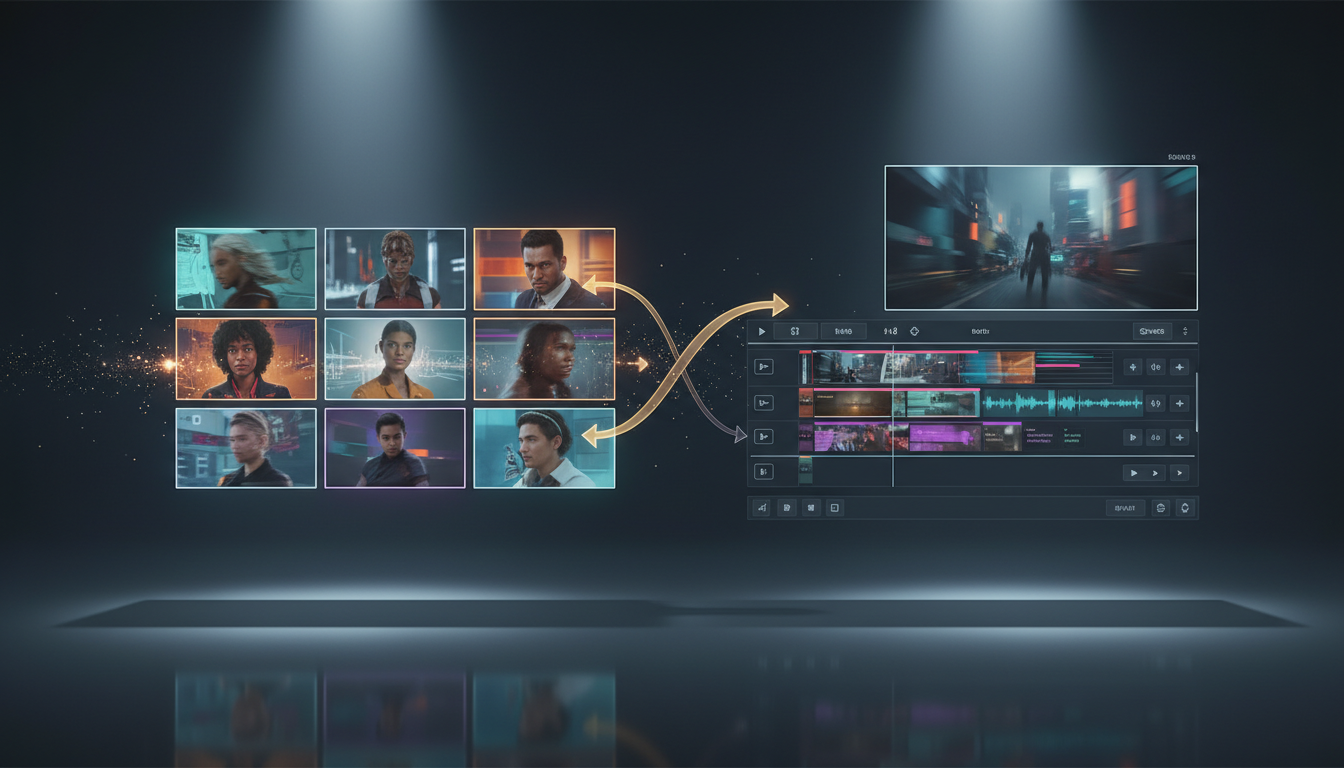
If you want Wan 2.7 to follow multiple visual cues instead of improvising from one image, 9-grid image-to-video is the right starting point.
A good 9-grid board gives the model structure. It tells Wan 2.7 what the subject looks like, which angles matter, and what kind of scene logic to preserve before motion begins.
Updated for April 27, 2026, this guide covers:
- what Wan 2.7 9-grid actually is
- how to prepare a board that the model can read cleanly
- what to write in the prompt
- when 9-grid is better than first/last frame or reference-to-video
- how to get better results on Wan 2.7
What Wan 2.7 9-Grid Actually Does
In practice, 9-grid is a structured image-to-video workflow.
Instead of asking Wan 2.7 to invent a shot from one frame, you give it a board of visual references. The board can hold angle variation, expression variation, product close-ups, or storyboard beats.
That makes 9-grid especially useful when plain text is too loose and single-image I2V is too narrow.
On Wan 2.7, the 9-grid workflow is best treated as a control tool, not a magic shortcut. The better the board, the cleaner the motion.
When to Use 9-Grid vs Other Wan 2.7 Modes
| Goal | Better mode |
|---|---|
| Start from one strong still and add motion | Standard image-to-video |
| Lock both the opening and the ending of the shot | First and last frame |
| Keep one character or product consistent across many angles or panels | 9-grid image-to-video |
| Preserve a recurring subject across scenes or performance-driven clips | Reference-to-video |
If your problem is “I need the model to read several visual clues together,” 9-grid is usually the strongest option.
If your problem is “I already know the exact ending frame,” first/last frame is the cleaner choice.
What Makes a Strong 9-Grid Board
The fastest way to waste credits is to build a board that mixes too many jobs.
A strong 9-grid usually follows five rules.
1. One board, one intent
Do not combine product angles, character wardrobe changes, and background experiments in the same board unless they all serve the same shot.
Pick one main job:
- product motion
- character consistency
- storyboard planning
- scene variation around one concept
If the board tries to answer three different questions, the output usually answers none of them well.
2. Use real visual variation
Nine copies of the same hero frame are not useful.
The model benefits from meaningful differences:
- front
- three-quarter
- side
- close-up
- wider environmental context
- expression or pose variation
- material or detail close-up
This is the real reason 9-grid works. It gives Wan 2.7 more structured evidence, not just more pixels.
3. Keep lighting and style aligned
Different lighting directions, different color temperatures, or mixed illustration/photo styles make the board harder to parse.
Try to keep these stable:
- subject identity
- visual style
- lighting direction
- background logic
- aspect ratio feel
If one panel looks like a studio photo and another looks like a loose concept sketch, the model has to guess which one is correct.
4. Remove borders, labels, and clutter
The board should be clean.
Avoid:
- thick panel borders
- text labels
- arrows baked into the image
- screenshots with UI chrome
- random collage spacing
The model should read the visual content, not graphic decoration.
5. Put the most important look in the center or early attention zones
You do not need a mystical layout. You do need a clear priority.
A practical pattern is:
- center: the clearest hero reference
- corners: angle or pose variation
- edges: context, close-ups, or supporting references
If one panel defines the correct face, product shape, or styling, make that panel especially clean.
How to Prepare a 9-Grid for Different Use Cases
Product videos
Use nine views that help the model understand shape and finish:
- front
- right three-quarter
- right side
- left three-quarter
- top-down
- back
- macro feature close-up
- in-hand or lifestyle context
- clean hero angle
This is often the most commercial 9-grid use case because product identity needs to survive motion.
Character boards
Use the grid to stabilize:
- face
- hair
- outfit
- body proportions
- expressions
- angle changes
If the same character looks subtly different in every panel, the output usually drifts too.
Storyboard-driven motion
A storyboard-style board works best when the panels feel like they belong to one shot family rather than nine disconnected scenes.
If you want a full sequence with exact start and end control, you may be better off pairing 9-grid planning with a separate first/last frame workflow.
The Wan 2.7 9-Grid Prompt Formula
With 9-grid, the board already carries most of the appearance information.
That means your prompt should focus on motion, camera behavior, and scene priority.
A practical formula is:
Main subject + motion + camera move + scene behavior + keep-consistent instruction
Example:
The same ceramic coffee bottle shown across the 9-grid rotates smoothly on a clean studio set. Slow orbit camera, soft reflections, stable label details, no shape drift, premium product ad motion.
What usually helps:
- say what should move
- say what should stay stable
- describe camera behavior in plain terms
- keep the scene objective narrow
What usually hurts:
- rewriting the whole appearance in text
- contradictory style instructions
- asking for too many new objects
- piling on cinematic buzzwords with no motion clarity
If you want more prompt structure, start with the site’s existing Wan 2.7 Prompt Guide and then simplify it for 9-grid use.
How to Use Wan 2.7 9-Grid on wan27.org
A practical workflow looks like this:
- Build a clean 3×3 board from nine images that serve one goal.
- Open Wan 2.7 and choose the Wan 2.7 workflow that supports structured image input.
- Upload the 9-grid board.
- Write a prompt focused on motion and stability, not on re-describing every visual detail.
- Start with a short test generation before you spend more on longer runs or higher resolution.
- Only move to the final render after the motion logic feels right.
For testing, short runs are usually smarter than jumping straight into the most expensive version. Fix the board first. Then fix the prompt. Then scale up.
If you also care about pricing, compare the current plans in Wan 2.7 Pricing.
The Most Common 9-Grid Mistakes
Mistake 1: Treating 9-grid like a moodboard
A moodboard can be loose. A generation board cannot.
If half the board is inspiration instead of reference, Wan 2.7 has to decide which parts are instruction and which parts are decoration.
Mistake 2: Asking for new design changes during motion
Do not ask the model to preserve the same product while also redesigning the product mid-shot.
Pick one primary job:
- preserve identity and animate it
- or redesign it
Trying to do both at once often causes drift.
Mistake 3: Overlong prompts
When the board is doing the visual heavy lifting, the prompt does not need to be huge.
A cleaner motion prompt usually beats a bloated one.
Mistake 4: Bad crops
If the important subject is tiny, cut off, or inconsistent across panels, the model learns the wrong emphasis.
Crop for clarity.
Mistake 5: Using 9-grid when you really need first/last frame
If the ending composition matters more than reference richness, 9-grid is not the cleanest tool.
Use first and last frame when the destination shot is the real constraint.
Should You Use 9-Grid for Product Ads?
Often, yes.
9-grid is one of the most practical Wan 2.7 workflows for:
- product rotations
- multi-angle showcases
- storyboard-to-ad tests
- campaign variations from one visual set
It gives marketing and e-commerce teams a stronger bridge between planning assets and motion output.
That is why so many competing pages lead with product demos. The intent is easy to see: users want more control without building a full production pipeline.
Bottom Line
Use Wan 2.7 9-grid when one image is not enough and text alone is too vague.
Build the board around one clear job. Keep the style aligned. Write the prompt for motion, not for appearance. And switch to first/last frame or R2V when the real constraint is elsewhere.
If you want to test the workflow now, start on Wan 2.7. If you want cleaner prompts first, read the Wan 2.7 Prompt Guide and then come back with a tighter board.