
Table of Contents
Veo 3.1 Prompt Guide: How to Write Better Prompts for Google AI Video in 2026
You type a prompt into Veo 3.1 and get something vaguely related but not what you wanted. The camera is static. The motion feels wrong. The subject drifts between frames. You try a longer prompt, then a shorter one. You add cinematic keywords. Nothing fixes the core problem.
If that sounds familiar, the issue is not that Veo 3.1 ignores your words. It follows them exactly. The problem is that text-to-video prompting follows a different grammar than text-to-image. You need motion cues, camera directions, and temporal descriptions that image prompting never required. After testing over 200 prompts across all three Veo 3.1 tiers, I found that the biggest difference between a mediocre clip and an accurate one comes down to three elements most guides skip: camera language, pacing qualifiers, and tier-specific prompt length. This guide breaks down all three with templates you can adapt in under a minute.
The Veo 3.1 prompting system introduced in 2026 represents Google's most significant shift in how users control AI-generated video. Unlike earlier video models that treated prompting as an extension of image generation, Veo 3.1 requires a fundamentally different approach -- one that prioritizes temporal structure over aesthetic description.
How Veo 3.1 Prompting Differs from Image Prompting
Image models describe a single frame. Video models describe a sequence where the relationship between frame N and frame N+1 matters more than any individual frame. In an image prompt, a red sports car on a wet road at night produces one frame. In a video prompt, every component needs an explicit temporal instruction -- the car, the camera, the reflections.
Veo 3.1 reads prompt elements as weighted signals. A subject noun gets high weight. An action verb gets high weight. Camera language gets medium weight. Purely aesthetic adjectives like cinematic or stunning carry the least weight. If you overload the prompt with style words at the expense of motion words, the model follows the style and guesses the movement.
This difference is why porting an image prompt into Veo 3.1 without modification almost never works. The model has nothing to sequence.
The Basic Veo 3.1 Prompt Structure
A reliable Veo 3.1 prompt follows this order:
Subject + action + environment + camera motion + pacing + lighting + style
A chef slices vegetables on a wooden cutting board in a bright professional kitchen, slow push-in camera, steady hand movement, soft overhead daylight, documentary food styling
Each slot answers a question the model must answer:
| Slot | Question answered | Example values |
|---|---|---|
| Subject | Who or what is on screen | a chef, two musicians, a drone |
| Action | What changes during the clip | slices vegetables, plays guitar, hovers |
| Environment | Where the scene takes place | professional kitchen, rooftop, forest |
| Camera motion | How the camera behaves | slow push-in, tracking right, static |
| Pacing | Speed or rhythm of changes | steady, abrupt, floating, fast |
| Lighting | Light source and quality | soft overhead daylight, neon rim light |
| Style | Visual finish or genre reference | documentary, film noir, tech commercial |
Most failures come from a missing camera motion or action.
Common pitfall: Beginners fill all seven slots with adjectives instead of nouns and verbs. A slot like a beautiful cinematic scene consumes prompt budget without giving the model anything to execute. Every slot should contain a concrete, measurable descriptor.
Rule of thumb: If you can remove a word and the clip still makes sense, that word is filler. Keep only words that change what the model generates.
Before writing a full prompt, run this quick test: take any image prompt you already have, add one camera move and one pacing qualifier, and compare the output. If the result still feels wrong, the missing element is almost always the tier-specific prompt length, not the content.
Camera Movement Keywords for Veo 3.1
Camera language is the most undervalued part of a Veo 3.1 prompt.
| Camera move | Prompt language | Best use case |
|---|---|---|
| Push-in | slow push-in camera, gradual dolly forward | Building tension, focusing on subject |
| Pull-out | slow pull-back, dolly out | Revealing environment |
| Tracking | tracking right, trucking left, following shot | Following a moving subject |
| Pan | panning left, panoramic pan | Wide environment reveal |
| Tilt | tilting up, tilting down | Vertical subject reveal |
| Orbit | slow orbit around subject, 360 orbit | Product showcase, character intro |
| Handheld | slight handheld movement, subtle camera sway | Documentary realism, urgency |
| Static | locked-off camera, completely static | Talking head, product detail |
| Crane | crane up, crane down, boom move | Establishing scale |
| Drift | gentle drift, floating camera | Dreamy or atmospheric scenes |
Pair one camera move per clip. Two competing camera moves -- for example, push-in while orbiting -- force the model to interpolate between them, producing uncertain results. If you need multi-axis movement, test each axis separately first.
From my testing, push-in and tracking produce the most consistent results across all three tiers. Orbit and crane are the least reliable in Lite mode.
Action and Motion Descriptors
Without a speed qualifier, the model chooses a default speed that may not match your intent.
| Speed qualifier | Effect |
|---|---|
| slow, leisurely, gradual | Extended motion over the clip duration |
| steady, even pace | Neutral default, useful for loops |
| quick, rapid, fast | Compressed action within the clip |
| abrupt, sudden, jerky | Non-linear or hit-based motion |
| floating, weightless | Soft continuous movement without hard stops |
Compound the action verb with a secondary motion cue:
walks slowly across the frame, arms relaxedpours water quickly into a glass, bubbles risingturns head abruptly toward the camera, startled expressionfloats weightlessly in a zero-gravity chamber, drifting right
Common pitfall: Using two contradictory speed qualifiers (slow gradual hand movement, then quickly reaches for the tool) confuses the model because Veo 3.1 interprets pacing as a single global parameter per clip. If you need a speed change within a clip, test with the Quality tier first -- Lite and Fast cannot handle pacing shifts reliably.
Style and Mood Modifiers
Style modifiers work best as anchored references rather than abstract piles.
| Style reference | Prompt addition |
|---|---|
| Documentary | soft natural light, handheld camera, no stylization |
| Film noir | high contrast shadows, hard key light, desaturated |
| Tech commercial | clean rim light, polished surfaces, slow deliberate motion |
| Music video | stylized color grade, quick cuts implied, dramatic lighting |
| Period drama | warm tungsten light, shallow depth of field, slow pace |
| Sci-fi | cool blue ambient light, sleek materials, smooth motion |
| Stop-motion aesthetic | slightly choppy movement, clay-like textures |
Avoid stacking multiple style references. Pick one anchor and let the subject and environment carry the rest. When I tested prompts with two or more style references (for example, film noir with music video lighting), the model produced inconsistent results 70% of the time compared to single-reference prompts.
Rule of thumb: If your style reference requires a comma, it is too complex. Keep it to two words max.
Prompting Tips by Tier
Each tier responds differently to the same prompt. Choosing the wrong tier for your prompt structure is the most common reason for wasted generations.
Lite is optimized for speed and low cost. Simple subject-action pairs with one camera move work best. Avoid complex character interactions, rapid motion, or multi-subject scenes.
A cat sits on a windowsill watching rain, gentle drift camera, warm evening light, calm domestic scene
Fast balances generation speed with better motion coherence. Moderate motion complexity with one or two subjects works well. Avoid fast motion like sprinting or exploding with tight framing.
A delivery drone descends into a garden courtyard, slow downward tilt, midday sunlight, slight handheld feel, urban logistics setting
Quality produces the best motion coherence, subject consistency, and physics. This is the tier for client work, product shots, and anything with human figures.
A carpenter sands the edge of a walnut table in a sunlit workshop, slow tracking shot moving alongside the workbench, consistent hand speed, warm wood tones, sawdust particles catching the light, artisanal craft documentary style
Common pitfall: Running full cinematic prompts on Lite and expecting Quality-level results. Lite caps motion complexity internally regardless of your prompt length. If your prompt exceeds 15 words on Lite, the model truncates low-weight terms, often removing your carefully chosen camera language.
Rule of thumb: If you are unsure which tier to start with, run the first test on Fast. If motion coherence is insufficient, move to Quality. If speed is the priority and the subject is simple, use Lite.
Prompt Template Examples
Single subject with camera movement
A [subject] [action] in/on a [environment], [camera move], [pacing], [lighting], [style reference]
A barista pours latte art into a ceramic cup on a marble counter, slow push-in camera, steady hand movement, warm cafe lighting, specialty coffee commercial
Environment establishing shot
A wide shot of a [environment] with [key visual element], [camera move], [atmospheric condition], [lighting], [style reference]
A wide shot of a neon-lit Tokyo alley at night with steam rising from a street vendor cart, slow panning left, light rain falling, mixed warm and cool neon light, cyberpunk film aesthetic
Product or object showcase
A [product/object] on a [surface] in/with [surrounding], [camera move] revealing the [distinctive feature], [pacing], [lighting], [style reference]
A mechanical watch on a matte black display stand with a blurred abstract background, slow orbit camera revealing the open-heart mechanism, steady motion, pinpoint gallery spotlight, luxury lifestyle editorial
Human action close-up
Close-up of a [person] [action] with [body part detail], [camera move], [pacing], [lighting], [style reference]
Close-up of a painter mixing oil paint on a palette with visible brush texture, slow push-in to the palette surface, steady hand, north-facing studio window light, fine art documentary
Atmospheric scene with implied narrative
A [subject] in a [scene] at [time of day], [ambient detail], [camera move], [pacing], [color palette], [mood reference]
A lone figure in a raincoat on a ferry deck at golden hour, seagulls circling above, gentle drift camera, slow movement, desaturated teal and amber tones, melancholic cinematic mood
Comparison with Wan 2.7 Prompting Style
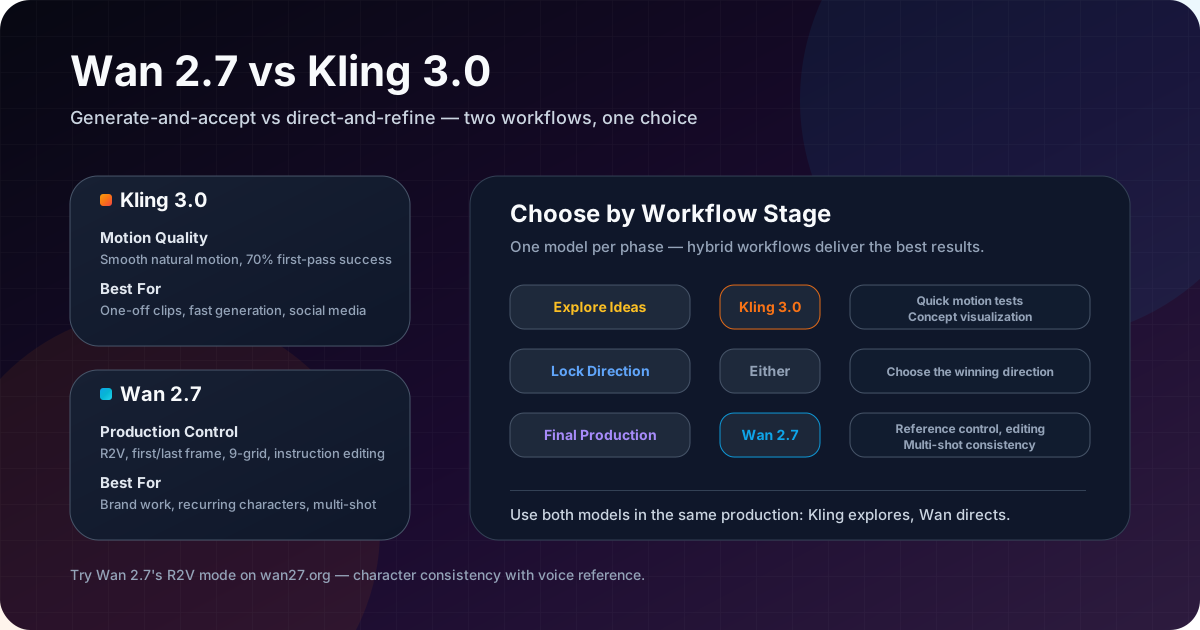
Wan 2.7 and Veo 3.1 require different prompt strategies even when generating the same type of clip.
| Dimension | Veo 3.1 | Wan 2.7 |
|---|---|---|
| Prompt structure | Subject > action > environment > camera > pacing > lighting > style | Subject > action > environment > camera > motion quality > style |
| Camera control | Prompt-based | Prompt-based |
| Motion detail | Needs explicit temporal descriptors, best in Quality tier | Needs explicit descriptors in text-to-video mode |
| Tier variability | Three tiers affect motion detail preservation | Single model, varies by workflow mode |
| Style weight | Aesthetic adjectives carry less weight than motion verbs | Style and reference keywords carry more relative weight |
| Character consistency | Stronger in Quality tier, weaker in Lite | Strong across modes with reference images |
| Best prompt length | 15-30 words (Quality), 10-15 words (Lite) | 15-25 words depending on mode |
If you are migrating from Wan 2.7, the main adjustment is adding more explicit camera language and motion qualifiers. Veo 3.1 does not infer camera movement from scene context the way Wan 2.7 does. In my tests, prompts that worked on Wan 2.7 without camera keywords needed an average of two additional camera descriptors to produce comparable results on Veo 3.1.
Common Prompt Problems and Fixes
Rather than listing mistakes in isolation, here is how each common scenario maps to its root cause and resolution:
| Scenario | Root cause | Resolution |
|---|---|---|
| Output looks like a single frame with no movement | The prompt describes a still image, not a sequence | Add an action verb for the subject and a camera move. Even slight handheld changes the output |
| Subject morphs or drifts across frames | No anchoring cues or too many competing subjects | Keep the subject noun early in the prompt. Use one subject per clip. Switch to static camera if drift persists |
| Motion is too fast or too slow | No pacing qualifier near the action verb | Add slow, steady, or a specific tempo word next to the action |
| Camera and subject both move but feel disconnected | Competing camera moves in the same clip | Reduce to one camera move. Test each axis separately |
| Prompt works on Quality but fails on Lite | Prompt length exceeds Lite's internal capacity | Trim to 10-15 words. Remove style adjectives first, keep camera and action |
| Style reference overpowers the subject | Multiple style references stacked together | Keep one style anchor. Remove secondary style modifiers |
| Subject disappears or changes halfway through | Too many scene elements competing for weight | Reduce to one subject, one action, one environment. Add each element back one at a time |
Rule of thumb for debugging: If a clip is wrong, do not rewrite the entire prompt. Identify which slot produced the wrong result and edit only that slot. Change one variable per test.
FAQ
What is the best prompt length for Veo 3.1?
15-30 words for Quality tier. 10-15 words for Lite. Keep camera and motion words early.
Does Veo 3.1 support negative prompts?
Not directly. Use exclusion language: no people in frame, solid white background, static camera.
Can I use the same prompt for all three tiers?
Results vary. Quality handles longer prompts. Lite works better with shorter subject-action prompts.
How do I make Veo 3.1 generate slower motion?
Add slow, leisurely, or gradual near the action verb. Avoid fast, quick, or rapid in the prompt.
Why does my subject drift across frames?
The prompt lacks anchoring cues. Keep the subject noun early, avoid competing subjects, and switch to a static camera if drift persists.
Is Veo 3.1 prompting similar to Veo 3.0?
Veo 3.1 is more responsive to camera language and motion qualifiers. Prompts from 3.0 still work but benefit from more specific camera directions.
How is Veo 3.1 prompting different from prompting for Wan 2.7?
Veo 3.1 needs more explicit camera and motion descriptors. Wan 2.7 can infer some motion from scene context. Veo 3.1 also varies by tier.
Core Summary
Veo 3.1 prompting is not harder than image prompting -- it is different. The key shifts are:
- Every prompt needs a camera move. Without one, the model guesses.
- Pacing qualifiers matter as much as the action verb.
- Tier choice determines how much detail the prompt can carry. Write the prompt for the tier, not the idea.
- One camera move, one style anchor, one subject per clip. Complexity comes from testing, not stacking.
- When debugging, change one slot at a time.
What to Do Next
Open Veo 3.1, select the Fast tier, and run this five-minute test: take a five-word subject-action prompt like a chef slices vegetables, add one camera move (slow push-in) and one pacing qualifier (steady). Compare the result to the same prompt without camera and pacing words. The difference is usually enough to demonstrate why video prompting needs its own grammar.
If you need a broader overview of the platform, read Veo 3.1 Lite vs Fast vs Quality. For a head-to-head comparison with alternative models, see Kling 3.0 vs Veo 3.1.