Table of Contents

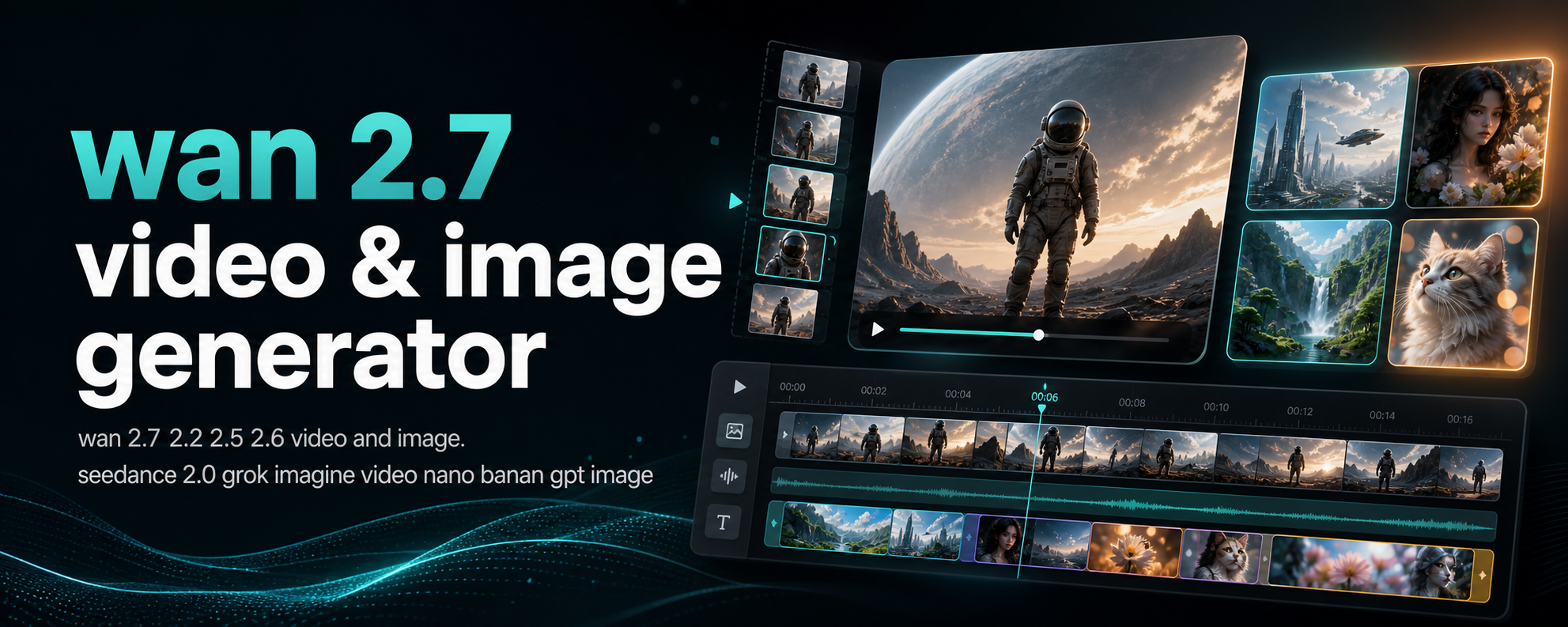
You found Wan 2.7's demo videos. The quality looks incredible — smooth motion, consistent characters, cinematic lighting. Then you check the requirements: a GPU with at least 24GB of VRAM. An RTX 3090 or 4090. That is a $1,500+ card most people do not have in their machine.
The model itself is free and open source — but the hardware is not. Wan 2.7 is a 14-billion-parameter diffusion model. The 14B scale is what gives it realistic motion and character consistency, but it also means the model does not fit on consumer GPUs under 24GB of VRAM. That is why online platforms are not just a convenience — they are the only practical way most people can access this model.
The real question is not "can I download the weights." The real question is "where can I actually use Wan 2.7 right now, in a browser, without installing anything?"
I tested all eight platforms covered in this guide — signed up for each one, generated videos, measured output quality and speed, and documented the real limits that each platform's marketing page does not tell you. By the end of this comparison, you will know exactly which platform fits your workflow, budget, and region — no guesswork required.
Quick Comparison: All 8 Platforms at a Glance
| Platform | Free Tier | Max Resolution | Video Length | Best For |
|---|---|---|---|---|
| Tongyi Wanxiang | Full free | 1080p | Up to 15s | China-based users, free usage |
| Invideo | 7-day trial | 1080p | Up to 15s | Professional video editing |
| Picsart | 5s 720p free | 4K (paid) | 5s free, up to 15s paid | Short social videos |
| fal.ai | $0.50 credits | 1080p | Up to 15s | Developers, API access |
| HuggingFace Spaces | Full free | Varies | Varies | Quick testing, experimentation |
| Tensor Art | Daily free credits | 1080p | Up to 10s | AI art community |
| WaveSpeed AI | Free tier | 1080p | Up to 10s | Fast iteration |
| wan27.org | Free signup credits | 1080p | 5s, 10s | Dedicated Wan workflow |
Not sure where to start? Pick the platform with the lowest entry barrier — Tongyi Wanxiang (free, no credit card) or HuggingFace Spaces (free, no signup needed). Generate one 5-second clip. If the output quality meets your standard, you have validated that online Wan 2.7 works for your project. From there, optimize the platform choice based on your specific needs — longer videos, higher resolution, API access, or editing features.
1. Tongyi Wanxiang (Tongyi Wanxiang) — Alibaba's Official Platform
Alibaba's own cloud AI platform offers the most complete free access to the underlying Wan model.
What it supports:
- Text-to-video and image-to-video generation
- Video editing with instruction-based modification
- 3000-token long text rendering for complex prompts
- Up to 9 reference images with precise color control
- 1080p output at up to 15 seconds
Pricing: Completely free on the standard tier. No credit card required.
The real limits: Tongyi Wanxiang is designed for the Chinese market. The interface is in Chinese by default, and overseas access can be slow or unreliable depending on your region. Some features require a Chinese phone number for registration. Content moderation is stricter than Western platforms — certain prompts may be rejected.
Hidden catch: The platform serves the Wan model (as the underlying engine), but it is branded as Tongyi Wanxiang. You do not get direct access to the latest Wan 2.7 features like first-frame and last-frame control — the platform wraps the model in its own simplified interface.
Best for: Users in China or users who can access the platform reliably. The free tier is genuinely unlimited, which makes it the most cost-effective option if it works for you.
If Tongyi's regional restrictions or Chinese-language interface do not work for your situation, Wan 2.7 is also available inside full-featured video editors. Invideo is the most notable option.
2. Invideo — Full Video Editor With Wan 2.7 Integration
Invideo is a browser-based video editing platform that added Wan 2.7 as one of its AI generation engines.
What it supports:
- Text-to-video and image-to-video generation
- First-frame and last-frame control
- 1080p output
- Full timeline editing, overlays, music, transitions
Pricing: Free tier available with watermarks. Full Wan 2.7 access requires the paid plan. 7-day free trial available for new users.
The real limits: Invideo is a video editor first, not a dedicated AI generation platform. The Wan 2.7 workflow is embedded inside the editor interface, which means you cannot generate directly from a simple prompt page. You need to work within Invideo's project structure. The free tier adds watermarks to all exports.
Hidden catch: Because Wan 2.7 is one of several AI engines in Invideo, you may not always know which model is handling your generation. The platform may route simpler requests to faster, lower-quality models. The Wan 2.7 option exists but is not always the default.
Best for: Content creators who already use Invideo for editing and want to add AI-generated clips into their existing workflow. If you are looking for a standalone Wan 2.7 tool, this is more platform than you need.
For shorter, faster content aimed at social media — think TikTok, Reels, Shorts — Picsart offers a lighter, more focused approach.
3. Picsart — Quick Social Video Creation
Picsart integrated Wan 2.7 into its AI video tools, aimed at short-form social content.
What it supports:
- Text-to-video and image-to-video
- First-frame and last-frame control
- Up to 5 reference images
- Natural language camera direction
- Up to 4K output on paid plans
Pricing: Free tier gives 5-second videos at 720p, limited to 5 video generations and 5 reference images. Paid plans start at roughly $13/month for longer videos and higher resolution.
The real limits: The free tier is restrictive — 5 seconds at 720p is enough to test the model but not enough for real work. 4K output is available on paid plans only. The interface is designed for quick social content, not precise video control.
Hidden catch: Picsart's AI features have been inconsistent in availability. Some users report that the Wan 2.7 option appears or disappears depending on regional rollout. The free tier's image reference limit (5 images) is lower than what the Wan 2.7 model itself can handle.
Best for: Social media creators who need short clips and already use Picsart for image editing. Not ideal for longer-form video or precise generation work.
If you do not need a visual editor at all and just want direct access to the Wan 2.7 model — via API, with full control over parameters — developer-focused platforms are a different category entirely. fal.ai is the clearest option here.
4. fal.ai — Developer-Focused Cloud Inference
fal.ai is a cloud inference platform that hosts Wan 2.7 as an available model, designed for developers who want API access.
What it supports:
- Full Wan 2.7 model via API
- Text-to-video and image-to-video
- Web interface for testing
- Configurable generation parameters
- Up to 1080p, up to 15 seconds
Pricing: Pay-per-generation. $0.50 in free credits on signup. API pricing is publicly listed on fal.ai's pricing page — roughly $0.02–0.05 per generation depending on resolution and length.
The real limits: fal.ai is not designed for non-technical users. The web interface is minimal — it is a testing console, not a polished video editor. You need to understand API concepts to use it effectively beyond basic testing. The free credits ($0.50) cover roughly 10–25 short generations.
Hidden catch: fal.ai runs the raw Wan 2.7 model without the quality optimizations that dedicated platforms apply. Output quality matches the open-source model weights directly, which means you are getting baseline performance — not the fine-tuned versions some other platforms run. This is actually an advantage for developers who want the unmodified model, but a disadvantage for users who want the best possible output from the same generation budget.
Best for: Developers building applications on top of Wan 2.7. If you need API access, this is one of the cleaner options. For casual video generation, look elsewhere.
If you want to try Wan 2.7 with zero commitment — no signup, no payment, no API keys — community-hosted demos are the easiest starting point.
5. HuggingFace Spaces — Community Demos, Completely Free
HuggingFace Spaces hosts community-built demos of Wan 2.7. Anyone can launch a Space, and many developers have published Wan 2.7 inference interfaces.
What it supports:
- Multiple Wan 2.7 Space implementations
- Text-to-video and image-to-video in most Spaces
- Completely free to use
- No signup required for many Spaces
Pricing: Free. HuggingFace provides free CPU and limited GPU resources to community Spaces. Some Spaces may require a HuggingFace account to use.
The real limits: Speed and reliability vary wildly between Spaces. A Space running on a free T4 GPU can take 5-10 minutes to generate a single 5-second clip. Popular Spaces frequently hit queue limits and return "no available GPU" errors. There is no consistency — each Space has different parameters, different UI, and different model versions.
Hidden catch: Spaces are not production infrastructure. A Space that works today may be taken down or stop receiving updates tomorrow. The maintainer controls uptime. If you build a workflow around a specific Space, you are at the mercy of a volunteer developer's maintenance schedule.
Best for: Quick experimentation and testing Wan 2.7 output quality. Do not rely on HuggingFace Spaces for any production workload.
For users who want community features — galleries, prompt sharing, model fine-tuning — alongside generation, Tensor Art combines an AI art social platform with Wan 2.7 support.
6. Tensor Art — AI Art Community Platform
Tensor Art is a community-focused platform for AI-generated images and videos, with Wan 2.7 available as one of its supported models.
What it supports:
- Wan 2.7 text-to-video and image-to-video
- Community gallery and prompt sharing
- Model fine-tuning options
- 1080p output
Pricing: Daily free credits for generation. Paid top-up available when credits run out.
The real limits: Tensor Art is primarily an image generation platform. Video generation with Wan 2.7 is a secondary feature. The interface is designed for the image workflow first, and video controls can feel bolted on. Free credits run out quickly — you may get 2-3 video generations per day on the free tier.
Hidden catch: Tensor Art's community guidelines restrict certain types of content. Prompts that would work on other platforms may be blocked here. The platform also applies compression to generated videos, so output quality at the same resolution may be lower than on dedicated video platforms.
Best for: Users who are already part of the Tensor Art community and want to experiment with Wan 2.7 alongside image generation. Not ideal as a dedicated video generation platform.
If speed is your priority — fast turnaround on prompt iterations — WaveSpeed optimizes specifically for rapid inference rather than community or editing features.
7. WaveSpeed AI — Fast Inference Platform
WaveSpeed positions itself as a fast inference platform with support for multiple AI models, including Wan 2.7.
What it supports:
- Wan 2.7 text-to-video and image-to-video
- 1080p output
- Multiple model support beyond Wan 2.7
- Batch generation options
Pricing: Free tier with daily credits. Paid plans for higher volume.
The real limits: WaveSpeed's free tier is generous enough for testing but runs out quickly for regular use. Generation speed is advertised as faster than community alternatives, but actual speed depends on server load and time of day.
Hidden catch: WaveSpeed runs optimized versions of Wan 2.7 that may behave differently from the official model. The optimizations trade some output variety for speed — results tend to be more uniform across different prompts compared to the raw model. This is fine for iteration but limits creative range.
Best for: Users who want fast turnaround on short video clips and are willing to accept slightly less varied output in exchange for speed.
Finally, if you want a platform built specifically for Wan 2.7 — not a general video editor or multi-model hub — wan27.org is the most focused option available.
8. wan27.org — Dedicated Wan 2.7 Online Platform
wan27.org is built specifically for Wan 2.7, offering a browser-based interface for all major model capabilities without requiring local installation.
What it supports:
- Text-to-video, image-to-video, reference-to-video
- First-frame and last-frame control
- Video editing and continuation
- Wan 2.7 Image Pro
- 1080p output at 5s and 10s durations
- No local GPU required — all generation runs server-side
Pricing: Free signup credits on registration. Paid plans start at Basic ($7.99/month, 360 credits), Pro ($25.90/month, 1,320 credits), and Max ($59.90/month, 3,600 credits), plus pay-as-you-go credit packs starting at $19.90. Commercial use rights included from the Pro plan. You can check the pricing and limits comparison for the full breakdown.
The real limits: Free credits are limited. The platform does not support 4K output — 1080p is the maximum resolution. Video length is capped at 10 seconds on standard settings, though longer generation is available through specific workflows.
Hidden catch: As a dedicated platform, wan27.org focuses exclusively on Wan 2.7. If you need other AI models or video editing features outside the Wan ecosystem, you will need additional tools.
Best for: Users who want the most complete Wan 2.7 experience in a browser, with access to all major features (first/last frame, reference to video, video editing) from a single interface.
Which Platform Should You Choose?
The right platform depends on what you want to do.
Rule of thumb: Free platforms (Tongyi Wanxiang, HuggingFace) are best for validation — test the model's output quality before spending anything. Paid platforms with free trials (wan27.org, Invideo) are best for consistent production work. API platforms (fal.ai) are best for building products on top of Wan 2.7. Do not pay for a full video editor if you only need API access — and do not use a bare API console if you need to edit and assemble clips.
| Your Goal | Best Platform | Why |
|---|---|---|
| Free access, no strings attached | Tongyi Wanxiang or HuggingFace Spaces | Both are genuinely free. Tongyi has better speed and consistency if you can access it. HuggingFace works everywhere but is slower. |
| Professional video editing with AI clips | Invideo | The full editor is overkill for just generating clips, but if you need to edit and assemble, this is the integrated option. |
| Short social videos | Picsart or Tensor Art | Both are designed for social content formats. Picsart has a better editor. Tensor Art has a stronger community. |
| Developer API access | fal.ai | Clean API, transparent pricing, raw model access. The best choice if you are building a product or service around Wan 2.7. |
| Quick testing and experimentation | HuggingFace Spaces or wan27.org | HuggingFace for a no-commitment try. wan27.org for a more complete, consistent experience. |
| Fast iteration on prompts | WaveSpeed AI | Optimized for speed. Useful when you are dialing in a specific output. |
| Complete Wan 2.7 feature set | wan27.org | Covers the widest range of Wan 2.7 features in one interface. |
If none of these scenarios match exactly, start with any platform that has a free tier and test the model yourself. See for full Wan 2.7 capabilities in the full Wan 2.7 feature guide.
FAQ
Can I use Wan 2.7 online for free?
Yes. Tongyi Wanxiang and HuggingFace Spaces offer completely free access. Other platforms like wan27.org, Picsart, Tensor Art, and WaveSpeed offer free credits on signup. Each free tier has different limits on resolution, video length, and number of generations per day.
Do I need a GPU to use Wan 2.7 online?
No. That is the point of online platforms. All generation runs on the platform's servers. You only need a browser and an internet connection. Your computer's hardware does not matter — the same applies whether you use a laptop, a tablet, or a phone.
Which platform has the best Wan 2.7 video quality?
For the highest resolution output, Picsart offers 4K on paid plans. For the most faithful Wan 2.7 implementation, fal.ai runs the raw model weights without modifications. For the most consistent quality at 1080p across all features (text-to-video, image-to-video, reference-to-video, video editing), wan27.org provides the most complete controlled environment.
Is Tongyi Wanxiang the same as Wan 2.7?
Tongyi Wanxiang uses the Wan model as its underlying engine, but it is Alibaba's branded product, not a direct Wan 2.7 interface. It may not include the latest Wan 2.7 features (like first-frame/last-frame control) and applies its own content moderation and interface choices.
Can I use Wan 2.7 API online?
Yes. fal.ai is the most straightforward option for API access, with transparent per-generation pricing and a developer-friendly interface. wan27.org also offers API access through its platform.
How long are the videos on each platform?
| Platform | Max Free Length | Max Paid Length |
|---|---|---|
| Tongyi Wanxiang | Up to 15s | Same (free) |
| Invideo | Trial-dependent | Up to 15s |
| Picsart | 5s | Up to 15s |
| fal.ai | Pay-per-gen | Up to 15s |
| HuggingFace Spaces | Varies by Space | N/A (free) |
| Tensor Art | Up to 5s | Up to 10s |
| WaveSpeed AI | Up to 5s | Up to 10s |
| wan27.org | 5s (with credits) | 10s |
Bottom Line
Eight platforms, eight different trade-offs. The right choice depends on where you are, what you need, and how much you want to spend.
The purest free option is Tongyi Wanxiang (if you can access it from your region). The most developer-friendly is fal.ai. The most complete single-platform Wan 2.7 experience is wan27.org. The fastest for social content is Picsart.
The wrong choice is picking a platform before you understand your own workflow. If you need API access, do not sign up for a video editor. If you want to edit and assemble clips, do not use a bare-bones API console.
If you want the full rundown on how Wan 2.7 works across all these interfaces, read the full Wan 2.7 feature guide. For step-by-step generation instructions, the text-to-video tutorial covers the process that works on most platforms.
Start with a free account on Tongyi Wanxiang or wan27.org — generate one 5-second clip. That is enough to validate whether Wan 2.7's output quality works for your project. It takes two minutes and costs nothing. From there, the decision framework above will guide you to the right platform for your actual workload.