
Restage a product photo
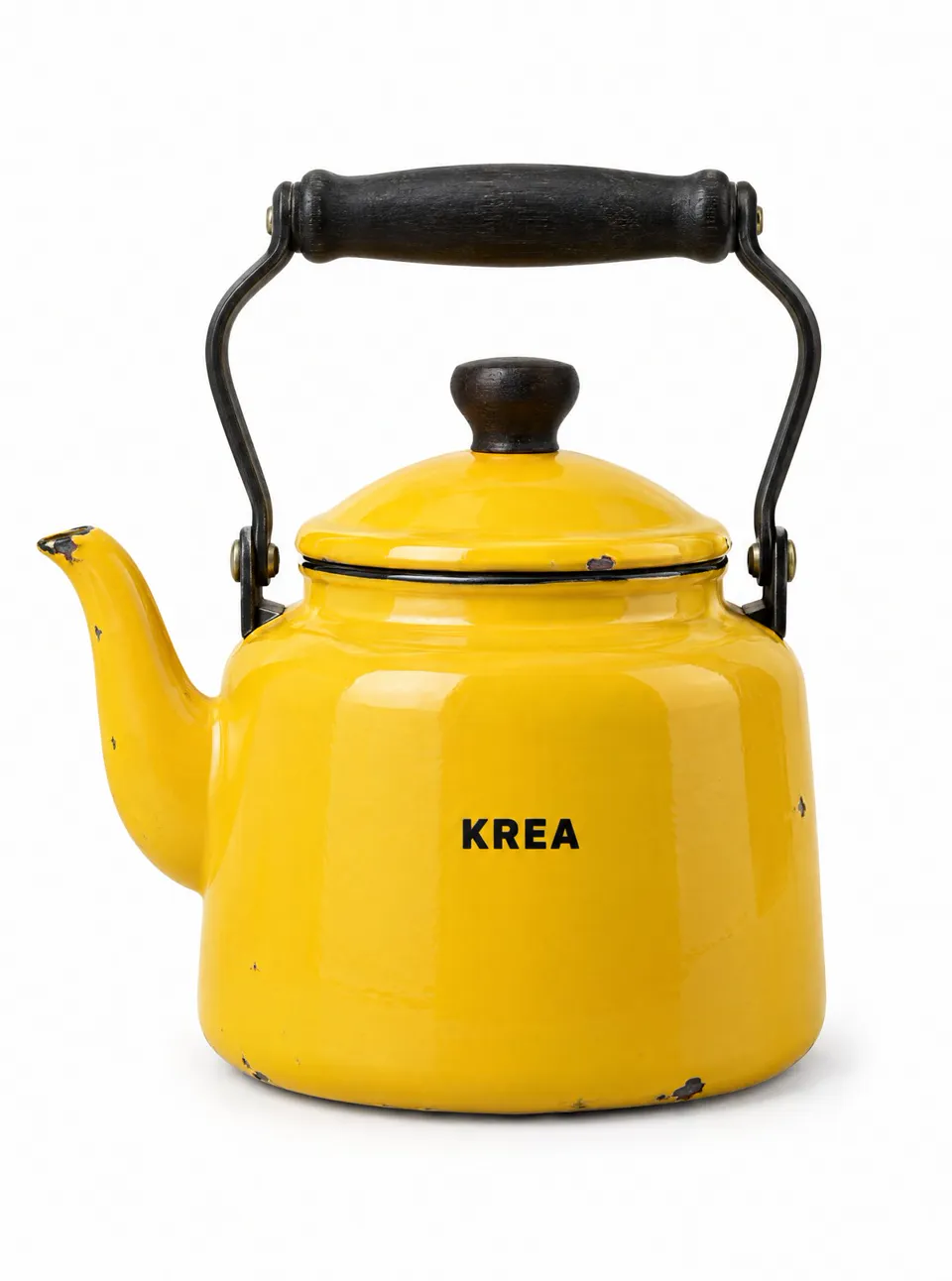
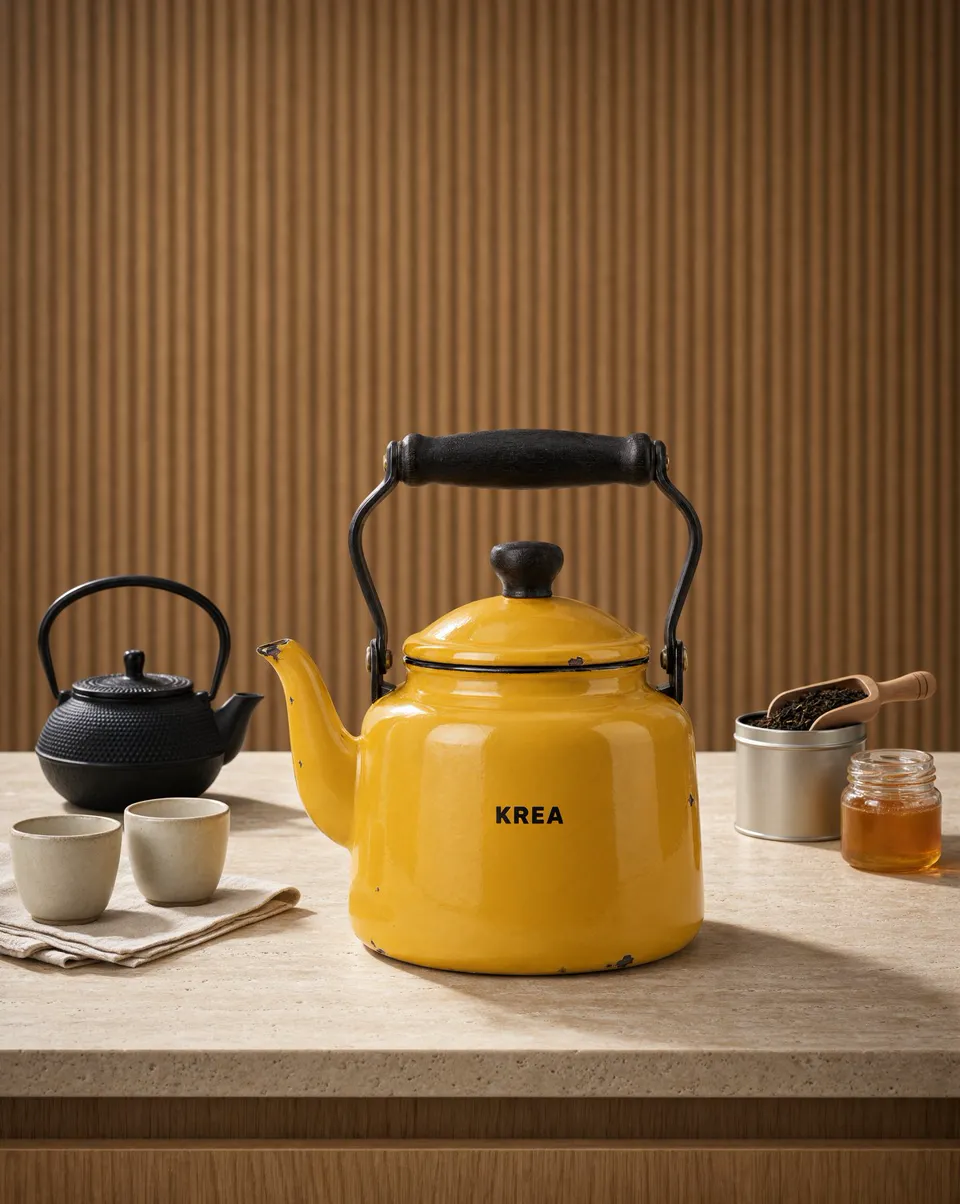
- Kept
- The enamel chips, black handle and KREA print on the kettle
- Changed
- A travertine counter, fluted wood and a tea set from the prompt
What is Krea 3
Krea 3 is the image editing model Krea released in open beta on October 15, 2026. The model is built to change only what you ask for: swap one object, restyle a room or restage a product, while labels, logos, faces and the camera stay the same.
On this page you can run it without an API key. Upload a starting image and describe the edit, or type a prompt to generate from scratch. Choose the standard mode for quality, Fast for speed, or Ultra, the thinking mode that ranked #4 on Arena's multi-image edit leaderboard. Output is 1K or 2K, and the credit cost shows on the Generate button before you spend anything.
Specs
What you can set in the generator above, and what each setting does.
| Spec | Krea 3 on this page |
|---|---|
| Maker | Krea (krea.ai), served through fal |
| Released | October 15, 2026 (open beta) |
| Modes | Standard (quality), Fast (speed), Ultra (ultra thinking, edit only) |
| Inputs | Text prompt, or a text prompt plus one starting image. Ultra needs one. |
| Resolution | 1K or 2K. Ultra always renders at 2K. |
| Aspect ratios | 1:1, 16:9, 9:16, 4:3, 3:4, 21:9 |
| Output | JPG or PNG, one image per edit; up to 6 images per text prompt |
| Credits | From 4 credits (1K text to image) to 33 credits (Ultra edit) |
How it works
Step 1
Choose the standard mode for the best detail, Fast to iterate quickly, or Ultra for hard edits. Switch to Image to Image to upload a starting photo.
Step 2
Name the one thing to change, then list what must not move: the product, the face, the text, the camera. The model follows both halves of the prompt.
Step 3
Pick 1K or 2K and press Generate. Download the result, or upload it again as the new starting image for the next edit.
Before and after
Real outputs from Krea's launch examples. Each pair shows what changed and what stayed put.
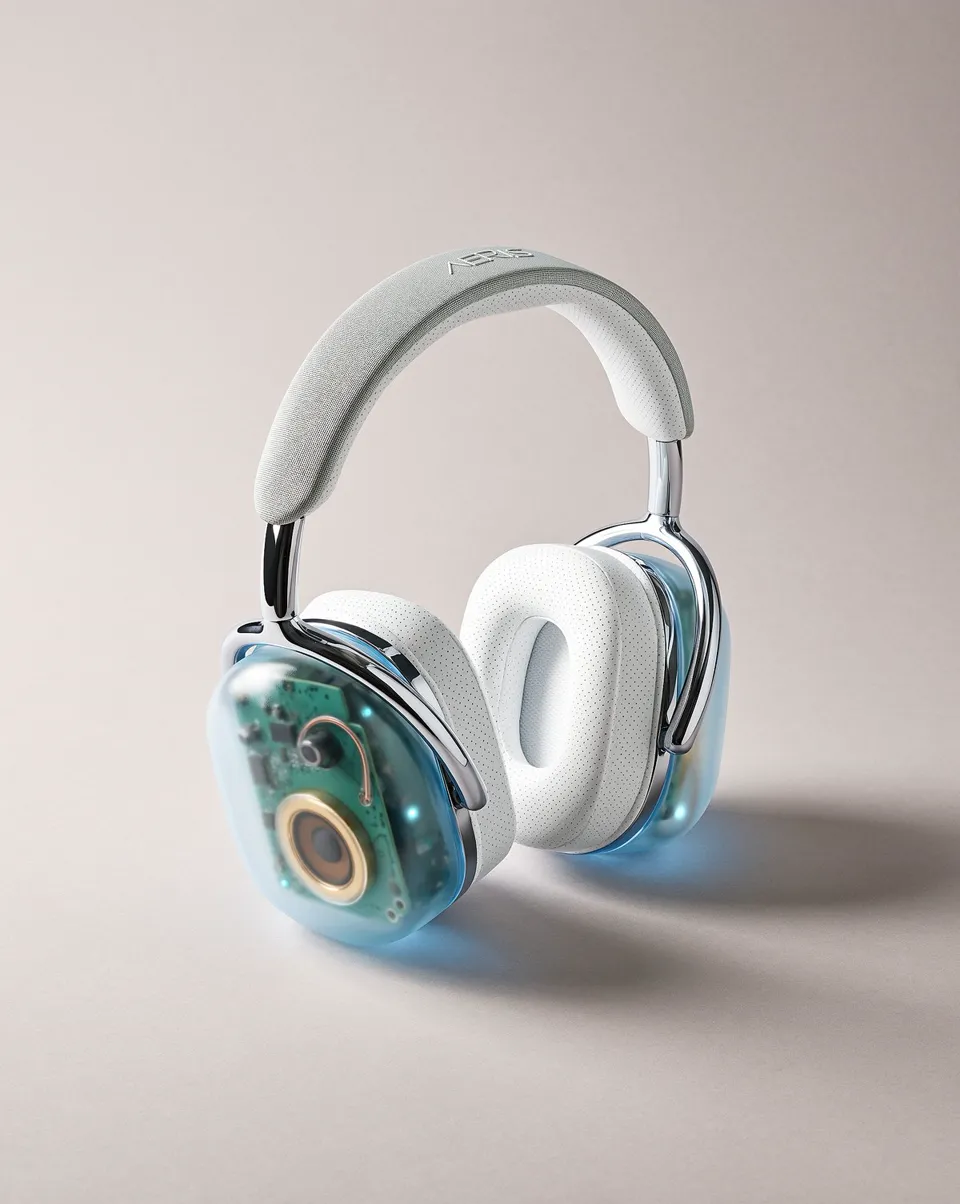
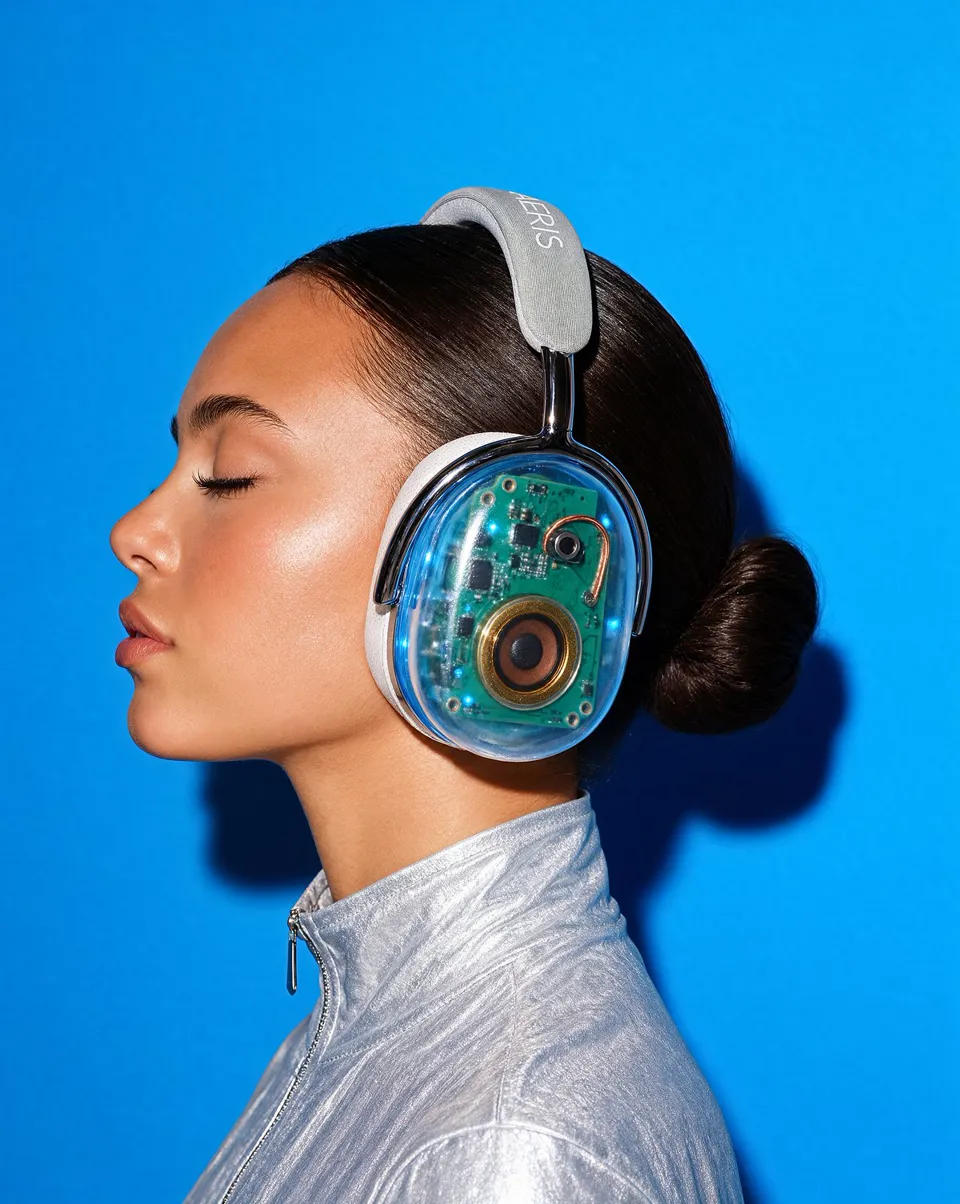
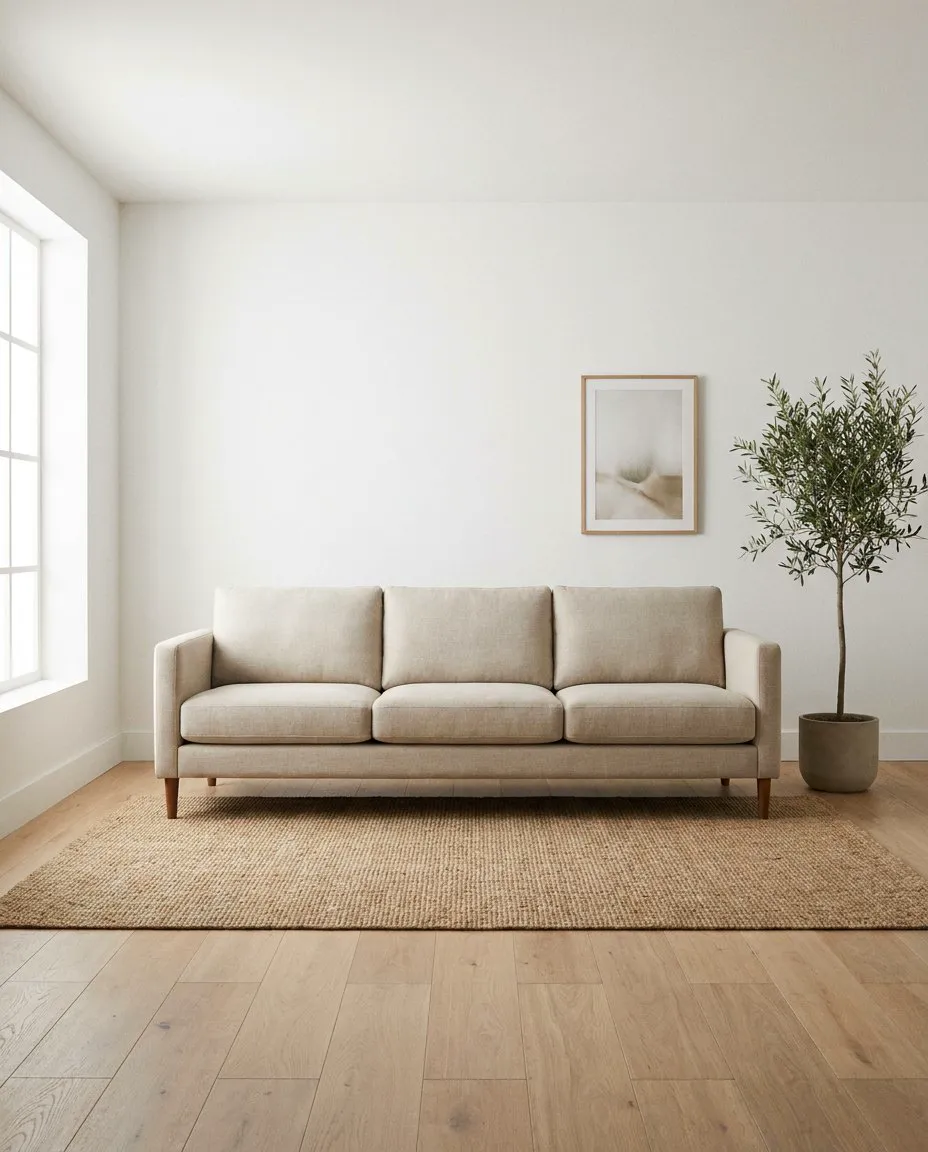
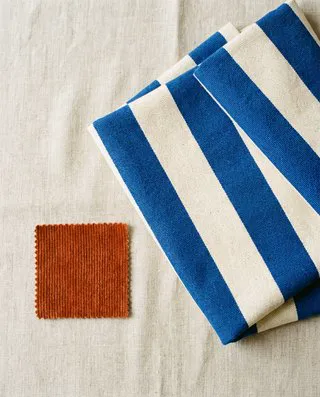
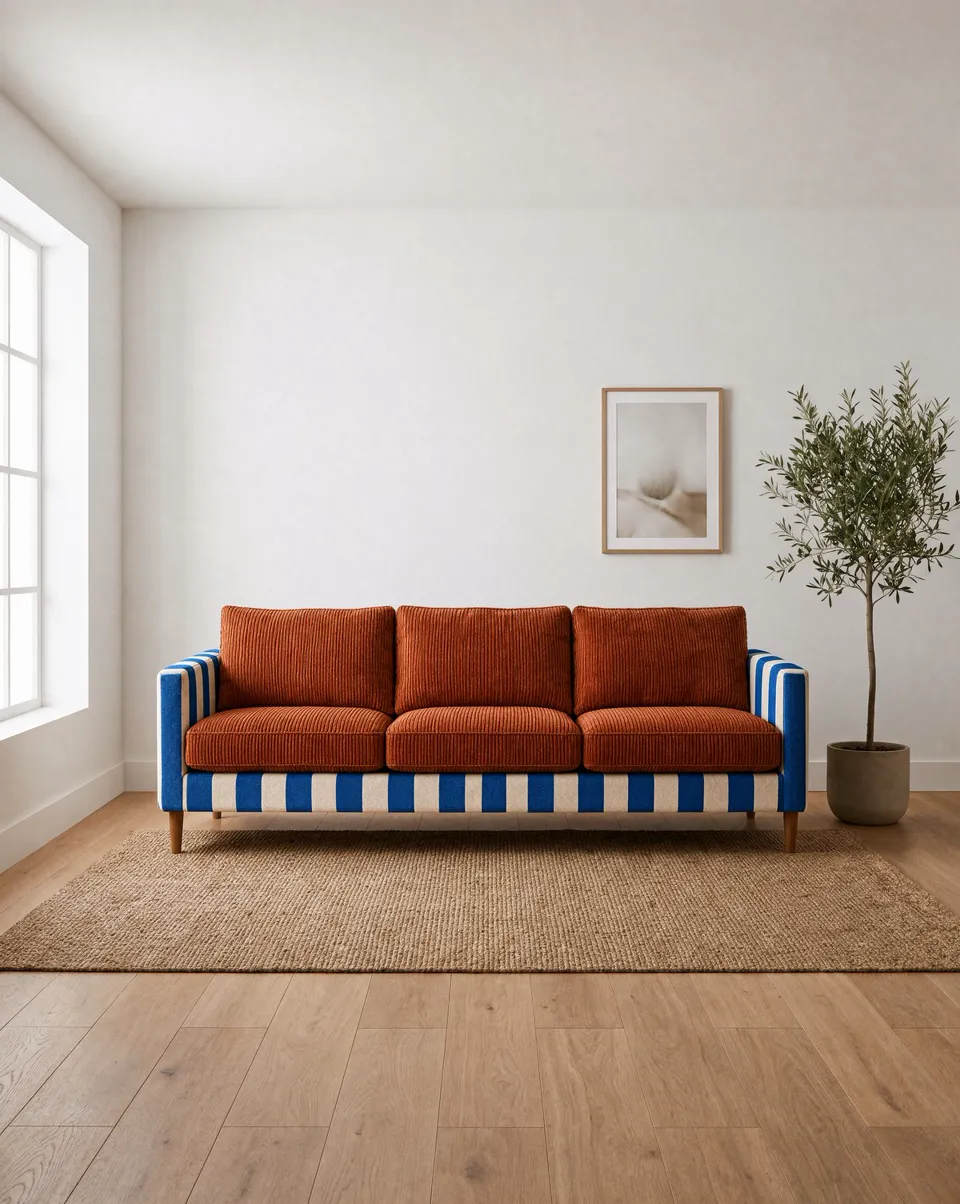
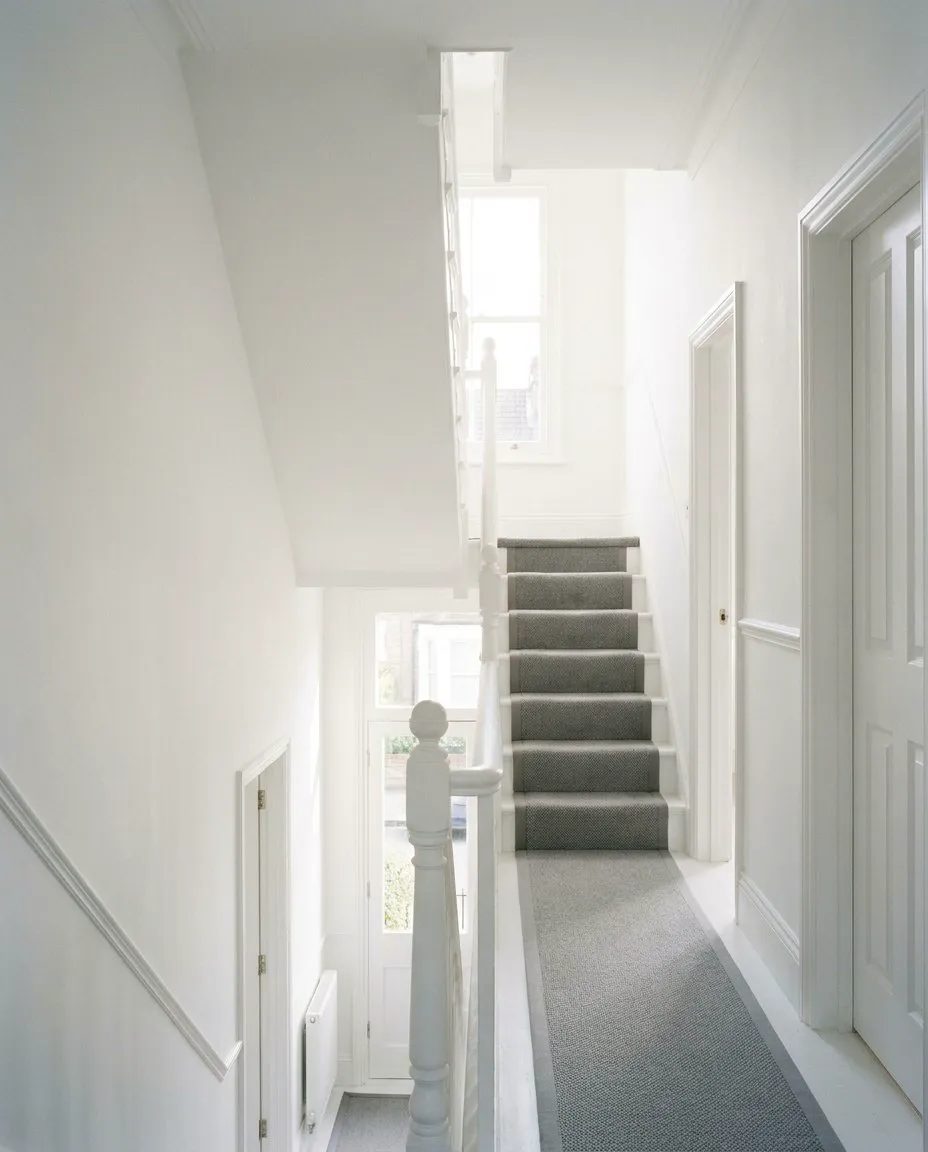
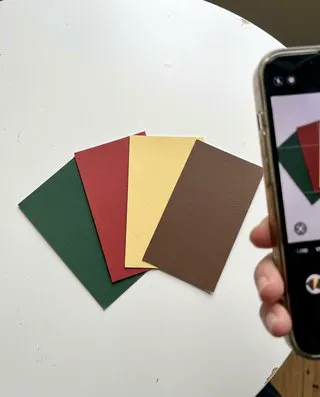
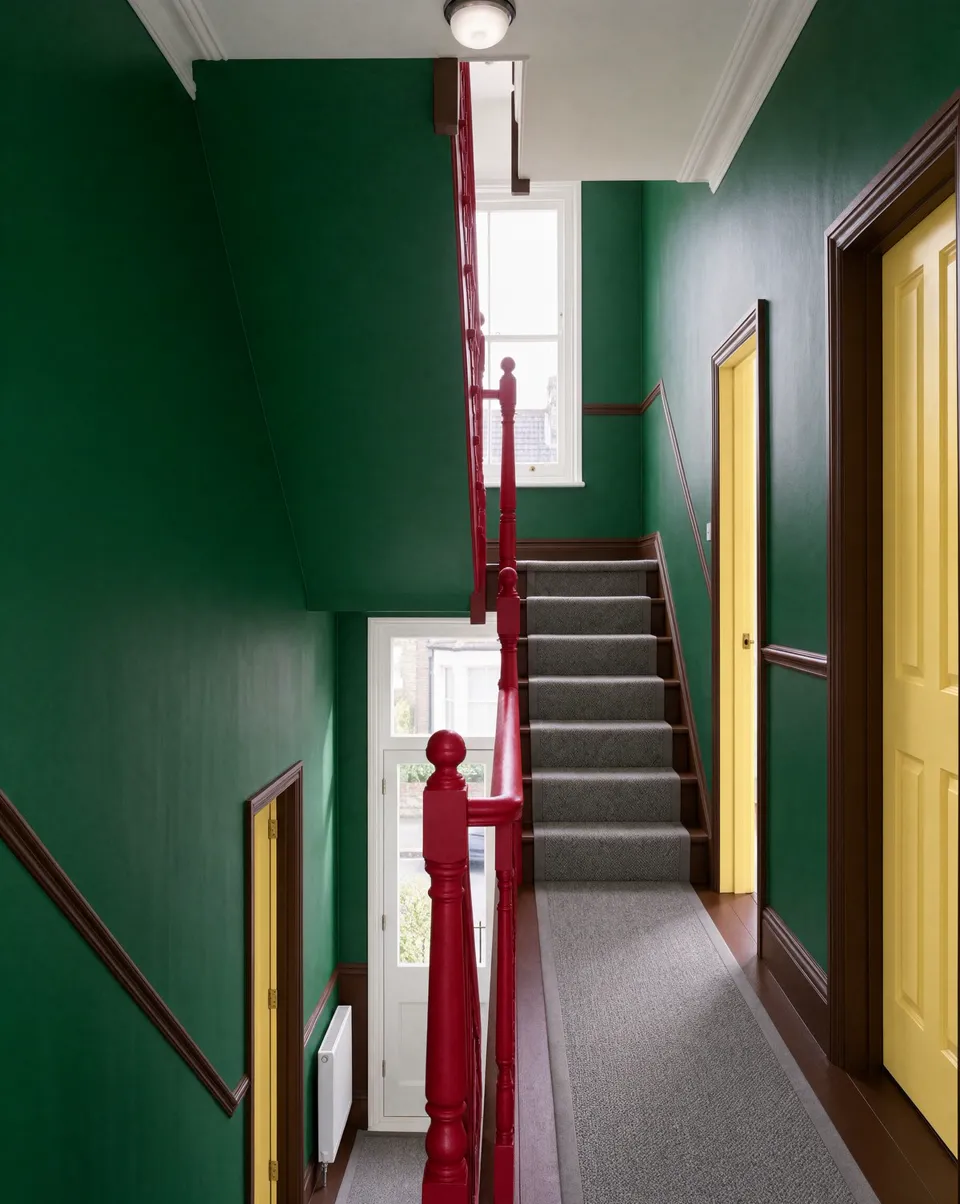
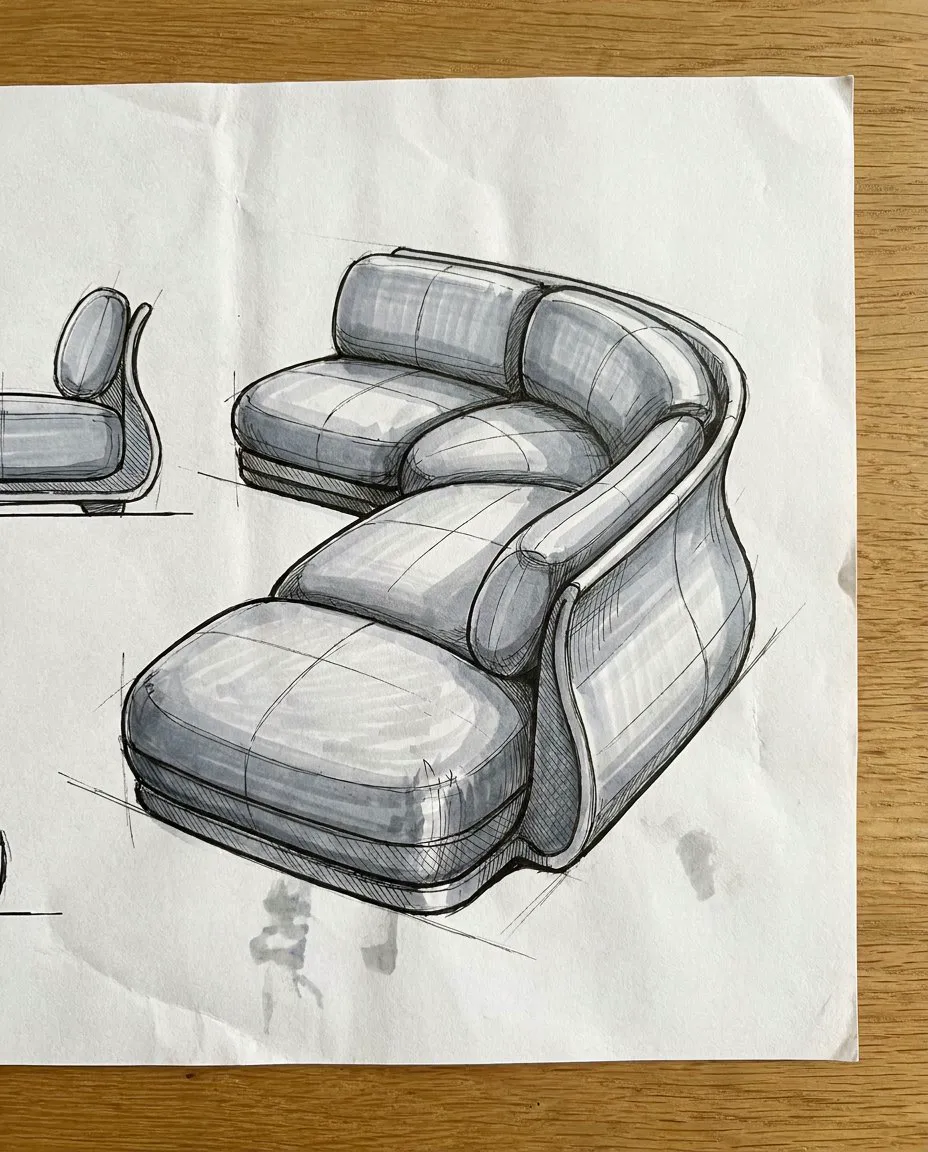
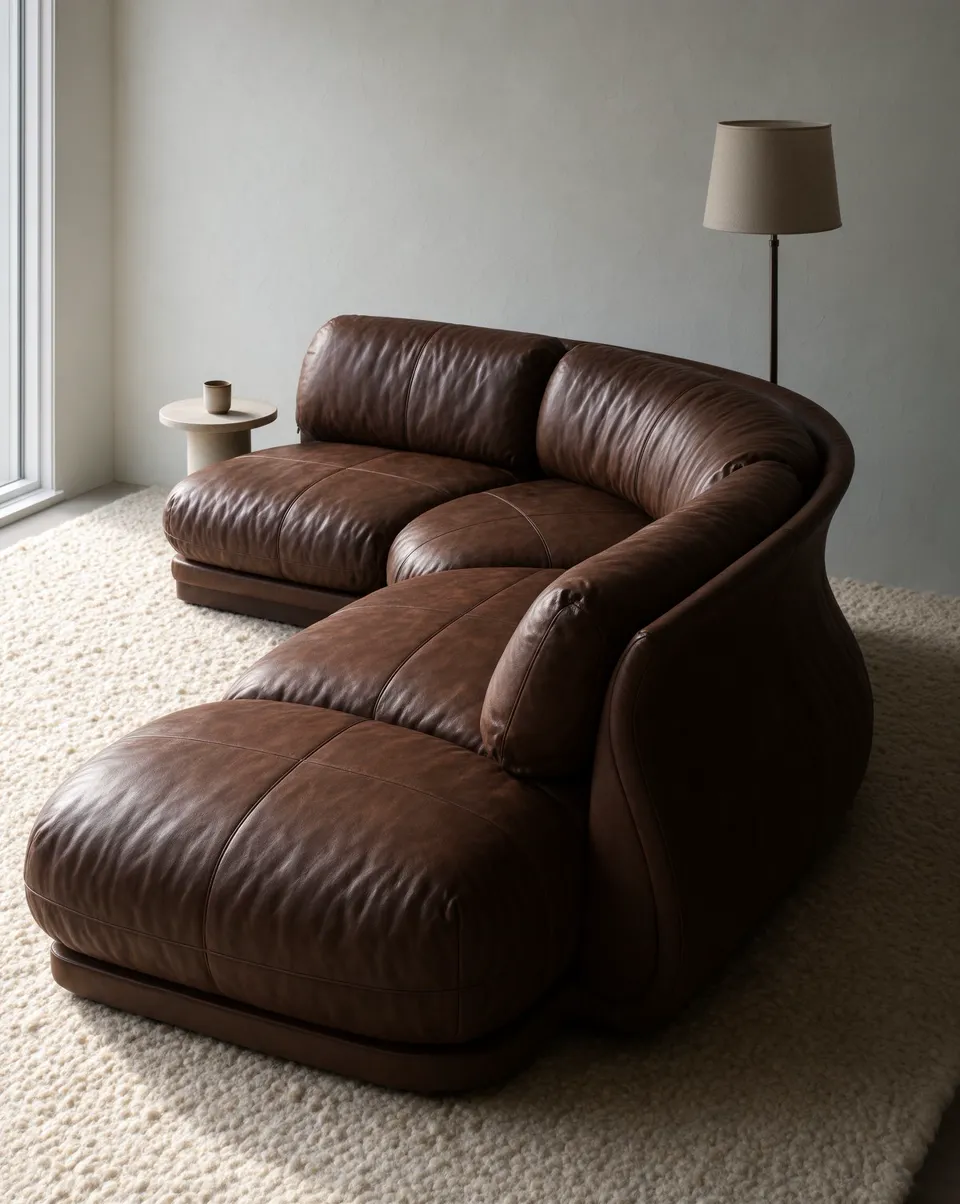
The swatch and paint-chip edits used a second reference image through the API. In this generator you start from one image and describe the material or colors in the prompt; name a HEX value when the exact color matters.
Images: Krea, from the fal's launch page
References and consistency
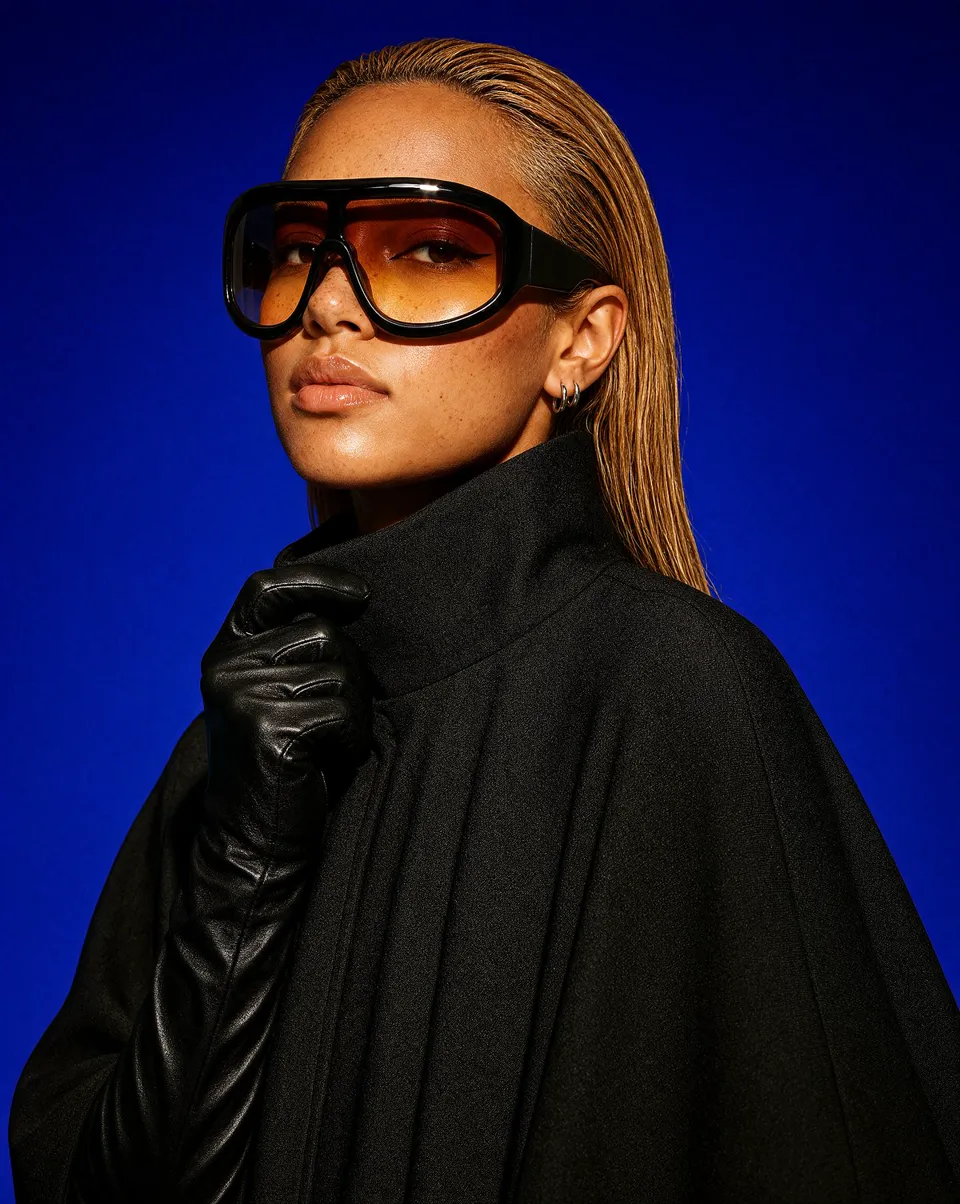
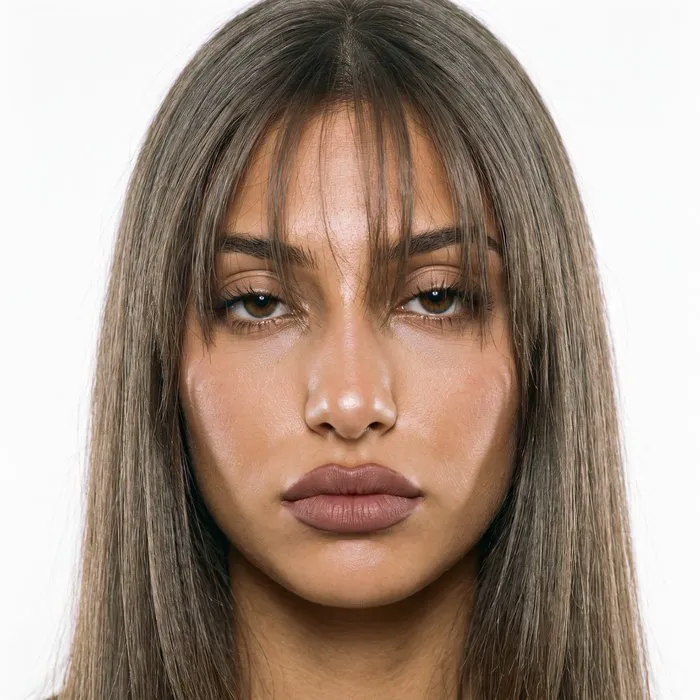
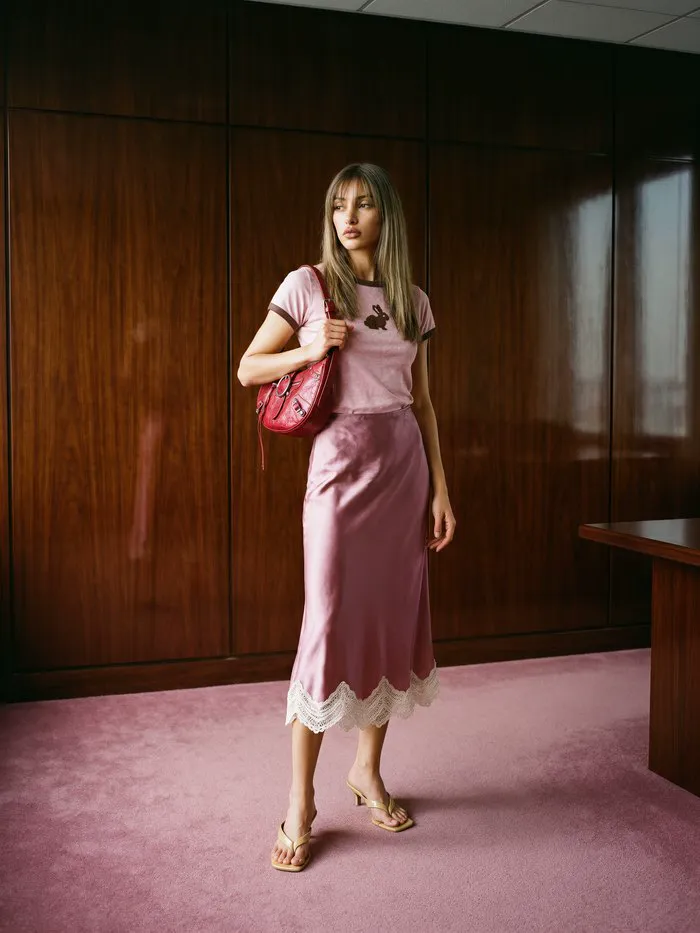
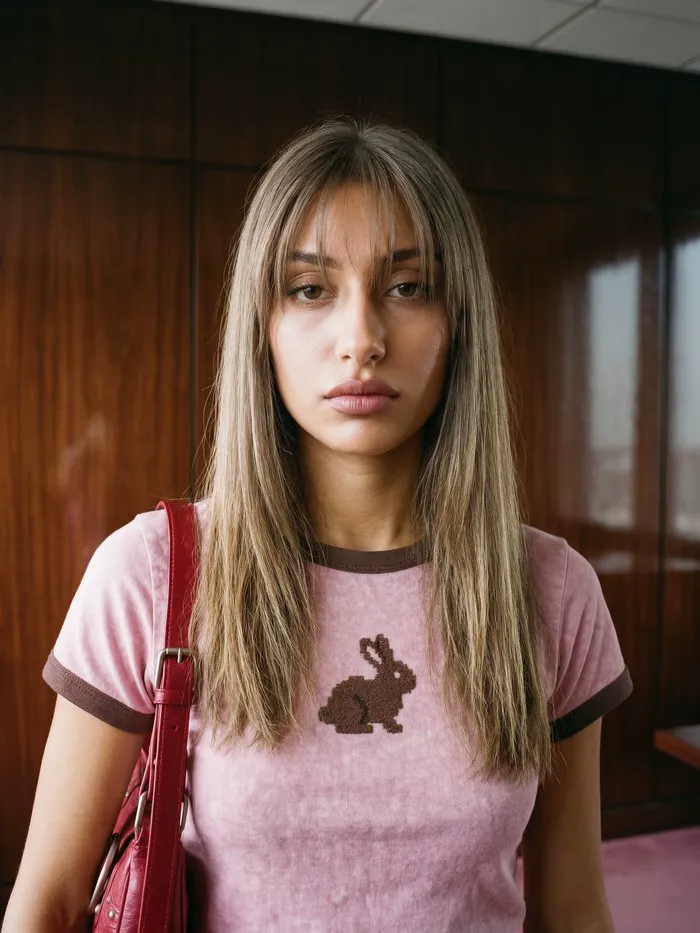
Two things Krea 3 is built for: combining references without losing detail, and carrying one character across a series of shots.
A portrait and two views of the same sunglasses. Her face and freckles hold, and the shield visor and amber lens match the product shots.
Inputs
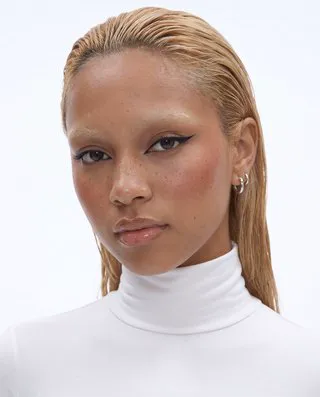
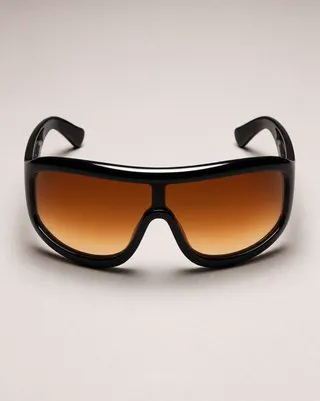
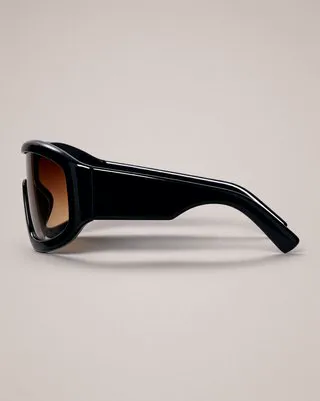
Output
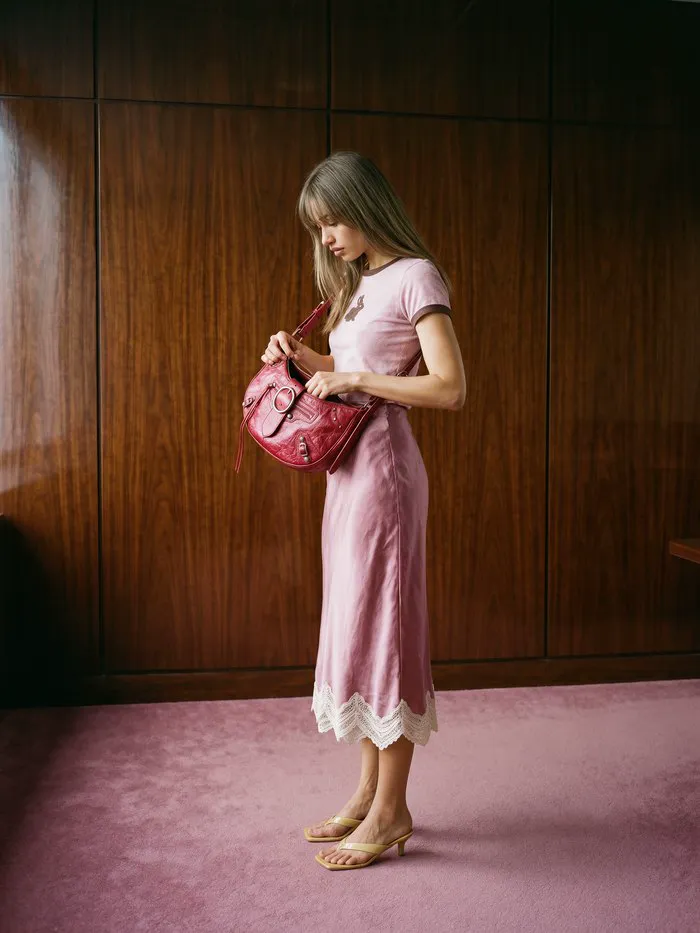
One face reference, three shots: full length, chest up and a side view. Face, ringer tee, satin skirt and red bag stay consistent.
Prompts
Each image came from a single reference photo and the prompt below it. Upload your own product or room and adapt the words.
Prompt
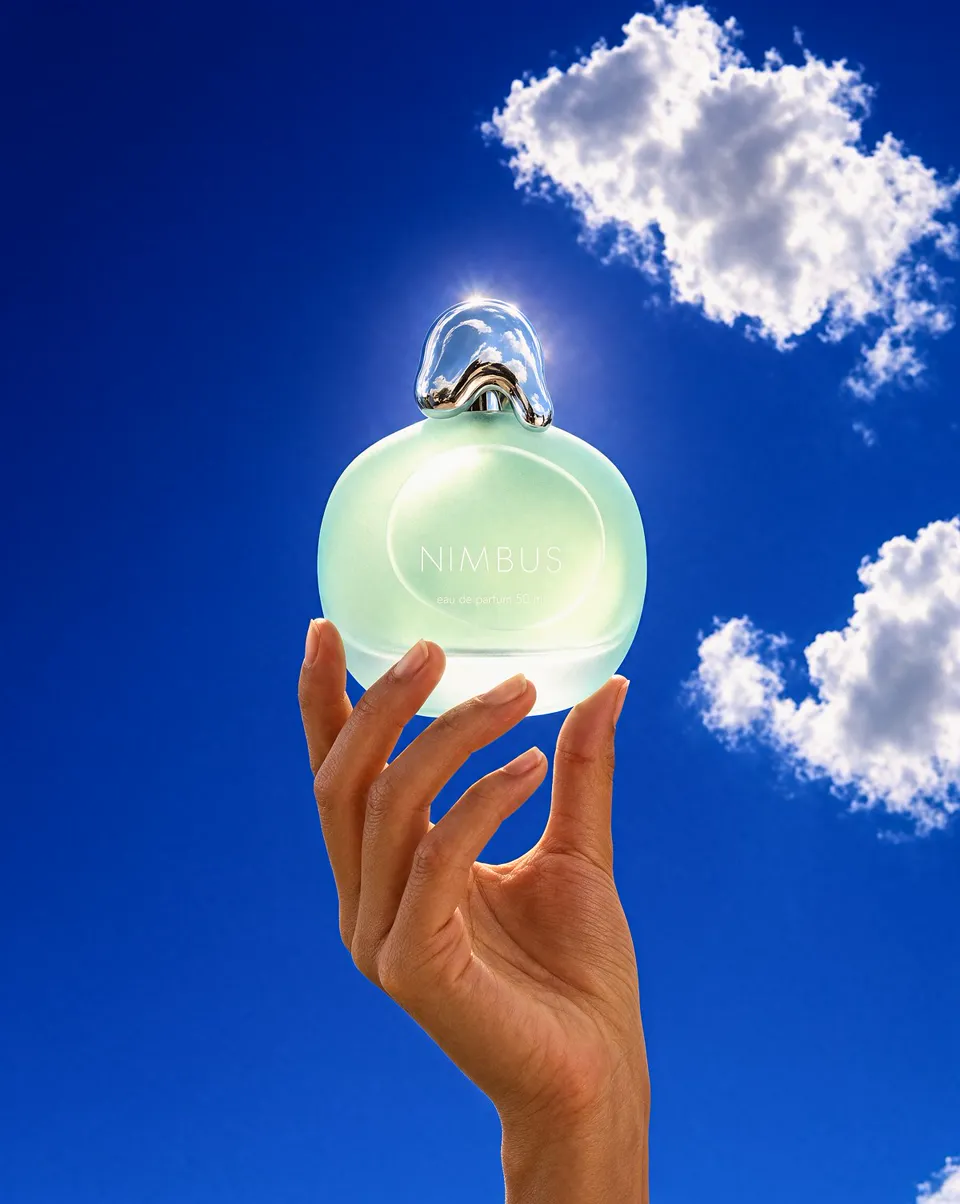
Keep the perfume bottle exactly as in the reference image: same frosted seafoam pebble-shaped glass body, same melted-droplet chrome cap and the same white NIMBUS text. Restage it as an open-sky contre-jour fragrance campaign shot: vertical low-angle frame of a hand with bare natural nails raising the bottle up against a deep saturated cobalt summer sky with a few bright white cumulus clouds, the sun just behind the bottle so the frosted seafoam glass glows from within and the chrome cap catches a hot white rim highlight, a faint genuine lens flare bloom at the upper edge, 70mm, 4:5, deep focus, clean digital finish, Y2K fragrance advertising photograph, no added text.
Example by Krea, from the fal's launch page
Prompt
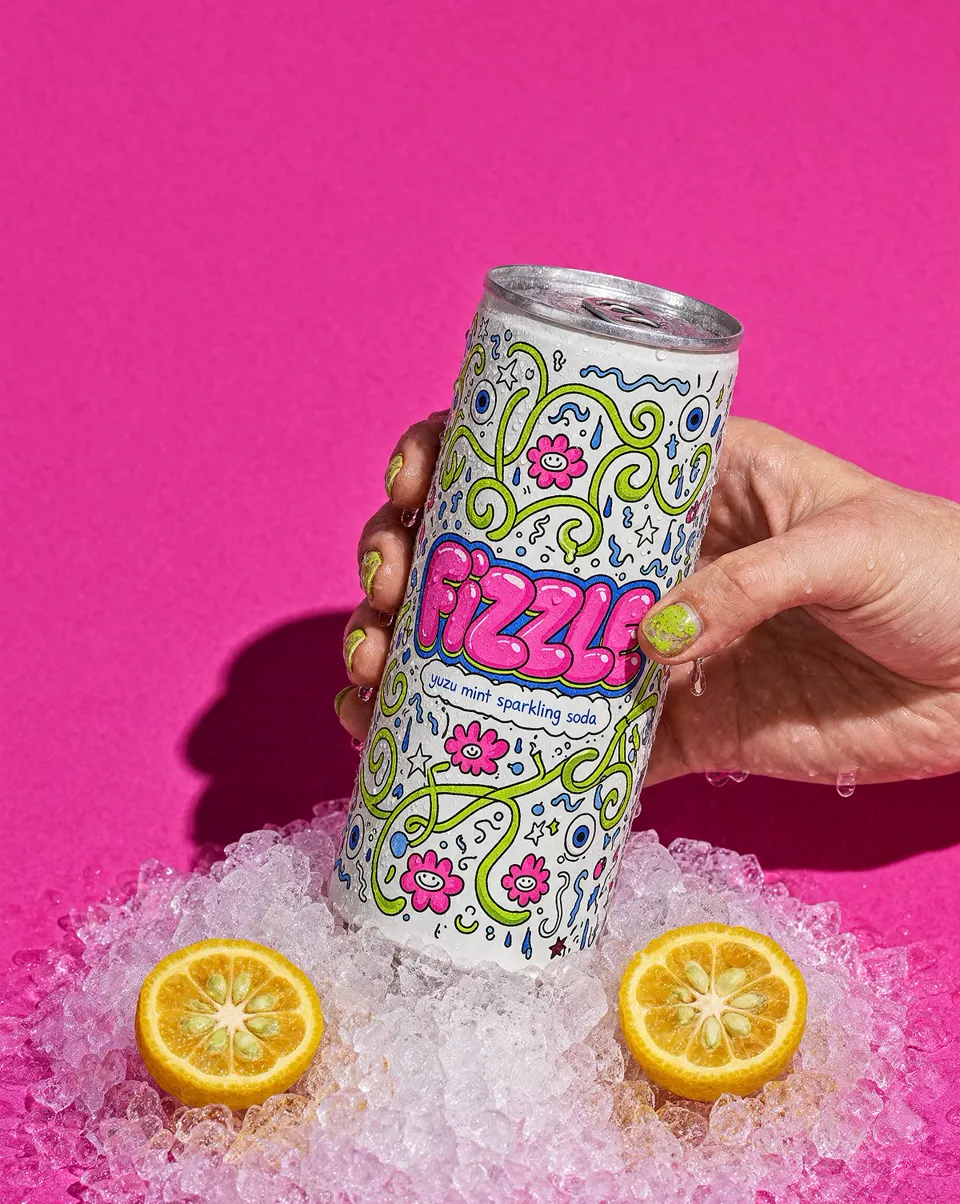
Keep the soda can exactly as in the reference image: same white can with the maximal doodle illustration in lime green, hot pink and cobalt, the bubbly FIZZLE lettering and the small yuzu mint sparkling soda line, same silver rim and tab. Restage it as an ice-cold beverage campaign shot: vertical frame of a hand with chipped lime-green nail polish gripping the can, the can's surface covered in fine condensation, pushed down into a bed of crushed ice, two halved yuzu fruits half-buried in the ice, against a flat saturated magenta-pink seamless paper backdrop, one hard flash 25 degrees to camera right, 85mm, 4:5, playful beverage advertising photograph, no added text.
Example by Krea, from the fal's launch page
Prompt
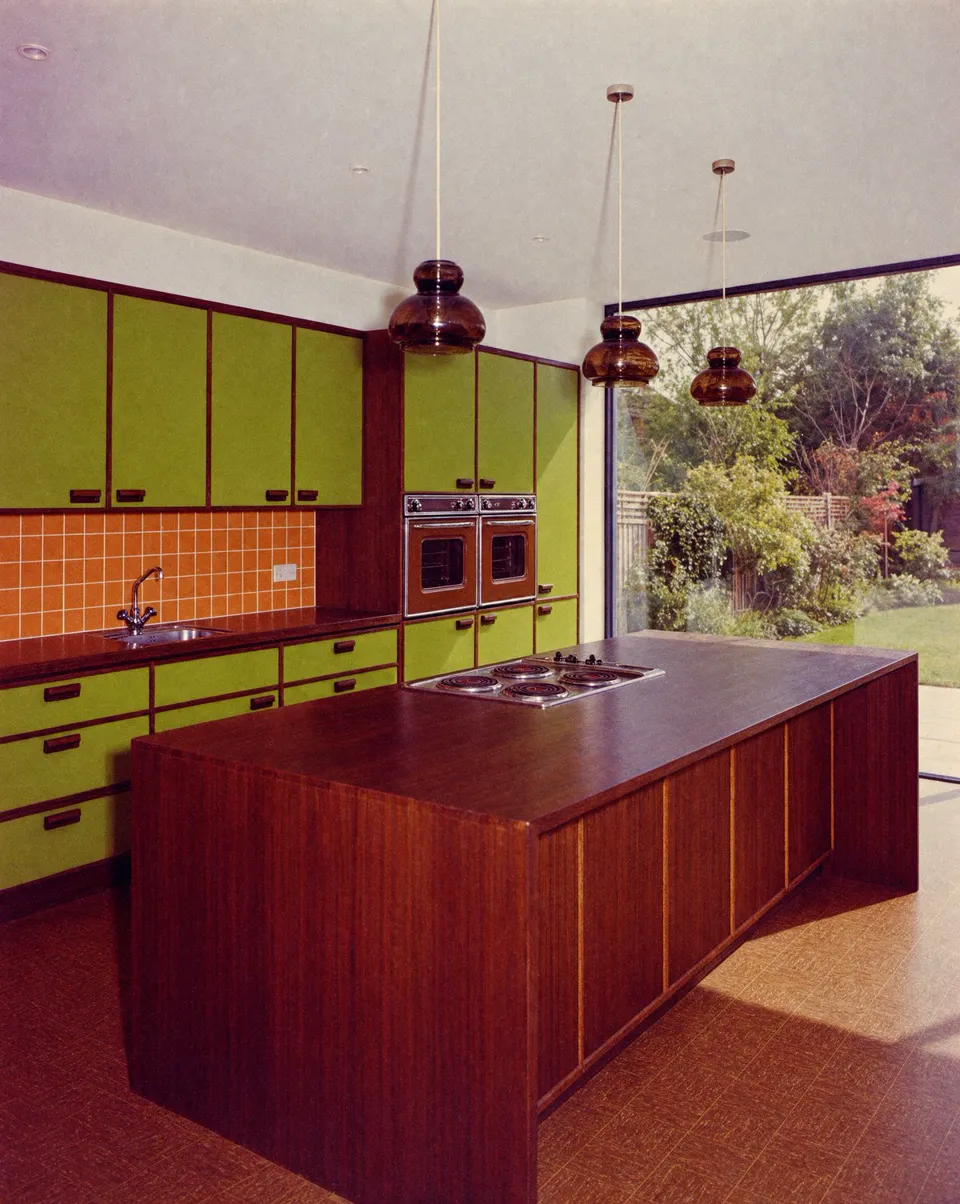
Show this exact kitchen as if it were built in 1974. Same layout, island, window and camera. Avocado green cabinets, orange tile backsplash, dark wood, brown linoleum, smoked glass pendants. Real 1970s kitchen, shot on faded Kodachrome film.
Example by Krea, from the fal's launch page
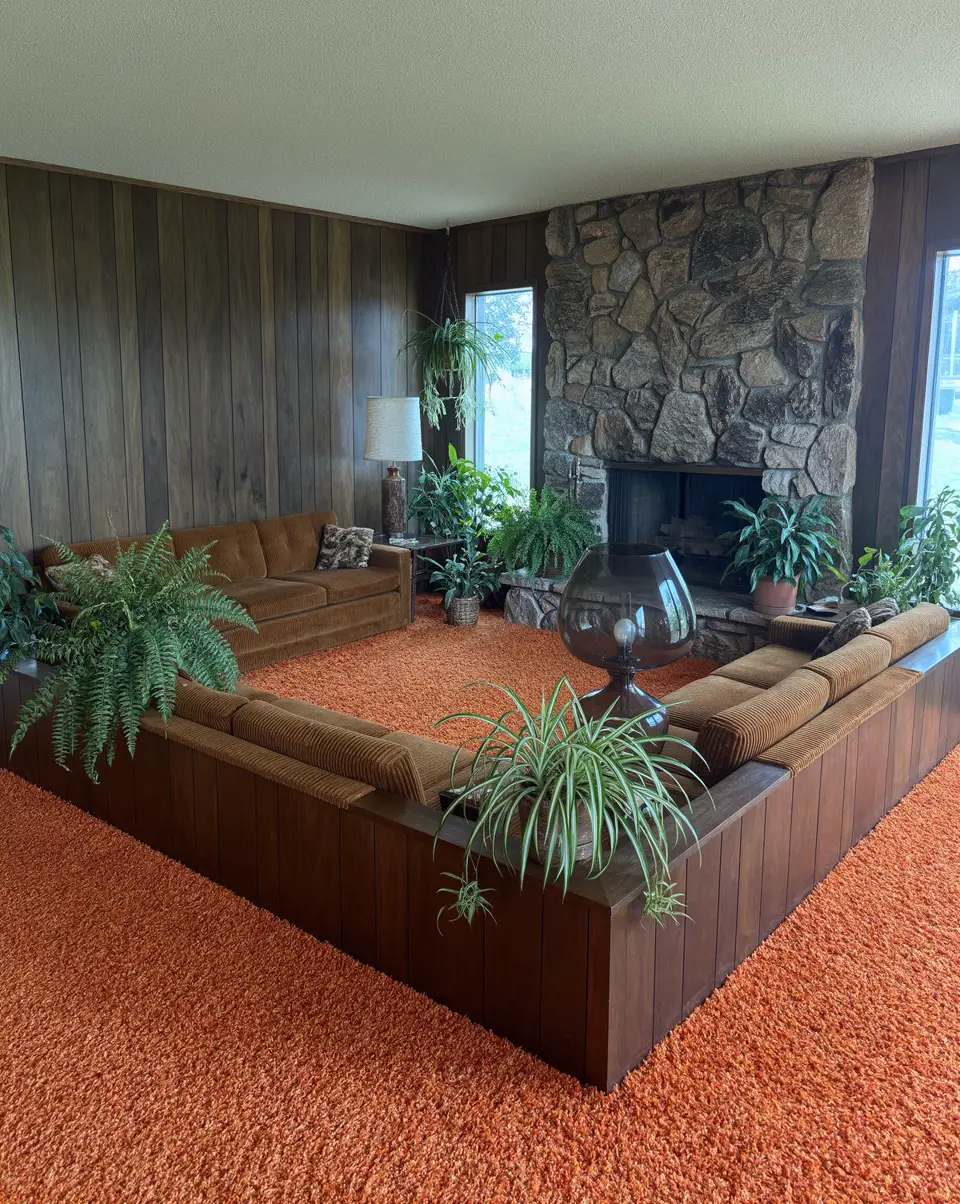
Prompt
Recreate the room in this faded 1970s polaroid as a sharp, modern architectural photograph. Keep everything from the photo: the sunken conversation pit, orange shag carpet, wood panelling, stone fireplace, lamp, plants and the same camera angle. Restore the true rich colours, add crisp detail and natural daylight, and remove the blur, dust and polaroid border. Full-frame photoreal interior photography, as if shot today.
Example by Krea, from the fal's launch page
Modes
Three ways to run the model from the same menu. Pick by how hard the edit is and how fast you need it.
| Mode | Best for | Planning | Resolution | Needs an image | Credits from |
|---|---|---|---|---|---|
| Krea 3 | Most edits and new images where detail matters | Medium | 1K / 2K | No | 4 credits |
| Krea 3 Fast | Quick drafts and many variations of one idea | Low, speed-tuned model | 1K / 2K | No | 4 credits |
| Krea 3 Ultra | Hard edits: many changes, small text, exact placement | Ultra | 2K | Yes, one image | 33 credits |
Speed and price
Krea's published timings and list prices, next to what each model costs in credits on this site.
| Model | Time per edit | List price per image | Credits here (2K) |
|---|---|---|---|
| Krea 3 | < 8 s | $0.06 | 13 |
| Nano Banana 2 | 27 s | Not listed | 19 |
| Nano Banana Pro | 33 s | $0.135 | 28 |
| GPT Image 2 | 90 s | $0.22 | 16 |
Timings and list prices are from Krea's launch post (measured September 24 to October 1, 2026, queue time included; Krea 3 list price is for 2K). Credits here are for one 2K text-to-image result; an edit with a starting image costs more.
Leaderboard
Arena ranks image editors by blind votes. The Ultra mode placed fourth, behind three OpenAI models.
| Rank | Model | Arena score | On this site |
|---|---|---|---|
| #1 | GPT Image 2.5 Sunburst | 1,518 | No |
| #2 | GPT Image 2.5 Flare | 1,479 | No |
| #3 | GPT Image 2 (Medium) | 1,453 | Yes |
| #4 | Krea 3 Ultra | 1,435 | Yes |
| #5 | Gemini Nano Banana 2.1 | 1,432 | No |
| #6 | Seedream 5.0 Pro | 1,412 | No |
| #7 | Muse Image | 1,399 | No |
| #8 | Nano Banana 2 | 1,367 | Yes |
| #9 | Nano Banana Pro | 1,365 | Yes |
Source: Arena multi-image edit leaderboard, October 19, 2026, as shown on Krea's Krea 3 page. Arena marks the Krea 3 Ultra score as preliminary. On Arena's single-image edit board the same mode placed #8 with 1,411.
Pricing
Billing is per image. Editing costs more than text to image because the starting image is processed too.
| Mode | Resolution | Text to image | Edit with one image |
|---|---|---|---|
| Krea 3 | 1K | 4 credits | 7 credits |
| Krea 3 | 2K | 13 credits | 26 credits |
| Krea 3 Fast | 1K | 4 credits | 7 credits |
| Krea 3 Fast | 2K | 13 credits | 26 credits |
| Krea 3 Ultra | 2K | Edit only | 33 credits |
The standard and Fast modes cost the same; Fast just returns sooner. Credits come from your balance or a plan. If a render fails, the credits go back automatically.
Prompt guide
The model does best with a narrow target and an explicit list of what must stay. Build the prompt in four parts.
1. Lock the subject
Keep the soda can exactly as in the reference image: same colors, lettering and tab.
2. Name the one change
Restage it in crushed ice against a flat magenta backdrop.
3. Describe light and lens
One hard flash from camera right, 85mm, crisp shadow on the backdrop.
4. Protect everything else
Otherwise preserve the image exactly, including camera, framing and geometry. No added text.
Features
Swap one object or material and leave the rest of the photo alone, down to the camera angle and the light.
Labels, printed text and logos on the product stay intact when the model moves it into a new scene.
Krea says most edits finish in under 8 seconds at native 2K. Fast mode returns sooner still.
The standard, Fast and Ultra modes sit next to Nano Banana, GPT Image 2 and Wan in the same generator.
The Generate button shows the exact cost for the mode, size and image you picked. Failed renders are refunded.
Krea's direct API is gated during the beta. Here you sign in and generate in the browser.
Use cases
Turn one packshot into lifestyle scenes for listings and ads, with the product unchanged.
Make the same bottle or can work across seasons, backdrops and formats from one approved photo.
Repaint walls, swap fabrics or restyle a room by decade before anyone picks up a brush.
Put a product on a model, or keep one character consistent across a set of shots.
Turn a marker sketch into a photoreal concept image for a review the same day.
Rebuild a faded, blurry photo as a sharp modern image while keeping the room and the angle.
More image models
Image tools
FAQ
It is Krea's image editing model, released in open beta on October 15, 2026. It changes only the part of an image you describe, keeps products, logos and faces intact, and renders at native 2K. It can also generate images from text.
Use the generator on this page. Pick one of the three Krea modes from the model menu, type a prompt, optionally switch to Image to Image and upload a starting photo, then press Generate. You only need an account and credits.
The standard mode is the quality setting. Fast uses Krea's speed-tuned model and lighter planning, so results come back sooner at the same price. Ultra adds Krea's ultra thinking for hard edits, renders at 2K and needs a starting image.
Text to image costs 4 credits at 1K and 13 credits at 2K. An edit with one starting image costs 7 credits at 1K and 26 credits at 2K. Ultra costs 33 credits per edit. Failed renders are refunded.
Yes. That is what the model is built for. Name the object or area to change and list what must stay, such as the product, the face, the text and the camera. The rest of the photo stays as it was.
On this page the standard and Fast modes render at 1K or 2K, and Ultra always renders at 2K. You can choose 1:1, 16:9, 9:16, 4:3, 3:4 or 21:9, and download JPG or PNG.
The API on fal accepts up to 8 reference images per edit. This generator uses one starting image per edit; to combine more references, run one edit, then feed the result back in with the next reference described in the prompt.
It keeps existing labels and logos on a product well. Early testers reported that new text it writes can come out garbled, so check small text closely, or try Ultra for edits where words must be exact.
No. This is an independent AI image maker that runs the model through fal, one of Krea's distribution partners. Krea's own app is at krea.ai. Credits and accounts here are separate from a Krea account.
Upload a photo, say what changes and what stays, and get a 2K result in seconds. Failed renders are refunded automatically.
Start with Krea 3