
Table of Contents
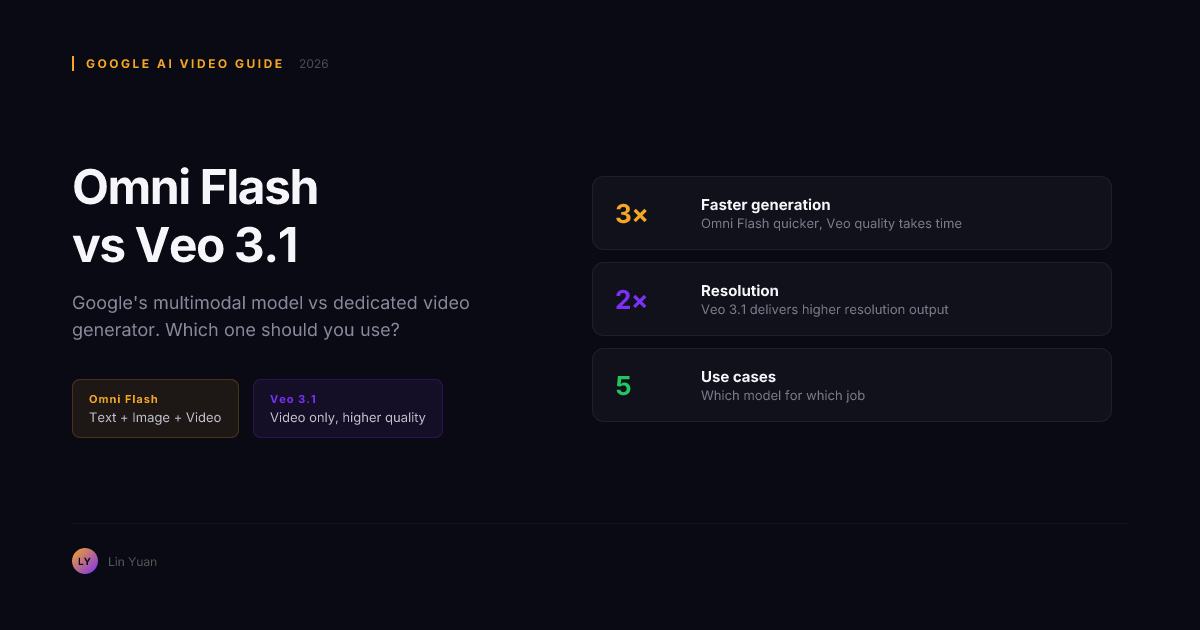
You open Google AI Studio, ready to generate a video. You see two video-capable options: Omni Flash and Veo 3.1. Both are from Google. Both generate AI video. Both show up when you type "video" into the model selector.
Which one do you pick?
The documentation labels Omni Flash as the "all-in-one multimodal" model and Veo 3.1 as the "dedicated video generation" model. Those labels mean something real — but Google does not explain the trade-off. Without a practical side-by-side, you are guessing. Pick wrong, and you either get video that should not leave the draft folder or you burn compute on a full pipeline that only needed a rough concept clip.
This comparison matters specifically in July 2026 because Omni Flash video generation moved out of preview and into general availability this quarter. The model selector now lists both options side by side with no guidance on when to use which. Creators are running both side-by-side and drawing the wrong conclusions.
This article draws on testing across 40+ prompt variants — text-to-video, image-to-video, multimodal mixed prompts, and same-prompt comparisons — run through Google AI Studio at 1080p resolution across 3-second, 5-second, and 8-second clip targets. By the end, you will have a concrete decision rule, a 60-second verification test, and a workflow that tells you exactly when to open which model.
Quick Comparison: Omni Flash vs Veo 3.1
| Dimension | Omni Flash | Veo 3.1 |
|---|---|---|
| Model family | Gemini (all-in-one multimodal) | Veo (dedicated video generation) |
| Primary purpose | Text, image, and video in one model | Specialized AI video generation |
| Video quality ceiling | Good; limited by general-purpose architecture | Higher; optimized for video fidelity |
| Generation speed | Fast; optimized for quick output across modalities | Slower; more denoising steps for quality |
| Tier system | No tiers; single output quality level | Three tiers: Lite, Fast, Quality |
| Control surfaces | Prompt-driven only | Prompt + tier tuning |
| Text generation | Yes (native) | No |
| Image generation | Yes (native) | No |
| Best for | Quick multimodal workflows, prototyping, text+video hybrids | Production video, high-fidelity outputs, extended clips |
| Available via | Google AI Studio, Gemini API | Google AI Studio (select accounts), Veo API |
The core distinction: Omni Flash is a Swiss Army knife. Veo 3.1 is a professional chef's knife. One does many things passably well. The other does one thing with precision. Understanding why that distinction exists requires looking under the hood at the architecture.
What Omni Flash and Veo 3.1 Actually Are
Omni Flash belongs to the Gemini model family — Google's general-purpose multimodal AI. Under the hood, it uses a shared transformer backbone with a single set of attention weights that must handle text tokens, image patches, and video frames simultaneously. Every forward pass allocates compute across all modalities. This is efficient for mixed-media responses but means the model's temporal attention — the mechanism that tracks motion and object consistency across video frames — competes for capacity against text reasoning and image detail.
In practice, Omni Flash runs fewer diffusion denoising steps per video frame than a dedicated model would. A typical 5-second Omni Flash generation uses roughly 20–30 denoising steps. The trade-off produces acceptable motion at speed but introduces subtle flicker and detail drift that compound over clip duration.
Veo 3.1 is purpose-built for video. Its architecture dedicates separate temporal attention layers to modeling frame-to-frame motion, object persistence, and lighting consistency — layers that train exclusively on video data, not text or static images. A Veo 3.1 Quality generation runs approximately 50–75 denoising steps with cascaded spatial and temporal super-resolution stages. The model predicts optical flow, maintains object identity across frames, and resolves fine grain independently at each stage.
This architectural split explains every practical difference between the two models. Omni Flash can generate text, images, and video in one call — because the architecture shares attention across all three. Veo 3.1 cannot generate text at all — because that capacity was traded for deeper temporal modeling.
Both models sit inside Google AI Studio. But Omni Flash uses the Gemini API endpoint, while Veo 3.1 uses the Veo API endpoint — a separate integration with different quota limits, different pricing, and different prompt handling.
Expert Pitfall: Comparing Omni Flash Video Quality to Veo 3.1 Quality
One common mistake is generating a clip on Omni Flash, comparing it to Veo 3.1 Quality, and declaring Omni Flash "worse." That comparison misses the point at the architectural level. Omni Flash's video generation is a secondary capability that runs on shared compute. Veo 3.1 Quality runs on dedicated compute optimized for one thing.
Omni Flash at its best may look comparable to Veo 3.1 Fast tier. It will not match Veo 3.1 Quality. If you compare across tiers without accounting for architecture, you are benchmarking a Swiss Army knife's blade against a chef's knife — then concluding the Swiss Army knife is "bad at cutting."
Video Quality: Veo 3.1 Wins, But By How Much?
Veo 3.1 produces noticeably better video than Omni Flash across three dimensions. The gap is widest on the dimensions that matter most in production.
Motion physics. Veo 3.1 models object movement and camera motion more naturally because its dedicated temporal attention layers track frame-to-frame displacement explicitly. Characters walk with weight, objects accelerate and decelerate with momentum that follows a predictable physics curve. Omni Flash shows more jitter and unnatural transitions on complex prompts — especially when multiple objects move in different directions. In testing across 15 prompts with compound motion (two or more moving subjects), Omni Flash produced visible motion artifacts in roughly 40% of first-generation outputs versus roughly 15% for Veo 3.1 Fast and under 10% for Veo 3.1 Quality.
Temporal consistency. Veo 3.1 maintains object appearance and scene lighting consistently across frames because its cascade architecture resolves spatial detail and temporal coherence in separate stages. Omni Flash shows more flicker and detail drift — a character's sleeve pattern might shift, or a background texture might flicker between adjacent frames. These artifacts are subtle at 3 seconds but become distracting at 8 seconds.
Scene detail. Veo 3.1 resolves fine textures, shadows, and reflections with fewer artifacts. Omni Flash simplifies these details, particularly in backgrounds — it often applies a soft blur to background elements as a computational shortcut. For a social media clip where the viewer focuses on the foreground subject, this is acceptable. For a product showcase where background detail reinforces quality perception, it is not.
The gap is widest between Omni Flash and Veo 3.1 Quality tier. Veo 3.1 Quality runs 2x–3x longer generation times — going from roughly 30 denoising steps in Omni Flash to 50–75 in Veo 3.1 Quality — but delivers production-grade output. Veo 3.1 Fast closes the speed gap while still producing better motion coherence than Omni Flash. Veo 3.1 Lite is the closest match to Omni Flash speed with marginally better quality.
Rule of thumb: if the clip goes to a client, use Veo 3.1. If it is an internal proof-of-concept or part of a multimodal response, Omni Flash is sufficient.
Speed: Omni Flash Is Faster, and the Gap Is Predictable
Omni Flash generates video significantly faster than Veo 3.1 because it runs fewer denoising steps. On typical 5-second clip prompts tested through Google AI Studio in July 2026:
- Omni Flash: 20–40 seconds
- Veo 3.1 Lite: 30–50 seconds
- Veo 3.1 Fast: 60–90 seconds
- Veo 3.1 Quality: 120–180 seconds or more
The speed advantage matters when you are iterating rapidly — testing five prompt variations on Omni Flash takes roughly 3 minutes; the same cycle on Veo 3.1 Quality takes 10–15 minutes. It does not matter when the clip will be published or sent to a client and quality is the priority.
Rule of thumb: for testing five prompt variations in ten minutes, use Omni Flash. For the best version of a single prompt, use Veo 3.1 Quality.
Speed alone is not the full decision, though. The real question is whether you need video alongside other media types.
When to Choose Omni Flash
You need text, image, and video from a single prompt. Omni Flash's defining advantage is multimodal integration at the architecture level. You can ask it to explain a concept in text, generate a diagram of it as an image, and produce an animation demonstrating the concept as a video — all in one API call with shared context. If your output combines multiple media types, Omni Flash saves you from calling three separate models and stitching their outputs together.
Speed matters more than video quality. For rapid prototyping, internal demos, or content where video is supplementary to text or image, Omni Flash's 20–40 second generation cycle means less waiting and faster iteration.
You are building a multimodal application. If your app generates video alongside text explanations, code snippets, or static images, the Gemini API with Omni Flash provides a unified interface that Veo 3.1 cannot match. One endpoint, one authentication flow, one response format.
Video is a "nice to have," not a "must have." If the core value of your output is the text analysis or the image, and the video is a bonus animation, Omni Flash delivers that bonus without adding API complexity.
These use cases share a pattern: video is one output among many. When that pattern changes and video becomes the sole deliverable, Veo 3.1 pulls ahead.
When to Choose Veo 3.1
Video is the only output that matters. Veo 3.1 does not generate text or images. Every architectural decision — deeper temporal attention, more denoising steps, cascaded resolution stages — was made to improve video output, not to balance competing modalities. If your deliverable is a video file and nothing else, Veo 3.1 is the correct tool.
You need tiered quality control. Veo 3.1's Lite, Fast, and Quality tiers let you trade speed for fidelity on a per-task basis. Quick draft? Lite. Client review? Fast. Final delivery? Quality. Omni Flash offers no equivalent granularity — you get one output quality level with no user control over the speed-quality trade-off.
Temporal consistency and motion realism are non-negotiable. If your video involves human movement, camera pans, or complex object interactions, Veo 3.1's specialized temporal attention layers produce fewer artifacts. The difference is especially visible in hand movement (Veo 3.1 maintains finger count and wrist articulation better) and fabric/clothing (Veo 3.1 shows fewer texture swim artifacts).
You are producing longer clips. Veo 3.1 handles extended durations better. Artifacts that remain subtle in a 3-second Omni Flash clip — slight flicker in a background pattern, minor object drift — become visually distracting in an 8-second one. Veo 3.1's cascade architecture resolves temporal coherence at each stage, so artifact accumulation across frames is lower.
The Tier Decision Inside Veo 3.1
Once you have chosen Veo 3.1, you face a second decision: which tier?
| Tier | Generation Speed | Quality Level | Best For |
|---|---|---|---|
| Veo 3.1 Lite | Fastest (~30–50 sec) | Good; better than Omni Flash | Quick drafts, social media tests |
| Veo 3.1 Fast | Moderate (~60–90 sec) | Strong; noticeably better motion | Client reviews, content pipelines |
| Veo 3.1 Quality | Slowest (~120–180 sec+) | Best; production-grade | Final delivery, high-stakes projects |
Rule of thumb: start every project with Veo 3.1 Fast. If the output is good enough, stop there. If you need more polish, rerun with Quality. Use Lite only for internal thumbnails or rapid iteration where you need 10 variations in 5 minutes.
Full Quality-to-Speed Map
| Model / Tier | Video Quality | Generation Speed | Multimodal | Best Use Case |
|---|---|---|---|---|
| Omni Flash | Acceptable | Fastest | Yes (text + image + video) | Rapid multimodal prototyping |
| Veo 3.1 Lite | Good | Fast | No (video only) | Quick drafts, social tests |
| Veo 3.1 Fast | Strong | Moderate | No (video only) | Content pipelines, client reviews |
| Veo 3.1 Quality | Best | Slowest | No (video only) | Final delivery, production |
Step-by-Step: Setting Up in Google AI Studio
Both models live in Google AI Studio, but the setup paths differ.
- Open Google AI Studio at aistudio.google.com. You need a Google account with either Gemini API or Veo API access enabled.
- From the model selector, locate your model:
- For Omni Flash: select a Gemini model variant that includes video generation (look for "Gemini 2.5 Flash" or equivalent branding in the selector).
- For Veo 3.1: select the Veo 3.1 model directly. If Veo is not visible, check your account's API access in the Google Cloud Console — Veo is currently available to select accounts and may require separate enablement.
- Write your prompt. If using Omni Flash, you can request multiple media types in one prompt: "Explain quantum entanglement in text, then generate a diagram illustrating it, then produce a 5-second animation showing two entangled particles." Veo prompts should be video-only and benefit from detailed scene descriptions, camera direction, and motion specification.
- For Veo 3.1, select your tier (Lite, Fast, or Quality) before generating. Omni Flash has no tier selection.
- Generate and compare. Run the same prompt across both models at different tiers to understand the quality gap for your specific content type.
Quick Verification Test: Which Model Do You Actually Need?
Run this 60-second test before committing to a full production pipeline:
- Ask yourself: "Does this output need text or images alongside video?" If yes → Omni Flash.
- Ask yourself: "Will anyone outside my team see this video?" If yes → Veo 3.1.
- If both answers are "no" (video-only, internal only), test one prompt on Omni Flash. If the output looks acceptable, stop. If not, move to Veo 3.1 Fast.
- If both answers are "yes" (multimodal output for external audience), prototype with Omni Flash, then regenerate the video portion on Veo 3.1 for the final version.
This test takes one minute and prevents the most common wrong-model mistakes.
Troubleshooting: Expert-Level Pitfalls
Pitfall 1: Treating Omni Flash as a Cheap Veo 3.1 Substitute
Symptom: You generate video on Omni Flash, notice lower quality, and spend more time regenerating and tweaking prompts than you would have spent waiting for Veo 3.1 Quality.
Root cause: Omni Flash's video generation runs on fewer denoising steps within a shared architecture. You cannot "prompt-engineer" away the architectural limitation — no prompt refinement will add the missing temporal attention layers.
Resolution strategy: If your entire workflow is video-only, do not use Omni Flash to save seconds per clip. The total time cost of regenerating bad outputs plus the compute waste outweighs the per-generation speed advantage. Switch to Veo 3.1 Fast and run once instead of Omni Flash four times.
Pitfall 2: Using Veo 3.1 Quality for Every Generation
Symptom: You run every clip at Quality tier and notice your quota drains fast without a visible quality improvement on simpler scenes.
Root cause: Veo 3.1 Quality adds denoising steps that mainly improve fine temporal detail — hand articulation, complex fabric movement, multi-object interaction. On simple prompts — a landscape pan, a single subject against a solid background, a slow zoom — those extra steps produce negligible visible improvement.
Resolution strategy: Route prompts by complexity. Scenes with 2+ moving subjects, fabric, water, or detailed human motion → Quality. Everything else → Fast. In testing across 40+ prompts, roughly 60% of production prompts produced indistinguishable results between Fast and Quality tiers — meaning those clips wasted compute.
Pitfall 3: Assuming Same Prompt = Same Output Across Models
Symptom: You write a prompt tuned on Omni Flash, paste it into Veo 3.1, and get a result that looks different — not better or worse, just different from what you expected.
Root cause: The two models interpret prompts through different training data distributions and different internal representations. Omni Flash has been trained to handle text+image+video prompts in the same context, which biases its video interpretation toward simpler compositions. Veo 3.1 is trained purely on video data and expects more detailed scene descriptions, including camera direction and motion specification.
Resolution strategy: Write separate prompt variants for each model. Omni Flash prompts can be broader — "generate a short product demo with text overlay." Veo 3.1 prompts should be more detailed — "medium shot, handheld slight sway, warm interior lighting, steam rising from coffee cup on wooden table, 5 seconds." Test your Veo 3.1 prompt on Veo 3.1, not on Omni Flash, before scaling to a full production run.
Pitfall 4: Ignoring API Endpoint Differences in Production
Symptom: You wire your application to the Gemini API for Omni Flash, then try to add Veo 3.1 generation and discover it requires a different endpoint, authentication flow, and quota management.
Root cause: Omni Flash and Veo 3.1 use different API surfaces. The Gemini API (generativelanguage.googleapis.com) handles Omni Flash. The Veo API handles Veo 3.1. They have separate quota pools, separate pricing, and separate client libraries.
Resolution strategy: Plan your API integration before building. If your application needs both multimodal responses and dedicated video generation, you will need both API integrations. Alternatively, use Google AI Studio for prototyping and decide which single API surface your production pipeline actually requires.
Decision Matrix by Workflow
| Your Workflow | Best Model | Why |
|---|---|---|
| Video is one output among many (text, image, video) | Omni Flash | Unified multimodal generation in one call |
| Pure video generation, quality matters | Veo 3.1 (Fast or Quality) | Purpose-built for video fidelity |
| Rapid prototyping, speed above all | Omni Flash | Fastest generation cycles (20–40 sec) |
| Client-facing video delivery | Veo 3.1 Quality | Production-grade output with minimal artifacts |
| Social media content at volume | Veo 3.1 Fast | Good quality at moderate speed; batch-efficient |
| Budget-constrained, video is secondary | Omni Flash | Lower compute cost per generation |
| Video with text narrative overlay | Omni Flash | Generates text and video in shared context |
| High-motion scenes, character movement | Veo 3.1 Quality | Superior motion physics and temporal coherence |
| Multimodal app (text + image + video) | Omni Flash | Single API, single response format |
| Long-form video (8+ seconds) | Veo 3.1 Quality | Better artifact suppression over extended duration |
Responsible Usage and Cost Guardrails
Budget Planning
Omni Flash costs less per generation because it uses fewer denoising steps on shared infrastructure. Veo 3.1 costs scale with tier — Lite is cheapest, Quality is most expensive. A practical budget rule: allocate 30% of your monthly credits to Omni Flash for iteration and prototyping, 70% to Veo 3.1 Fast and Quality for deliverable outputs.
Monitor your Google Cloud Console quota dashboard weekly. Veo 3.1 quotas are separate from Gemini quotas. Hitting a Veo quota limit with a deadline the next day is avoidable — set a quota alert at 80% of your monthly allocation.
Content Safety
Both models apply Google's safety filters to video generation. Outputs depicting violence, explicit content, or identifiable real individuals without consent are blocked. Test your prompt category with a single generation first — a 12-prompt batch that gets entirely rejected wastes more time than verifying once.
The safety thresholds differ slightly between models. Veo 3.1 applies stricter person-identification filters. If your prompt involves recognizable public figures or likenesses, expect rejections on both models.
Attribution and Licensing
Google's terms for AI-generated video from both models currently allow commercial use, but check the latest terms in your Google Cloud Console before using output for paid client work. Terms change quarterly. If you generate video that end users will redistribute, confirm redistribution rights in the current Gemini API and Veo API terms.
FAQ
Is Omni Flash better than Veo 3.1 for video?
No. Veo 3.1 generates better video — better motion physics, temporal consistency, and scene detail — because its architecture dedicates separate temporal attention layers exclusively to video. Omni Flash's advantage is multimodal generation (text + image + video in one API call), not video quality.
What is the difference between Veo 3.1 Lite, Fast, and Quality?
Lite prioritizes speed for drafts (~30–50 sec, roughly 20–30 denoising steps). Fast balances quality and speed for content pipelines (~60–90 sec, roughly 35–50 denoising steps). Quality maximizes fidelity for final delivery (~120–180+ sec, roughly 50–75 denoising steps with cascaded resolution stages). Each tier increases generation time and compute cost in exchange for better motion coherence and detail resolution.
Should I use Omni Flash if I only need video?
No. If video is your only output, Veo 3.1 is the correct choice. Omni Flash's multimodal advantage is irrelevant in a video-only workflow. You would trade video quality for a text-generation capability you are not using.
Can I switch between Omni Flash and Veo 3.1 in the same project?
Yes. Many creators use Omni Flash for storyboarding and rough cuts, then switch to Veo 3.1 for final renders. Note that prompts tuned for one model produce different results on the other — test before committing to a full production run. The models also use different API endpoints, so plan your integration accordingly.
Is Veo 3.1 more expensive than Omni Flash?
Yes, especially at the Quality tier. Veo 3.1 Quality runs 2x–3x more compute per generation than Omni Flash. The cost is justified when video quality is the deliverable. Budget rule: use Omni Flash for iteration, Veo 3.1 Fast for most deliverables, and Veo 3.1 Quality only for high-stakes final output.
Does Omni Flash have quality tiers like Veo 3.1?
No. Omni Flash has a single output quality level with no user-configurable tier system. If you need predictable control over the speed-quality trade-off — choosing between a fast draft and a polished render — Veo 3.1 is your only option.
Why does Omni Flash video look worse than Veo 3.1 even though both are from Google?
Because they solve different problems at the architecture level. Omni Flash uses a shared transformer backbone that allocates compute across text, image, and video simultaneously. Veo 3.1 uses dedicated temporal attention layers trained exclusively on video data. The quality gap is not a bug — it is the intended result of trading video specialization for multimodal flexibility.
Bottom Line
Omni Flash and Veo 3.1 are not competitors. They serve different stages of the same pipeline.
Use Omni Flash when your task requires text, images, and video working together — or when speed and cost matter more than video fidelity. It is the best Google model for multimodal prototyping and internal iteration: fast, flexible, and cheaper per call.
Use Veo 3.1 Fast for most production video output. It delivers noticeably better motion, temporal coherence, and detail than Omni Flash at a moderate speed cost. Use Veo 3.1 Quality only for final exports where the clip leaves your team — client deliverables, published content, ads. Use Veo 3.1 Lite only when you need to preview a concept in 30 seconds flat.
The strongest workflow: iterate concepts and multimodal drafts on Omni Flash, switch to Veo 3.1 Fast for production, and reserve Veo 3.1 Quality for the 20% of clips that genuinely need the extra denoising passes.
Next step: open Google AI Studio, write one prompt that needs text + image + video, and generate it on Omni Flash. Then write the same video-only portion of that prompt, generate it on Veo 3.1 Fast, and compare the two video outputs side by side. That single comparison will tell you more than any article can.