Table of Contents
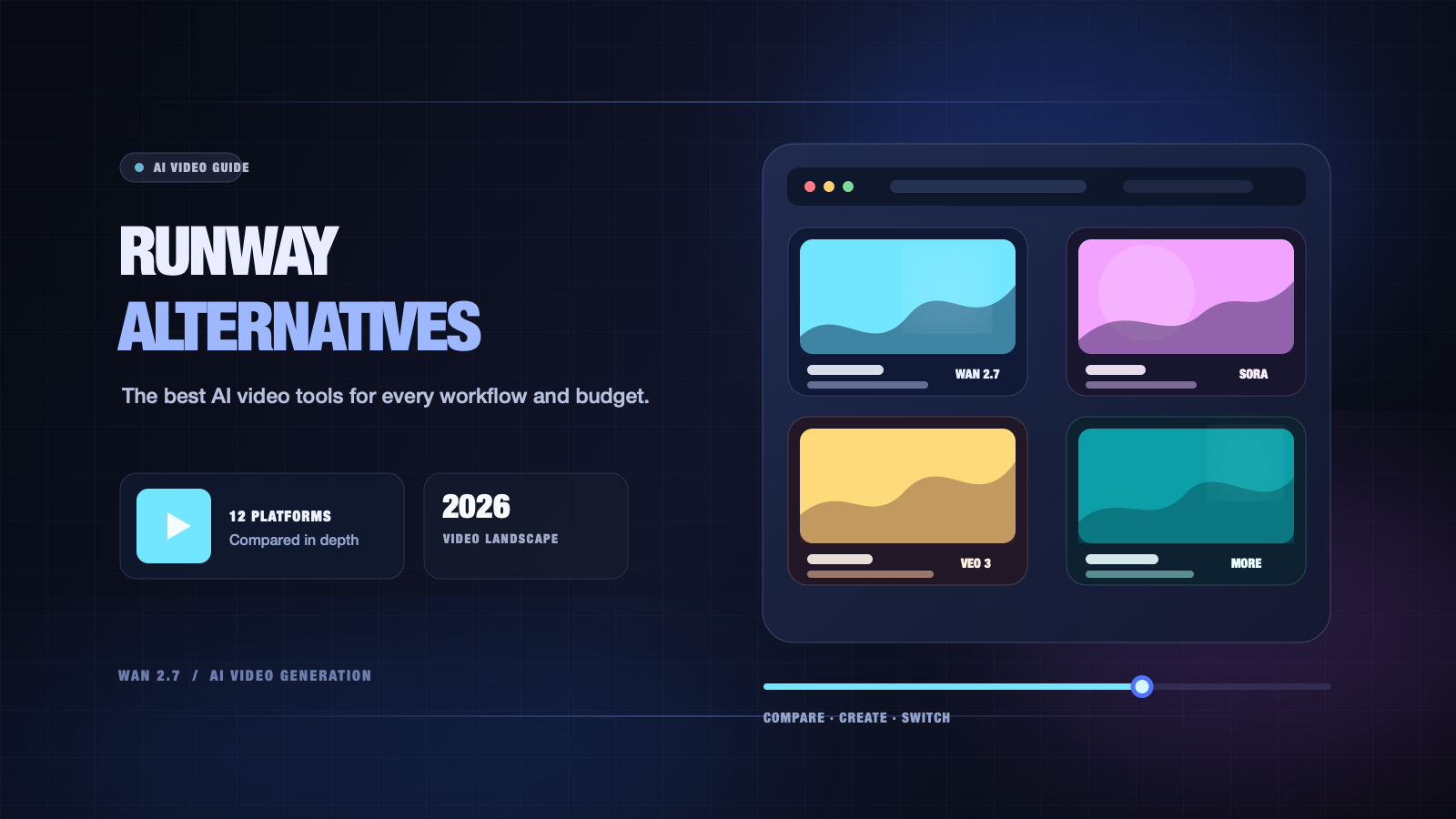
I have been a Runway user since Gen-1. Back in late 2023, Runway was the only game in town for AI video — inpainting, outpainting, green screen keying, motion brush, text-to-video, image-to-video. It felt like the future of filmmaking, and honestly, it was.
Fast forward to mid-2026, and the landscape has exploded. There are now over a dozen platforms that match or exceed Runway in specific categories. The days of Runway being the default choice are over.
I spent the last six weeks running the same prompts across every major AI video platform. I tested output quality at different lengths, measured generation speed, documented pricing per usable minute, evaluated editing flexibility, and stress-tested each platform's consistency across repeated runs.
This is not a "Runway is bad" post. Runway is still the best choice for certain workflows — especially if you need precise control over existing footage. But the question in 2026 is no longer "is there an alternative?" It is "which of these 12 alternatives fits your workflow best?"
By the end of this guide, you will know exactly which platform fits your specific use case and budget, and you will have a clear comparison across all the major options.
Why Consider Alternatives to Runway AI in 2026?
Runway dominated early because it was first. But "first" is not the same as "best for everyone." Here is what changed:
Pricing pressure. Runway's credit system burns fast. A single 10-second Gen-3 Alpha generation can cost $0.20–0.50 depending on resolution and complexity. For creators generating 50+ clips per project, monthly costs add up quickly. Several alternatives now offer flat-rate plans or significantly cheaper per-generation pricing.
Quality convergence. Gen-3 Alpha was a leap when it launched, but models like Wan 2.7, Sora 2, Veo 3, and Luma Dream Machine have not only caught up — they lead in specific categories like motion coherence, physics simulation, and character consistency.
Feature specialization. Runway tries to be everything: video generation, editing, collaboration, model training. Competitors have focused on narrower slices and gone deeper — better prompt adherence, faster iteration, simpler interfaces, lower cost per generation.
Open-weight movement. Wan 2.7, CogVideoX, and Pyramid Flow are open-weight and available on HuggingFace. For teams that want to run inference locally or fine-tune on custom data, closed platforms like Runway are a non-starter.
New entrants with serious backing. Google's Veo 3, ByteDance's CapCut AI, and OpenAI's Sora 2 have entered the market with massive compute resources and research teams. The competitive landscape of early 2025 is unrecognizable compared to mid-2026.
What Runway AI Does Well
Before we get into the alternatives, let me be fair about where Runway still excels:
- Video-to-video style transfer: Runway's implementation is still the most reliable. Applying artistic styles to existing footage with temporal consistency remains hard to beat.
- Green screen / chroma key: One-click background removal from video is genuinely impressive and production-ready.
- Motion brush: Painting motion onto specific areas of an image generates controlled results that most competitors cannot replicate.
- Multi-frame training: Fine-tuning on custom subjects across frames is a genuine differentiator for character consistency.
- Gen-3 Alpha text-to-video: Realistic motion, good physics, strong prompt adherence for cinematographic styles.
- Plugin ecosystem: After Effects and Premiere integrations matter if you are in a traditional post-production pipeline.
And where it falls short:
- Cost per minute: The most expensive platform for high-volume generation.
- Learning curve: The interface packs hundreds of features. Simple tasks take longer.
- Generation speed: Queues during peak hours can stretch to 5–10 minutes per generation.
- Credit system complexity: Different features consume credits at different rates, making cost prediction difficult.
- Closed ecosystem: No open-weight model, no local inference, no fine-tuning access.
1. Wan 2.7 — Best Overall Alternative for Controlled Production
Best for: Professional creators who need consistent quality with lower costs
Wan 2.7 is the strongest direct alternative for most Runway use cases. The underlying model is open-weight and produces video quality that matches or exceeds Gen-3 Alpha across most metrics — motion coherence, prompt adherence, and temporal consistency.
Feature comparison with Runway:
| Feature | Wan 2.7 | Runway Gen-3 Alpha |
|---|---|---|
| Text-to-video | ✓ (4K, up to 30s) | ✓ (up to 10s base) |
| Image-to-video | ✓ | ✓ |
| Video-to-video | ✓ (instruction-based) | ✓ (style transfer) |
| Inpainting | ✓ | ✓ |
| Motion brush | ✓ | ✓ (more mature) |
| Green screen | Coming soon | ✓ (excellent) |
| Open-weight model | ✓ (HuggingFace) | ✗ (closed) |
| API access | ✓ | ✓ (enterprise) |
| Free tier | ✓ (daily credits) | ✓ (limited) |
| Cost per 10s gen | ~$0.05 | ~$0.20–0.50 |
Where Wan 2.7 genuinely beats Runway:
- Instruction-based editing: Want to remove an object, change a background, or modify a specific element? Describe the change in text. No need to mask, keyframe, or regenerate the whole clip.
- Cost: At roughly 1/4 the per-generation cost of Runway, the savings add up fast for production work.
- Generation speed: Consistently 30–60 seconds per generation, even during peak hours.
- Open-weight: Run the model locally, fine-tune it, or integrate it into custom pipelines. No vendor lock-in.
Verdict: If you generate more than 100 clips per month, Wan 2.7 will save you significant money without sacrificing quality. The instruction-based editing alone is worth the switch for production workflows.
2. Viddi AI — Best All-in-One Creator Studio
Best for: Content creators who want video generation + editing in one workspace
Viddi AI positions itself as a complete creative studio rather than a pure video generator. Think of it as "Canva for AI video" — a unified workspace where you can generate, edit, add text overlays, stitch clips, and export without leaving the platform.
Why it competes with Runway:
Viddi AI covers the most common Runway workflows in a simpler interface:
- Text-to-video and image-to-video generation
- Video editing with timeline-based controls
- Background removal and replacement
- Text overlay and caption generation
- Direct export to social media formats
- Collaboration features for team projects
Pricing: Credit-based, roughly $0.08–0.12 per 10-second generation. Between Runway and Wan 2.7 in cost.
Verdict: For the vast majority of content creators — social media, marketing, short-form video — Viddi AI covers everything you need at a lower price point. The main trade-off is no advanced video-to-video style transfer.
3. Sora 2 — Best for Cinematic Quality and Physics
Best for: High-end production where quality matters more than cost
OpenAI's Sora has matured significantly since its initial limited release. Version 2.0 delivers the best physics simulation in any AI video generator — water splashes, fabric movement, light refraction, object interactions — all at a level that approaches offline rendering quality.
Where Sora 2 beats Runway:
- Physics simulation: Objects interact with environments more naturally. Sora understands cause and effect in ways that Gen-3 Alpha does not.
- Resolution: Native 1080p output with upscaling to 4K. Consistently sharper than Runway.
- Camera control: Precise camera movement — pan, tilt, dolly, orbit — with reliable, repeatable results.
- Scene composition: Multiple subjects, complex environments, and layered scenes rendered with coherent spatial relationships.
Where Sora 2 loses:
- Availability: Still rolling out regionally. Not universally accessible.
- Editability: No built-in video editing, no inpainting, no video-to-video. Pure generation.
- Price: ~$0.40–0.60 per 10-second generation. The most expensive option in this list.
- No API access for small teams: Enterprise-only API with minimum commitments.
Verdict: Sora 2 is the best choice for cinematic showcase pieces and premium production where budget is secondary to quality. But for daily production work, Wan 2.7 or Viddi AI offer more practical workflows at a fraction of the cost.
4. Veo 3 — Best Google-Backed Contender
Best for: Teams already in the Google ecosystem
Google DeepMind's Veo 3 has rapidly matured into one of the strongest AI video generators on the market. Google's advantage is compute scale — Veo 3 can generate longer, more coherent clips than most competitors while maintaining high visual fidelity.
Where Veo 3 beats Runway:
- Extended duration: Generates clips up to 60 seconds with coherent narrative structure. Runway struggles beyond 10 seconds.
- Integration with Google ecosystem: Native export to YouTube, Google Drive, and integration with Google Cloud's media tools.
- Consistency across generations: Veo 3 maintains character appearance and scene style across multiple generated clips better than Runway.
- Language understanding: Google's Gemini backbone gives Veo 3 superior comprehension of complex, multi-clause prompts.
Where Veo 3 loses:
- Artistic range: Outputs tend toward a clean, photorealistic default. Stylized and artistic outputs are less reliable.
- Editing features: No video-to-video, no inpainting, no green screen. Purely a generator.
- Availability: Restricted to certain regions and requires a Google Cloud account.
- Cost: Premium pricing, roughly $0.30–0.45 per generation.
Verdict: Veo 3 is a strong choice if you are already in the Google ecosystem and need long-form coherent video generation. But the premium pricing and lack of editing features make it a specialist tool rather than a daily driver.
5. Luma AI Dream Machine — Best for 3D Consistency
Best for: Projects requiring spatial coherence and 3D-aware video
Luma AI's Dream Machine has carved out a unique position with its focus on 3D-consistent video generation. It excels at generating videos where objects maintain their spatial relationships across camera movements — something most AI video generators still struggle with.
Where Dream Machine beats Runway:
- 3D spatial consistency: Objects maintain volume, position, and perspective across camera movement. Runway sometimes warps objects during motion.
- Camera control: Advanced camera path specification. You can define exact camera trajectories.
- Loop generation: Generates seamless looping video, useful for backgrounds and environmental shots.
- Depth awareness: Understands foreground/background relationships and generates natural parallax effects.
Where Dream Machine loses:
- Character rendering: Faces and human figures are less reliable than Wan 2.7 or Runway.
- Text rendering: Cannot reliably render text in videos.
- Limited editing: No inpainting, no video-to-video, no green screen.
- Cost: $0.15–0.25 per generation. Mid-range.
Verdict: Dream Machine is the specialist choice for 3D-aware video, architectural visualization, and environmental shots. Not a general-purpose Runway replacement.
6. CapCut AI — Best Free Option with Editing Built-In
Best for: Social media creators and editors who want AI generation inside their editing workflow
ByteDance's CapCut has evolved from a mobile video editor into a full-featured creative platform with integrated AI video generation. Its massive user base (hundreds of millions) makes it the most accessible AI video platform on the market.
Where CapCut AI beats Runway:
- Price: Generous free tier with daily credits. Premium subscription at $9.99/month includes extensive AI generation.
- Editing integration: AI video generation is built directly into the editor. Generate a clip, trim it, add effects, and export — all in one app.
- Templates: Thousands of AI video templates for social media formats. One-tap generation with trending styles.
- Mobile-first: Full-featured mobile apps for iOS and Android. Runway's mobile experience is limited.
- Speed: Generates 5-second clips in under 10 seconds on mobile.
Where CapCut AI loses:
- Maximum quality: Output does not match Wan 2.7 or Sora 2 at the high end. Compression artifacts are noticeable at 4K.
- Control: Fewer parameters for fine-tuning generation. No custom model training.
- Professional features: No video-to-video, no motion brush, no green screen keying.
- Data privacy: Cloud-only processing. ByteDance servers handle all generation.
Verdict: CapCut AI is the best free option and the most accessible entry point for AI video. For professional production, it works well as a supplementary tool but lacks the control and quality for primary use.
7. Pika 2.0 — Best for Ease of Use
Best for: Beginners and casual creators who want results in seconds
Pika 2.0 has evolved significantly from the early text-to-video demo. The interface remains the most intuitive in the industry — you can generate a usable clip within 30 seconds of signing up. The 2.0 update brought substantial quality improvements and new features.
Strengths:
- Ease of use: No learning curve. Text prompt, adjust parameters, generate.
- Lip sync: Pika's lip sync for character videos is surprisingly good at its price point.
- Mobile app: Native iOS and Android apps for on-the-go generation.
- Scene-consistency mode: New in 2.0, maintains character appearance across multiple generations.
Weaknesses:
- Quality cap: Output quality does not match Wan 2.7, Gen-3 Alpha, or Sora 2 at the high end.
- Limited controls: Fewer parameters for fine-tuning. No video-to-video or advanced editing.
- Resolution ceiling: Max 1080p, with compression artifacts in complex scenes.
Verdict: Pika 2.0 is excellent for quick social media content and beginners. But for professional production, the quality ceiling is too low to be a primary tool.
8. Pixverse — Best for Short-Form Social Media
Best for: TikTok, Reels, and Shorts creators
Pixverse specializes in short-form video generation optimized for social media platforms. The generator is tuned for 5–15 second clips in vertical (9:16) format, with built-in trending styles and templates that mirror current social media aesthetics.
Strengths:
- Social-native output: Generates directly in vertical format with platform-specific trending aesthetics.
- Style presets: One-click application of popular social media visual styles.
- Cost: Among the cheapest options at roughly $0.03 per generation.
Weaknesses:
- Length limit: Hard-capped at 15 seconds. No long-form support.
- Style range: Outputs tend toward a specific "social media" look. Not suitable for cinematic work.
- Limited features: No editing, no video-to-video, no fine-tuning.
Verdict: The best choice if your entire workflow is short-form social media at scale. Not suitable for anything beyond that.
9. Hailuo AI — Best for Anime and Artistic Styles
Best for: Animation, anime, and stylized video content
MiniMax's Hailuo has carved out a unique niche in stylized video generation. Its models are particularly strong with anime, illustration, and painterly styles — areas where Runway's photorealistic bias falls short. For creators working in animation or stylized content, Hailuo is the clear specialist choice.
Strengths:
- Artistic style: Cinema-grade anime and illustration output. If you want your video to look like a Studio Ghibli film, Hailuo is the best option available.
- Style consistency: Maintains artistic style across scene changes better than any competitor.
- Prompt adherence: Follows complex, multi-part prompts reliably, especially for aesthetic descriptions.
Weaknesses:
- Photorealism: Below average for realistic video. Artifacts are more noticeable in real-world scenes.
- Limited editing: Basic generation-only interface. No advanced controls or post-processing.
Verdict: Hailuo is the specialist choice for animation, anime, and stylized content. For photorealistic production, use Wan 2.7 or Runway instead.
10. Krea AI — Best for Real-Time Generation
Best for: Live events, real-time content, and interactive applications
Krea AI focuses on real-time AI video generation — the ability to generate and modify video in response to live input. It is less about polished final output and more about instant creative exploration.
Strengths:
- Real-time generation: Sub-second updates in response to prompt changes. Ideal for live performances and interactive installations.
- Live video feed processing: Takes a camera input and applies AI transformations in real time.
- Iteration speed: Change your prompt and see results instantly. Unmatched for creative exploration.
Weaknesses:
- Output quality: Prioritizes speed over quality. Final output is noticeably lower resolution than offline generators.
- Scene complexity: Struggles with complex multi-object scenes.
- Not for production: Best suited for exploration and live applications, not final content delivery.
Verdict: Krea AI fills a completely different niche from Runway. If you need real-time AI video for live events or interactive art, it is the best tool available. Not a Runway replacement for standard production.
11. Minimax Video — Best Quality-to-Speed Ratio
Best for: Creators who want near-top quality without the wait
Minimax (the team behind Hailuo) also powers a general-purpose video generation model that competes directly with Wan 2.7 and Runway on quality, while maintaining faster generation speeds. Think of it as the "just works" option — good quality, fast speed, fair price.
Strengths:
- Generation speed: 15–25 seconds for a standard 10-second clip. Faster than Wan 2.7, much faster than Runway.
- Quality consistency: High-quality output with fewer "dud" generations. Reliable across repeated runs.
- Multi-language prompt support: Handles prompts in English, Chinese, Japanese, Korean, and European languages with equal quality.
- Fair pricing: ~$0.06–0.08 per generation. Competitive with Wan 2.7.
Weaknesses:
- No open-weight model: Fully closed platform. No local inference or fine-tuning.
- Limited editing features: No inpainting, no video-to-video, no green screen.
- Less control: Fewer fine-grained parameters compared to Runway or Wan 2.7.
Verdict: Minimax Video is the best "fire and forget" option — good quality, fast generation, fair price. A strong secondary tool alongside Wan 2.7 for production work.
12. CogVideoX / Pyramid Flow — Best Open-Source Options
Best for: Developers and teams who need full control over their video pipeline
The open-source AI video ecosystem has matured rapidly. CogVideoX (from Zhipu AI / Tsinghua) and Pyramid Flow (from BYRD) represent the state of the art in open-weight video generation. Neither matches Wan 2.7 or Runway out of the box, but they offer something no closed platform can: complete control.
Strengths:
- Full customization: Fine-tune on your own data. Modify the architecture. Integrate into custom pipelines.
- No API costs: Run on your own hardware. Costs are compute-only.
- Privacy: Data never leaves your infrastructure. Essential for sensitive or proprietary content.
- Community ecosystem: Active development, frequent updates, and community-contributed improvements.
Weaknesses:
- Hardware requirements: 24GB+ VRAM minimum. Realistically 48GB+ for production use.
- Setup complexity: Requires technical expertise to install, configure, and optimize.
- Quality gap: Output quality is below Wan 2.7 and commercial platforms. The gap is closing but still noticeable.
- No editing features: Pure generation. No built-in editing, inpainting, or post-production.
Verdict: Choose CogVideoX or Pyramid Flow if you need full control, privacy, or custom fine-tuning. For everyone else, the cloud-based platforms — especially Wan 2.7 — offer better quality and convenience.
Complete Comparison Table
| Platform | Price/10s | Max Length | Quality | Speed | Editing | Best For |
|---|---|---|---|---|---|---|
| Wan 2.7 | ~$0.05 | 30s | ★★★★★ | Fast | ✓ (instruct) | Production control |
| Viddi AI | ~$0.10 | 30s | ★★★★☆ | Fast | ✓ (timeline) | All-in-one creators |
| Sora 2 | ~$0.50 | 20s | ★★★★★ | Slow | ✗ | Cinematic quality |
| Veo 3 | ~$0.35 | 60s | ★★★★★ | Medium | ✗ | Long-form, Google ecosystem |
| Luma DM | ~$0.20 | 15s | ★★★★☆ | Medium | ✗ | 3D/spatial video |
| CapCut AI | Free–$10/mo | 15s | ★★★☆☆ | Fast ✓ | ✓ (editor) | Social media, beginners |
| Pika 2.0 | ~$0.06 | 10s | ★★★☆☆ | Fast | ✗ | Beginners, quick clips |
| Pixverse | ~$0.03 | 15s | ★★★☆☆ | Fast | ✗ | Social media volume |
| Hailuo AI | ~$0.07 | 15s | ★★★★☆ | Medium | ✗ | Anime/artistic |
| Krea AI | ~$0.10 | N/A | ★★☆☆☆ | Real-time ✓ | ✓ (Live) | Live/real-time |
| Minimax | ~$0.07 | 15s | ★★★★☆ | Fast ✓ | ✗ | Quality-speed balance |
| CogVideoX | Self-host | 10s | ★★★☆☆ | Varies | ✗ | Open-source, custom pipeline |
| Runway | ~$0.35 | 10s | ★★★★★ | Medium | ✓ (comprehensive) | Post-production |
When Should You Actually Stick with Runway?
If your workflow relies on any of the following, Runway is still the right tool:
- Heavy video-to-video style transfer. Applying artistic styles to existing footage — Runway's implementation remains unmatched.
- Professional green screen production. The chroma key feature with spill suppression is production-ready. No alternative offers this yet.
- Multi-frame model training. Runway's ability to train on your subject across multiple frames gives the best character consistency for narrative work.
- Plugin ecosystem. After Effects and Premiere integrations matter if you are in a traditional post-production pipeline.
- You need all features in one platform. If you absolutely cannot tolerate switching between tools, Runway's breadth of features is still the widest.
If none of these describe your daily workflow, you are likely overpaying for features you are not using. The alternatives — especially Wan 2.7 and Viddi AI — offer better value for most creators.
Frequently Asked Questions
Is Wan 2.7 really as good as Runway Gen-3 Alpha?
For most use cases, yes. In side-by-side prompts, Wan 2.7 matches or exceeds Gen-3 Alpha in motion coherence, text rendering, and prompt adherence. The main gap is in video-to-video style transfer, where Runway's implementation is more mature. Wan 2.7 leads on cost, generation speed, and open-weight availability.
Can I use multiple platforms together?
Absolutely. Many creators use a hybrid approach: Wan 2.7 for primary generation, Runway for video-to-video and green screen work, and CapCut or Viddi AI for editing and finishing. This gives you the best of each platform while controlling overall costs.
Which alternative has the lowest cost per clip?
Pixverse at roughly $0.03 per generation, followed by Wan 2.7 at ~$0.05. CapCut AI's free tier is technically $0 but comes with daily limits. For the best balance of cost and quality, Wan 2.7 is the clear winner.
Does any alternative have Runway's green screen feature?
Not yet at production quality. Wan 2.7 has background removal for images and is developing video green screen, but no competitor offers a one-click chroma key solution with spill suppression as of mid-2026. For green screen work, consider keeping a Runway subscription alongside Wan 2.7 for primary generation.
Is there an open-source Runway alternative?
Wan 2.7's underlying model is open-weight and available on HuggingFace. CogVideoX and Pyramid Flow are also strong open-source options. You can run them locally with a 24GB+ VRAM GPU or access Wan 2.7 through wan27.org for cloud-based generation without the hardware requirement.
Which platform is best for long-form video (60s+)?
Veo 3 leads here with native 60-second generation capabilities. Wan 2.7 can generate up to 30 seconds with consistent quality. For anything longer, the current best approach is to generate segments and stitch them together in Viddi AI or CapCut.
Bottom Line
Runway AI built the foundation of the AI video generation industry. Gen-3 Alpha, video-to-video, motion brush — these were genuine innovations that shaped the market. But the market has moved on. In 2026, there are over a dozen viable alternatives, each excelling in specific areas.
| If you need... | Choose... |
|---|---|
| Best balance of quality, cost, and control | Wan 2.7 |
| An all-in-one creative workspace | Viddi AI |
| Cinematic showcase quality | Sora 2 |
| Long-form, Google-integrated workflow | Veo 3 |
| 3D-aware spatial video | Luma Dream Machine |
| Free option with built-in editing | CapCut AI |
| Something beginner-friendly | Pika 2.0 |
| Social media volume at lowest cost | Pixverse |
| Anime and artistic styles | Hailuo AI |
| Real-time / live video generation | Krea AI |
| Fast reliable generation without fuss | Minimax Video |
| Open-source, self-hosted pipeline | CogVideoX / Pyramid Flow |
The market moved from "which platform can generate video?" to "which platform helps you finish projects faster and at lower cost." The answer depends on your specific workflow — but for the majority of professional creators generating more than 100 clips per month, Wan 2.7 offers the best combination of quality, speed, and affordability.
Your next step: Pick the alternative that matches your primary use case from the table above. Sign up for the free tier and run your 10 best prompts — no credit card needed for most platforms. You will know within an hour whether the switch is worth it.