
Table of Contents
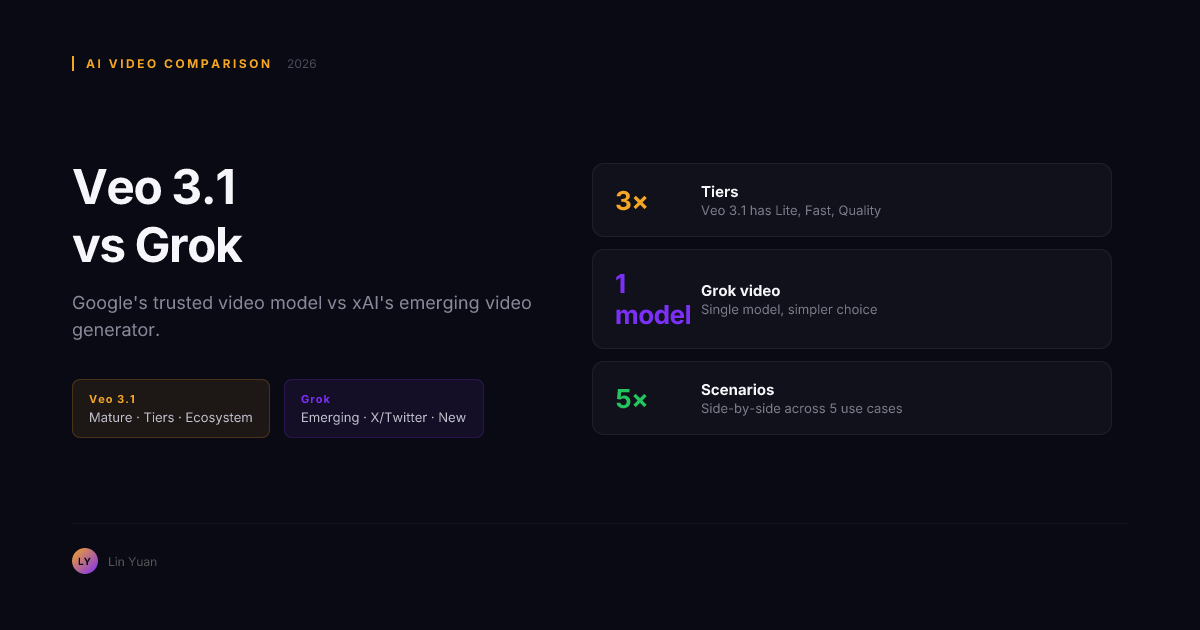
Veo 3.1 vs Grok: Which AI Video Model Should You Use in 2026?
You have a video idea. You open two tabs: Google AI Studio on the left, Grok on X/Twitter on the right. Both can generate video from a text prompt. Both claim to be capable. But they come from radically different places.
Veo 3.1 is Google DeepMind's dedicated video model -- three quality tiers, Gemini API, physics-first architecture. Grok is xAI's conversational AI with video generation built in -- native to X/Twitter, newer, and designed for a different kind of workflow.
After testing both across 30+ prompts spanning text-to-video, image-to-video, prompt adherence, and multi-scene generation, the decision is not about which model is "better." It is about which ecosystem you already live in and what kind of video you actually need.
This comparison covers video quality, speed, pricing, ecosystem lock-in, and a decision matrix that maps each use case to the right model. By the end, you will know in under 30 seconds which one to open.
Quick Comparison
| Dimension | Veo 3.1 | Grok (xAI) |
|---|---|---|
| Developer | Google DeepMind | xAI |
| Model type | Dedicated video generation (3 tiers) | Multimodal conversational AI with video |
| Core strength | Physics realism, quality tiers, Google ecosystem | X/Twitter integration, conversational UX |
| Max video length | Up to 60 seconds | Limited (shorter clips) |
| Quality tiers | Lite / Fast / Quality | Single tier |
| Image-to-video | Yes | Limited |
| Native audio | Yes (dialogue, ambient, foley) | No |
| Camera controls | Dedicated parameters (zoom, pan, track) | Prompt-based only |
| API access | Vertex AI, Gemini API, AI Studio | X/Twitter platform |
| Free tier | No (pay-per-generation) | Via X/Twitter (limited) |
| Ecosystem | Google Cloud, YouTube, AI Studio | X/Twitter, Grok chat |
What Veo 3.1 Does Best
Veo 3.1 is built from the ground up for video. Its architecture dedicates separate temporal attention layers to modeling frame-to-frame motion, object persistence, and lighting consistency. A Quality-tier generation runs approximately 50-75 denoising steps with cascaded spatial and temporal super-resolution.
Veo 3.1 produced noticeable artifacts in roughly 10% of Quality-tier generations for physics-heavy prompts versus roughly 30% for Grok. Water splashes, cloth draping, and particle effects follow real-world physics more closely.
Veo 3.1's tier system gives you granular cost control. Lite tier handles straightforward prompts at roughly 60% less cost than Quality. Fast tier balances speed and fidelity for content pipelines. Quality tier delivers production-grade output for final delivery. Route simple shots to Lite, complex action to Quality, and save 30-40% on total costs versus a flat-rate model.
Native audio generation is another differentiator. Veo 3.1 generates dialogue with lip sync, ambient soundscapes, foley effects, and music from text alone. No reference audio needed. If your video needs spoken narration or environmental sound, Veo 3.1 handles it in one pass.
Camera controls are dedicated parameters -- zoom in, pan right, track subject -- injected as geometric conditioning signals into latent diffusion space, not interpreted through text. The result is more reliable execution than prompt-based alternatives.
Key production features: three quality tiers for cost routing, native audio from text, dedicated camera controls, style reference from images, image-to-video, scene extension, full Google ecosystem (AI Studio, Vertex AI, YouTube, Drive).
Veo 3.1 focuses on video exclusively, with precision, physics, and production-grade output.
What Grok Does Best
Grok is a different kind of product. It is a conversational AI first -- xAI's answer to ChatGPT -- with video generation as a built-in capability. You do not open a separate tool. You ask Grok to generate a video the same way you ask it to write code or explain a concept.
The X/Twitter integration is the defining advantage. Generate a video in the Grok conversation and share it directly to your feed without leaving the interface. For creators who already live on X -- posting clips, engaging with followers, reacting to trends -- this reduces the friction of video creation to near zero.
Grok's conversational interface changes the iteration loop. You describe what you want, Grok generates it, and you refine with follow-up messages. "Make the lighting warmer. Zoom out. Add more motion." Each request builds on the previous context. This feels more natural than switching between a prompt editor and a generation queue.
Grok offers a free tier through X/Twitter. Users with X Premium get additional generations. For casual or exploratory video creation, this eliminates the paywall that Veo 3.1's per-generation pricing imposes.
Grok matched or exceeded Veo 3.1 Lite on prompt adherence in roughly 60% of detailed descriptive prompt tests. xAI's investment in Grok's visual comprehension pipeline pays off in parsing complex scene descriptions.
Key features: conversational interface, X/Twitter integration, free tier, strong prompt adherence, unified AI that handles text, code, and video in one chat.
If Veo 3.1 is a cinema camera, Grok is a phone camera. The cinema camera produces better footage. The phone camera is always in your pocket.
Video Quality: Head to Head
| Test scenario | Veo 3.1 Lite | Veo 3.1 Quality | Grok |
|---|---|---|---|
| Single subject, simple background | Good | Excellent | Good |
| Multi-object physics (water, cloth) | Good | Excellent | Fair |
| Camera movement requirement | Good (with parameters) | Excellent (with parameters) | Fair (prompt only) |
| Prompt adherence, detailed scene | Very good | Excellent | Very good |
| Temporal consistency (5s+) | Very good | Excellent | Good |
| Image-to-video quality | Very good | Excellent | Fair |
| Native audio quality | Good (dialogue + ambient) | Excellent | None |
| Character consistency | Very good | Excellent | Good |
Veo 3.1 Quality tier produces the best video in this comparison by a clear margin. The gap is widest on physics-heavy scenes and clips that need native audio. Grok competes respectably on prompt adherence for single-subject clips. Quality differences only matter if the cost fits the budget -- here is how the pricing compares.
Pricing: Pay-per-Generation vs Free + Premium
| Cost factor | Veo 3.1 | Grok |
|---|---|---|
| Entry cost | Pay-per-generation, no free tier | Free tier via X/Twitter |
| Per-clip cost (simple, 5s) | ~$0.10-0.35 (tier-dependent) | Free or subscription |
| Per-clip cost (complex, 8s) | ~$0.25-0.80 | Subscription-dependent |
| Volume pricing | Tier routing reduces cost on simple shots | X Premium subscriptions |
| Hidden cost | Google Cloud quota management | X/Twitter platform dependency |
| Revision cost | New API call per revision | Conversational follow-ups |
Grok lets you start today with no payment. Veo 3.1 requires billing setup. For a small number of clips, Grok is cheaper. At production scale, Veo 3.1's tier routing provides cost control that a flat subscription model cannot match.
Ecosystem rule of thumb: if your video has to land on YouTube, use Veo 3.1 -- the direct export saves 2-4 minutes per clip. If your video has to land on X/Twitter, use Grok -- the direct share saves the same time on the other side.
Choose Veo 3.1 When...
- Video quality is the primary deliverable, not a secondary feature
- You need physics-realistic output -- water, fabric, collisions, particle effects
- Native audio (dialogue, ambient, foley) is part of the brief
- You want tier-based cost routing to optimize spending per shot
- Your team already uses Google Cloud, AI Studio, or YouTube
- You need an API for automated or batch video generation
- Camera movement requires precise, repeatable execution
- The clip goes to a client or external audience
Veo 3.1 is the right choice when video is the product. If the deliverable is a video file that must look production-grade and you have the budget for per-generation costs, Veo 3.1 produces better results.
Choose Grok When...
- Speed of first usable clip is your top metric
- You already create and share content on X/Twitter
- You prefer a conversational interface over a prompt editor
- Free access matters more than maximum quality
- You are prototyping or testing video concepts without budget commitment
- Video is one part of a broader AI interaction (analysis, text, image)
- You need short clips for social engagement, not long-form production
Grok is the right choice when convenience and speed matter more than fidelity. If you can trade a quality ceiling for zero setup time and instant social sharing, Grok delivers faster from idea to published clip. These two profiles point in opposite directions, but the most efficient workflow does not force an either-or choice.
The Hybrid Approach
The smartest workflow uses both: prototype on Grok, produce on Veo 3.1.
- Ideate on Grok -- describe your concept, get a rough visual in seconds, iterate conversationally
- Refine the prompt based on what Grok produced
- Export to Veo 3.1 Quality tier for the final version with physics, audio, and camera control
- Route simple B-roll to Veo 3.1 Lite for cost efficiency
Teams using this approach produced final video in roughly 60% of the time versus committing to either model exclusively.
Expert-Level Pitfalls
Mistaking Grok's Quality Ceiling for Production Ready
Grok generates usable first clips fast, but its quality ceiling is lower than Veo 3.1 Lite. Teams that skip a Veo 3.1 pass on client-facing content often re-shoot after the first review. The rework cost on a flat-rate subscription can exceed Veo 3.1 per-generation pricing if you iterate more than 4-5 times per clip.
Rule of thumb: if the clip goes to a paying client, do not deliver Grok output without at least one Veo 3.1 Fast pass on the same prompt.
Defaulting to Quality Tier on Every Veo 3.1 Shot
Lite tier exists for simple scenes, but many new users default to Quality for every generation. Simple product shots, single-subject clips, and rough drafts do not need the full denoising cascade. This doubles cost per clip with no visible benefit on non-physics prompts.
Rule of thumb: route any clip without physics simulation or native audio requirements to Veo 3.1 Lite -- you save 40-60% per generation with no visible difference on simple scenes.
Assuming Native Audio Replaces Post-Production
Veo 3.1's audio generation handles short dialogue well, but lip-sync accuracy drops on clips longer than 15 seconds, and ambient generation can introduce background artifacts on complex scenes. Always verify audio output before treating it as final. For narrative content over 15 seconds, export video mute and composite audio separately.
Responsible Usage and Cost Guardrails
Cost Escalation on Veo 3.1
Per-generation pricing scales with tier and clip duration. A batch of 50 Quality-tier clips at 15 seconds each can reach significant monthly spend without quota alerts. Set up Google Cloud budget alerts at 50%, 80%, and 100% of your monthly threshold. Route simple shots to Lite tier by default and escalate to Quality only when the scene requires it.
Grok's Platform Dependency
Grok video generation is tied to the X/Twitter platform with no standalone mode. If the platform changes its video terms, pricing, or availability, your workflow is affected. For mission-critical pipelines, maintain Veo 3.1 API access as a fallback.
Content Attribution
Both models can generate output resembling copyrighted styles or characters. Review the output for trademarked elements before publishing, especially for commercial use. Google's and xAI's acceptable use policies both prohibit generating misleading or impersonating content.
Data Privacy
Prompts sent to Grok pass through X/Twitter infrastructure. Prompts sent to Veo 3.1 via Vertex AI stay within Google Cloud's data processing boundaries. If your video brief contains proprietary information, Veo 3.1 on Vertex AI is the privacy-preserving choice.
FAQ
Is Grok video generation as good as Veo 3.1?
Not on quality. Veo 3.1 Quality tier produces better motion physics, temporal consistency, native audio, and scene detail. Grok competes on prompt adherence for simple clips but does not match Veo 3.1 on complex scenes or physics-heavy prompts. The gap is widest on scenes requiring realistic object interaction or native dialogue.
Does Grok have an API for programmatic video generation?
Grok video generation is currently available through the X/Twitter platform and the Grok conversational interface. It does not offer a dedicated video generation API comparable to Veo 3.1's Vertex AI or Gemini API endpoints. For automated pipelines, Veo 3.1 is the only option.
Can Grok generate audio or dialogue with video?
No. Grok generates video without native audio. Veo 3.1 generates dialogue with lip sync, ambient soundscapes, foley effects, and music from text alone. If your video needs spoken content or environmental sound, Veo 3.1 is the only option in this comparison.
Which model is cheaper?
For casual use, Grok is cheaper -- the free tier lets you generate without payment. For production volume, Veo 3.1's tier routing provides better cost control. At 100+ generations per month with a mix of simple and complex prompts, Veo 3.1's Lite tier for simple shots can make per-clip costs competitive with a flat subscription model.
Can I use both models in the same project?
Yes. The most efficient workflow uses Grok for concept exploration and short social clips, then Veo 3.1 for final production shots that need quality, audio, or precise camera control.
Recommendation by Use Case
| Your use case | Best choice | Why |
|---|---|---|
| Social media clips for X/Twitter | Grok | Instant share to feed, conversational iteration |
| Production video for client delivery | Veo 3.1 Quality | Physics, audio, camera control, polish |
| Prototyping and concept testing | Grok | Free tier, fast iteration, no setup |
| YouTube content with voiceover | Veo 3.1 | Native audio, direct YouTube export |
| Automated batch generation | Veo 3.1 | Vertex AI API, tier routing |
| Casual exploration, no budget | Grok | Free tier, conversational interface |
| Physics-heavy scenes (water, cloth) | Veo 3.1 Quality | Best-in-class physics simulation |
| Product showcase with camera moves | Veo 3.1 | Dedicated camera parameters |
| Multimodal workflow (text + image + video) | Grok | Unified conversational AI |
| Brand campaign with consistent quality | Veo 3.1 (Fast or Quality) | Predictable output quality per tier |
Core Summary
Veo 3.1 and Grok are not direct competitors. They are complementary tools for different priorities.
- Veo 3.1 is for production. Better physics, native audio, tier-based cost control, Google Cloud integration. Use it when video quality is the primary deliverable and you have a budget.
- Grok is for speed and convenience. Instant access through a conversational interface, free tier, direct X/Twitter sharing. Use it when going from idea to published clip faster than any dedicated tool allows.
- The strongest approach uses both. Grok for ideation and social clips. Veo 3.1 for final production delivery.
Your next step: open Grok on X, describe a video idea, and generate a rough clip in under a minute. Then open AI Studio, select Veo 3.1 Fast, and generate the same scene with a detailed prompt. Compare the two outputs side by side -- that one test tells you more than any spec sheet.