Table of Contents
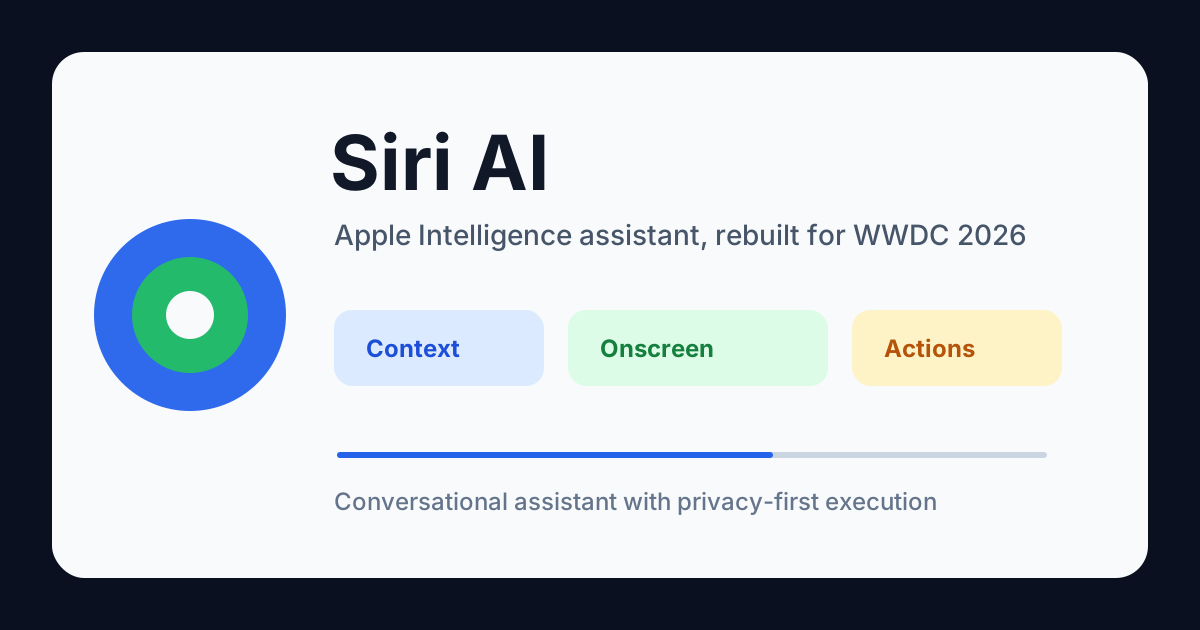
If you watched the WWDC 2026 keynote, you saw it: Apple rebranded its voice assistant as Siri AI, and it is not the Siri you remember.
The old Siri could set a timer, send a text, and occasionally misunderstand your request. The new Siri AI is built on Apple Intelligence and claims to understand what is on your screen, remember context across apps, and take actions inside third-party applications — all without sending your data to a cloud server.
But between the keynote stage and the developer documentation, what is actually shipping, and what is still "coming in a future software update"?
I read through Apple's announcements, developer sessions, and Apple Intelligence documentation from WWDC 2026 so you do not have to piece it together yourself. Here is what Siri AI is, when you can use it, what devices support it, and how it changes the assistant landscape.
What Is Siri AI?
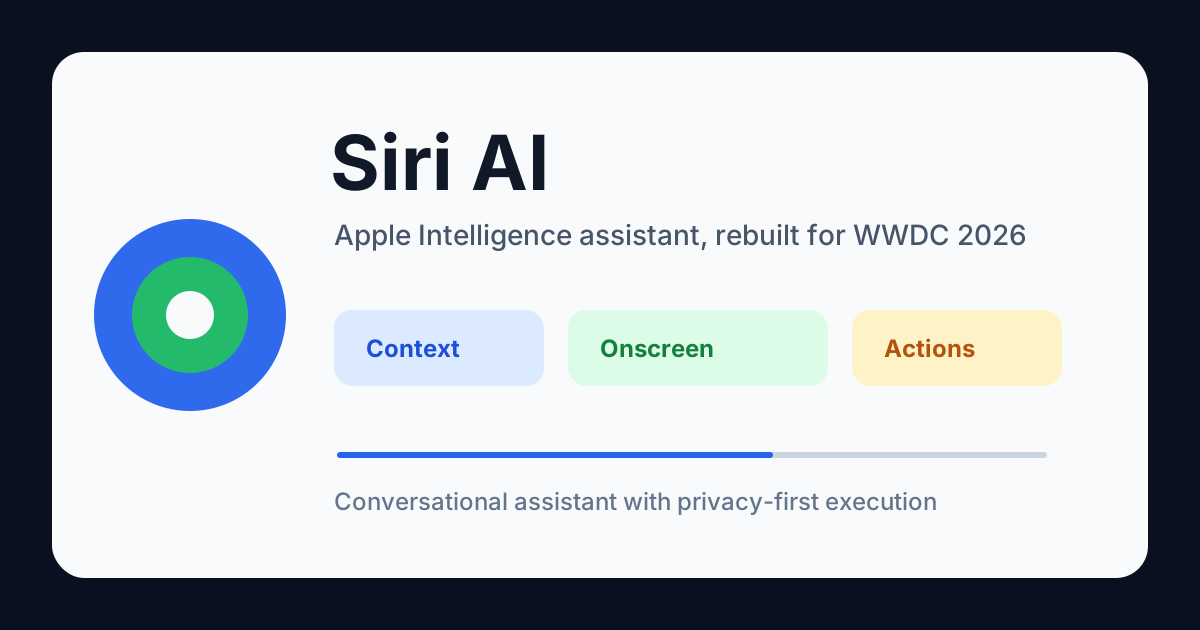
Siri AI is Apple's rebranded and rebuilt voice assistant, unveiled at WWDC 2026 on June 8. It replaces the classic Siri with a conversational agent powered by Apple Intelligence — Apple's on-device and private cloud AI framework.
The name change is not cosmetic. The underlying system has shifted from a command-based model ("Siri, set a reminder for 3 PM") to a context-aware conversational model. Instead of processing each request independently, Siri AI can maintain context across turns, reference what is currently on your screen, understand your personal information across apps, and execute actions inside third-party applications through the App Intents framework.
An analogy helps here. Old Siri was like a TV remote — you press the right button in the right sequence, and it executes one command per press. Siri AI is like hiring an assistant who has read your calendar, knows your files, can see your screen, and can act across five apps without you repeating your context. The difference is not in response speed — it is in how much context the system can carry between what you said before and what you are asking now.
Apple positions Siri AI as a privacy-first alternative to cloud-dependent assistants like ChatGPT and Google Gemini. The heavy lifting happens on-device when possible, and on Apple's Private Cloud Compute servers when it needs more power.
Siri AI vs Apple Intelligence vs Old Siri — What Changed?
The naming gets confusing quickly. Here is a clear breakdown:
| Term | What It Is |
|---|---|
| Old Siri | The pre-2026 voice assistant. Command-based, limited context, no onscreen awareness, no third-party app actions. |
| Apple Intelligence | Apple's overall AI framework (launched 2024). Powers features across iOS, iPadOS, and macOS. Includes on-device models, Private Cloud Compute, and the App Intents framework. |
| Siri AI | The rebranded assistant built on Apple Intelligence. It is the user-facing product that uses Apple Intelligence capabilities to deliver contextual, conversational interactions. |
Apple Intelligence is the engine; Siri AI is the driver.
What actually changed?
| Capability | Old Siri | Siri AI |
|---|---|---|
| Request handling | One command at a time | Conversational, multi-turn context |
| Onscreen awareness | None | Can see and act on content displayed on your screen |
| Personal context | Limited (contacts, calendar) | Cross-app personal understanding (messages, mail, photos, calendar, files) |
| Third-party app actions | None (beyond SiriKit shortcuts) | Full App Intents integration — apps expose actions and content to Siri AI |
| Model processing | Mostly cloud-based | On-device first, Private Cloud Compute for complex tasks |
| Language understanding | Rigid intent matching | LLM-based natural language with disambiguation support |
With the architecture clear, the next question is obvious: what can it actually do, and what is ready at launch?
Siri AI Key Features — Which Ship Now and Which Are Coming Later
The feature set Apple demonstrated at WWDC 2026 spans five core capabilities. Some are available now; others are marked as shipping in a future software update.
Conversational Experience
Siri AI handles follow-up questions naturally. You can ask "What is the weather today?", then immediately say "What about tomorrow?" and it understands the context. You can correct it mid-conversation: "No, I meant the one in San Francisco" — and it adjusts without restarting the interaction.
This might sound standard if you are used to ChatGPT or Gemini, but it is a first for Siri. Previous versions treated every request as a fresh query with no memory of what was just said.
A quick way to feel the difference: try asking your current Siri "What is the weather today?", then immediately "What about tomorrow?". If it treats "tomorrow" as a standalone query rather than "weather tomorrow", you are still on the old pipeline. That single test separates the two architectures instantly.
Personal Context Understanding
Siri AI can access and reason across your personal data — with your permission. For example:
- "Find the photo I took at the Golden Gate Bridge last summer and send it to Sarah" — it locates the photo from your library, identifies the person, and drafts the message.
- "What time is my reservation tonight, and is there traffic on the way?" — it reads your calendar event, checks the restaurant location, and estimates drive time.
- "What was the address in that email from Alex last week?" — it surfaces the relevant email and extracts the address.
This feature works across Messages, Mail, Calendar, Photos, Files, and Notes. Apple emphasizes that all processing happens on-device or inside the Private Cloud Compute boundary: your personal data is not used to train the model.
Onscreen Awareness
Siri AI can see and act on content displayed on your screen. If you are reading a web page about a restaurant, you can say "Add this to my calendar" and it parses the address and time from the page. If you receive a text with a tracking number, you can say "Track this package" and Siri AI pulls the tracking number from the message.
This capability is one of the most differentiating features. Neither ChatGPT nor Google Gemini has persistent, permissioned access to your active screen across the operating system in the same way.
A word of caution here: onscreen awareness is the feature most likely to delay your adoption timeline. Apple's developer documentation marks it as "in development" and expected in a future software update. If this is the feature you are waiting for, plan for late 2026 or early 2027, not September.
System-Wide and App Actions
Siri AI can perform multi-step actions that previously required manual navigation:
- "Summarize this document and send it to the team in Slack" — it reads the document, generates a summary, and triggers the Slack action via App Intents.
- "Remove the background from this photo and save it to my Downloads folder" — it invokes the system remove-background tool, processes the photo, and saves the result.
These actions work across Apple's built-in apps and any third-party app that implements App Intents.
App Intents Integration
This is where Siri AI stops being a consumer feature and becomes a platform shift. Apple is effectively turning every app that adopts App Intents into a "Siri AI app" — no separate SDK, no separate store listing. The distribution change is subtle but significant.
This is the most significant change for developers. The App Intents framework — originally introduced alongside Apple Intelligence — has been expanded so apps can expose their content and actions to Siri AI.
A recipe app can make its recipes searchable through Siri AI. A project management tool can let users create tasks, update statuses, and query projects by voice. A note-taking app can surface notes by content, date, or tags.
Developers define intents using the App Intents schema, and Siri AI discovers and invokes them dynamically. Apple says no additional SDK is needed beyond the App Intents framework that has been available since iOS 18.
From features to timeline — when can you actually get Siri AI, and will your device run it?
Siri AI Release Date and Compatible Devices
Siri AI is expected to ship with iOS 27, iPadOS 27, and macOS 27, likely in September 2026 following the standard fall release cycle. A developer beta is available now; a public beta typically follows in July.
Apple has not confirmed whether some features will arrive post-launch in a .1 or .2 update. Based on the developer documentation — where personal context understanding and onscreen awareness remain marked as "in development / future software update" — it is reasonable to expect the full feature set to roll out progressively.
Compatible devices match the Apple Intelligence hardware requirements:
| Category | Supported Devices |
|---|---|
| iPhone | iPhone 17 series, iPhone 16 Pro, iPhone 16 Pro Max, iPhone 16 (via Apple Intelligence) |
| iPad | iPad Pro (M1 and later), iPad Air (M1 and later), iPad mini (A17 Pro and later) |
| Mac | MacBook Air (M1 and later), MacBook Pro (M1 and later), iMac (M1 and later), Mac mini (M1 and later), Mac Studio, Mac Pro (M2 Ultra and later) |
| Apple Watch | Series 10 and later with paired supported iPhone |
| Apple Vision Pro | visionOS 3 |
If your device supports Apple Intelligence today, it will likely support Siri AI. Older devices that do not meet the Apple Intelligence hardware requirements — broadly, devices without an M-series chip or A17 Pro or later — will continue with the classic Siri.
Not sure which chip your device has? Open Settings > General > About, tap "Model Name" — if it says "Pro" or "Max" on an iPhone 16 or later, or "M1"/"M2"/"M3"/"M4" on an iPad or Mac, you are set. If you have an iPhone 15 or earlier without the Pro suffix, you will stay on the classic Siri.
Language and Region Availability — 9 Languages at Launch, More to Follow
Based on Apple's existing Apple Intelligence language support, Siri AI will launch with support for:
- English (US, UK, Australia, Canada, India, Singapore)
- French (France, Canada)
- German (Germany, Austria, Switzerland)
- Italian (Italy)
- Portuguese (Brazil)
- Spanish (Spain, Latin America, Mexico, US)
- Japanese
- Korean
- Simplified Chinese
- Traditional Chinese (Hong Kong, Taiwan) — expected but not yet confirmed
Apple has historically rolled out Siri language support in waves. Some languages may be available at launch; others may follow in subsequent updates. Region restrictions tied to local regulations may also apply — for example, Apple Intelligence was initially unavailable in China and the EU before rolling out gradually.
Expect availability to mirror the current Apple Intelligence supported regions, with additional countries added over time.
With languages and regions sorted, a natural question follows: what models does Siri AI actually run on, and does it rely on external AI providers?
Does Siri AI Use Gemini or Other Third-Party Models?
No — Siri AI does not rely on Google Gemini, OpenAI's ChatGPT, or any other third-party model for its core capabilities.
Apple has built Siri AI entirely on its own models, running on-device and on its Private Cloud Compute infrastructure. The models are optimized for Apple silicon and trained on Apple's own datasets. Apple has consistently taken a vertically integrated approach to AI, and Siri AI continues that strategy.
However, during the WWDC 2026 keynote, Apple did reiterate that users can choose to route certain requests to third-party services — similar to the ChatGPT integration introduced with Apple Intelligence in 2024. If you ask Siri AI a question that exceeds its capabilities, it can ask your permission to send the request to an external service. But this is optional and opt-in. The default behavior is fully Apple-owned.
This is a meaningful differentiator. ChatGPT and Gemini run entirely on their respective cloud providers. Siri AI is designed to handle as much as possible on-device, with Apple-controlled cloud processing for requests that require it.
An architecture built on on-device processing raises an immediate question about privacy — one that Apple has been preparing for since the launch of Apple Intelligence.
Siri AI Privacy — How Apple Handles Your Data
Apple has been positioning privacy as a competitive advantage since the launch of Apple Intelligence, and Siri AI follows the same architecture.
Three layers of privacy protection:
-
On-device processing. Most Siri AI requests — personal context queries, onscreen awareness parsing, system actions — are processed entirely on your device. Your photos, messages, calendar data, and other personal information never leave your device for these tasks.
-
Private Cloud Compute. When a request requires more processing power than the on-device model can handle, it is encrypted and sent to Apple's Private Cloud Compute servers. Apple states that these servers run custom silicon with verified privacy guarantees: no data is logged, no data is used for training, and no Apple employee can access it. Security researchers can independently verify the software running on these servers.
What makes this different from "just trust us" cloud privacy is the verification mechanism. Apple publishes the software image running on PCC nodes so that security researchers can audit it. The nodes enforce stateless execution — after handling a request, the memory is wiped, and no persistent storage is written. This means even if a PCC node were physically compromised, it would contain zero user data after a request completes.
-
App Intents data flow. When Siri AI interacts with third-party apps through App Intents, it does so with explicit permissions. The app receives only the data necessary to fulfill the intent, and the user must have already granted the app the relevant permissions. Siri AI does not transmit your personal data to third-party apps without authorization.
Apple has also confirmed that Siri AI does not use your conversations, personal data, or app usage patterns to train its models — regardless of whether processing happens on-device or in the cloud.
The privacy architecture alone already sets Siri AI apart from cloud-native assistants. But how does the full experience compare across the three major AI assistants on the market?
Siri AI vs ChatGPT vs Google Gemini — Key Differences
If you are choosing between AI assistants, Siri AI has a fundamentally different design philosophy than ChatGPT or Gemini.
| Dimension | Siri AI | ChatGPT (OpenAI) | Google Gemini |
|---|---|---|---|
| Primary role | OS-level assistant with app/system integration | General-purpose chatbot and reasoning | General-purpose chatbot with Google services integration |
| Context access | Full, permissioned access to personal data and onscreen content | No OS-level access | Limited via Google Workspace and Android |
| Third-party app actions | Native via App Intents framework | No direct app actions; API-based | Via Google extensions and APIs |
| Privacy architecture | On-device + Private Cloud Compute, no training on user data | Cloud-based, enterprise data privacy option | Cloud-based, some on-device optional |
| Offline capability | Significant on-device processing | Limited | Limited |
| Platform | Apple ecosystem only | Web, iOS, Android, API | Web, Android, API |
| Strengths | Privacy, deep OS integration, personal context | Creative writing, reasoning, coding, breadth of knowledge | Web search, Android integration, multimodal |
| Weaknesses | Apple-only, slower feature rollout, smaller model | No OS integration, privacy concerns for some users | Privacy concerns, inconsistent quality across tasks |
Siri AI is not designed to compete with ChatGPT on creative writing or Gemini on web search. It is designed to be the layer that connects you to your data, your apps, and your device — by voice, with context, and without sending your personal information to a third-party server.
If your primary use for an AI assistant is drafting emails, writing code, or generating creative content, ChatGPT or Gemini may still be the better tool. If your primary use is managing your personal information, controlling your device, and interacting with apps — Siri AI has the deepest integration.
A practical rule of thumb: decide by where the data lives. If your task depends on personal data on your device (photos, calendar, messages, files), Siri AI will do it faster and more privately than any cloud assistant. If your task depends on world knowledge, creative generation, or cross-platform services, ChatGPT or Gemini remains the better choice. The two are complements, not replacements — Apple even lets you route overflow queries from Siri AI to ChatGPT if you want.
How Developers Prepare for Siri AI — Why App Intents Is No Longer Optional
For developers, Siri AI represents the most significant new distribution channel Apple has opened in years. Here is what you need to know.
The foundation is App Intents. Apple introduced the App Intents framework alongside Apple Intelligence in 2024. It allows developers to define "actions" and "entities" that Apple Intelligence — and now Siri AI — can discover and invoke.
You do not need a new SDK. If your app already implements App Intents, it is already compatible with Siri AI. The system discovers and surfaces intents dynamically.
Prioritize entities. Siri AI works best when it can resolve natural language references to specific objects. Define entities for the key concepts in your app — documents, projects, recipes, contacts, orders — and Siri AI can understand queries like "Find the design review document from last week" or "Show me orders that are delayed."
Design for ambiguity. Users will ask imprecise questions. Your intents should handle disambiguation gracefully — for example, if the user says "Send the report" without specifying which one, your app can receive an ambiguous request and prompt for clarification.
Test with the Siri AI simulator. Xcode 27 includes a Siri AI simulation tool that lets you test natural language queries against your app's intents without deploying to a device.
One common pitfall: developers often define intents but forget to define entities. An intent without entities means Siri AI can trigger an action ("Create a task") but cannot resolve references ("Create a task in the Design Review project due Friday"). Without entities, users have to specify every parameter explicitly — which defeats the purpose of natural language. Start with the 3–5 core entities in your domain (projects, documents, orders, contacts, recipes) and build intents around those.
Apple has published updated App Intents documentation and WWDC 2026 sessions covering Siri AI integration. If you have not yet adopted App Intents, now is the time — the framework is no longer optional for apps that want to be discoverable by voice.
From developer strategy to the questions most people are asking — here are the answers to the most common Siri AI questions.
Frequently Asked Questions
Is Siri AI free?
Yes. Siri AI is included with iOS 27, iPadOS 27, macOS 27, watchOS 12, and visionOS 3 at no additional cost. It does not require an Apple Intelligence+ subscription or any other paid tier.
Will Siri AI replace ChatGPT on iPhone?
No. Apple continues to offer optional ChatGPT integration for users who want it. Siri AI and ChatGPT serve different purposes — Siri AI for system-level tasks and personal context, ChatGPT for open-ended questions and creative work.
Can I turn off Siri AI and use the old Siri?
Apple has not confirmed whether a "classic Siri" mode will be available. Given the architectural changes, it is unlikely that the old Siri will remain functional alongside the new system. Users who prefer minimal AI involvement can disable Siri entirely.
Does Siri AI work offline?
Some features work offline — basic device commands, timer and alarm management, and certain personal context queries that can be processed entirely on-device. Features that require Private Cloud Compute, web search, or third-party app intents need an internet connection.
When will onscreen awareness ship?
Apple's developer documentation lists onscreen awareness as "in development" and expected in a future software update after the initial iOS 27 launch. It may arrive in a .1 or .2 update later in 2026 or early 2027.
What happens if my app does not support App Intents?
Apps without App Intents will not be discoverable by Siri AI for actions or content queries. Basic SiriKit shortcuts may continue to work for apps that have implemented them, but the new capabilities — natural language queries, entity resolution, dynamic action invocation — require App Intents.
Does Siri AI support HomeKit and smart home devices?
Yes. HomeKit integration works through the same App Intents framework. Siri AI can understand more natural home control commands ("Make the living room cozier" vs. "Set living room lights to 30% brightness"), though the underlying HomeKit automations remain unchanged.
Can Siri AI distinguish between different users on a shared device?
Apple has not detailed multi-user support for Siri AI. On shared iPads and Macs, personal context is tied to the currently logged-in user account.
Summary
Siri AI is Apple's most significant update to its voice assistant since the original Siri launched in 2011. It moves from a command-based system to a conversational, context-aware assistant that understands your personal data, sees your screen, and acts inside your apps — all within Apple's privacy architecture.
The key takeaways:
| Question | Answer |
|---|---|
| What changed? | Rebranded from Siri to Siri AI; now powered by Apple Intelligence with LLM-based natural language |
| Key features | Conversational context, personal context, onscreen awareness, app actions via App Intents |
| Release | iOS 27 / September 2026; some features shipping post-launch |
| Compatible devices | Apple Intelligence-capable devices (iPhone 16 Pro and later, M-series iPads and Macs) |
| Third-party models? | No — entirely Apple's own models; optional ChatGPT integration for overflow queries |
| Privacy | On-device first, Private Cloud Compute for complex requests, no training on user data |
| For developers | Adopt App Intents now — it is the entry point to Siri AI distribution |
If you are an Apple user, Siri AI changes how you interact with your device — not because the voice sounds different, but because the assistant finally understands what you are looking at, what you have done, and what you mean, even when you do not say it perfectly.
One action to take today: open your iPhone or iPad, go to Settings > General > About, and check your chip. If it is M-series or A17 Pro or later, you are ready for Siri AI this September. If not, you now know exactly what upgrade path to plan for. Either way, you walk away with one clear answer about your personal timeline — and that is the point of this article.