Magic Double Dance AI: Dance With Your Sketch Twin
Upload one photo to make a 15-second Magic Double Dance AI video with your animated sketch twin.
- 1 Clear Photo
- Prepared Motion Reference
- No Prompt Required
- 15s 9:16 HD
From One Solo Portrait to a Sketch-to-Real Dance Duet
Automatic sketch entrance, high-five reveal, and synchronized choreography
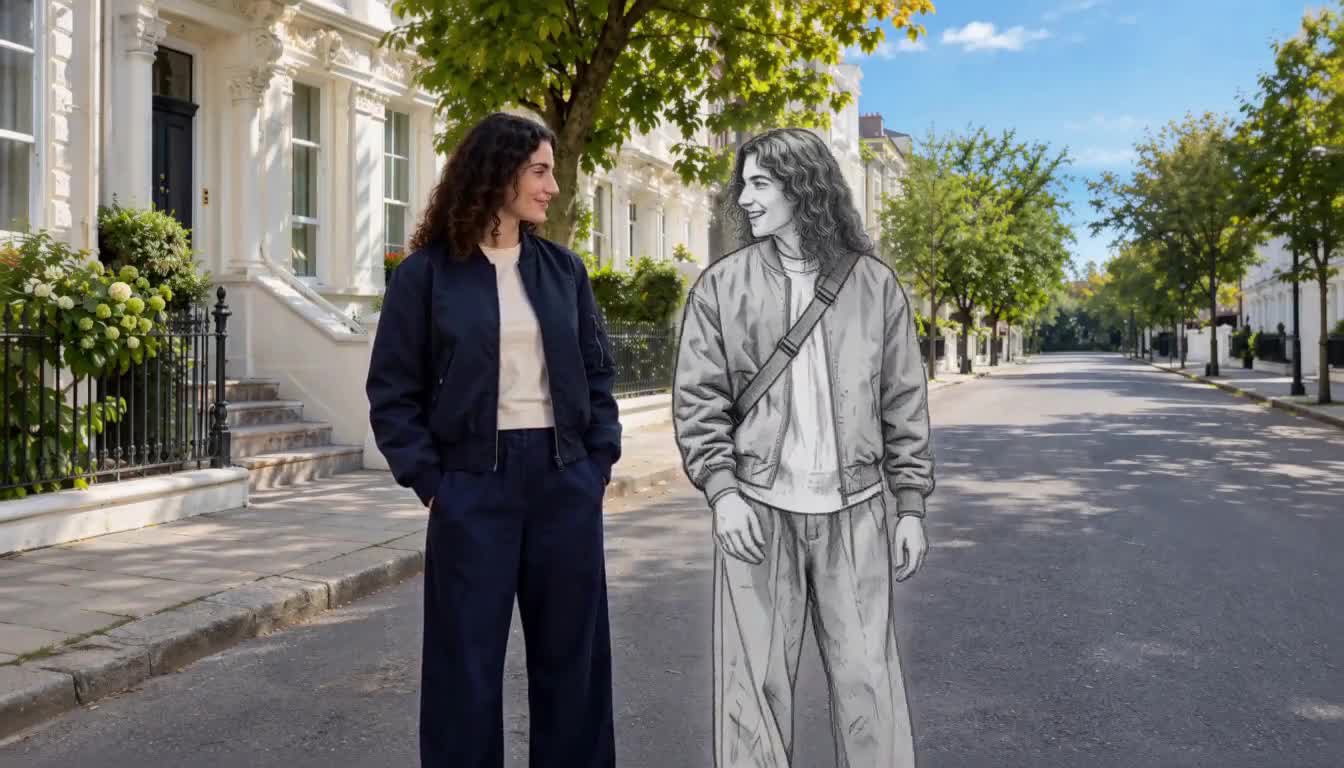
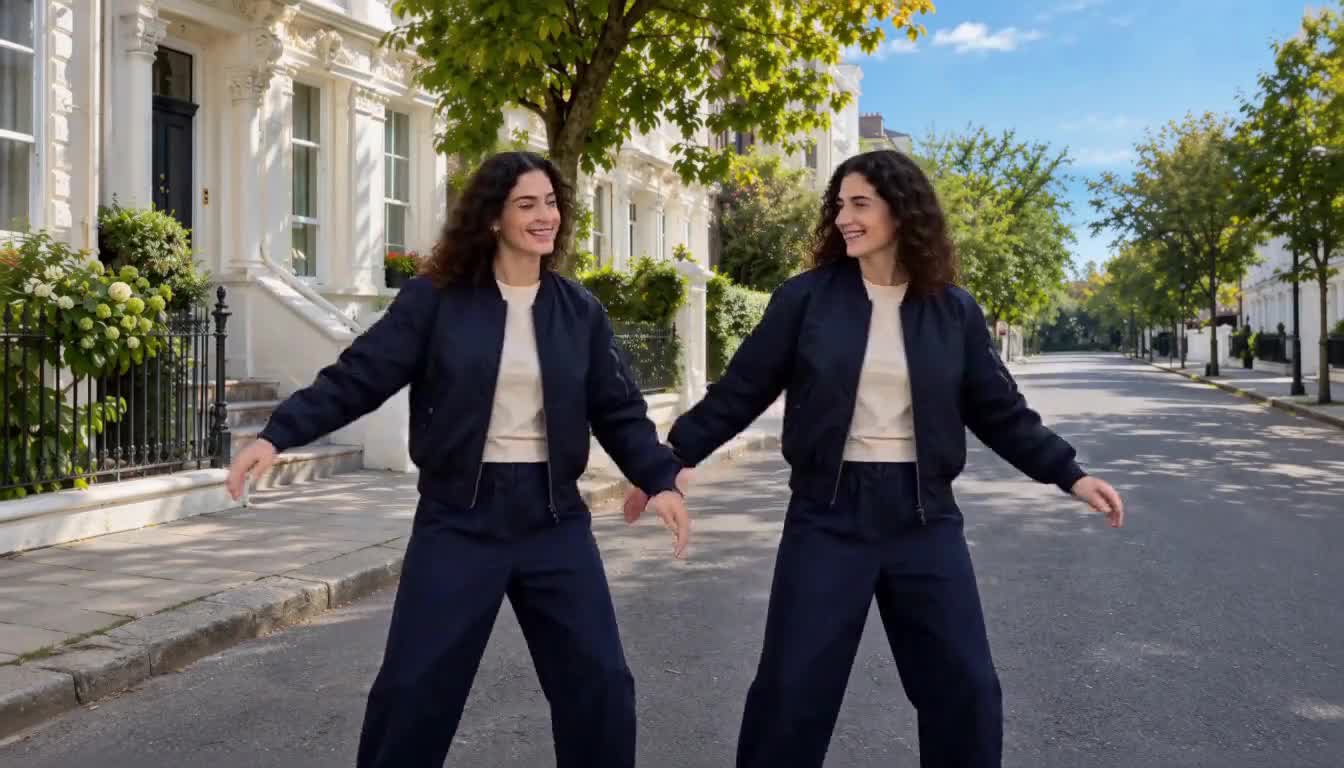
Upload a single clear portrait and Magic Double Dance AI builds the entire 15-second sequence around your likeness. A gray pencil-sketch twin walks into the sunlit street, high-fives you into full color, and dances in sync—exported in 9:16 vertical ready for YouTube, TikTok, and Reels.
Make My Magic Double Dance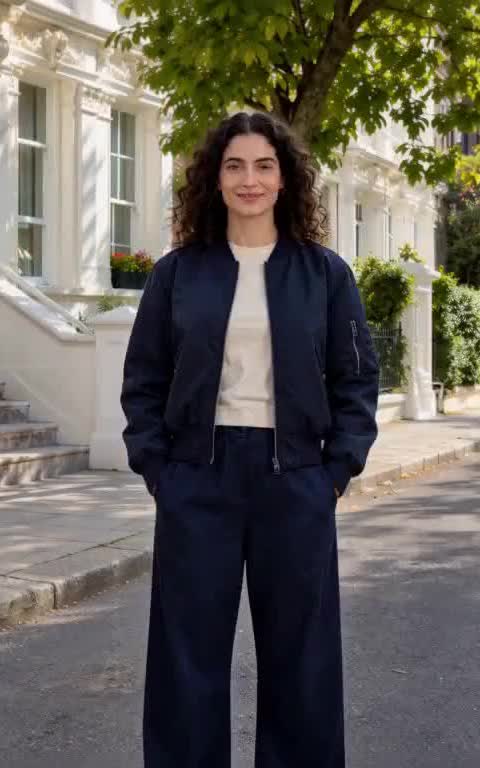 1
 2
 3
How to Make a Magic Double Dance AI Video
Four quick steps from a single portrait to a finished 15-second sketch-to-real dance duet.
- 1
Choose one clear solo photo
Upload a sharp photo of one person with the face, hairstyle, outfit, and shoes visible. Magic Double Dance AI uses this single image for both you and your sketch twin.
- 2
Let the built-in sequence guide the motion
You do not need to write a prompt or upload a dance clip. The built-in preset handles the sketch entrance, high five, lifelike reveal, and synchronized routine.
- 3
Pick resolution and audio
Select 480p, 720p, or 1080p for your 15-second 9:16 vertical clip and toggle audio on or off. The exact credit cost updates before you generate.
- 4
Review and download your duet
Watch the full clip from the sketch entrance to the closing hand gesture, checking face likeness and hand alignment before downloading.
Best photos for Magic Double Dance AI
- Use one clear solo photo facing the camera or angled slightly, with even daylight or soft indoor lighting.
- Show the full body or at least knees-to-head so the generator keeps your outfit and shoes grounded.
- Pick a clean, uncluttered background so both your real figure and your sketch twin stay easy to separate.
- Wear distinct colors or textures if you want the gray pencil-sketch transformation to pop on a phone screen.
Avoid these photo mistakes
- Avoid group photos, crowded backgrounds, or cropped selfies that hide arms and clothing.
- Avoid sunglasses, masks, heavy beauty filters, or stylized cartoon filters that distort facial features.
- Avoid dark, blurry, or low-resolution screenshots where hands and shoes blend into the floor.
- Avoid uploading photos of minors or anyone who has not consented to appear in an AI video.
Why Creators Use Magic Double Dance AI
Built to turn one everyday portrait into a viral sketch-to-real dance duet without editing timelines or keyframing.
One photo creates two performers
Magic Double Dance AI duplicates your likeness into both the original dancer and the emerging pencil-sketch twin from a single upload.
Zero prompt writing needed
The street setting, sketch entrance, high-five transition, and dance timing are pre-configured inside the template.
Signature sketch-to-real reveal
A gray pencil figure walks into the sunlit street, meets your hand for a high five, and transforms into a full-color double in one continuous shot.
Native 9:16 vertical framing
Every clip renders in 15-second 9:16 vertical, so both dancers stay fully in frame side by side.
Flexible 480p to 1080p output
Test your photo at 480p for fewer credits, then render at 720p or 1080p when you want crisp faces and clean clothing details.
Audio toggle and automatic refunds
Keep audio off to pair your favorite trending track on social media, or switch it on for generated sound. Failed renders are refunded automatically.
Popular Ways to Use Magic Double Dance AI
TikTok and Reels trend entries
Jump into the sketch-double dance trend using a single favorite photo without learning choreography or setting up a tripod.
Outfit and streetwear showcases
Show off sneakers, jackets, and everyday fits twice over as your gray sketch twin transforms into your full-color outfit.
Creator channel intros
Open a vlog, short, or announcement with a playful sketch-twin dance clip that introduces your persona in seconds.
Birthday and celebration clips
Turn a friend's portrait into a surprise sketch-twin dance video ready to drop straight into a group chat.
Before-and-after style posts
Pair a clean full-body portrait with trending audio to highlight a new haircut, travel outfit, or seasonal look.
Character and cosplay duets
Use a crisp solo cosplay or original character photo to watch a pencil-drawn version come alive and dance beside the original.
Custom Prompt Variations (Optional)
The one-click generator above needs no prompt—just upload a photo and generate. Only use these @Image1 prompts if you are building a custom workflow in the general AI Video Maker.
Custom Prompt Variations (Optional)
The one-click generator above needs no prompt—just upload a photo and generate. Only use these @Image1 prompts if you are building a custom workflow in the general AI Video Maker.
Sunny street sketch-to-real duet
15-second 9:16 vertical video on a sunny street. The person from @Image1 stands in full view. A gray pencil-sketch double walks in beside them, they turn for a clean high five, and the sketch turns lifelike in full color wearing the same outfit before both dance in sync.
Matches the core sketch-to-real sequence from one solo photo.
Streetwear lookbook twin dance
Use @Image1 as the single appearance reference for both dancers in a 9:16 outdoor street scene. A monochrome pencil-sketch twin enters, high-fives the subject into full color, and both perform crisp footwork showing jacket, pants, and sneakers clearly.
Best when you want footwear and layered outfits to stay sharp.
Upbeat channel opener
Vertical 9:16 daylight street shot featuring @Image1. A hand-drawn gray sketch clone steps into frame, taps hands with the real person to become lifelike, and both finish with a synchronized dance and matching closing hand gesture. No text or watermarks.
Great for short-form channel intros and collab teasers.
Magic Double Dance AI Credit Cost & Specs
Every generated video is 15 seconds in 9:16 vertical format. Start with 480p to test your photo at the lowest credit cost—failed renders are refunded automatically.
Magic Double Dance AI vs Other Ways to Make a Twin Dance
| Method | What You Need | What You Get | Time Required |
|---|---|---|---|
| Magic Double Dance AI | One clear solo photo | 15s 9:16 sketch-to-real high-five and synchronized dance duet | 1 minute setup + a few minutes to render |
| Filming a real clone edit | Tripod, locked lighting, filming twice, rotoscoping, and sketch VFX | Real footage with manual masking and hand-timed clone cuts | Several hours of shooting and editing |
| General AI video generator | Photos plus long trial-and-error prompts for sketch transitions | Unpredictable timing and frequent identity drift between twins | Multiple retries and wasted credits |
| Standard single-dancer template | One photo | One solo dancer with no sketch entrance or twin interaction | A few minutes |
Magic Double Dance AI FAQ
What is Magic Double Dance AI?
Magic Double Dance AI is a single-photo AI video effect that places you on a sunny street, introduces a gray pencil-sketch twin of you, brings the twin to life around a high five, and animates both of you in a synchronized 15-second dance.
How many photos do I need to upload?
You only need one clear solo photo. The effect uses that single image as the appearance reference for both the real person and the emerging sketch double.
What kind of photo gives the best result?
A sharp, evenly lit full-body or waist-up solo photo works best. Make sure your face, arms, outfit, and shoes are clearly visible and avoid group shots, sunglasses, or heavy filters.
Do I need to write a prompt or upload a dance video?
No. The template already includes the street scene, sketch-to-real transition, and dance choreography. Just upload your photo, pick a resolution, and click Generate Video.
What is the output duration and aspect ratio?
Every generated video is 15 seconds long in 9:16 vertical format, so you and your sketch twin both stay fully in frame side by side.
Which resolution should I choose: 480p, 720p, or 1080p?
Use 480p to test how your photo looks at the lowest credit cost, 720p for everyday social posts, and 1080p when you want the sharpest facial likeness and cleanest hand details.
Should I turn audio on or off?
Leave audio off if you plan to add licensed music inside TikTok or Reels. Switch audio on if you want AI-generated sound included directly in the downloaded clip.
What happens if a video render fails?
If a generation task fails before completing, the credits for that task are automatically refunded to your account balance.
Ready to Create Your Magic Double Dance AI Video?
Upload one clear solo photo and watch your sketch twin come alive for a 15-second 9:16 dance duet.
Make My Magic Double DanceMore AI Video Effects
Neon Duo Dance AI
Turn two photos into a neon-lit 15s synchronized dance video.
Zombie Couple Video AI
Transform couple portraits into a cinematic zombie duet clip.
Flying Car AI
Launch any street photo into a high-speed flying car scene.
Costume Transformation AI
Morph everyday outfits into dramatic themed costumes smoothly.