Opa Opa Opa Video: Make Your Selfie Hair Bounce
Drop in one clear selfie for the viral TikTok hair bounce trend—get a 15s 9:16 clip usually ready in ~1–2 minutes with zero prompts.
- Just One of Your Selfies
- Your Face Still, Hair Bouncing
- Zero Prompts for You to Write
- Your 15s Clip, Ready to Post
Your Still Selfie, Suddenly Full of Bounce
Your shoulders stay locked while your hair leaps up and settles on beat
Remember that hilarious Opa Opa Opa meme where someone stares straight into the camera while their hair springs up like it has a mind of its own? Your photo steps right into the Opa Opa Opa filter vibe—your eyes stay locked on the lens, your grin barely moves, and every curl or strand pops into the air and settles back down. Grab a selfie of yourself, your best friend, or your partner, start the generator above, and watch it steal the whole group chat.
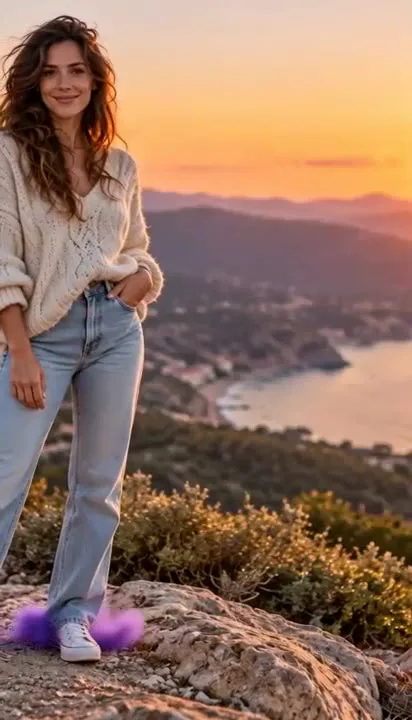
Create Your Hair Bounce Clip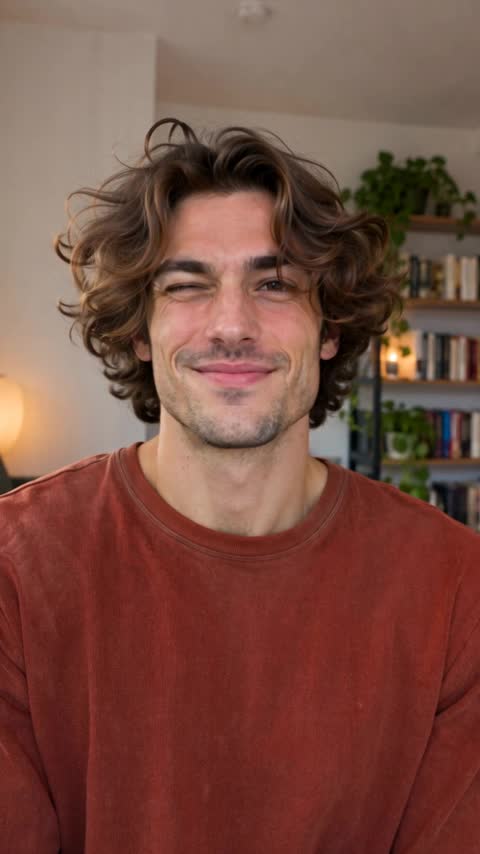 Before: Still Input Selfie
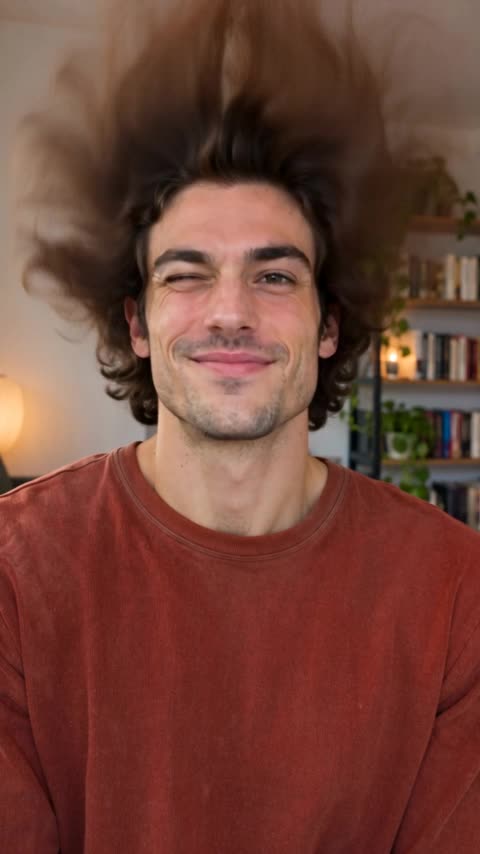 During: Hair Springs Up12
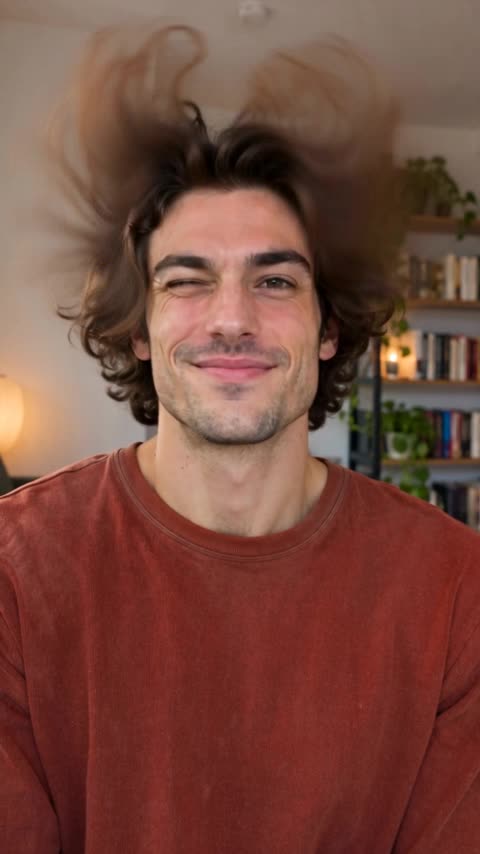 3
Three Zero-Effort Steps to Your Opa Opa Opa Video
No awkward filming, no hairdryer tricks, and zero prompts to write—just grab a selfie and go.
- 1
1. Upload Your Selfie
Drop in one clear, front-facing photo of you, your best friend, or your partner with loose, visible hair.
- 2
2. Click Generate
Zero prompts to type and zero editing—just hit Generate and watch your upper body stay steady while your hair springs up on beat.
- 3
3. Download & Share
Preview your bounce in under two minutes, save your clean vertical MP4, and drop your Opa Opa Opa Video straight into TikTok, Reels, or your group chat.
Pick a Photo Like This for Big, Clean Bounce
- Grab a sharp head-to-chest selfie with a little breathing room above your head so your bouncing hair pops up without hitting the top edge.
- Go with your hair down or loose—your curls, waves, bangs, or ponytail will lift and settle way cleaner.
- Look straight at the camera in bright, even light so your chill expression stays sharp while your hair steals the show.
Skip These Photos So It Doesn't Look Weird
- Skip hats, hoods, or tight top crops—if your hairline is hidden or pressed against the edge, your hair has nowhere to bounce.
- Skip blurry screenshots, dark rooms, or big sunglasses so your eyes and hair strands stay crisp instead of smearing.
- Skip crowded group shots—stick to one person in frame so all the bounce lands on your hair, not someone else's shoulder.
See Your Selfie Come Alive with This AI Hair Bounce Generator
Upload one clear photo and click Make My Bounce Video—here is what makes this hair bounce AI video hit every time.
Your chill stare, your hair going wild
You stare straight into the lens without moving a muscle while your curls, bangs, or ponytail spring sky-high and bounce back down on beat.
Your real grin stays locked in frame
Your eyes, skin tone, and outfit stay unmistakably you from start to finish, so everyone knows it is your real selfie.
Crisp strands in true 9:16 vertical
Your head-to-chest portrait fills a phone screen edge to edge with sharp flying curls and plenty of headroom above your hair.
Audio off for TikTok, or on for instant laughs
Mute the track to sync your Opa Opa Opa hair bounce with the trending TikTok sound, or keep audio on straight out of the download.
Who Are You Making Your First Opa Opa Opa Video For?
Your own viral feed takeover
Upload your favorite selfie and watch your hair spring up on beat while your face stays cool, ready to post straight to your TikTok or Reels.
Roasting your best friend in the group chat
Grab your friend's most serious portrait, hit Generate, and drop a clip in the chat where their hair leaps off their head while they stare deadpan.
Surprising your partner with an instant laugh
Turn a cute close-up of your boyfriend, girlfriend, or spouse into a playful hair-bounce clip where their curls pop right in front of the camera.
Showing off your fresh haircut or color
Upload a mirror selfie of your new bangs, blowout, or waves and give your followers a springy hair-bounce reveal instead of another still photo.
See Your Exact Credits Up Front—Zero-Risk Refunds
Pick your sharpness and see the exact credit cost before generating. Every clip renders as a 15-second 9:16 vertical MP4; grab a pay-as-you-go credit pack or plan anytime (no free trial credits on signup), and failed renders refund automatically.
Making Your Opa Opa Opa Video Here vs. Faking It Yourself
| Your Choice | What You Grab | What Shows Up on Screen | Time to Post |
|---|---|---|---|
| Your Opa Opa Opa Video right here | One clear selfie of you or your friend | Your pose stays steady while your hair leaps up and settles on beat in 9:16 vertical | 10 seconds to upload, ready in ~1–2 min |
| Filming IRL with a hairdryer | Ring light, hairdryer, and twenty awkward retakes | Windblown chaos in your eyes that misses the beat | 30+ minutes of filming and cleanup |
| Guessing raw AI prompts yourself | Writing motion prompts and burning credits on retries | Wobbly camera, warped face, or stiff hair that barely lifts | Multiple wasted attempts |
Quick Answers Before You Click Generate
Does my Opa Opa Opa Video actually look as good as the viral TikTok Opa Opa Opa filter?
Yes—upload a sharp, front-facing selfie with breathing room above your head, and you will watch your face stay deadpan while your hair springs sky-high and settles on beat.
Do I have to write a prompt or know how to edit?
Not at all. The bounce routine is already set—just drop in your selfie, pick your resolution, and click Make My Bounce Video.
What kind of photo gives me the biggest, cleanest hair bounce?
A clear head-to-chest selfie in bright light with your hair down or loose works best—leave a little space above your head and skip hats or sunglasses, then hit Generate.
Will I lose credits if my render fails?
Never. You see the exact credit cost before you click, and if a render ever fails before finishing, your credits refund to your account automatically so you can try again risk-free.
How fast do I get my Opa Opa Opa Video, and what format is it?
Your 15-second 9:16 vertical MP4 is usually ready in ~1–2 minutes (the preview above is a 12-second sample clip)—upload your photo now and save a ready-to-post Opa Opa Opa meme clip for TikTok, Reels, or your group chat.
Should I turn audio on or off before I click Generate?
Turn audio off if you want to drop the viral TikTok sound right over your bouncing hair, or leave it on for ready-to-laugh sound straight out of the download.
Can I upload a photo of my best friend, partner, or new haircut?
Yes—grab anyone's sharpest front-facing selfie with visible hair, click Make My Bounce Video, and watch their hair leap off their head while their serious face stays frozen.
You Already Know Whose Photo to Try
Upload that selfie right now and watch their hair bounce in a 15-second vertical Opa Opa Opa Video.
Try Opa Opa Opa VideoMore AI Video Effects
Neon Duo Dance AI
Turn two photos into a neon-lit 15s synchronized dance video.
Zombie Couple Video AI
Transform couple portraits into a cinematic zombie duet clip.
Flying Car AI
Launch any street photo into a high-speed flying car scene.
Costume Transformation AI
Morph everyday outfits into dramatic themed costumes smoothly.