
Table of Contents
Seedance 2.0 vs Veo 3.1: Which AI Video Model Should You Use in 2026?
You need to generate video on a tight timeline. One model renders drafts in seconds and lets you blow through a dozen variations before lunch. Another delivers better first-pass physics and plugs into Google Cloud -- but charges per API call and limits how fast you can explore.
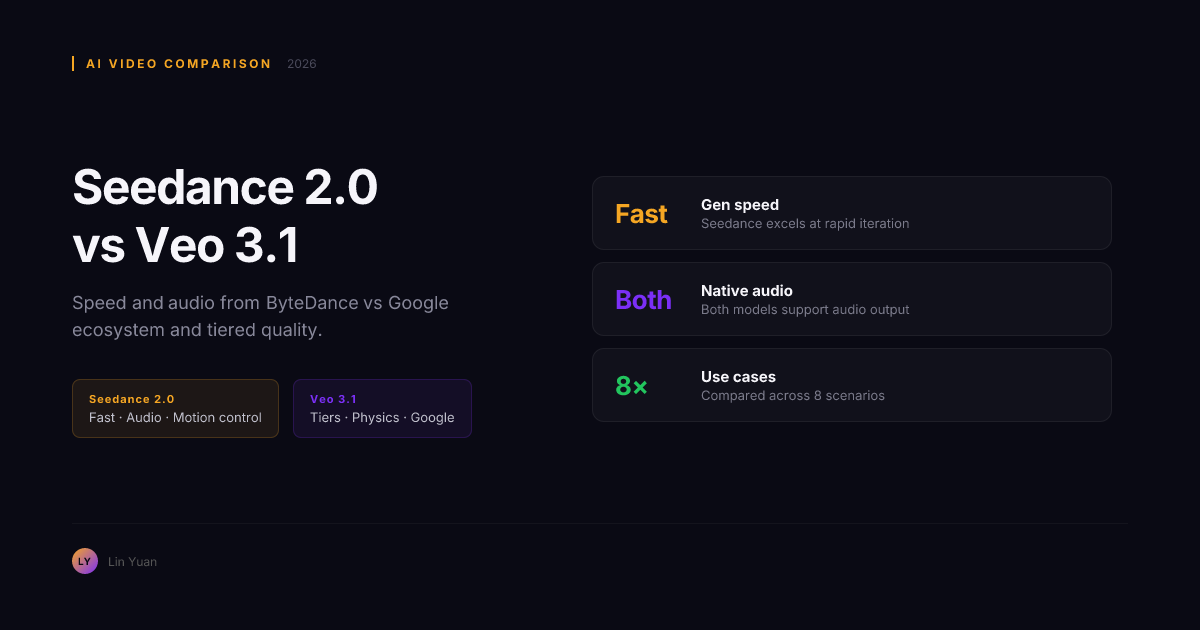
That is the real Seedance 2.0 vs Veo 3.1 decision in July 2026. Not benchmark scores, but which workflow fits how you actually produce. Seedance 2.0 (ByteDance) prioritizes speed and iteration. Veo 3.1 (Google DeepMind) prioritizes physics realism and ecosystem depth. After testing both across production scenarios, the choice breaks down cleanly by use case. By the end of this comparison, you will know which model to use for each shot type in your pipeline.
Quick Comparison
| Dimension | Seedance 2.0 | Veo 3.1 |
|---|---|---|
| Developer | ByteDance | Google DeepMind |
| Core strength | Speed, motion control, native audio | Physics, tier flexibility, ecosystem |
| Pricing model | Credit-based (mini/fast/enhanced tiers) | Per-request (lite/fast/quality tiers) |
| Motion control | Strong, consistent trajectory handling | Good, prompt-based |
| Native audio | Synchronized audio at generation | Native audio support |
| Image-to-video | Yes | Yes |
| Accessibility | Higgsfield, Dreamina, OpenArt, kie.ai | Google AI Studio, Gemini API |
| Free tier | Yes, on select platforms | No |
| Max resolution | 1080p | 1080p |
The table above covers the spec-level differences. Under production conditions, the real gap shows in specific directions. If you have access to both models, generate the same prompt on each: "a car driving on a wet road at dusk, camera following from behind." Five minutes will show you the difference in motion handling versus physics quality.
What Seedance 2.0 Does Best
Seedance 2.0 is built for speed. The mini tier completes 5-second clips in 8-12 seconds, the fast tier balances speed with quality, and the enhanced tier delivers production-ready output. This tier system makes concept exploration practical -- generate ten variations, pick the best direction, then refine.
Motion control is Seedance 2.0's strongest differentiator. The model handles complex motion trajectories -- camera movement, subject dynamics, directional shifts -- with consistent results. Where many video models lose object positioning mid-clip, Seedance maintains spatial awareness across the generation.
Native audio is generated at the clip level. Ambient sound, effects, and dialogue are synchronized to the video without a separate post-production pipeline. For short-form content and social video, this saves significant editing time.
Multi-platform availability is a practical advantage. Seedance 2.0 runs on four platforms -- Higgsfield, Dreamina, OpenArt, and kie.ai -- each with different credit structures and free tiers. If one platform's pricing does not fit, another likely will.
The trade-off: physics simulation is good but not Veo-grade. Complex fluid dynamics, multi-object collisions, and fabric physics show occasional artifacts. There is no Google Cloud integration or Vertex AI pipeline.
What Veo 3.1 Does Best
Veo 3.1's physics understanding is the best among current AI video models. Its diffusion transformer architecture handles water flows naturally. Fabrics drape realistically. Multi-object collisions produce physically plausible results. For any scene where physical realism matters -- product demos with fluids, material demonstrations, action sequences -- Veo 3.1 produces fewer artifacts on first pass than Seedance 2.0.
The three-tier system (lite, fast, quality) gives you cost control. Route simple prompts to the lite tier for minimal cost. Use fast for standard workloads. Reserve quality for complex scenes that need the full physics engine. This tier routing can cut total production costs by 30-40% compared to flat-rate models when a significant portion of your shots are simple.
Ecosystem integration is a genuine multiplier. Veo 3.1 works inside Google AI Studio, the Gemini API, and Vertex AI. If your team is on Google Cloud, the path from generation to delivery is minimal.
The trade-off: each generation is a full API call. There is no lightweight draft tier that completes in seconds. Motion control is good but requires precise prompt language -- getting a specific trajectory sometimes needs multiple rerolls.
Performance differences only tell half the story. Cost structure determines which model you can use at scale.
Pricing: Credits vs Tier Routing
| Cost factor | Seedance 2.0 | Veo 3.1 |
|---|---|---|
| Entry cost | Free tier on some platforms (Dreamina, kie.ai) | Pay-as-you-go, no free tier |
| Per-generation cost | Varies by tier (mini cheapest) | Varies by tier (lite cheapest) |
| Iteration cost | Low: fast tier handles rapid drafts | Higher: each revision is a new API call |
| Platform flexibility | Multiple platforms, multiple credit systems | Single ecosystem (Google) |
| Volume scaling | Credit packs on each platform | API billing scales linearly |
The practical difference: Seedance 2.0's mini and fast tiers make concept exploration cheap. Generate ten variations for the cost of one Veo 3.1 quality generation. But Veo 3.1's lite tier handles simple prompts at a competitive rate, and its quality tier produces first-pass output that often needs fewer revisions.
Motion Control: Seedance 2.0 Leads
For shots where specific motion matters -- a vehicle turning, a product rotating, a character walking with a particular gait -- Seedance 2.0 delivers consistent results with fewer rerolls. The model's training prioritizes trajectory understanding, making it the stronger choice for any clip where motion path is the primary creative variable. Veo 3.1 handles motion well through prompt descriptions but requires more precise language to match Seedance's first-generation reliability.
Native Audio: Both Capable
Both models generate native audio with synchronized dialogue, ambient sound, and effects. Seedance 2.0's speed advantage means you can iterate on audio-video alignment more quickly. Veo 3.1's higher first-pass video quality means the audio is attached to a better-looking clip from the start. For most production scenarios, the audio quality gap is not significant enough to drive the decision.
Expert Pitfalls to Avoid
Treating Free Tiers as Production Pipelines
Free credits on Dreamina or kie.ai work for testing. They do not work for daily production. Credit limits, watermarking on some tiers, and queue prioritization make free tiers unreliable for client delivery. Budget for paid credits from the first production project.
Assuming Physics Quality Generalizes to All Scenes
Veo 3.1 excels at physics-heavy shots with fluids, fabrics, or collisions. It does not automatically produce better results for simple scenes like a talking head, screen recording, or static product shot. For those, Seedance 2.0's speed advantage makes it the more practical choice.
Ignoring Platform Lock-In Risk
Veo 3.1's Google Cloud integration is an advantage inside that ecosystem and a migration cost outside it. Seedance 2.0's multi-platform availability offers flexibility but means managing credit balances across separate systems.
Choose Seedance 2.0 When...
- Rapid concept exploration is your priority -- generate 10+ variations quickly
- Motion control and trajectory precision matter for your shots
- You want native audio without a separate post-production pipeline
- You prefer multiple platform options for credit and pricing flexibility
- Your workflow benefits from fast tier options that minimize cost per draft
- You are creating short-form social content where speed-to-variation wins
Choose Veo 3.1 When...
- Physics realism is critical -- fluids, fabrics, collisions, environmental effects
- You are already inside the Google Cloud or AI Studio ecosystem
- Tier-based cost routing can reduce your total production spend
- You need API-based automated or batch generation pipelines
- First-pass visual quality is more important than generation speed
Rule of Thumb: If the shot's value comes from where objects move, use Seedance 2.0. If it comes from how objects look, use Veo 3.1. This single heuristic covers roughly 80% of production decisions.
FAQ
Which model produces better video quality?
Veo 3.1 produces higher first-pass quality with fewer artifacts in physics-heavy scenes. Seedance 2.0 matches or exceeds it on motion control and speed. The practical ceiling depends on your primary creative demand.
Which model is faster?
Seedance 2.0. The mini and fast tiers complete in seconds, making concept exploration practical. Veo 3.1 generations take longer, especially on the quality tier.
Which model handles motion control better?
Seedance 2.0. It interprets motion trajectories more reliably and requires fewer rerolls for shots where movement path is the primary variable.
Can I use both models in the same project?
Yes. Use Seedance 2.0 for rapid concept exploration and motion-heavy shots. Use Veo 3.1 for final production clips that need physics realism and ecosystem integration.
Which model is cheaper?
At low volume, Seedance 2.0 -- free tiers on Dreamina and kie.ai let you test without spending. At high volume, the answer depends on shot complexity. Veo 3.1's lite tier is competitive for simple prompts, while Seedance 2.0's fast tier handles iteration-heavy workflows more efficiently.
Is there a free tier?
Seedance 2.0 offers free tiers through Dreamina and kie.ai. Veo 3.1 has no free tier -- every generation is a paid API call.
Responsible Usage and Cost Management
Set Per-Project Generation Budgets
Seedance 2.0's fast tier can encourage more iterations than needed. Set a per-project generation limit before you start. Track usage against it after every session.
Review Platform Terms Regularly
Free tiers on Dreamina, kie.ai, and other platforms have daily usage caps and content policies. Exceeding limits can lock your account. Review terms before committing a production workflow to any single provider.
Disclose AI-Generated Content
Both models produce output that can be indistinguishable from captured video. If your output is used in commercial or informational contexts, follow platform and regional guidelines for AI content disclosure. This is a legal consideration and a trust signal for your audience.
Audit Tier Routing Periodically
For Veo 3.1 users, review your prompt-to-tier mapping every few weeks. Shots initially routed to the quality tier may perform adequately on fast or lite after model updates. Periodic re-routing keeps costs under control.
Recommendation by Use Case
| Your situation | Best choice | Why |
|---|---|---|
| Social content, rapid iteration | Seedance 2.0 | Speed and multi-tier exploration |
| Physics-heavy product showcase | Veo 3.1 | Superior fluid and material simulation |
| Motion-driven cinematic shots | Seedance 2.0 | Stronger trajectory interpretation |
| Google Cloud or AI Studio team | Veo 3.1 | Zero integration overhead |
| Short-form video with audio | Seedance 2.0 | Fast iteration with native audio |
| Batch API production | Veo 3.1 | Vertex AI pipeline and tier routing |
| Budget-conscious prototyping | Seedance 2.0 | Free tier on multiple platforms |
| High-fidelity final output | Veo 3.1 | Better first-pass quality |
Bottom Line
Seedance 2.0 and Veo 3.1 lead the 2026 AI video market from different strengths. Seedance 2.0 wins on speed, motion control, and iterative flexibility. Veo 3.1 wins on physics realism, ecosystem depth, and tier-based cost control.
The smartest approach is not choosing one -- it is knowing which shots to route to each. Use Seedance 2.0 for early exploration and motion-heavy clips. Switch to Veo 3.1 for final passes on scenes where physical realism carries more weight than iteration speed. Test your five most common shot types on both models, and the right division of labor will be clear within an hour.
Your next step: try Seedance 2.0 on Dreamina or kie.ai -- both offer free credits. For Veo 3.1, open Google AI Studio and generate a prompt including water, fabric, or particle effects. That one test will tell you more about the difference than any spec sheet.