AI Soulmate Drawing Generator: See Your Soulmate Sketch Revealed
Drop one clear photo into the AI Soulmate Drawing Generator and watch your 15s 4:3 graphite soulmate sketch unfold in ~1–2 minutes—no prompts needed.
- Your Portrait Beside the Sketchbook
- Live Graphite Pencil Strokes
- Cream Paper, Zodiacs & Music Notes
- 15s 4:3 Reveal in ~1–2 Min
Want to Watch Your Soulmate Sketch Unfold Right Beside You?
Your real selfie on the left, warm cream sketchbook paper on the right—shaded stroke by stroke in fine graphite with floating zodiac signs and musical notes.
You just saw that dreamy soulmate sketch trend blow up on TikTok and Reels—now it's your turn to see who shows up next to you. Drop one clear selfie into the AI Soulmate Drawing Generator above and watch delicate graphite pencil lines shade in your soulmate's face on textured cream paper while gentle pencil-on-paper sounds bring the 15s 4:3 reveal to life.
Reveal My Soulmate Sketch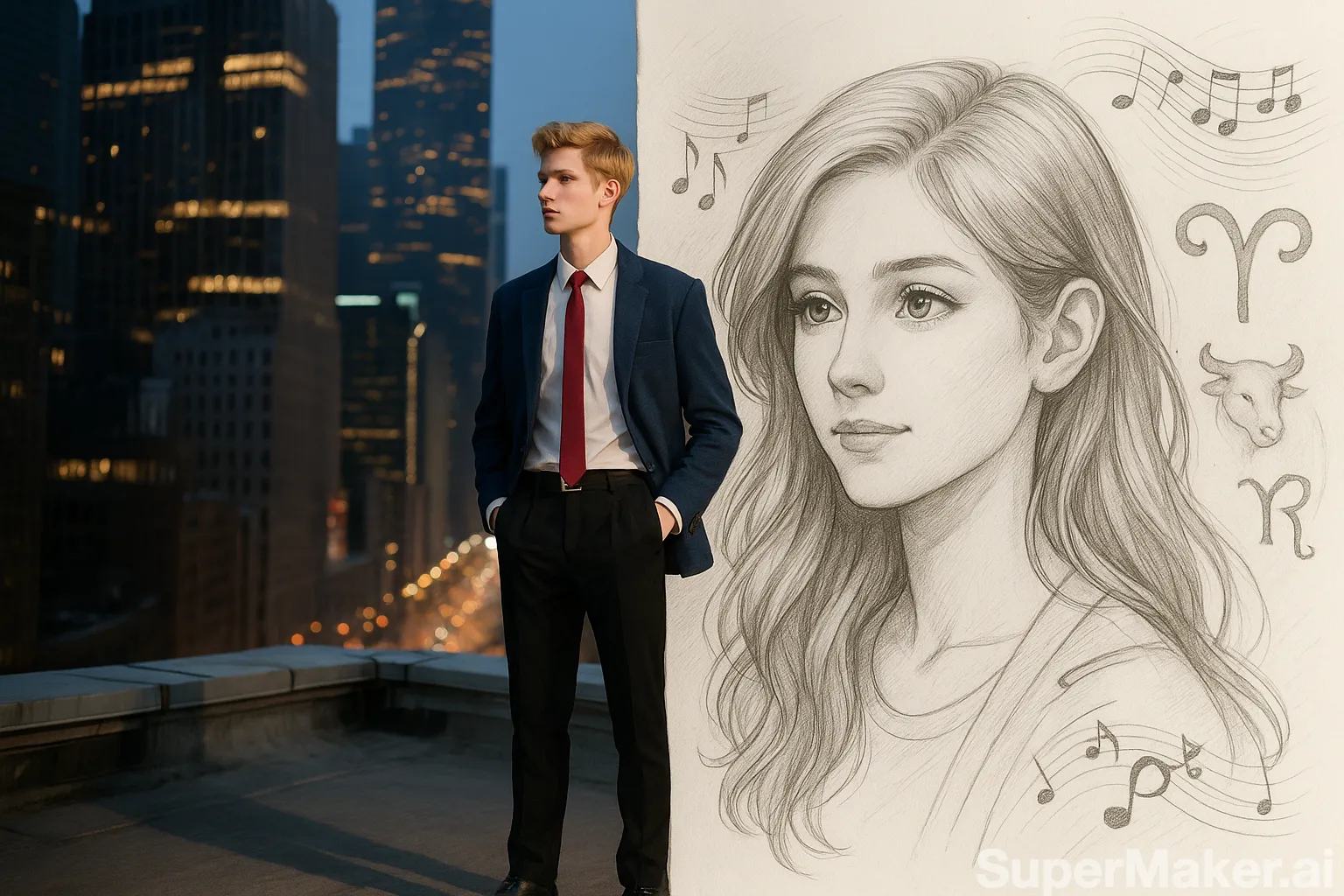 Split Sketch Reveal
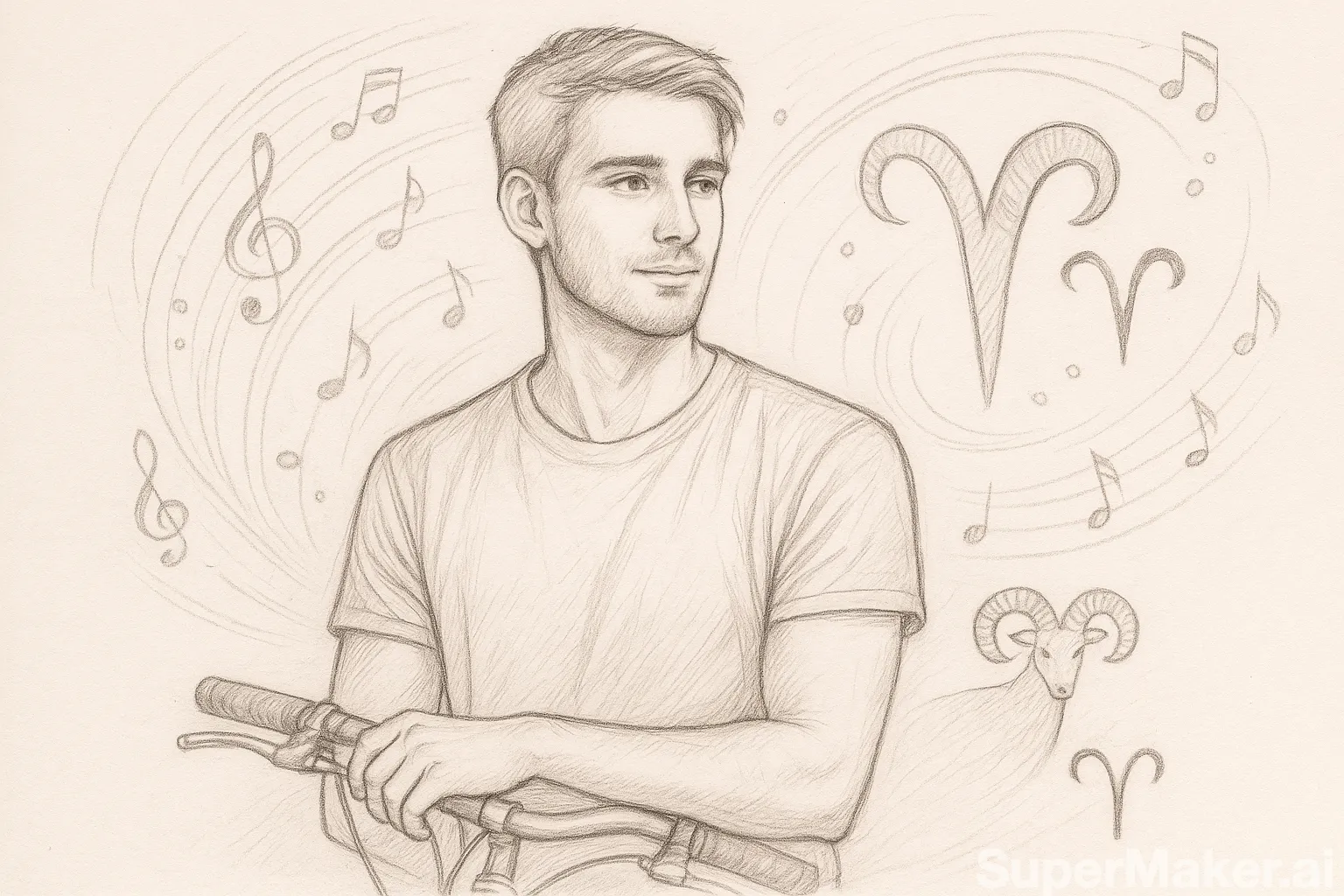 Graphite Soulmate Sketch
See Your Soulmate Sketch in 3 Quick Steps
Ready to see who appears beside your photo? Zero prompts, zero quizzes—just drop one selfie and watch the pencil strokes unfold.
- 1
1. Upload Your Photo
Drop one clear selfie or portrait of you, your crush, or your best friend into the AI Soulmate Drawing Generator—no prompts or birth charts needed.
- 2
2. Click Reveal My Soulmate Sketch
Pick 480p, 720p, or 1080p, toggle gentle pencil-on-paper audio if you want, and hit Reveal My Soulmate Sketch to start your 4:3 cream-paper reveal.
- 3
3. Download & Share
In ~1–2 minutes, watch your 15s 4:3 graphite soulmate sketch finish with floating musical notes and zodiac signs, then save it watermark-free for TikTok, Reels, or your group chat.
Pick Photos Like This So Your Sketch Looks Sharp
- Upload one bright, sharp selfie or portrait where your eyes and expression are clearly visible so the AI Soulmate Drawing Generator keeps your side of the split-screen crisp.
- Choose a front-facing or gentle three-quarter angle in natural daylight or warm window light for rich contrast beside the cream sketchbook page.
- Use one solo shot of the person you have in mind, then click Reveal My Soulmate Sketch.
Skip These Photos So Your Sketch Never Looks Blurry
- Skip crowded group photos—extra faces make it unclear who belongs on the left side of your split sketch reveal.
- Skip dark sunglasses, heavy shadows, or motion blur that hide your eyes and flatten the graphite pencil shading.
- Skip tiny cropped screenshots or heavy beauty filters—clean original photos give you fine crosshatching and real sketchbook paper texture.
Why Your Feed Can't Stop Watching the AI Soulmate Drawing Generator
Want to see a hand-drawn graphite soulmate portrait appear right beside your selfie? Drop your photo above and click Reveal My Soulmate Sketch to watch every stroke land.
Your photo beside an unfolding cream sketchbook
Your real selfie anchors the left side of the frame while a warm cream sketchbook page opens beside you—upload your favorite shot and click Reveal My Soulmate Sketch to see the contrast come alive.
Live graphite strokes & real paper grain
You watch delicate pencil crosshatching, soft charcoal shadows, and textured paper grain build a face stroke by stroke—drop one clear portrait above and hit Generate to see your own sketch unfold.
Floating musical notes & zodiac details
Sketched musical notes and tiny celestial symbols drift around your soulmate's portrait on the cream page, giving your 15s 4:3 reveal that dreamy viral look the moment you click Reveal My Soulmate Sketch.
Zero prompts—just your photo and one click
You never have to write a single prompt or fill out a quiz—drop your photo into the AI Soulmate Drawing Generator above, click Reveal My Soulmate Sketch, and watch your 15s 4:3 clip finish in ~1–2 minutes.
Whose Photo Are You Trying First?
Film your reaction for TikTok or Reels
Drop your favorite selfie into the AI Soulmate Drawing Generator and film your live reaction as the 15s 4:3 graphite portrait shades in right next to your face.
Send a flirty surprise to your crush or partner
Upload a warm solo shot, wait ~1–2 minutes for the cream-paper sketch and floating zodiacs to finish, and drop the reveal straight into your crush's or partner's DMs.
Tease your best friend in the group chat
Grab your best friend's cutest portrait, run it through the AI Soulmate Drawing Generator, and watch the whole group chat lose it when their pencil-drawn soulmate appears.
Turn date night into a romantic keepsake
Pick a golden-hour photo from your favorite night together and save a watermark-free 15s 4:3 sketchbook clip you can rewatch or send for your anniversary.
Want a Custom Mood? Copy These Ready-to-Use Style Presets
You don't need any prompt for the viral look above—just upload your photo and click Reveal My Soulmate Sketch—or copy one of these scene presets whenever you want to switch up the lighting and paper vibe.
Want a Custom Mood? Copy These Ready-to-Use Style Presets
You don't need any prompt for the viral look above—just upload your photo and click Reveal My Soulmate Sketch—or copy one of these scene presets whenever you want to switch up the lighting and paper vibe.
Split Rooftop & Cream Sketchbook
15-second 4:3 romantic soulmate sketch reveal. Keep the person from @Image1 clearly recognizable on the left side in warm dusk lighting, while a textured cream sketchbook page unfolds on the right with fine graphite pencil strokes drawing a matching soulmate portrait surrounded by delicate musical notes and zodiac symbols.
Grab this preset for your first selfie, then upload your photo and click Generate for warm dusk light and classic pencil-on-paper charm.
Golden Hour Notebook Sketch
15-second 4:3 intimate portrait reveal. Place the person from @Image1 in soft golden-hour window light beside an open artist notebook where smooth charcoal and graphite lines sketch a gentle soulmate portrait with tiny star motifs and handwritten-style flourishes.
Copy this one for golden-hour window glow and cozy late-night story posts—just pair it with your brightest solo shot and click Generate.
Classic Charcoal & Ink Portrait
15-second 4:3 timeless sketch reveal. Frame the subject from @Image1 next to heavyweight cotton sketch paper as expressive pencil crosshatching builds a detailed soulmate face with subtle celestial constellations and soft paper grain.
Use this preset for anniversary surprises or best-friend reactions—drop in their portrait and click Generate to watch the charcoal lines land.
Simple Credit Pricing & Auto-Refunds
Curious how your soulmate sketch looks? Start at 480p (315 credits) for the lowest-cost test, or pick 720p/1080p for crisp graphite pencil grain on cream paper—starter packs begin at $29.90 (1,685 credits, with lower per-credit rates on larger packs and plans), no free trial credits on signup, and any failed render refunds automatically.
One-Click Sketch Reveal vs. Other Ways
| Your Choice | What You Grab | What Hits Your Screen | Time to Share |
|---|---|---|---|
| Drop your photo into the AI Soulmate Drawing Generator above | One clear portrait of you, your crush, or your friend | Your photo on the left, live graphite strokes sketching your soulmate on cream paper with zodiacs and music notes—watermark-free | 10 seconds to upload, ready in ~1–2 min |
| Paying a mystery sketch site & waiting | Long questionnaires, email signups, and upsell screens | A static generic drawing that has nothing to do with your photo | Hours or days of waiting |
| Prompting generic AI from scratch | Long art-style prompts, layout fixes, and multiple retries | Smudged pencil faces, mismatched paper tones, or stiff motion | Wasted credits and retries |
Quick Answers Before You Click Generate
Does the AI Soulmate Drawing Generator actually use my photo?
Yes—drop one bright, clear portrait into the AI Soulmate Drawing Generator and your real face anchors the left side while the graphite soulmate sketch unfolds stroke by stroke on cream paper beside you.
Do I need to write any prompts or answer a long quiz?
Nope—your warm cream sketchbook texture, pencil shading, floating musical notes, and zodiac accents are all built in, so you just upload your photo and click Reveal My Soulmate Sketch.
What happens to my credits if a generation fails?
You never lose a credit—you see the exact credit cost right before clicking Reveal My Soulmate Sketch, and any failed render refunds automatically.
How long does my 15-second 4:3 soulmate sketch take?
Your 15s 4:3 reveal finishes in ~1–2 minutes, ready for you to save and drop straight into TikTok, Reels, or your group chat.
Can I upload a photo of my friend or partner instead?
For sure—you can drop any clear solo portrait into the AI Soulmate Drawing Generator, whether it's your own selfie, your crush, your best friend, or your partner.
Should I pick 480p, 720p, or 1080p for my first try?
Start at 480p (315 credits) for the lowest-cost test, or pick 720p or 1080p when you want crisp pencil crosshatching and warm paper grain on mobile.
Are there watermarks on my finished soulmate sketch?
Zero watermarks—download your clean 15s 4:3 clip from the AI Soulmate Drawing Generator and share it anywhere right away.
Ready to See Your Soulmate Sketch?
Drop one clear photo into the AI Soulmate Drawing Generator above and watch your 15s 4:3 graphite reveal finish in ~1–2 minutes—failed renders refund automatically. You already know whose photo to try.
Reveal My Soulmate SketchMore AI Video Effects
Neon Duo Dance AI
Turn two photos into a neon-lit 15s synchronized dance video.
Zombie Couple Video AI
Transform couple portraits into a cinematic zombie duet clip.
Flying Car AI
Launch any street photo into a high-speed flying car scene.
Costume Transformation AI
Morph everyday outfits into dramatic themed costumes smoothly.