AI Air Kiss Video: Turn Your Photo Into a Romantic Air Kiss
Drop in one clear portrait and watch your photo blow a sweet 15s 16:9 widescreen air kiss—usually ready in ~1–2 minutes with zero prompts.
- Just One Clear Portrait
- Your Real Smile & Eyes
- Zero Prompts for You to Write
- 15s 16:9 Widescreen, Ready to Send
Your Still Portrait, Suddenly Sending a Sweet Kiss
Warm eye contact, a soft kiss on the fingertips, and a gentle air kiss straight to camera
Saw that dreamy air kiss clip on your feed and already know whose photo you want to try? Drop in one favorite portrait—yours, your partner's, or your crush's—and watch them come alive on screen: a warm smile, a slow hand raise to the lips, a tender kiss on the fingertips, and a lingering romantic glance as the kiss floats toward you. Upload your photo above and click Make My Air Kiss Video—your 15-second clip is ready in ~1–2 minutes with zero prompts.
Make My Air Kiss Video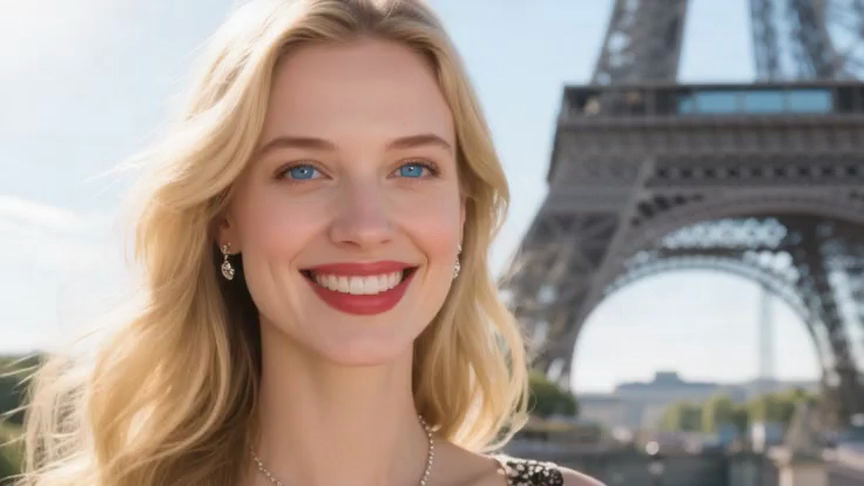 Original Portrait
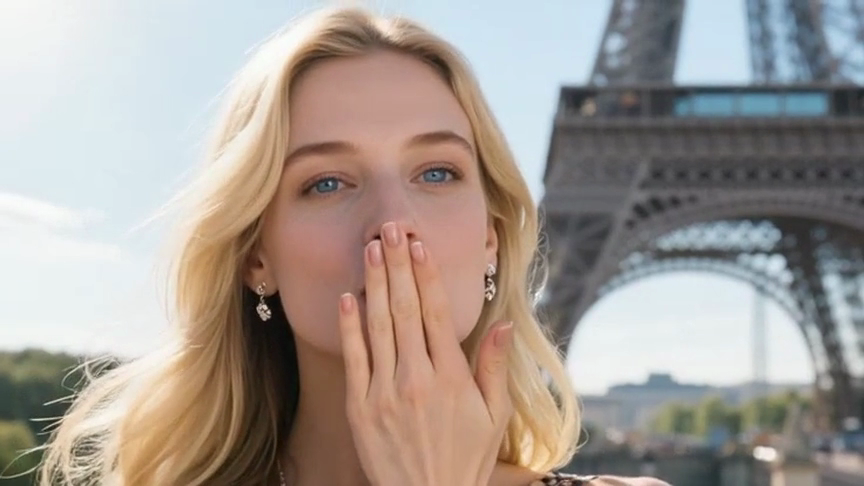 Romantic Air Kiss Reveal
Three Zero-Effort Steps to Your AI Air Kiss Video
No awkward camera setups, no retakes, and zero prompts to write—just grab a portrait and go.
- 1
1. Upload Your Portrait
Grab one clear, front-facing photo of yourself, your partner, or your crush and drop it into the uploader above.
- 2
2. Click Generate
Zero prompts to type and zero editing—just click Make My Air Kiss Video and watch your portrait smile, kiss the fingertips, and blow a sweet air kiss.
- 3
3. Download & Share
Preview your 15-second 16:9 widescreen clip in ~1–2 minutes, save your clean MP4, and send your AI Air Kiss Video straight to DMs, Reels, or TikTok.
Pick a Photo Like This for a Natural, Lifelike Kiss
- Choose a sharp, front-facing portrait with a relaxed smile and clear eyes looking toward the camera.
- Leave a little breathing room around the shoulders and chin so the raised hand and fingers move naturally without getting cut off.
- Use bright, even lighting so skin tones, lips, and fingertips stay crisp and warm from start to finish.
Skip These Photos So Hands & Faces Stay Clean
- Skip photos where hands, phones, or sunglasses already cover the face or mouth.
- Skip blurry screenshots, harsh shadows, or extreme side angles that hide half the smile.
- Skip crowded group shots—stick to one person in frame so the air kiss stays focused on one clean face and hand.
Watch Your Portrait Steal the Frame
Drop in one clear photo and click Make My Air Kiss Video—here is the exact scene that unfolds on your screen.
A slow, sweet fingertip kiss straight to camera
Your photo breaks into a warm smile, lifts one hand to the lips, presses a soft kiss onto the fingertips, and blows it right toward whoever is watching.
Your real eyes, smile, and outfit stay yours
From the first shy glance to the lingering smile at the end, your own face, hair, and clothes stay crisp and unmistakable in every frame.
Dreamy 15-second 16:9 widescreen movie framing
Your clip opens in smooth 16:9 widescreen with warm light and a gentle camera push-in, turning one still selfie into a 15-second romance scene.
Keep the sound on or drop in your favorite song
Toggle Audio on for natural atmosphere before you generate, or mute it so you can layer your own trending track over your AI Air Kiss Video.
Who Are You Sending Your First AI Air Kiss Video To?
A sweet surprise for your partner
Turn your favorite selfie into a 15-second clip where you smile, kiss your fingertips, and blow a sweet air kiss straight into their DMs.
Long-distance goodnight & miss-you clips
Send a warm goodnight kiss across the miles—let your portrait blow a gentle kiss to camera when a plain text isn't enough.
Anniversary, Valentine's, or birthday cards
Bring a favorite solo portrait of yourself or your partner to life for a digital card they will replay all week.
Flirty Reels, TikToks, and story posts
Turn your best portrait into a smooth 16:9 widescreen air kiss that catches your followers' eyes mid-scroll.
Want Custom Vibes? Copy a Scene Preset
You don't need any prompts on this page—just upload a photo above. Only copy a preset below if you want to customize scenes like sunset balconies or city nights in AI Video Maker.
Want Custom Vibes? Copy a Scene Preset
You don't need any prompts on this page—just upload a photo above. Only copy a preset below if you want to customize scenes like sunset balconies or city nights in AI Video Maker.
Sunset Balcony Air Kiss
Warm golden-hour sunlight glowing on your hair and cheeks as you smile softly at the camera, lift one hand to your lips, kiss your fingertips, and blow a gentle air kiss with a subtle camera push-in, 16:9 cinematic
Best with outdoor or window-lit portraits where warm light hits your face.
Soft Bokeh City Lights
Evening street bokeh twinkling behind you as you lock eyes with the camera, break into a playful smile, press a tender kiss to your fingertips, and blow an air kiss toward the lens, smooth 16:9 widescreen
Great for dressed-up selfies you want to send as a flirty night-out DM.
Sunlit Bedroom Goodmorning
Soft morning window light wrapping your shoulders as you give a sleepy, affectionate smile, raise your fingertips to your lips, and blow a slow, sweet air kiss straight to camera, warm film look, 16:9
Made for casual, natural portraits when you want a sweet goodmorning clip.
See Your Exact Credits Up Front—Zero-Risk Refunds
Pick your sharpness and see your exact credit cost before you click Generate. For reference, the $29.90 starter credit pack (1,685 credits) covers up to five 480p clips or two 720p clips—and failed renders refund automatically.
Making Your AI Air Kiss Video Here vs. Filming It Yourself
| Your Choice | What You Grab | What Shows Up on Screen | Time to Send |
|---|---|---|---|
| Your AI Air Kiss Video right here | One clear portrait you already have | Smooth smile, natural hand-to-lip kiss, and lingering gaze in 15s 16:9 widescreen | 10 seconds to upload, ready in ~1–2 min |
| Filming yourself on camera | Good lighting, tripod, and awkward retakes | Stiff timing or you laughing halfway through the kiss | 20+ minutes of filming and trimming |
| Guessing raw AI prompts yourself | Writing long hand-motion prompts and retrying | Extra fingers, warped lips, or stiff robotic arms | Multiple wasted credits |
Quick Answers Before You Click Generate
Does my AI Air Kiss Video actually look natural and not creepy?
Yes—when you drop in a clear, front-facing portrait in good light, your real smile and eyes stay recognizable as the hand lifts smoothly, kisses the fingertips, and blows a gentle kiss toward the camera.
Do I have to write a prompt or know how to edit?
Not at all. Just upload your portrait above, pick your resolution, and click Make My Air Kiss Video—zero prompts or editing needed.
What kind of photo gives me the cleanest air kiss?
Grab a sharp head-to-chest portrait looking straight at the camera with nothing covering your mouth or eyes—skip sunglasses, heavy shadows, or hands already near the face.
Will I waste credits if a render fails?
Never. You see your exact credit cost before generating, and if a render ever fails before finishing, your credits refund automatically so you can upload and try again risk-free.
How fast do I get my AI Air Kiss Video, and what format is it?
Your 15-second 16:9 widescreen MP4 is usually ready in ~1–2 minutes—download it and send it straight to DMs, Reels, or TikTok.
Can I use a photo of my partner, a friend, or a favorite character?
Yes—upload any clear single-person portrait of yourself, your partner, your crush, or a stylized character you want to see blow a sweet air kiss.
Can I keep the sound or layer my own trending song over it?
Both—flip Audio on before you click Make My Air Kiss Video for soft natural sound, or leave it off so you can drop your favorite track onto your 15-second clip.
You Already Know Whose Photo to Try
Drop that portrait into the uploader above and watch them smile, kiss their fingertips, and blow a sweet 15-second 16:9 widescreen AI Air Kiss Video.
Make My Air Kiss VideoMore AI Video Effects
Neon Duo Dance AI
Turn two photos into a neon-lit 15s synchronized dance video.
Zombie Couple Video AI
Transform couple portraits into a cinematic zombie duet clip.
Flying Car AI
Launch any street photo into a high-speed flying car scene.
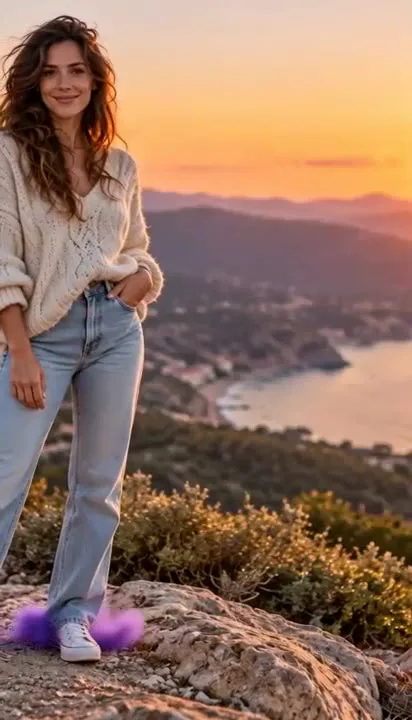
Costume Transformation AI
Morph everyday outfits into dramatic themed costumes smoothly.