AI Action Figure Generator: Turn Your Photo Into a Boxed Collectible
Drop one clear photo and let the AI Action Figure Generator box you into a 15s 3:4 vertical toy showcase in ~1–2 minutes—zero prompts needed.
- Upload One Clear Photo
- Glossy Blister-Pack Box Reveal
- Sculpted Vinyl & Mini Props
- Ready for TikTok & Reels
Turn Any Portrait Into a Boxed Toy Showcase
Your face, outfit, and vibe sculpted into a collectible figure behind clear blister packaging
You just saw that boxed-toy trend blowing up on TikTok and Reels—now put yourself, your best friend, or your dog right on the shelf. Drop one clear photo into the AI Action Figure Generator to see your sculpted figure standing inside a molded blister tray with mini props under warm studio lights, ready to upload and create in one click.
Make My Action Figure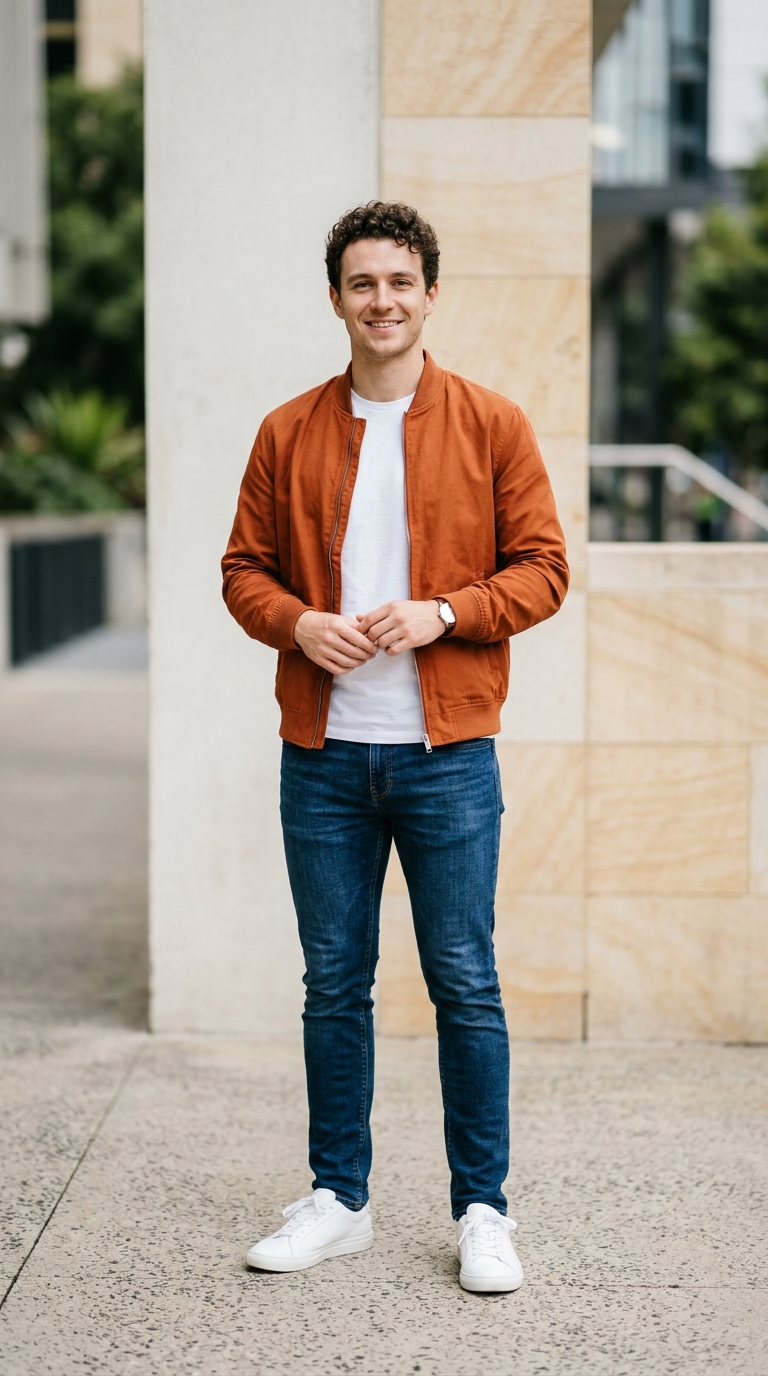 Before
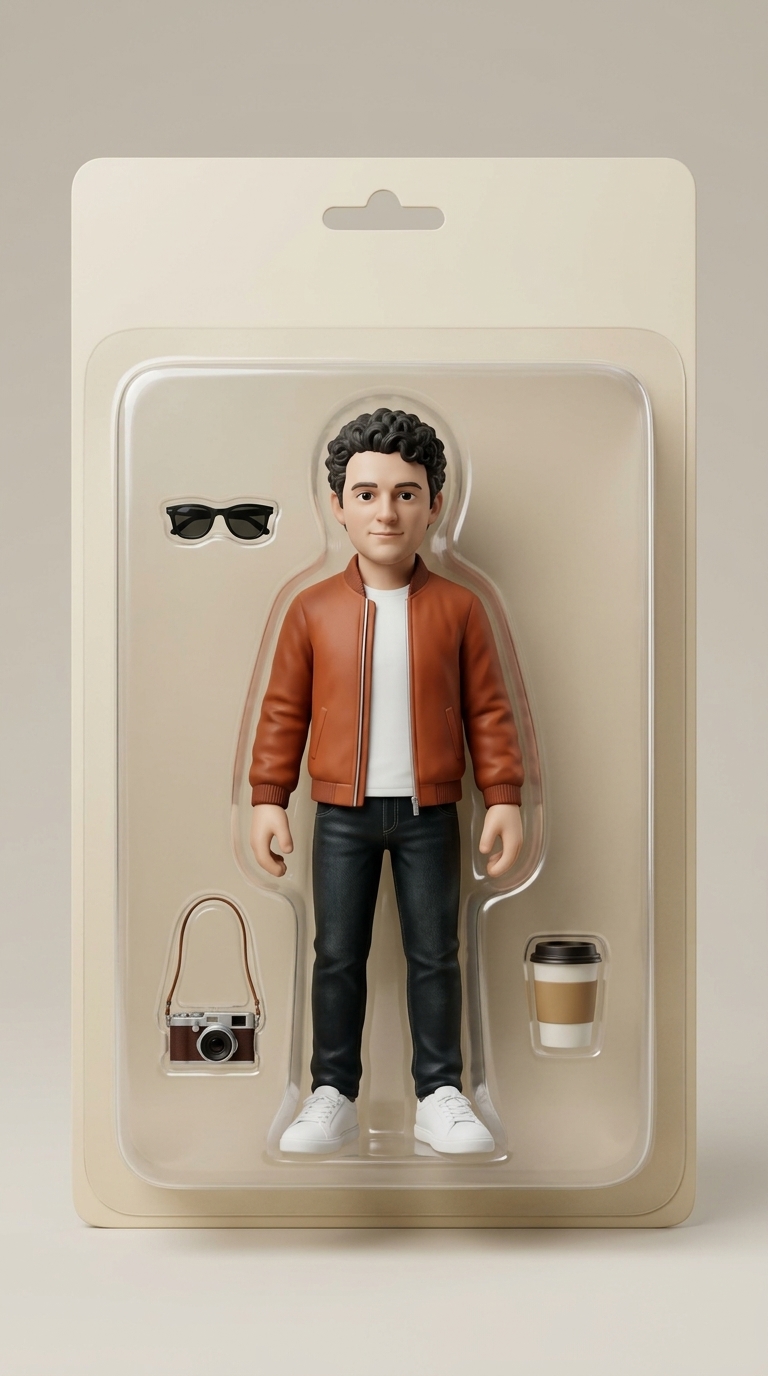 Action Figure
How It Works in 3 Steps
No 3D modeling, no box templates, and zero prompts to write—just drop one photo and watch yourself turn into a boxed collectible.
- 1
1. Upload Your Photo
Drop one clear portrait or full-body shot of you, your best friend, or your pet—or click the demo preview if you want to see it in action first.
- 2
2. Click Make My Action Figure
Pick 480p, 720p, or 1080p, check your credit cost right on screen, and hit Make My Action Figure to seal your look inside clear blister packaging with mini props.
- 3
3. Download & Share
In ~1–2 minutes, watch your 15-second 3:4 vertical toy-box reveal glide under studio lights, save it clean, and drop it straight into TikTok, Reels, or your group chat.
Pick Photos Like This So Your Toy Looks Just Like You
- Upload a bright, sharp photo with your face, hair, and outfit clearly visible so the AI Action Figure Generator nails your real-life look and colors.
- Choose a front-facing or slightly angled pose in clean lighting so your expression and signature outfit pop behind the clear plastic tray.
- Use one solo shot of the exact person or pet you want boxed, then click Make My Action Figure.
Skip These Photos So Your Boxed Figure Never Looks Off
- Skip crowded group shots—extra faces in the frame make it unclear who belongs inside the main collectible box.
- Skip dark sunglasses, heavy shadows, or motion blur that hide your eyes and wash out your outfit details.
- Skip tiny cropped screenshots or heavy filters—crisp originals give you clean painted details and glossy studio reflections.
Why Creators Love This AI Action Figure Generator
Want to see your face, outfit, and vibe sealed inside a collector toy box? Upload one clear photo and watch every detail snap into place.
Your real face and outfit in sculpted vinyl
Your smile, hairstyle, and favorite outfit translate into painted PVC and matte vinyl—so the moment you upload your photo, you recognize yourself right away.
A custom tray with your mini props
You stand centered behind clear plastic on crisp cardboard backing with tiny themed accessories beside you—just hit Make My Action Figure to box your look.
Warm studio lights gliding across the box
Soft key light and rim highlights sweep across your 3:4 vertical toy box in a smooth 3D orbit, ready for you to save and drop straight into TikTok or Reels.
Zero prompts—just one photo and one click
You don't write a single line of prompt or touch a 3D app—drop your photo into this AI Action Figure Generator and watch your figure come to life.
Whose Photo Are You Boxing First?
Turn your favorite OOTD into a limited-edition figure
Drop your best selfie into this AI Action Figure Generator and post your boxed alter ego straight to TikTok or Reels.
Roast or hype your best friend on their birthday
Box your friend's most iconic outfit with tiny matching props and drop the toy-box reveal into the group chat instead of a plain text.
Seal your dog or cat inside a custom blister pack
Upload a crisp front shot of your pet to see their shiny vinyl ears, collar, and mini treat props gleaming behind clear plastic.
Surprise your partner with a matching toy-shelf duo
Turn each of your favorite portraits into glossy boxed collectibles you can send each other and save side by side.
Optional Style Presets for Custom Backdrops
Only need these if you want custom backdrops or props in our AI Video Maker—otherwise, just upload one photo above and click Make My Action Figure with zero prompts.
Optional Style Presets for Custom Backdrops
Only need these if you want custom backdrops or props in our AI Video Maker—otherwise, just upload one photo above and click Make My Action Figure with zero prompts.
Retail Shelf Package Reveal
15-second 3:4 vertical studio showcase. Transform the person in @Image1 into a glossy sculpted vinyl action figure standing inside a molded clear blister-pack toy box on crisp cardboard backing, surrounded by tiny matching props. Warm key light and subtle rim reflections sweep across the plastic as the camera glides smoothly into a close-up 3D orbit.
Best for your first selfie or OOTD—crisp toy-store lighting and classic collector packaging if you want custom tweaks.
90s Neon Toy-Aisle Edition
15-second 3:4 vertical collectible reveal. Turn the subject in @Image1 into a stylized PVC action figure sealed inside a bold 90s retro blister box with bright cardboard graphics and miniature arcade props tucked beside them. Soft neon rim lights glint off the clear plastic tray during a slow, dramatic push-in.
Great for gaming fits, streetwear, or hype birthday reveals for your group chat.
Cute Vinyl Companion Box
15-second 3:4 vertical toy-box showcase. Sculpt the subject in @Image1 into an adorable glossy vinyl figure inside a pastel collector blister pack with tiny signature accessories neatly arranged in molded slots. Warm studio highlights shimmer across the box as the camera orbits gently.
Perfect for your dog, cat, or best friend's favorite portrait.
Simple Credit Pricing & Auto-Refunds
First time trying it? Start at 480p (315 credits) for the lowest-cost test, or step up to 720p/1080p for sharper mobile details. Starter credit packs begin at $29.90 (1,685 credits, with lower per-credit rates on larger packs and plans). No free trial credits on signup, and any failed render refunds automatically.
One-Click Boxed Clip vs. DIY Methods
| Your Choice | What You Grab | What Hits Your Screen | Time to Share |
|---|---|---|---|
| Use this AI Action Figure Generator above | One clear portrait of you, your friend, or your pet | Clean 15s 3:4 vertical studio toy-box reveal with your likeness locked in | 10 seconds to upload, ready in ~1–2 min |
| Prompting generic AI from scratch | Long packaging prompts, layout tweaks, and multiple retries | Crooked boxes, melted faces, or mismatched toy proportions | Wasted credits and retries |
| 3D modeling & rendering manually | Sculpting software, lighting rigs, and hours of rendering | Steep learning curve before you even get one shareable clip | Days of setup |
Quick Answers Before You Click Generate
Will the AI Action Figure Generator actually look like me?
Yes—upload one bright, sharp photo and your face, hair, and outfit sculpt right into glossy vinyl inside the blister box.
Do I need to write any prompts or design the box myself?
Nope—your clear plastic tray, cardboard backing, mini props, and 3:4 studio camera orbit are all built in, so you just upload and click Make My Action Figure.
What happens to my credits if a generation fails?
You never lose a credit—you see the exact credit cost before clicking Make My Action Figure, and any failed render refunds automatically.
How long does my 15-second 3:4 vertical clip take?
Your boxed collectible reveal finishes in ~1–2 minutes, ready for you to save and drop straight into TikTok, Reels, or your group chat.
Can I use a photo of my friend, partner, or pet?
For sure—the AI Action Figure Generator works with any clear solo shot, whether it is your selfie, your best friend's birthday fit, or your dog sitting pretty in vinyl.
Should I pick 480p, 720p, or 1080p for my first try?
Start at 480p for the lowest-credit test, or pick 720p or 1080p when you want razor-sharp plastic reflections and painted details for Reels.
Are there watermarks on my finished action figure clip?
Zero watermarks—download your clean 15s 3:4 vertical clip from the AI Action Figure Generator and post it anywhere right away.
Ready to Box Your First Collectible?
Drop one clear photo into the AI Action Figure Generator above and watch your 15s 3:4 vertical reveal finish in ~1–2 minutes—failed renders refund automatically. You already know whose photo to try.
Make My Action FigureMore AI Video Effects
Neon Duo Dance AI
Turn two photos into a neon-lit 15s synchronized dance video.
Zombie Couple Video AI
Transform couple portraits into a cinematic zombie duet clip.
Flying Car AI
Launch any street photo into a high-speed flying car scene.

Costume Transformation AI
Morph everyday outfits into dramatic themed costumes smoothly.