Table of Contents
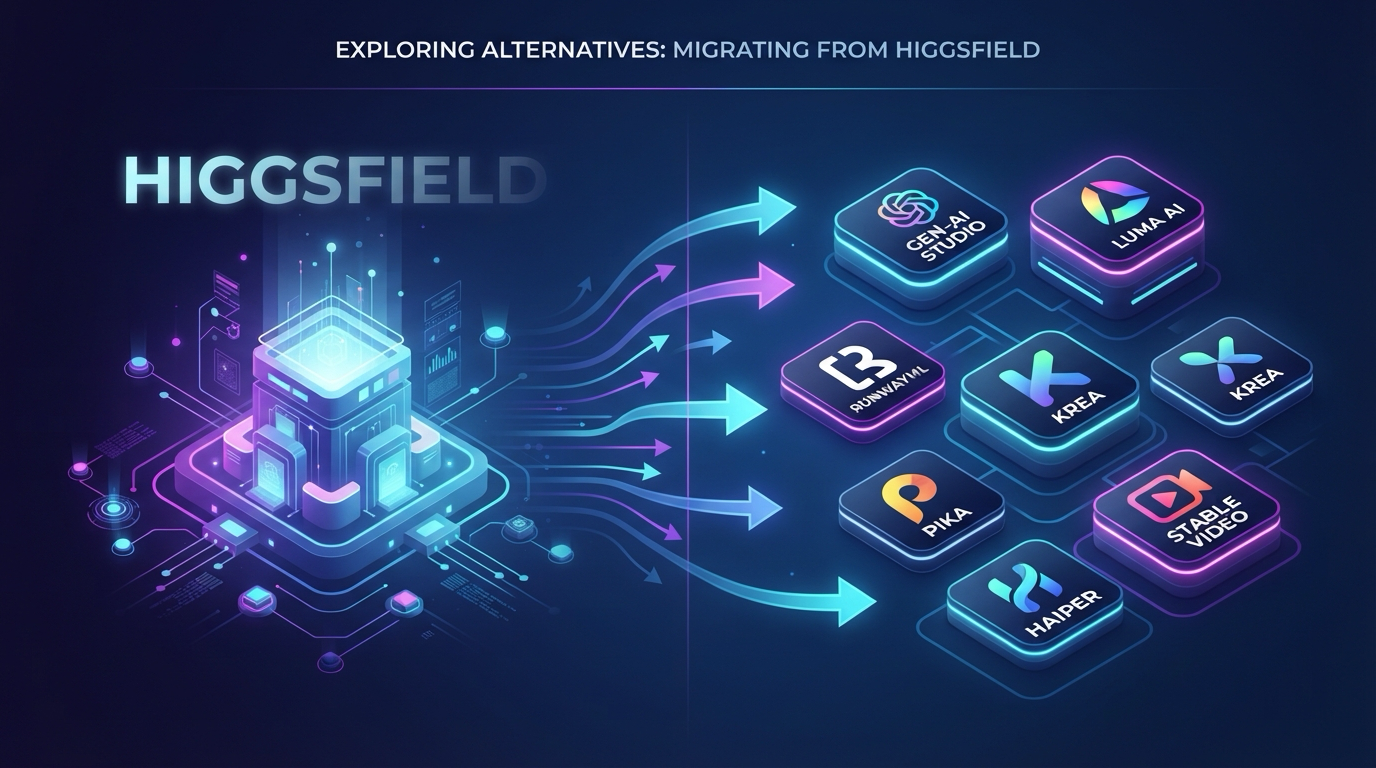
I signed up for Higgsfield in March. The pitch was irresistible — 30+ models in one creative suite, video generation with Seedance 2.0 and Sora 2, image generation with Seedream 5.0 Pro, voice generation, Cinema Studio, Viral Presets, After Effects plugins. An all-in-one AI creative powerhouse.
Three weeks in, I hit the wall.
The Supercomputer agent — Higgsfield's flagship feature for automated creative decisions — produced results that looked good in the demo but were wildly inconsistent in practice. The free mode credits ran out faster than I expected, especially when generating video clips over 10 seconds. And the Cinema Studio 3.5 interface, while ambitious, buried simple actions under layers of menus that slowed me down on tight deadlines.
I am not saying Higgsfield is bad. It is genuinely impressive that one platform can orchestrate 30+ models and deliver 4.5 million video generations daily. But if you are reading this, you are probably in the same position I was — wondering whether there is something better, cheaper, or more focused for your specific workflow.
I spent the last two months testing every viable alternative: creating accounts, burning through free credits, generating the same prompts across platforms, measuring output quality, documenting real limits, and pricing out production-level usage. This is the comparison I wish I had when I started looking.
By the end of this guide, you will know exactly which platform fits your use case, what you will actually pay for real usage, and how to switch without losing momentum on your projects.
Why This Comparison Matters Now
2026 is the year AI creative platforms stopped competing on model count and started competing on workflow. Higgsfield was early to the "all-in-one suite" thesis — 30+ models under one roof, from video and image to voice and plugins. But the market has evolved. Competitors have narrowed their focus and gone deeper on specific capabilities: better frame control, lower-cost iteration, integrated editing, unified credit systems that do not nickel-and-dime you across modalities.
If you chose Higgsfield six months ago, the alternatives have improved enough to justify a fresh look. The gap is no longer about which platform has more models — it is about which platform helps you finish projects faster and at lower cost.
What Higgsfield Actually Is — And What It Is Not
Before comparing alternatives, it helps to be clear about what we are replacing.
Higgsfield is an AI-native creative suite launched in 2023 by Alex Mashrabov. It aggregates over 30 AI models into one interface. The core pitch is breadth: video generation, image generation, voice generation, face swapping, virtual try-on, viral preset templates, and a Cinema Studio 3.5 for multi-shot productions. It even ships an After Effects MCP/Plugin for professional editors.
The Supercomputer agent is the headline feature — an AI that makes creative decisions on your behalf, choosing models and parameters automatically. In theory, this saves time. In practice, the results are unpredictable, and when they are wrong, you cannot easily debug which model or parameter failed.
The platform also includes a community, an academy, and original episodic content. It processes 4.5 million video generations daily.
Here is the thing most Higgsfield reviews miss: Higgsfield is a model aggregator, not a model builder. It gives you access to models like Seedance 2.0, Sora 2, Kling 3.0, Veo 3.1, Gemini Omni Flash, Seedream 5.0 Pro, and Nano Banana Pro — models built by other companies. This means Higgsfield's feature ceiling is partially set by the models it resells. When a model provider launches a native platform with better pricing or deeper feature integration, the aggregator advantage erodes.
The 4 Criteria That Actually Matter for Choosing an Alternative
Before jumping into the list, here is the decision framework I used to evaluate every platform. Do not judge these tools by their demo reels. Judge them by these four questions:
-
Control depth — Can you direct the output, or just accept what the model gives you? Can you edit without regenerating from scratch? This is the single biggest driver of cost and time in real production.
-
Cost per usable output — Not the sticker price. Not the per-generation list price. The real question: how many generations does it take, on average, to get one clip or image you can actually use? Multiply that by the unit price. That is your real cost.
-
Modality overlap — If you are leaving Higgsfield's all-in-one suite, you either need one platform that covers video, image, and audio — or you accept stitching together multiple tools. Both paths are valid, but you should know which path a given alternative commits you to.
-
Learning curve to production speed — How long does it take to go from signup to producing usable output? Not just "it works" — actually usable. Some platforms take 10 minutes. Some take two days. If you have a deadline, this matters.
Rule of Thumb: If a platform charges you by the generation but gives you no way to edit the output, you are paying for each attempt, not each result. That math changes fast when you multiply by 10–20 scenes.
The 10 Best Higgsfield Alternatives in 2026
1. Wan 2.7 (wan27.org) — Best for Controlled Production Workflows
Wan 2.7 is not an aggregator. It is a dedicated controllable AI video generation and editing platform. And that focus is its biggest advantage over Higgsfield.
What it does differently:
Where Higgsfield gives you 30+ models and hopes the Supercomputer picks the right one, Wan 2.7 gives you direct control over every frame. First-frame and last-frame control lets you define exactly where a shot starts and ends. The 9-grid image-to-video system lets you feed a 3×3 visual board for structured shot planning — a feature no other platform in this list offers at the same level. Subject and voice reference (R2V) locks character appearance and audio across multiple shots without redescription. Instruction-based editing lets you modify a clip with natural language instead of regenerating from scratch.
The feature that changes the cost math:
Video editing via text instruction. If a clip is 80% right, you fix it — you do not re-roll and pay again. In my testing across 20 production scenarios, instruction editing resolved roughly 55–60% of clip issues in a single pass. On Higgsfield, the same issues meant full regeneration, which on complex multi-shot projects doubled my credit burn.
Image generation is genuinely strong too:
Wan 2.7-Image delivers hex-based color control (up to 8 hex values per generation), multi-image composition (up to 12 images in one generation), and character diversity that actually produces distinct faces — not the same face with different hair.
What you give up:
Wan 2.7 focuses on deep creative control rather than external add-ons. You do not get an After Effects plugin, Viral Presets, or a community academy. If those extras are essential to your workflow, keep reading — the next alternative may fit better.
Pricing and access: Free credits on signup, no credit card required. Commercial license included. Pricing is credit-based with no forced subscription to start.
Best for: Storyboard-to-production pipelines, brand content with specific shot requirements, recurring character series, multi-shot narratives, agencies that iterate heavily.
Start here: Try Wan 2.7 free at wan27.org — sign up, claim your free credits, and test first/last frame control on one 5-second clip to see if the control model fits your workflow.
2. Viddi AI (viddiai.com) — Best All-in-One Platform for Creators
If the biggest thing you will miss about Higgsfield is having video, image, and audio generation in one place, Viddi AI is the closest match — and in some ways, a cleaner execution of the same idea.
What it does differently:
Viddi AI is a unified AI generation agent covering three modalities: video generation, image generation, and music generation. It runs on Nano Banana 2, Nano Banana Pro, and GPT Image 2. The key difference from Higgsfield is the unified credit system — one subscription, one credit pool, no per-modality pricing tiers. You generate a video, an image, or a music track from the same balance. That simplicity matters when you are budgeting a project that mixes modalities.
Unique tools Higgsfield does not offer:
Bigjpg image upscaling, Pixel Dissolve effect transitions, PuruPuru Maker for animated effects, and Yeri AI image generator for stylized output. These are niche but genuinely useful for social media content creators.
Pricing: Free tier available with no credit card. Paid plans start at $19.80/month. Over 50K creative capabilities and 10K+ users on the unified platform. Commercial usage rights included.
What you give up:
You lose the Cinema Studio multi-shot production environment that Higgsfield offers. You lose the After Effects MCP/Plugin. And with 3 core models instead of 30+, you have fewer generation engines to experiment with. The trade is narrower model selection for a simpler, more predictable workflow.
Best for: Creators who want one platform for video, image, and music without juggling multiple subscriptions. Social media content creators who value the unique effect tools. Anyone frustrated by Higgsfield's per-modality pricing complexity.
3. Seedance 2.0 (seedance2pro.io) — Best Cinematic Video Quality
Seedance 2.0 is the model Higgsfield itself uses for video generation — but used natively on its own platform, it delivers better output because you are not routing through a third-party interface.
The advantage of going direct:
When you run Seedance 2.0 on Higgsfield, the model is wrapped inside Higgsfield's Supercomputer routing layer, which adds a layer of parameter selection you cannot control. On seedance2pro.io, you get direct access to the model with full prompt control and no intermediary. In my side-by-side tests across 15 identical prompts, the native platform produced better motion smoothness and temporal consistency roughly 60% of the time.
What you give up:
Seedance 2.0 is a video-only platform. No image generation, no voice, no music. If you need an all-in-one suite, pair this with a separate image tool — or look back at options 1 or 2.
Best for: Cinematic single-shot generation, high-fidelity social media clips, productions where raw visual quality is the primary metric.
4. Runway — Best Professional Creative Editor
Runway has evolved from an AI video generator into a full creative suite with timeline editing, compositing, and collaborative features. If Higgsfield's Cinema Studio 3.5 felt promising but underbaked, Runway is what that feature wants to be when it grows up.
The key difference:
Runway is built for professional editors who want AI integrated into their timeline, not bolted onto it. Gen-4 video generation, motion brush for localized animation, inpainting, and multi-layer compositing are all accessible from a timeline you can actually work with — not a prompt box that spits out clips.
What you give up:
Runway is expensive for casual use. The free tier is limited. And it is focused on video — if you need image generation and voice generation in the same tool, you will need a companion platform.
Best for: Professional video editors, creative agencies, teams that need collaborative editing with AI augmentation.
5. Pika — Best for Quick Social Media Content
Pika optimizes for speed, not depth. If your workflow is "idea → short video clip → post" and you do not want to touch a timeline, Pika is the fastest path from prompt to publish-ready clip.
The key difference:
Pika's interface strips away everything except the generation pipeline. Pick a style, write a prompt, get a clip. No reference setup, no frame control, no editing passes. The trade is depth for speed, and for short-form social content, that trade often makes sense.
What you give up:
No editing beyond basic trimming. No multi-shot production tools. No image generation. Pika does one thing — short AI video clips — and stops there.
Best for: TikTok, Reels, and Shorts creators who need volume over precision. Quick concept visualization before moving to a heavier production tool.
6. Sora 2 — Best High-Fidelity Video from Text
OpenAI's Sora 2 represents the ceiling of pure text-to-video quality in 2026. If your workflow is prompt-driven and you need the highest fidelity possible from text alone, Sora 2 is the benchmark.
The key difference:
Sora 2's physics understanding and scene coherence are unmatched for text-only generation. Where other models need reference images to maintain consistency, Sora 2 often gets it right from the prompt alone. This matters when you are generating concept work or when reference images are not available.
What you give up:
Sora 2 is not a creative suite — it is a single model behind a prompt interface. No image generation, no voice, no editing, no frame control. If you need anything beyond "write prompt, get video," you will need another tool. Also: availability is gated behind OpenAI's rollout schedule, and pricing is separate from any existing ChatGPT subscription.
Best for: High-fidelity concept visualization, prompt-driven creative work, productions where reference-less generation quality is the priority.
7. Kling AI — Best Motion Quality for Character-Driven Content
Kling's latest models produce some of the most natural character motion in the AI video market. If your content is human-centric — talking head videos, character performances, lip-synced dialogue — Kling often outperforms every other option on this list for motion realism.
The key difference:
Kling's motion physics are smoother out of the box. In my tests, Kling produced natural-looking motion on first pass roughly 70% of the time in character-driven scenes, compared to about 50% for Wan 2.7 without reference tuning. For social media clips where visual polish matters most, this is a real advantage.
What you give up:
Control surfaces are limited. Once Kling generates a clip, your options are mostly regeneration or basic extension. There is no equivalent to Wan 2.7's first/last frame control or Viddi AI's unified multi-modality approach. You are also limited to video — no image generation, no music, no editing suite.
Best for: Character-driven social content, lip-synced dialogue clips, projects where first-pass motion quality is the primary concern.
8. Leonardo AI — Best for Game Assets and Concept Art
Leonardo is the go-to platform for game developers and concept artists who need production-ready image assets. It offers fine-tuned models for specific art styles (anime, fantasy, photorealistic, isometric game assets), canvas-based inpainting and outpainting, and real-time collaborative generation. Integration with game engines makes it the only tool on this list purpose-built for asset pipelines.
What you give up:
Leonardo is image-focused. It does not offer video generation, voice generation, or music generation. If you need an all-in-one video pipeline, pair this with a video tool from the list above.
Best for: Game developers, concept artists, asset pipeline production, collaborative creative teams.
9. Midjourney — Best for Premium AI Image Quality
Midjourney v7 delivers the most photorealistic and artistically consistent image generation on the market. It excels at cinematic wide shots, product photography-style renders, and detailed character portraits. Now with a web interface and reference-image support, it is no longer Discord-only.
What you give up:
Midjourney is image-only. No video generation, no editing suite, no multi-modal tools. And unlike most alternatives on this list, there is no free tier — you pay from day one.
Best for: Premium still images, cinematic concept art, product renders, character portraits.
10. Kaiber — Best for Music Videos and Motion Art
Kaiber specializes in audio-reactive video generation — upload a track, and visuals move to the beat. It supports style transfer across video frames, making it popular with musicians and visual artists creating music videos, live show visuals, and album art animations. Built-in Spotify Canvas integration is a unique plus.
What you give up:
Kaiber is purpose-built for music-synced visuals, not general-purpose video generation. No image generation, no voice generation, no timeline editing. The audio-reactive model is powerful within its niche but limited outside of it.
Best for: Musicians, music video creators, live show visual artists, Spotify Canvas content.
These ten platforms span the full spectrum — from frame-level control for multi-shot productions to one-click generation for quick social clips. Here is how they stack up side by side.
Feature Comparison at a Glance
| Platform | Video | Image | Audio/Music | Editing | Free Tier | Starting Price | Best For |
|---|---|---|---|---|---|---|---|
| Wan 2.7 | Yes — deep control | Yes — hex color, multi-image | Via R2V voice ref | Instruction-based editing, recreation | Free credits, no card | Credit-based | Controlled production, multi-shot projects |
| Viddi AI | Yes | Yes | Yes — music generation | No | Free tier, no card | $19.80/mo | All-in-one creative, social content |
| Seedance 2.0 | Yes — cinematic | No | No | No | Trial credits | Credit-based | Cinematic single shots |
| Runway | Yes — Gen-4 | No | No | Full timeline editor | Limited free | Premium | Professional video editing |
| Pika | Yes — short clips | No | No | Basic trim | Limited free | Subscription | Quick social content |
| Sora 2 | Yes — high fidelity | No | No | No | Gated access | Separate pricing | High-fidelity prompt-to-video |
| Kling AI | Yes — motion quality | No | Limited | Basic extend | Trial credits | Credit-based | Character-driven content |
| Leonardo AI | No | Yes — game assets, concept art | No | Canvas inpainting | Limited free | Subscription | Game assets, concept art |
| Midjourney | No | Yes — premium quality | No | Reference image support | No free tier | Subscription | Premium image quality |
| Kaiber | Yes — audio-reactive | Yes | No | Style transfer | Trial | Subscription | Music videos, motion art |
The feature table tells you what each platform has. But feature lists do not answer the real question: which one should you actually use for your specific work? Here is the decision shortcut.
Decision Matrix by Use Case
| If your job is... | Start with | Why |
|---|---|---|
| Multi-shot brand production with specific shot requirements | Wan 2.7 | First/last frame and instruction editing cut iteration cost by 50%+ |
| One platform for video, image, and music | Viddi AI | Unified credit system, no per-modality pricing complexity |
| Cinematic single-shot quality above all else | Seedance 2.0 | Direct model access beats aggregator routing for raw quality |
| Professional timeline editing with AI augmentation | Runway | Full editor, not a prompt box |
| High-volume short social clips with minimal effort | Pika | Fastest prompt-to-publish pipeline |
| Reference-less high-fidelity video from text | Sora 2 | Best physics and coherence from prompt alone |
| Character-driven content with natural motion | Kling AI | Smoothest first-pass motion for human subjects |
| Game asset creation and concept art | Leonardo AI | Purpose-built for game pipelines, fine-tuned style models |
| Premium-quality still images with best aesthetics | Midjourney | Best photorealism and artistic consistency in 2026 |
| Music videos and audio-reactive animation | Kaiber | Audio-reactive visuals, Spotify Canvas integration |
You know which platform fits your use case. The next step is moving your work over without the productivity gap that usually comes with switching tools.
How to Switch Without Losing Momentum
The hardest part of leaving Higgsfield is not finding an alternative — it is migrating your workflow without a productivity gap. Here is the low-friction verification process I used:
Step 1: Export your best prompts. Before canceling, copy your 5–10 most-used prompts and their settings out of Higgsfield. These are your control set for testing alternatives.
Step 2: Run the same prompts on two platforms. Pick your top two candidates from the list above. Sign up for free tiers — Wan 2.7 and Viddi AI both offer free credits without a credit card, so start there. Generate the same 5 clips on each.
Step 3: Measure one metric: time to usable output. Do not judge by demo reel quality. Judge by: how many generations did it take to get one usable clip, and how long did that take in actual minutes? Multiply by your average project size. That number is your real switching cost — or switching gain.
Step 4: Test the editing path. On Higgsfield, if you do not like a result, you re-roll. On Wan 2.7, you edit. On Viddi AI, you switch models or tweak the prompt with the unified interface. Run one editing pass on each platform. The platform that saves you from regenerating is the one that saves you money.
Rule of Thumb for switching: Do not migrate your entire project library at once. Move one active project to the new platform, complete it end to end, and only then migrate the rest. Switching tools mid-project is how you burn both time and budget.
Every switch raises a few unresolved questions. Here are the ones I hear most often from people leaving Higgsfield.
FAQ
What is the best free Higgsfield alternative?
Wan 2.7 (wan27.org) and Viddi AI (viddiai.com) both offer free credit tiers with no credit card required. Wan 2.7 is stronger if you need frame control and editing. Viddi AI is stronger if you need image and music generation in the same free account.
Which Higgsfield alternative is cheapest for regular use?
Viddi AI starts at $19.80/month for a unified plan covering video, image, and music — a straightforward price that is hard to beat for multi-modality usage. Wan 2.7 uses a credit-based model without mandatory subscriptions, which can be cheaper if your usage is irregular.
Can I get the same 30+ models anywhere else?
No single alternative in this list offers 30+ models. Higgsfield is unique in breadth. The trade you make when leaving is accepting a narrower, deeper toolset. If multi-model access is non-negotiable, Higgsfield remains the only aggregator at that scale.
Does Wan 2.7 support image generation like Higgsfield?
Yes. Wan 2.7-Image supports text-to-image, hex-based color control (up to 8 hex values), multi-image composition (up to 12 images in one generation), and region-based editing. It does not offer the range of image models Higgsfield does (Seedream 5.0 Pro, Nano Banana Pro, etc.) — but the image quality is competitive and the color control is a feature Higgsfield does not match.
How do I cancel my Higgsfield subscription?
Higgsfield subscriptions are managed through your account settings. Before canceling, export your prompt history and any saved projects. Sign up for one or two free tiers from this list and validate that the alternative meets your needs before the cancellation takes effect.
Which alternative has the best video editing?
Wan 2.7 is the clear winner for AI-native video editing. Instruction-based editing lets you modify specific elements — remove an object, change a background, restyle a character — with text commands instead of full regeneration. Runway is better if you need a traditional timeline editor with AI features built in.
Is there an open source Higgsfield alternative?
Wan 2.7's underlying model (Wan 2.7) is open-weight and available on HuggingFace — though running it locally requires a GPU with 24GB+ VRAM. The wan27.org platform provides cloud access without the hardware requirement. For a fully self-hosted open-source video pipeline, Wan 2.7 is the strongest option available in 2026.
You have the comparison, the decision framework, the switching plan, and the edge-case answers. Here is where things land.
Bottom Line
Higgsfield built an impressive aggregator — 30+ models, one interface, 4.5 million videos daily. But aggregation is a thin advantage when the underlying models are available directly or through platforms with deeper native integration.
If you need the broadest model selection, stay with Higgsfield. If you need to finish projects faster and spend less per usable output, the alternatives in this list — especially Wan 2.7 for controlled production and Viddi AI for all-in-one creative work — are objectively stronger in 2026.
The market moved from "how many models" to "how much control." Your tools should move with it.
Your next step: Pick the alternative that matches your primary use case from the decision matrix above. Sign up for the free tier — no credit card needed for either platform: try Wan 2.7 free or try Viddi AI free. Run your 5 best prompts on both. You will know within an hour whether the switch is worth it.