Wan 2.2 S2V Explained: Audio-Driven Video, Use Cases, and Current Limits (2026)
Wan 2.2 S2V (Speech-to-Video) explained — what S2V means, how it differs from T2V and I2V, what inputs it needs (reference image + audio), what it is good at (lip-sync, performance, minute-level generation), and where it is still limited.
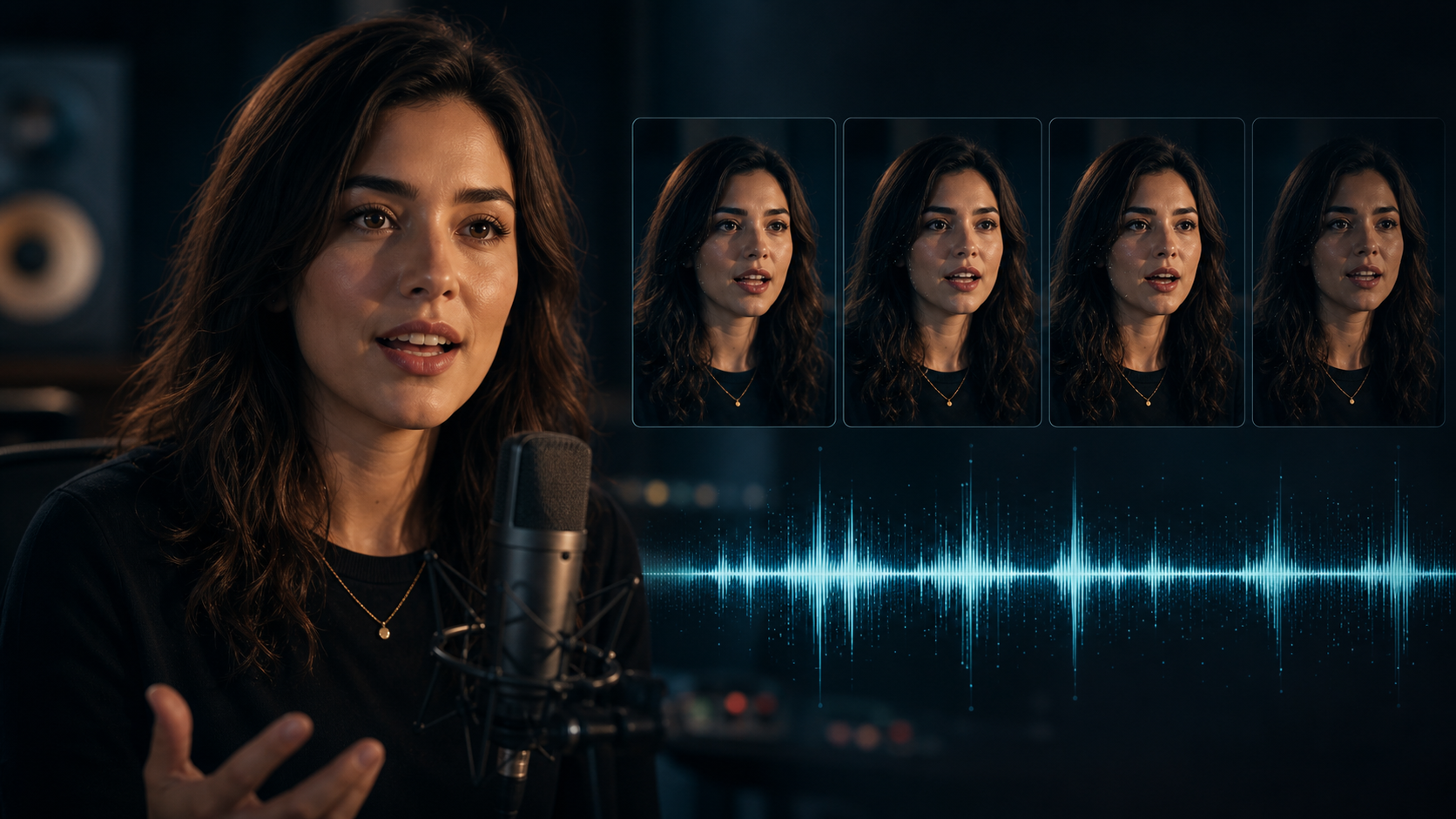
You have Wan 2.2 Text-to-Video working. You have Image-to-Video working. But what if you want a character to speak specific dialogue, sing a song, or perform to music? Standard T2V and I2V produce general motion, but they cannot synchronize facial expressions, lip movement, or body timing to an audio track.
That is what S2V is built for. It is a specialized model within the Wan 2.2 family that takes a reference image and an audio file and generates a video where the character's lips, expressions, and movements match the audio.
I tested S2V across speech, singing, and instrumental audio inputs, worked through the ComfyUI workflow setup, and documented where it delivers impressive results and where it currently falls short. This guide covers what S2V actually is, how it works, what it is good at, and the limitations you should know before building a project around it.
Let's start with what S2V actually means — and what problem it solves within the Wan 2.2 family.
What Is Wan 2.2 S2V?
S2V stands for Speech-to-Video. It is an audio-driven video generation model developed by Wan-AI (Alibaba's Tongyi Lab) and released as part of the Wan 2.2 model family.
Unlike T2V (Text-to-Video) which generates video from a text prompt, or I2V (Image-to-Video) which extends a starting image, S2V uses audio as its primary input. You provide a reference image of a character and an audio clip — speech, singing, or any sound — and S2V generates a video where the character's facial expressions, lip movements, and body motion are synchronized to that audio.
S2V is not a separate foundation model. It is a fine-tuned specialization built on Wan 2.2's 14B MoE (Mixture-of-Experts) architecture, with 14B active parameters out of 27B total. It supports both 480p and 720p output and is released under Apache 2.0.
What S2V Is NOT
- S2V is not a general-purpose video model like T2V or I2V. It is designed for human-centric, audio-driven content.
- S2V does not generate audio. It consumes audio and generates video synchronized to it.
- S2V is not a real-time lip-sync tool. Generation takes minutes, not seconds.
- S2V is not a text-to-speech or voice cloning tool. You provide the audio; S2V handles the visual side.
A Note on the Name
The Wan 2.2 GitHub repository and Hugging Face model card both use "Speech-to-Video" as the official expansion of S2V. The model accepts speech, singing, and other audio inputs — the name reflects the primary use case rather than an exclusive capability.
So how does S2V compare to the generation modes you already know? Here is a direct side-by-side.
Quick Comparison: S2V vs T2V vs I2V
| Capability | T2V (Text-to-Video) | I2V (Image-to-Video) | S2V (Speech-to-Video) |
|---|---|---|---|
| Primary input | Text prompt | Text + starting image | Audio file + reference image |
| Subject control | Generated each time | Locked by first frame | Locked by reference image |
| Audio sync | Not supported | Not supported | Lip-sync, expression, body timing |
| Video length | Fixed 5 seconds (81 frames) | Fixed 5 seconds (81 frames) | Variable — matches audio length |
| Max duration | ~5 seconds | ~5 seconds | Several minutes (via extension nodes) |
| Best for | Cinematic scenes, exploration | Character consistency, product shots | Dialogue, singing, performance |
| Output quality | Highest — base model | High — constrained by reference | Good — optimized for human subjects |
The table shows what S2V does differently. Here is how it actually works under the hood.
How S2V Works: Audio Encoding, Chunk Math, and the 5-Step Pipeline
S2V takes three to four inputs and produces a synchronized video.
Inputs
| Input | Required? | Format | Notes |
|---|---|---|---|
| Reference image | Yes | JPEG, PNG | A photo or illustration of the character |
| Audio file | Yes | MP3, WAV | Speech, singing, or instrumental audio |
| Text prompt | No | Plain text | Describes motion, environment, camera movement |
| Pose video | No | Video file | Optional pose sequence to drive body motion |
The Generation Process
- Audio encoding. The audio file is processed by a
wav2vec2_large_englishaudio encoder, which extracts speech features and rhythm information. This step determines the timing of lip movements and expressions. - Image encoding. The reference image is encoded and the character is extracted as the subject anchor.
- Prompt integration. An optional text prompt controls camera movement, background environment, and character actions that are not directly tied to the audio.
- Multi-chunk generation. S2V generates video in chunks of 77 frames each (approximately 4.81 seconds at 16 FPS). The number of chunks is determined by the audio length. To extend beyond a single chunk, you chain
WanSoundImageToVideoExtendnodes — one per additional chunk. - Synchronization. Within each chunk, the model aligns lip movements, facial expressions, and body motion to the audio features extracted in step 1.
Chunk Math
| Audio Length | Total Frames | Chunks (77 frames each) |
|---|---|---|
| 5 seconds | 80 frames | 1 chunk + extension |
| 10 seconds | 160 frames | 2 chunks + extension |
| 30 seconds | 480 frames | 6 chunks + extension |
| 60 seconds | 960 frames | 12 chunks + extension |
| 5 minutes | 4,800 frames | 62 chunks + extension |
Each additional chunk requires a separate WanSoundImageToVideoExtend node in ComfyUI. For long audio (minutes), this becomes a large node graph.
Rule of thumb for S2V audio length: Start with short audio — 5–10 seconds — to verify the reference image produces good results before committing to a multi-chunk generation. A bad reference image ruins all chunks equally, and you do not want to discover that after 30 minutes of processing.
The pipeline matters less than the results. Here is what S2V actually handles well — and where the quality holds up across different inputs.
What S2V Is Good At (and Where Each Strength Shines)
Lip-Sync to Speech
S2V's primary strength is lip-sync to spoken dialogue. The model maps phonemes from the audio to mouth shapes in the video with higher accuracy than any general-purpose T2V or I2V workflow can achieve. This works for both close-up portrait shots and medium shots where the face is clearly visible.
The wav2vec2 audio encoder gives S2V an advantage over models that process audio as a generic signal — it understands speech structure, which means consonants and vowels produce distinct and recognizable mouth shapes.
Singing and Musical Performance
S2V handles singing audio, synchronizing both lip movements and head/body sway to the rhythm and pitch of the music. The quality varies by song tempo — slow ballads produce noticeably better results than fast rap or complex vocal runs. The model captures the emotional tone of the performance: a sad song produces subdued expressions, an upbeat song produces energetic movement.
Minute-Level Generation
Unlike T2V and I2V, which are hard-capped at 81 frames (5 seconds), S2V can generate videos that match the length of the input audio. The community has reported successful generations at 30–60 seconds, and the official documentation supports minute-level output through chunk chaining.
Camera Motion via Text Prompt
The text prompt in S2V controls the camera and environment — not the character's face or lip movement (which are driven by the audio). You can add camera instructions like "slow push-in," "circle around the subject," or "subtle handheld camera movement" that the model applies while maintaining audio sync.
Pose-Driven Generation
S2V optionally accepts a pose video that constrains body motion. This is useful for scenarios where the character needs to perform specific gestures or movements that the audio alone does not specify — for example, a presenter pointing at a chart, or a singer stepping across a stage.
Rule of thumb for S2V subjects: The model is optimized for human characters with visible faces. Full-body shots work, but the lip-sync quality is lower because the face occupies fewer pixels. For the best results, use a portrait or bust-framing reference image where the face fills at least 30% of the frame.
Expert pitfall for reference image quality: S2V inherits all the same reference image requirements as I2V — and adds stricter face requirements. A blurry reference image produces visibly blurry lip-sync, and an AI-generated face amplifies uncanny motion. If the reference face is not sharp and realistic, S2V cannot compensate. Test your reference image with I2V first before committing to an S2V generation.
Knowing what S2V can do is only half the picture. The other half is understanding where it still falls short.
Where S2V Is Currently Limited
Human-Centric Only
S2V is trained on human-centric video data. If your subject is an animal, an animated character, an object, or an abstract scene, S2V will not produce useful results. The model expects a human face and body as the primary subject. For non-human content, use T2V or I2V instead.
English-Focused Audio Encoder
The S2V audio encoder is wav2vec2_large_english, which is trained on English speech. Non-English languages produce less accurate lip-sync because the phoneme mapping is not calibrated for those languages. Singing and instrumental audio work regardless of language because the model synchs to rhythm and pitch rather than phonemes — but speech in non-English languages will show noticeably lower accuracy.
No Audio Generation
S2V does not generate audio. You must provide the audio file separately. If you need a character to speak text you have written, you need a separate text-to-speech tool (like CosyVoice, which Wan 2.2 supports in its ecosystem) to generate the audio first, then feed it into S2V.
VRAM Requirements
S2V uses the same 14B MoE architecture as the base model, with additional components for audio encoding. The minimum requirements are:
| Precision | VRAM | Quality |
|---|---|---|
| FP8 | 12–16 GB | Good — recommended for most users |
| BF16 | 20–24 GB | Higher quality — for 24 GB cards |
The FP8 checkpoint (wan2.2_s2v_14B_fp8_scaled.safetensors) is the practical choice for 12–16 GB GPUs. At 720p with longer audio, expect VRAM usage at the higher end of the range.
Lightning LoRA Compatibility
The official documentation warns that the Lightning LoRA (designed for accelerated T2V generation) is not compatible with S2V. Using it causes "significant dynamic and quality loss." Stick to the standard 20-step / CFG 6.0 workflow for S2V. The 4-step / CFG 1.0 Lightning workflow does not apply here.
Longer Audio = More Complex Setup
Each additional 77-frame chunk requires a separate node in ComfyUI. For a 60-second audio clip, you need approximately 12 extension nodes. The workflow graph becomes large and difficult to troubleshoot. Plan your node layout carefully before running long generations.
Expert pitfall for multi-chunk generation: If one chunk in a multi-chunk S2V generation fails (OOM error, node timeout, driver crash), all chunks after the failure point are lost. You cannot resume from the failed chunk — you must restart from the beginning. For long audio (60+ seconds), consider generating in segments and stitching them together externally rather than chaining all chunks in a single workflow.
Expert pitfall for model switching: If you switch between FP8 and BF16 mid-project, the output quality difference will be visible — especially in skin texture and fine facial details. Pick one precision and test it with your reference image before generating all chunks. Switching precision between chunks produces inconsistent results that are hard to fix in post-processing.
Rule of thumb for S2V project planning: Budget one test generation per 10 seconds of target audio. A 30-second video needs 3 test runs to validate the reference image, audio type, and text prompt before the final multi-chunk generation. Skipping tests means discovering problems after committing to the full node graph.
The limits are real, but the use cases where S2V works well are specific and practical.
S2V Use Cases
| Use Case | How S2V Handles It | Quality |
|---|---|---|
| Dialogue scene (character speaks lines) | Excellent — primary design goal. Lip-sync matches speech accurately. | ★★★★★ |
| Singing performance | Good for slow-to-mid tempo. Fast vocals lose precision. | ★★★★☆ |
| Digital human / talking head | Very strong — portrait framing produces best lip-sync quality. | ★★★★★ |
| Character monologue with camera movement | Good — camera prompt works alongside audio sync. | ★★★★☆ |
| Multi-character dialogue (same frame) | Not supported — S2V animates one reference image. | ★☆☆☆☆ |
| Non-human character speaking | Poor — model expects human face and body structure. | ★☆☆☆☆ |
| Instrumental music visualization | Acceptable — rhythm-based movement without speech structure. | ★★★☆☆ |
| Long-form presentation (10+ minutes) | Theoretically possible but practically difficult due to node complexity. | ★★☆☆☆ |
These patterns raise practical questions about how S2V fits into real projects. Here are the ones that come up most often.
Frequently Asked Questions
Can S2V generate video longer than 5 seconds? Yes — unlike T2V and I2V, S2V adjusts the video length to match the input audio. The model generates in 77-frame chunks (~4.81 seconds each) and chains them via extension nodes. Videos of 30–60 seconds are achievable.
Does S2V work with non-English audio? It works, but with lower lip-sync accuracy. The audio encoder is wav2vec2_large_english, which is optimized for English phonemes. Singing and instrumental audio are less affected because they rely on rhythm and pitch rather than phoneme mapping.
Can S2V generate audio? No. S2V consumes audio and produces video. You need a separate text-to-speech tool (such as CosyVoice) to generate the audio track first.
Does S2V require a separate model download? Yes. The S2V checkpoint is a separate 14B model file (approximately 64 GB for BF16, smaller for FP8). It is not included in the standard Wan 2.2 T2V or I2V downloads. You also need the wav2vec2_large_english audio encoder.
Can I use S2V with the 5B model? No. S2V is built on the 14B MoE architecture. There is no 5B S2V variant.
Does S2V work in ComfyUI? Yes. The ComfyUI Wan 2.2 native workflow supports S2V through the WanSoundImageToVideo and WanSoundImageToVideoExtend nodes, available in the official ComfyUI Wan2.2 workflow repository.
Is S2V better than Animate for motion transfer? They serve different purposes. S2V is for audio-driven video (speech, singing, performance). Animate is for motion transfer (copying motion from one video to another). If you have audio and want lip-sync, use S2V. If you have a reference video and want to transfer its motion, use Animate.
What precision should I use for S2V? FP8 is the practical choice for 12–16 GB GPUs. BF16 produces higher quality but requires 20–24 GB VRAM. The quality difference between FP8 and BF16 is noticeable in fine facial details but not in lip-sync accuracy.
S2V fills a specific gap that T2V and I2V cannot address. Here is when it makes sense — and when it does not.
Summary
S2V is the most specialized model in the Wan 2.2 family — and the one with the clearest use case. If you need a character to speak, sing, or perform with synchronized audio, S2V is the right tool. If you need anything else — general video generation, non-human subjects, or multi-character scenes — use T2V, I2V, or Animate instead.
- Use S2V when you have a reference image, an audio clip, and you want a synchronized character video with lip-sync.
- Skip S2V when your subject is not human, your audio is not English (for speech), or your project needs general video generation without audio.
- Plan for the chunk-based generation workflow — short audio is easy, long audio requires careful node graph management.
The most common mistake is treating S2V as a general-purpose video model. It is not. It is a specialized tool for a specific problem: turning audio into character performance. Used within its intended range, it produces results that no combination of T2V and I2V workflows can match.
Start here: If you want to try S2V, begin with a 5–10 second English speech clip and a portrait-style reference image. That is the easiest setup to validate, and it gives you the clearest sense of whether S2V fits your project. For the ComfyUI setup steps, the Wan 2.2 ComfyUI Workflow Guide covers the base configuration you need. If you are deciding between S2V and Animate, the Wan 2.2 Animate Guide explains the motion transfer workflow that serves different use cases.
Author

More Posts
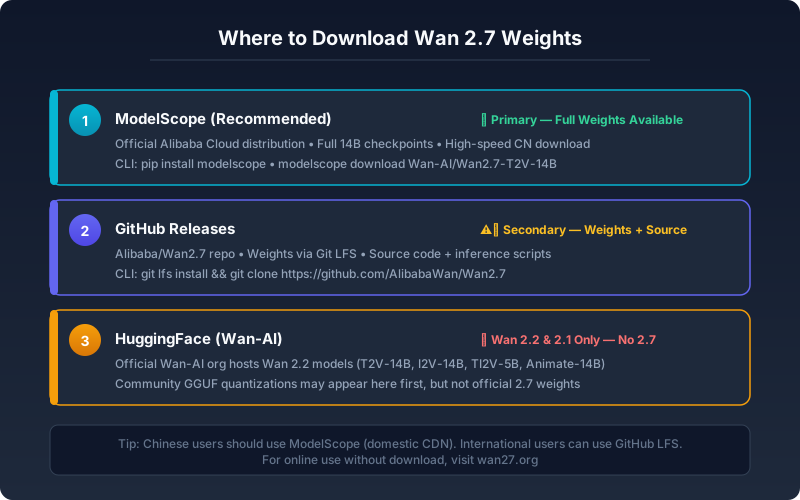
Wan 2.7 on HuggingFace: What's Actually There, Where to Find the Real Weights, and How to Download
Looking for Wan 2.7 on HuggingFace? The Wan-AI org hosts Wan 2.2, not 2.7. Find where the actual Wan 2.7 weights are (ModelScope, GitHub), how to download, and how to run them locally or in HF Spaces.
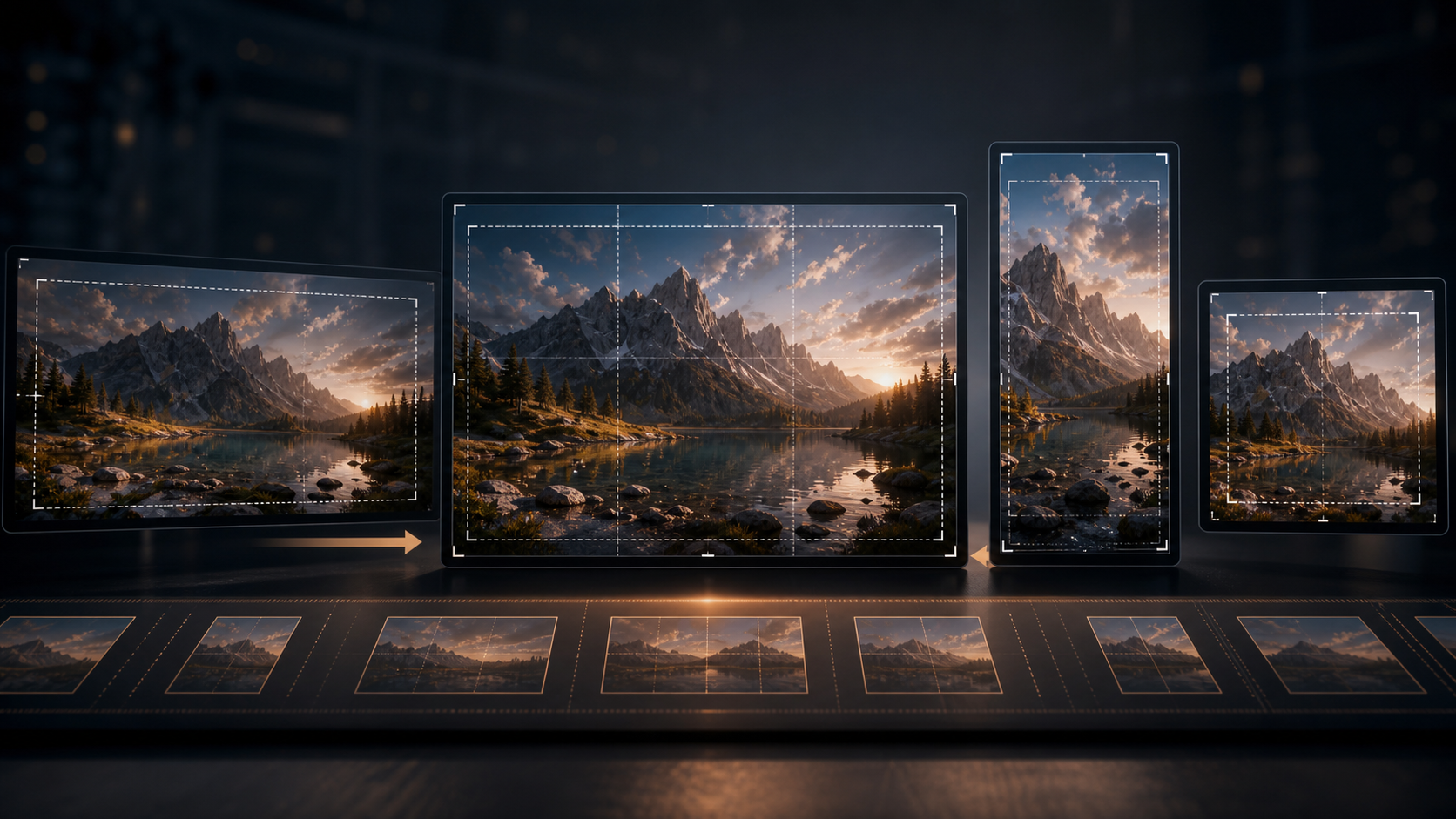
Best Input Image Resolution for Wan 2.2: 480p, 720p, Aspect Ratio, and Reference Quality (2026)
What input image resolution, aspect ratio, and source quality actually improve Wan 2.2 I2V output — including recommended sizes for 480p, 720p, square, and vertical targets, crop strategy, the 2x rule, and why higher resolution does not always mean better video.
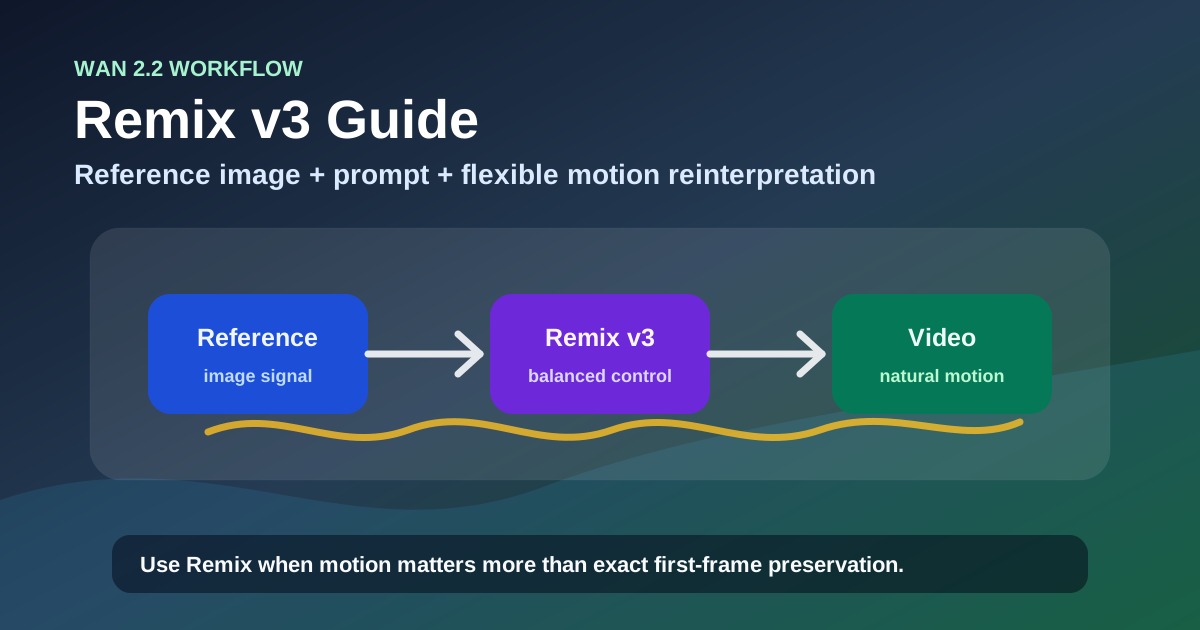
Wan 2.2 Remix v3 Guide: What Is the Remix Workflow, NSFW Variants, and How to Use Community Checkpoints (2026)
Wan 2.2 Remix v3 workflow guide with practical tips. Learn how Remix differs from I2V and T2V, which NSFW checkpoint to download (5B vs 14B), what safetensors naming conventions mean, and the prompt adjustments that actually improve Remix output — based on 300+ test generations.

Newsletter
Join the community
Subscribe to our newsletter for the latest news and updates