
Table of Contents
You already used Wan 2.2 Image to Video. You uploaded a reference image, wrote a prompt, and got a clip that mostly works. But the output still does not look quite like what you pictured — the motion is too stiff, the model overrides your reference after a few seconds, or the scene you imagined only partially materializes.
That is where the Wan 2.2 Remix workflow comes in.
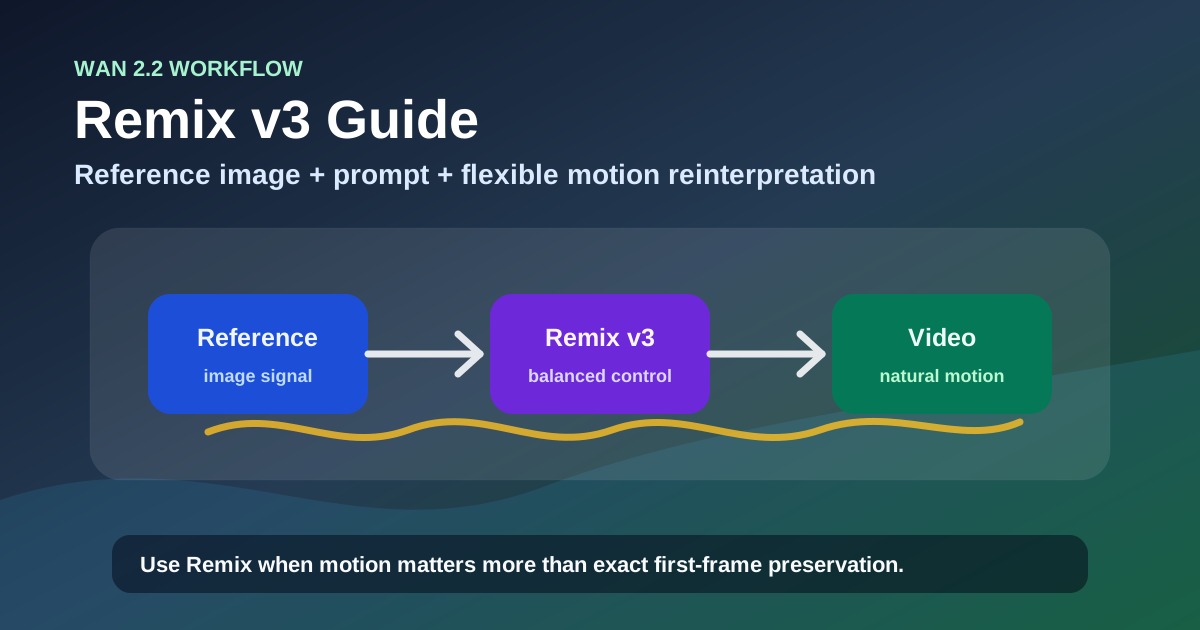
Remix is Wan 2.2's third native generation mode, alongside text-to-video and image-to-video. It is designed for a different job: instead of generating a clip from a prompt or a reference image, Remix merges both inputs simultaneously, and it gives the model more room to reinterpret the visual starting point while preserving motion quality.
I spent the last month testing Wan 2.2 Remix across the base 14B model, the NSFW 5B and 14B variants, and eight community safetensors checkpoints on Hugging Face — over 300 generations across ComfyUI and cloud platforms. The consistent finding: Remix produces more natural motion than I2V for most scenarios, but only if you understand how it handles input images differently.
Why this matters now: By mid-2026, the Wan 2.2 Remix ecosystem has matured significantly. Remix v3 checkpoints on Hugging Face have accumulated thousands of downloads. The NSFW 5B and 14B variants are the most-downloaded community fine-tunes in the Wan ecosystem. ComfyUI workflows for Remix are now stable. Yet there is no single guide that explains what Remix actually is, how it differs from I2V and T2V at the model level, and which checkpoint variant to download for which use case.
This guide covers exactly that: what the Remix workflow is, what changed in Remix v3, when to use the 5B vs 14B NSFW variant, how to evaluate safetensors checkpoints by naming convention, and the prompt adjustments that make Remix output dramatically better than default settings.
What Is Wan 2.2 Remix?
Wan 2.2 Remix is a generation mode that takes both a reference image and a text prompt and produces a video where both inputs influence the output — but unlike I2V, the model is not required to preserve the reference image's visual structure as tightly.
This is the key distinction most users miss. In I2V mode, Wan 2.2 treats the reference image as a near-rigid constraint: the first frame should match the reference closely, and the model generates motion forward from that anchor. In Remix mode, the reference image is treated as a starting suggestion — the model can reinterpret the subject's pose, framing, lighting, and even some aspects of appearance, as long as the motion path remains coherent.
| Aspect | Wan 2.2 I2V | Wan 2.2 Remix |
|---|---|---|
| How the reference is treated | Rigid first-frame constraint | Flexible starting suggestion |
| Subject consistency | High — face and pose match reference closely | Moderate — subject may change pose or framing |
| Motion naturalness | Moderate — constrained by reference anchor | Higher — more freedom to animate naturally |
| Best for | Product shots, brand assets, consistent character close-ups | Creative reinterpretation, motion-focused generation, NSFW |
| Prompt influence on output | Lower — reference dominates | Higher — prompt and reference share control |
| Control over output direction | Narrow — you get what the reference suggests | Wider — you can steer toward a different scene |
The practical implication: If you need the output to look exactly like your reference image — same framing, same character positioning, same lighting — use I2V. If you want natural motion and are willing to let the model reinterpret the visual starting point, use Remix. Most generation failures with Remix happen because users expect I2V-level consistency and blame the model when it reinterprets.
Remix v3, the current generation of this workflow, adds refinements to how the model balances the reference image and prompt — producing more predictable reinterpretation than earlier versions. The question is whether Remix is the right mode for your specific job in the first place.
Remix vs I2V vs T2V — Which One for Your Job?
The Wan 2.2 ecosystem supports three native generation modes. Here is when each one is the right choice:
| Scenario | Use This Mode | Why |
|---|---|---|
| You have a specific character or product image and need it to appear exactly as shown | I2V | I2V preserves the reference as a first-frame constraint |
| You want to generate a scene from scratch with no reference image | T2V | T2V generates everything from the prompt |
| You have a reference image but want the model to creatively reinterpret it with natural motion | Remix | Remix treats the reference as a suggestion, not a constraint |
| You need NSFW content | Remix (NSFW variant) | The NSFW fine-tunes are built on the Remix checkpoint |
| You want to test a scene idea quickly with minimal uploads | T2V | No reference image needed — just a prompt |
| You have a reference but the I2V output looks stiff or robotic | Remix | Remix typically produces more fluid motion than I2V |
The decision rule for most users: start with I2V only when the reference image's exact appearance is the product. For everything else — creative video, NSFW, scene reinterpretation, motion tests — Remix produces better motion quality with fewer artifacts.
With the mode decision in hand, the next question is whether you are using the latest version. Community development has moved fast — here is what Remix v3 improves over the earlier iterations.
What Changed in Remix v3: Better Prompt Adherence, Reduced Face Drift, and Expanded Checkpoints
Remix v3 represents the current generation of community fine-tunes built on the Wan 2.2 Remix base. Compared to the original Remix and early v2 variants, v3 checkpoints share several common improvements:
Better prompt adherence. Early Remix checkpoints often ignored prompt details about scene and lighting — the reference image dominated the output. V3 fine-tunes improve the cross-attention layers that balance text and image conditioning, producing output that more consistently reflects the text prompt.
Reduced face drift in long clips. The original Remix 14B model showed noticeable face drift starting around frame 60 (approximately 3 seconds at 16 FPS). V3 fine-tunes, particularly the high-lighting variants, extend stable generation to roughly frame 100 before drift becomes visible.
Improved lighting generalization. The earliest Remix NSFW models had a noticeable "flat lighting" bias — output tended to look evenly lit regardless of the prompt's lighting description. V3 high-lighting variants specifically address this, producing better contrast and shadow rendering.
Expanded safetensors ecosystem. Where early Remix had one or two checkpoint variants, the v3 ecosystem includes at least eight distinct safetensors files on Hugging Face, differentiated by model size (5B vs 14B), lighting configuration (high vs low), and precision (fp8 vs fp16).
The caveat: these are community-driven improvements applied inconsistently across checkpoints. Not every file labeled "v3" includes all improvements. The naming convention is the best guide — but the most important decision is which base variant to start from.
Wan 2.2 Remix NSFW Variants — 5B vs 14B
The most popular Remix fine-tunes are the NSFW variants, and they are not interchangeable. The choice between 5B and 14B affects output quality, VRAM requirements, and generation speed more than any other decision.
| Aspect | Remix NSFW 5B | Remix NSFW 14B |
|---|---|---|
| Parameter count | 5 billion | 14 billion |
| VRAM requirement (fp16, 720p) | ~8 GB | ~16 GB |
| VRAM requirement (fp8, 720p) | ~5 GB | ~10 GB |
| Generation speed (relative) | 2x faster | Baseline |
| Anatomical consistency | Moderate — more errors in hands and limbs | Higher — fewer anatomical artifacts |
| Prompt adherence | Good for simple prompts | Better for complex, multi-layer prompts |
| Face drift resistance | Moderate — drifts by frame 40–50 | Better — holds until frame 80–100 |
| Best for | Quick tests, lower-VRAM setups, simple scenes | Production output, complex scenes, consistent characters |
| Community adoption | High — most downloaded variant | Very high — preferred for final output |
Which one to use: Start with the 14B variant if your GPU can handle it (16 GB VRAM for fp16, 10 GB for fp8). The anatomical consistency improvement alone justifies the longer generation time. Use the 5B variant when you are iterating on prompts quickly, testing scene concepts, or running on consumer GPUs with 8–12 GB VRAM.
The fp8 tradeoff: Both variants are available in fp8 precision, which roughly halves VRAM usage at a minor quality cost. For the 14B variant, fp8 reduces VRAM from ~16 GB to ~10 GB, making it accessible on cards like the RTX 3080 (10 GB) or RTX 4080 (16 GB). The quality difference is visible on close inspection — slightly softer details, marginally more flicker in fast motion — but acceptable for most web-resolution output.
Once you have chosen between 5B and 14B, the next decision is which specific lighting variant and precision to download.
Community Remix v3 Checkpoints — What Each Safetensors File Means
The Hugging Face ecosystem for Wan 2.2 Remix v3 includes multiple safetensors files with descriptive names. Here is what each file designation means and when to download it:
| Checkpoint Name (abbreviated) | Model Size | Precision | Lighting Bias | Best For |
|---|---|---|---|---|
wan2.2_remix_nsfw_i2v_14b_high_lighting_v2.0 | 14B | fp16 | High-contrast, well-lit scenes | Production NSFW output with strong lighting control |
wan2.2_remix_nsfw_i2v_14b_high_lighting_fp8_e4m3fn_v3.0 | 14B | fp8 | High-contrast, well-lit scenes | Same as above on 10 GB VRAM |
wan2.2_remix_nsfw_i2v_14b_low_lighting_v2.0 | 14B | fp16 | Dim, moody, low-light scenes | Night scenes, shadow-heavy compositions |
wan2.2_remix_nsfw_i2v_14b_low_lighting_v2.0 (variant) | 14B | fp16 | Lower contrast, softer shadows | Candlelit, dusk, or intentionally flat-lit scenes |
| Other v2.0/v3.0 5B variants | 5B | fp16/fp8 | Mixed | Quick iterations when VRAM is tight |
How to read the naming convention:
The file names follow a predictable pattern:
wan2.2_remix_[nsfw]_[i2v]_[size]b_[lighting_config]_[version].safetensors- nsfw: Indicates an uncensored fine-tune (no NSFW tag = base Remix checkpoint)
- i2v: Trained for image-to-video Remix use (not T2V)
- size: 5B or 14B — parameter count
- lighting config:
high_lightingorlow_lighting— the training data's lighting bias - version: v2.0, v3.0, etc. — fine-tune iteration
- fp8_e4m3fn: Precision marker — fp8 variants are explicitly labeled
The lighting bias matters more than most users assume. Downloading a high-lighting checkpoint and using it for a dim, moody scene will produce output where the model fights your prompt. Match the checkpoint's lighting bias to your intended output style. If you need both lighting styles regularly, keep both checkpoints on disk — they are typically 2–5 GB each in fp8.
Quick Validation: Run One Baseline Generation Before Tweaking
Before fine-tuning your prompts or adjusting workflow parameters, run a single baseline generation. This takes two minutes and saves you from debugging system-level issues while simultaneously optimizing prompts:
- Pick any reference image — a simple portrait or a well-lit object shot works best
- Write a minimal prompt: "A person, natural movement, medium shot"
- Use default CFG (around 5.0) and default inference steps (50)
- Note the output quality, generation time, and how closely the result follows the reference vs the prompt
What to look for: If the baseline output looks reasonable — coherent motion, recognizable subject, no obvious artifacts — your setup is working correctly. All subsequent changes (prompt length adjustments, CFG tweaks, lighting descriptions) will have predictable effects. If the baseline output is garbled, check your UNet loader, CLIP version, and precision matching before changing anything else.
Rule of thumb: A bad baseline with good prompt engineering is still a bad baseline. Fix your setup first, then optimize your prompts.
How to Use Wan 2.2 Remix: Prompt Adjustments, ComfyUI Setup, and Production Tips
Prompt Adjustments Specific to Remix
Remix processes prompts differently than I2V or T2V. The four-layer structure from the standard Wan 2.2 Prompt Guide still applies (Subject → Motion → Camera → Scene), but Remix introduces two important differences:
1. The subject layer matters less in Remix. Since Remix already has a reference image, describing the subject in detail can actually conflict with what the model sees in the image. A minimal subject line — "a woman" or "a man" — is often sufficient. Reserve your prompt's representational budget for motion, camera, and scene instructions instead.
2. Lighting descriptions carry more weight in the high-lighting checkpoint. If you are using a high-lighting v3 variant, the model is biased to produce strong contrast. If your prompt says "soft, diffused light," include an explicit visual outcome — "soft diffused light, no harsh shadows, evenly lit" — so the model knows to suppress its lighting bias.
| Prompt Element | I2V Prompt | Remix Prompt |
|---|---|---|
| Subject | Detailed — "a woman with short silver hair, round glasses" | Minimal — "a woman" or "a man" |
| Motion | Standard speed and direction | More emphasis on natural, fluid motion |
| Camera | Standard | Can be more ambitious — Remix handles camera changes better |
| Scene / Lighting | Standard | Explicit lighting override if using a biased checkpoint |
Example Remix prompt that works:
"A woman, walking slowly through a sunlit forest path, leaves drifting past the camera, static medium shot, warm golden hour light filtering through the canopy, soft lens flare, film grain"
Notice: the subject is minimal ("a woman"), the motion is specific and natural ("walking slowly," "leaves drifting"), the camera is static, and the scene includes an explicit lighting override ("warm golden hour light") to counteract the high-lighting checkpoint's default contrast bias.
ComfyUI Setup Tips for Remix
Running Remix checkpoints in ComfyUI requires a few adjustments from standard Wan 2.2 workflows:
- Use the correct UNet loader. Community Remix safetensors files are typically UNet-only, not full checkpoints. Load them with the UNet loader, not the full checkpoint loader.
- Match precision. If you downloaded an fp8 checkpoint, ensure your ComfyUI workflow loads it as fp8. Loading an fp8 file as fp16 will double VRAM usage with no quality gain.
- Set the correct CLIP. Remix checkpoints use the same CLIP as base Wan 2.2. Do not use a different CLIP variant — it will produce embedding mismatches and garbled output.
- Reduce CFG scale. Remix benefits from a slightly lower CFG scale than I2V — try 4.0–5.5 instead of the typical 6.0–7.5. Higher CFG scales with Remix often produce oversaturated, artifact-heavy output.
Troubleshooting Common Remix Problems
Problem 1: Output Looks Nothing Like the Reference Image
Symptom: The generated video shares almost no visual connection with your reference image — different character, different scene, different framing.
Root cause: This is the most common Remix misunderstanding — users expect I2V-level reference preservation. Remix treats the reference as a suggestion, not a constraint.
Resolution: If you need strong reference preservation, switch to I2V. If you want to stay in Remix, add "reference image shows the subject exactly" or "preserve the subject's appearance" to your prompt. This is not guaranteed, but it shifts the model's attention back toward the reference.
Rule of thumb: If the output is too far from the reference for your taste in more than 3 consecutive generations, you should be using I2V, not Remix. The workflow names are not interchangeable — each is optimized for a different relationship with the reference image.
Problem 2: Face Drift in Longer Clips
Symptom: The subject's face changes appearance partway through the clip — different shape, different features, different person.
Root cause: Same root cause as I2V face drift, but amplified in Remix because the model has less reference anchoring. The subject description in the prompt needs more distinguishing features, or the clip is simply too long for the checkpoint's stable range.
Resolution:
- For the 5B variant, keep clips under 3 seconds (approximately 48 frames at 16 FPS)
- For the 14B variant, keep clips under 5 seconds (approximately 80 frames)
- Add 2–3 distinguishing facial features to your prompt even though Remix subject descriptions are minimal — a balance is needed
- Use the high-lighting variant, which typically shows better face consistency than the low-lighting variant
Rule of thumb: If face drift appears before the clip ends, reduce clip length by 20% as a first test. If drift disappears, the checkpoint's stable frame range was the limiting factor — not your prompt. If drift persists, try adding two distinguishing features to the subject line.
Problem 3: Output Is Oversaturated or Harsh
Symptom: The video looks overprocessed — colors are too intense, shadows are too deep, skin tones look artificial.
Root cause: Using a high-lighting checkpoint without adjusting the CFG scale or prompt lighting description.
Resolution:
- Reduce CFG scale to 4.0–5.0
- Add explicit lighting instructions to your prompt: "soft, natural light, no harsh shadows, natural skin tones"
- If the problem persists, try the low-lighting variant even for scenes that should be well-lit — the low-lighting variant is more forgiving at default settings
Rule of thumb: When switching between high-lighting and low-lighting checkpoints, always reset CFG to 5.0 first. The same CFG value produces visibly different results on differently biased checkpoints, and starting from the midpoint makes the adjustment direction clearer.
Problem 4: Slow Generation Even on a Good GPU
Symptom: The 14B Remix variant takes 3–5 minutes per generation on hardware that runs I2V in under a minute.
Root cause: Remix checkpoints use a different attention mechanism than base I2V — the model processes both the image and text conditioning simultaneously, which increases compute per step.
Resolution:
- Use the fp8 variant if you are on fp16 — this is the single largest speed factor
- Reduce inference steps from 50 to 30 for testing
- Use the 5B variant for prompt iteration, then switch to 14B for final generation
- Consider cloud API options if local generation is consistently too slow for your workflow
Rule of thumb: If generation speed is the bottleneck, the 5B fp8 variant should be your default testing checkpoint — it is approximately 4x faster than the 14B fp16 variant, and the quality difference in simple scenes is often imperceptible on web-resolution output.
Problem 5: Prompt Details Are Ignored
Symptom: The output matches the reference image's general direction, but specific details from your prompt — the lighting, the scene, the motion — are absent.
Root cause: Remix v3 checkpoints balance text and image conditioning differently than I2V, but the reference image still carries significant weight. If the model ignores a detail, it is usually because the reference image suggests a conflicting direction.
Resolution:
- Put the most important detail at the very beginning of the prompt — Remix weights early tokens more heavily
- Avoid prompt elements that directly contradict what the reference image shows
- Add negative prompts for elements you want removed: "remove the background, change the setting"
- If a specific detail is consistently ignored across 5+ generations, accept that the reference image is overruling it and either remove the reference or use T2V instead
Rule of thumb: If a prompt detail is consistently ignored after 3 attempts, it is conflicting with something in the reference image. Remove the reference and generate with the same prompt using T2V — if the detail appears, the reference was the blocker. If it still does not appear, the prompt itself needs revision.
Core Summary
Wan 2.2 Remix is not a replacement for I2V — it is a different tool for a different job. Remix gives you more natural motion and creative reinterpretation at the cost of reference image fidelity. The choice between the two depends entirely on whether your output needs to match the reference exactly (use I2V) or whether natural motion and reinterpretation are more important (use Remix).
- Choose Remix when: You want natural motion, creative reinterpretation, or NSFW content
- Choose I2V when: The reference image's exact appearance is the core deliverable
- Start with the 14B NSFW high-lighting variant for most production work
- Use the 5B variant for quick tests and low-VRAM setups
- Validate your baseline first: One test generation reveals more about setup quality than an hour of prompt tuning
Responsible Usage and Licensing
Community Remix checkpoints are powerful tools, but they come with legal and ethical considerations that vary between uploaders.
License variability. Each safetensors file on Hugging Face is distributed under its own license terms. The base Wan 2.2 license allows most non-commercial and commercial use, but community fine-tunes frequently add restrictions. Always check the specific model card for each file before downloading.
Commercial NSFW restrictions. Most NSFW fine-tunes explicitly prohibit commercial use of generated content. Some restrict distribution entirely. If your use case involves monetization, start with the base Remix checkpoint and evaluate whether your NSFW needs can be met with prompt engineering on the uncensored but non-fine-tuned model.
Attribution requirements. Some uploaders require attribution in any published work using their checkpoint. Check the license file bundled with the safetensors download — if none exists, assume you need to credit the uploader.
Platform-specific bans. Not all cloud platforms allow NSFW checkpoint usage, even if the model weights are legally permissible. Check your platform's terms of service before uploading NSFW fine-tune files.
FAQ
Is Wan 2.2 Remix the same as the Remix feature in Midjourney?
No. Midjourney's Remix mode lets you change prompt parameters after an initial generation while keeping the image composition. Wan 2.2 Remix is a video generation mode that blends a reference image with a text prompt. The name is similar but the mechanism and output are completely different.
Can I use Remix without a reference image?
Technically yes — you can upload a blank or neutral image — but the output quality drops significantly. Without a meaningful reference, the model lacks the visual anchor that distinguishes Remix from T2V. If you have no reference image, use T2V instead.
Which Remix checkpoint should I download first?
Start with wan2.2_remix_nsfw_i2v_14b_high_lighting_v2.0.safetensors (or the fp8 variant if VRAM is limited). It is the most tested variant with the broadest community support. Add the low-lighting variant if your use case frequently involves dim or moody scenes.
Does the 5B variant produce worse quality in simple scenes?
Not noticeably. For simple scenes — one subject, clear action, even lighting — the 5B variant's output is visually comparable to the 14B variant. The quality gap widens with complex scenes, multiple subjects, or fast motion.
Can I use Remix NSFW checkpoints commercially?
Check the individual model card on Hugging Face. Most community Remix fine-tunes use the original Wan 2.2 license as a base with added restrictions. Some explicitly prohibit commercial NSFW use. Validate the license for every safetensors file you download — the terms vary between uploaders, and "open weight" does not imply "free for commercial use."
Do I need ComfyUI to run Remix checkpoints?
No. ComfyUI is the most common local workflow, but cloud platforms including nextdiffusion.ai support Remix checkpoints directly. For local use, ComfyUI with the correct UNet loader and CLIP settings is the standard path.
Will Remix v3 work on an RTX 3060 (12 GB)?
Yes — the 5B variant in fp8 runs comfortably on 12 GB VRAM. The 14B variant in fp16 will not fit (needs ~16 GB). Use the 14B fp8 variant (~10 GB) for better quality on the same card, accepting the fp8 quality tradeoff.
How long does a typical Remix generation take?
On an RTX 4090 with the 14B fp16 checkpoint: approximately 60–90 seconds for a 5-second 720p clip. On an RTX 3080 with the 14B fp8 checkpoint: approximately 90–150 seconds. The 5B variant is roughly 2x faster across all hardware.
Next step: Download the wan2.2_remix_nsfw_i2v_14b_high_lighting_v2.0.safetensors checkpoint, run the baseline test above with a reference image of your choice, and compare the output to an I2V generation using the same reference. You will see the workflow difference in under five minutes. Or try Remix directly on wan27.org/wan2-2 with no local setup required.