Can Wan 2.2 Generate Longer Than 5 Seconds? Limits, Loops, and Stitching Workarounds (2026)
Wan 2.2 native clip length is 5 seconds — here is why, and which workarounds (loop workflows, last-frame I2V continuation, VACE stitching, scene splitting) actually produce usable longer videos without quality collapse.
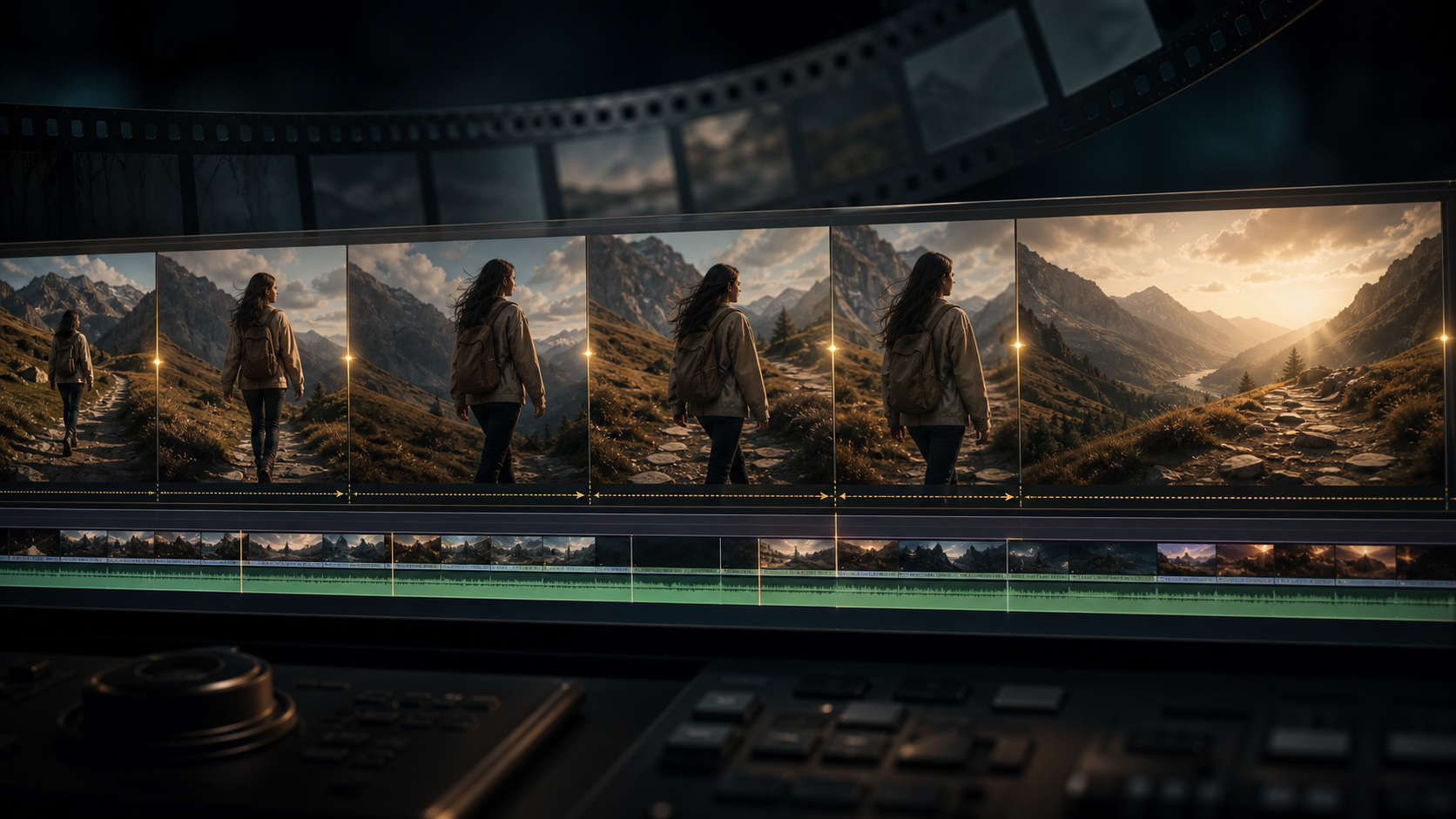
You crafted the perfect prompt, ran it through Wan 2.2, and the result is stunning motion, correct physics, beautiful lighting. Five seconds later it stops. The clip is over.
Every platform says the same thing: Wan 2.2 outputs 81 frames at 16 FPS — exactly 5 seconds. No slider to drag longer. No "extend" button. The model simply stops.
And every forum gives a different workaround: "just use the loop workflow," "extend with I2V," "use VACE," "split your scene and edit it together." None of them say which method preserves quality, which one causes face drift, or which one works for narrative video versus abstract loops.
I tested four workaround methods across a month of generation runs — loop workflows, last-frame I2V continuation, VACE-based stitching, and manual scene splitting plus editing — and mapped the quality degradation, prompt adherence loss, and practical length limits of each. This guide covers what Wan 2.2 can do natively, what it cannot do, and which workaround is worth your time for each type of video you want to make.
The Short Answer
Wan 2.2 natively generates 5 seconds (81 frames at 16 FPS) for Text-to-Video and Image-to-Video. This is a deliberate model architecture limit, not a configurable setting.
| Method | Effective Max Length | Quality Over Multiple Segments | Best For |
|---|---|---|---|
| Native generation | 5 seconds | Full model quality | Single-shot clips |
| Loop workflow | Unlimited | Consistent within single loop | Backgrounds, abstract, atmospheric |
| Last-frame I2V continuation | 15–30 seconds | Quality degrades after 2–3 steps | Extending same scene |
| VACE-based stitching | 30–60 seconds | Good with overlap tuning | Seamless transitions |
| Scene split + edit | Unlimited | Full quality per clip | Narrative films, multi-scene |
The honest answer: there is no built-in unlimited video mode. Every workaround beyond 5 seconds involves multiple generation passes, and every method trades something — quality, prompt adherence, consistency, or time.
Why Wan 2.2 Is Capped at 5 Seconds
The 5-second limit is not a bug or a setting someone forgot to expose. It is baked into the model architecture.
Wan 2.2 was trained on video clips up to 81 frames long. The model learned to generate motion within that temporal window. When you ask it to produce more frames, it does not know what to do — the positional encoding in the transformer architecture has no learned representation for frame 82.
This is different from a "max tokens" slider in a language model. You cannot simply set num_frames=160 and get 10 seconds. The ComfyUI Wan 2.2 native node hard-caps at 81 frames. Some community forks and alternative UIs allow higher frame counts, but the results quickly lose coherence because the model was never trained on sequences longer than 81 frames.
What about the 5B model? The 5B variant has the same 81-frame training horizon. The model size does not affect generation length.
What about Speech to Video? Speech to Video can generate up to 10 seconds. This is a separate fine-tune that was trained on longer clips. It does not apply to T2V or I2V.
Loop Workflow: Unlimited Video, One Concept
The loop workflow is the most popular workaround because it is the easiest and produces the most consistent results.
How It Works
A loop workflow generates a single 5-second clip where the last frame matches (or nearly matches) the first frame. When you play it on repeat, the transition is seamless. CivitAI hosts multiple popular loop workflows for both the 5B and 14B models.
What It Does Well
- Quality: Single generation pass, so full Wan 2.2 quality with no degradation
- Length: Plays indefinitely in a loop — the video file is 5 seconds, but the viewer experience is continuous
- Setup: A few minutes to install a workflow from CivitAI or GitHub
- Hardware: Same as any Wan 2.2 generation — no extra VRAM needed
Where It Falls Short
- Content: Only works for abstract, atmospheric, or looping motion. Smoke, water, fire, slow camera pans, blinking lights — these loop naturally. Walking characters do not. Action sequences do not.
- Narrative: You cannot tell a story in a loop. There is no beginning, middle, or end.
- First-frame constraint: The loop needs a start image that works as both beginning and end, which limits the prompt space.
Quality Assessment
| Aspect | Rating | Notes |
|---|---|---|
| Visual quality | ★★★★★ | Single generation, native model quality |
| Motion plausibility | ★★★☆☆ | Good for ambient, poor for narrative |
| Setup complexity | ★★☆☆☆ | Download workflow, load into ComfyUI |
| Hardware load | ★★★★☆ | No extra VRAM needed |
| Use case fit | ★★★☆☆ | Specialized — not a general-purpose solution |
Rule of thumb: If your ideal video can live inside a GIF that plays on repeat, use a loop workflow. If you need a beginning, middle, and end, skip this method.
Last-Frame I2V Continuation: Extending a Scene
This method treats the last frame of your generated clip as the first frame of a new generation. You run I2V with the previous clip's last frame as input, producing a second 5-second segment that continues the motion.
How to Do It
- Generate a 5-second I2V clip with a start image
- Extract the last frame (frame 81) as a PNG
- Feed that frame into a new I2V generation as the input image
- Optionally use the same prompt or a continuation prompt
- Repeat for each additional segment
What Is Available to Help
The community wan-video-extender ComfyUI custom node automates this process — it handles frame extraction, overlap management, and batch generation. You can find it on ComfyUI Registry under the name Granddyser/wan-video-extender.
Quality Over Multiple Steps
| Step | Visual Quality | Prompt Adherence | Motion Consistency |
|---|---|---|---|
| Step 1 (native 5s) | Full | Full | Native |
| Step 2 (5–10s) | Slight drop | Good | Acceptable |
| Step 3 (10–15s) | Noticeable degradation | "Washes out" — loses detail | Motion starts to drift |
| Step 4 (15–20s) | Significant artifacts | Weak | Character drift, background shifts |
| Step 5+ (20s+) | Unusable for most use cases | Model ignores prompt | Random motion |
The degradation pattern is consistent: the model slowly "forgets" the original scene. Colors desaturate, fine details blur, and after 3 steps the character no longer looks like the character from step 1.
Expert Pitfalls
- Face drift is the first thing to break. By step 3, the character's face starts to change. This is the same issue documented in Wan 2.2 LoRA training — the model does not maintain identity across separate generation passes without a LoRA or reference image.
- Background shifts compound. Even if the character stays consistent, the background subtly changes each step. The cumulative effect by step 4 is a different location.
- Prompt weight decays. The model pays less attention to the text prompt with each continuation step. By step 3, the motion is mostly driven by the input frame, not the prompt.
Rule of thumb: Last-frame I2V is usable for 2 extensions (15 seconds total). Beyond that, rebuild with a fresh reference image or switch to VACE stitching.
VACE-Based Stitching: Smoother Transitions
VACE (Video Alignment and Consistency Enhancement) is a companion model that refines transitions between video segments. It is available as a ComfyUI workflow and is particularly good at cleaning up the seams between continued clips.
How It Works
- Generate multiple 5-second clips with overlapping content (typically 10–15 frame overlap)
- VACE processes the overlapping regions and generates a smooth morph between segments
- The result is a single video with fewer visible jumps
Quality Assessment
| Overlap | Stitch Quality | Processing Time | Best For |
|---|---|---|---|
| 5 frames | Visible seam if motion is fast | ~30s | Slow motion, static scenes |
| 10 frames | Clean on most motion types | ~1 min | General purpose — recommended default |
| 15 frames | Nearly invisible | ~2 min | Fast motion, scene transitions |
| 20 frames | Maximum quality | ~3 min | Complex motion, character close-ups |
What VACE Fixes
- Hard cuts between continuation steps
- Background color shifts between segments
- Motion speed discontinuities
What VACE Cannot Fix
- Face drift (it smooths the transition but does not recover lost identity)
- Prompt drift (it cannot re-inject prompt information into later segments)
- Cumulative quality loss (smoothing a degraded frame does not restore it)
Rule of thumb for VACE: Use 10-frame overlap as your default. Jump to 15 for scenes with fast motion. Anything beyond 20 offers negligible improvement for significantly more processing time.
Scene Split + Edit: The Manual But Reliable Path
If your goal is a narrative video — a short film, a product demo, a character walking through a story — the most reliable method is also the most manual: generate each shot as a separate 5-second clip and edit them together in a video editor.
Why This Works Better Than Continuation
A narrative has different shots. Shot A is a close-up, Shot B is a wide angle, Shot C is a character walking. These are not continuations of the same scene — they are different scenes. Each one benefits from a fresh generation with its own prompt and reference image.
The 5-second limit is much less restrictive when each clip is a self-contained shot. A 30-second narrative with 6 shots is 6 independent generations, each at full quality, each with its own prompt.
Recommended Workflow
- Storyboard your video as shots. Each shot is 3–5 seconds. This matches Wan 2.2's natural output.
- Generate each shot independently with its own I2V start image and text prompt.
- Use consistent reference images for characters across shots. A character LoRA helps maintain identity.
- Edit in any video editor. Cut each 5-second clip, add transitions, layer audio.
- Add crossfades between shots (0.5–1 second) to smooth the transition between different generations.
Quality Contrast
| Method | Character Consistency | Visual Quality | Shot Variety | Total Length |
|---|---|---|---|---|
| Last-frame I2V | Degrades | Degrades | Single scene | 15–20s max |
| Scene split + edit | Full (with ref images) | Full per shot | Unlimited | Unlimited |
This is the only method that gives you full Wan 2.2 quality for videos longer than 15 seconds, because every clip is a fresh generation.
When It Makes Sense
- Short films and narrative content
- Product demonstrations (multiple angles)
- Music videos (each scene is a separate concept)
- Any project where shots naturally change every 3–5 seconds
When It Does Not
- Continuous shots (a 30-second uninterrupted tracking shot)
- Real-time performance capture
- Live camera feeds
Expert pitfall: Do not mix different Wan 2.2 model versions (5B vs 14B, FP16 vs GGUF) across shots in the same project. The visual style differs subtly between model variants, and the difference becomes obvious when cuts are side by side. Pick one model and generate all shots with it.
Direct Comparison: Which Workaround for Which Use Case
| If You Want To… | Use This Method | Why |
|---|---|---|
| Make animated backgrounds | Loop workflow | Single generation, loops cleanly |
| Extend one continuous scene by 10 seconds | Last-frame I2V | Two continuation steps fit the quality budget |
| Make a 30-second smooth video from similar clips | VACE stitching with 10-frame overlap | Best balance of quality and effort |
| Produce a narrative short film | Scene split + edit | Only method with full quality per shot |
| Loop a character walking | Loop workflow (with LoRA for character) | LoRA keeps the character consistent across the loop |
| Extend a camera pan beyond 5 seconds | Last-frame I2V + VACE | I2V for motion, VACE to smooth the seam |
| Make a 3-minute AI film | Scene split + edit + character LoRA | Only method that scales |
| Create a product demo with multiple angles | Scene split + edit | Each angle is a separate I2V generation |
| Get seamless transitions between unrelated scenes | VACE stitching | VACE handles different backgrounds better than I2V continuation |
Will Wan 2.2 Ever Support Longer Native Videos?
The Wan 2.2 GitHub repository has an open issue requesting longer native generation (Issue #4). As of mid-2026, the official response is that longer training sequences are being explored for future model versions, but no timeline has been announced.
What would it take to get 10-second native support? A new model trained on 160+ frame clips. This is a training data and compute problem, not a simple parameter change. The community consensus on the GitHub discussion is that Wan 2.3 or a future major release may include longer native generation.
What you can do today: The workarounds above are your real options. Do not wait for a model update to make longer videos — the community is already producing 30–60 second clips using the methods in this guide, and the results at 15 seconds are surprisingly good when the right method is matched to the right use case.
Frequently Asked Questions
Can I just set num_frames to 160 in the ComfyUI node? The native Wan 2.2 ComfyUI node caps at 81 frames. Some community forks allow higher values, but the output degrades significantly past 81 frames because the model was not trained on longer sequences.
Does the 14B model generate longer videos than the 5B model? No. Both models are trained on 81-frame clips. The 14B model produces higher quality within that 5-second window, but neither extends it.
Can I use Wan 2.2 Animate for longer videos? Animate uses the same core model with the same 81-frame training limit. The Animate workflow accepts a source video as input, which can be any length, but the generated output is still 5 seconds.
Is there a way to train Wan 2.2 on longer clips myself? Technically yes — you could fine-tune the model on longer video datasets. Practically no — the training infrastructure required (multiple GPUs, structured video dataset, weeks of training time) is beyond what most individuals can access. This is a research project, not a workflow you run on a single GPU.
Will using a higher frame rate give me more duration? No. The model generates a fixed 81 frames regardless of FPS setting. At 24 FPS, 81 frames = 3.4 seconds. At 16 FPS, 81 frames = 5 seconds. The total motion information stays the same — the temporal quality just gets choppier at higher FPS. Stick to 16 FPS for the longest duration.
How do VACE and I2V continuation compare on quality? VACE produces better seams but does not improve content quality within each segment. I2V continuation produces smoother motion within each segment but has worse seams. They complement each other — use I2V for the content, then VACE on the overlap to clean the transition.
Can I combine loop and I2V continuation? Yes. Generate a looping clip, extract its last frame, and use I2V continuation to generate a non-looping extension. This gives you a 5-second loop that transitions into a narrative continuation — useful for establishing shots that fade into action.
Summary
Wan 2.2 generates 5 seconds natively, and there is no hidden mode to make it longer. Every workaround involves multiple generation passes, and every method has a quality ceiling.
Here is the practical takeaway:
- Under 15 seconds: Last-frame I2V continuation with VACE stitching gives good results. Three segments, clean seams, usable output.
- 15–60 seconds: VACE stitching with multiple continuation segments works if motion is slow and consistent. Quality drops, but it is acceptable for atmospheric or abstract content.
- Over 60 seconds with narrative: Scene split and edit is the only reliable path. Treat each 5-second clip as a separate shot, generate them independently with consistent reference images, and edit them together. This is how the 30–60 second community videos you see online are made.
- Infinite loops: Loop workflows produce unlimited watch-time from a single generation, but they are limited to content that looks natural on repeat.
The 5-second limit is frustrating, but it is also what makes Wan 2.2 accessible. A 14B video model that generates 5-second clips at this quality runs on a 12 GB GPU. A version that generated 30-second clips natively would require fundamentally different training data, architecture, and hardware.
Start here: If you already have ComfyUI set up with Wan 2.2, download a loop workflow from CivitAI to see what a single-generation extended experience looks like. Then try the last-frame I2V method with your own generated clip — extract frame 81, feed it back in, and see where the quality drop happens for your specific prompt type. That tells you which workaround fits your content.
For more context on model variants and hardware requirements, read Wan 2.2 Requirements Guide. If you are running into quality degradation during continuation, the Wan 2.2 Prompt Guide covers how to structure continuation prompts that maintain character and scene details.
Author

More Posts

Can You Use Wan 2.7 Commercially? Licensing, Rights, and Practical Rules
A practical guide to Wan 2.7 commercial use: what “commercial license” usually means, what it doesn’t cover, and how to protect yourself when using AI video in ads, social, and client work.


Can You Run Wan 2.7 Locally? ComfyUI, Open-Source Status, and the Fastest Working Path
Updated for May 3, 2026: what first-party Wan sources confirm about local Wan 2.7 use, how to think about ComfyUI support, and when browser, API, or local workflows make the most sense.

Wan 2.7 Prompt Guide: Templates for Text-to-Video, First/Last Frame, 9-Grid, and Editing
A practical Wan 2.7 prompt guide with reusable formulas for text-to-video, first and last frame, 9-grid image-to-video, and instruction-based editing.
Newsletter
Join the community
Subscribe to our newsletter for the latest news and updates