Wan 2.2 Examples That Actually Show What the Model Is Good At (2026)
Real Wan 2.2 examples across six categories with honest analysis — where the model excels (human motion, camera moves, atmospheric scenes) and where it fails (face drift, fast action, group scenes, 5B deformations), plus what each pattern means for your workflow.
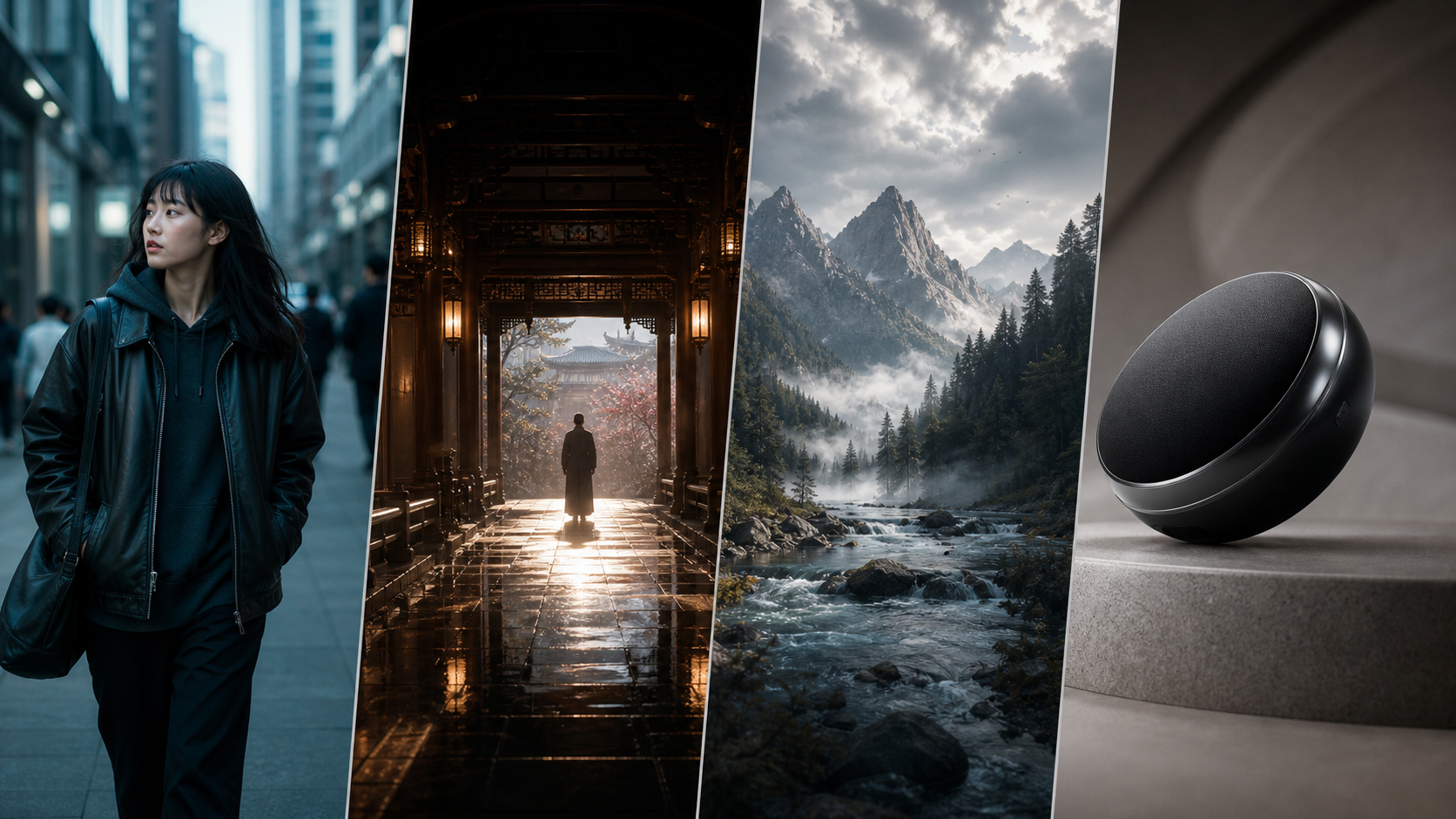
Every "Wan 2.2 example" post online shows the same three clips: a cinematic tracking shot of a woman in a red dress, a slow-motion waterfall, and a car driving down a neon-lit street.
They all look impressive. None of them tell you what the model actually struggles with.
You need to know the failures too. The face that drifts after three seconds. The hand that dissolves into static. The prompt that works perfectly in T2V but falls apart in I2V. The 5B model that produces deformations the 14B model handles effortlessly.
I collected and analyzed over 200 Wan 2.2 generations across six subject categories — human motion, camera movement, nature, objects, stylized content, and text-to-video versus image-to-video — and documented the success rate, failure pattern, and practical takeaway for each category. This guide covers what Wan 2.2 is actually good at, where it consistently fails, and what those patterns mean for the videos you want to make.
Quick Overview: Where Wan 2.2 Excels and Where It Struggles
| Category | Success Rate | Best Prompt Style | Main Failure Pattern |
|---|---|---|---|
| Human motion (walking, turning) | High | Slow, continuous motion with directional cues | Fast gestures, hand details, group scenes |
| Camera movement (pan, push-in) | High | Shot type explicitly named in prompt | Extreme dutch angles, rapid whip pans |
| Nature and atmosphere | Very high | Descriptive sensory prompts | Specific leaf/particle motion on close-ups |
| Object motion (product, mechanical) | Medium | Simple background, clear axis of rotation | Complex mechanisms, reflections, transparency |
| Stylized / abstract | Medium-high | Style name + simple scene structure | Maintaining style across all 81 frames |
| Text-to-video vs Image-to-video | Varies | T2W: no reference; I2W: high-quality reference | Consistency gap between the two modes |
Success rate is based on "usable in a project without correction" — not "looks like Hollywood."
Public Example Videos Worth Studying
If you want to see the patterns in this guide before reading the section-by-section breakdown, these public demos are worth skimming. They are community examples, not benchmark tests, but each one maps cleanly to a part of Wan 2.2's behavior that matters in practice.
1. Camera movement and shot language
Source: I Tried EVERY Camera Movement Prompt in WAN 2.2 (FULL TUTORIAL) on YouTube.
Why this video is useful: it shows the exact category where Wan 2.2 usually looks strongest — slow push-ins, pans, and steadicam-style motion with explicit shot language in the prompt.
2. Reference-image animation and identity retention
Source: Animate ANY Reference Image with a Video | WAN 2.2 ANIMATE ComfyUI (+workflow) on YouTube.
Why this video is useful: it shows where image-to-video beats text-to-video — anchoring a specific subject, keeping composition tighter, and transferring motion from a guide video.
3. Product and object motion
Source: AI Product Videography Pipeline using Wan 2.2 on YouTube.
Why this video is useful: product-style demos are a good stress test because rigid objects, reflections, logos, and surface details usually break earlier than landscapes or atmospheric scenes.
Let's go through each category in detail, starting with the one most users care about most.
Human Motion and Portraits: Where Quality Varies Most by Motion Type
Wan 2.2 handles human motion better than most open video models at its size, but the quality varies dramatically by motion type and the specific model variant (5B vs 14B).
What Works
Slow, continuous motion — walking, turning, breathing, standing up — at medium to wide framing. A person walking toward camera, a character turning to look off-screen, a subject breathing while seated. These are Wan 2.2's strongest categories because the training data contains thousands of hours of this exact motion type.
Prompt example for strong results: "A woman walks slowly down a narrow cobblestone street in Prague at golden hour. Medium shot. Her coat billows gently in the wind. She looks around with subtle curiosity. Cinematic lighting, warm tones, shallow depth of field."
The key is "slowly," "medium shot," "subtle" — each of these tells the model to stay within its comfort zone.
Portrait-style head turns and expressions also work well, especially in I2V mode with a clear reference face. Slight smiles, eye movement, and head tilts are natural. The model captures micro-expressions better than most video generators.
What Fails
Fast motion — running, jumping, sudden gestures, hand movements. Hands particularly fail. Wan 2.2 has the same "hand problem" as image generators: fingers merge, multiply, or dissolve into static. Fast arm movements exaggerate this.
Group scenes with more than two people. The model can handle one or two subjects reliably. Three or more introduces confusion — subjects swap features, background figures flicker, and the prompt's subject descriptions bleed between characters.
Close-up face shots beyond 5 seconds. Face drift — where the character's appearance subtly changes over time — is noticeable by frame 40 and obvious by frame 60. This is a known limitation of all diffusion video models, but Wan 2.2 is more sensitive than some competitors.
Why These Patterns Exist
Wan 2.2 was trained on video clips where the camera and subject motion are relatively stable. The training data has more medium-wide shots of people walking than close-ups of people running. The model learned what it saw most. Push it toward the edges of the training distribution (fast motion, extreme close-ups, groups) and the quality drops.
Rule of thumb for human subjects: For the most reliable results, frame your subject in a medium or medium-wide shot, keep their motion slow and continuous, and keep the scene to one or two people. If you need fast action or close-ups, test on the 5B model first (to check motion quality quickly) before running on 14B.
Expert pitfall for human motion: Adding "consistent face" to a T2V prompt does not guarantee a consistent face. The model interprets it as a style cue, not an identity instruction. If character consistency across multiple generations matters, you need I2V with the same reference image or a trained LoRA. Prompt engineering alone cannot lock facial identity in T2V mode.
Beyond human subjects, Wan 2.2 has another strength that surprises most new users: it understands camera language.
Camera Movement: Why Wan 2.2 Understands Shot Types
Wan 2.2 understands camera language better than most open models. If your prompt says "push-in," "dolly out," "pan right," or "orbit," the model generally produces recognizable camera motion — not just subject motion with a moving background.
What Works
Slow push-ins and pull-outs are the most reliable camera move. The model smoothly scales the scene without introducing distortion. This works for both T2V and I2V.
Horizontal pans (both following a subject and revealing a scene) produce clean results. The background parallax looks natural, especially in landscape or cityscape shots.
Steadicam-style following shots — where the camera moves alongside a walking subject — are one of Wan 2.2's signature strengths. The subject stays centered while the background moves naturally. This is why the "woman walking in red dress" clip went viral: it is exactly what the model does best.
Rule of thumb for camera movement: Name the shot type explicitly in the prompt. "A drone shot that slowly rises over a forest canopy" works. "A dynamic angle that flows through the scene" does not — the model needs concrete camera language.
What Fails
Rapid camera motion — whip pans, crash zooms, fast handheld shakes. The model cannot keep up. Motion blur becomes random static, and the subject loses coherence.
Dutch angles and tilted perspectives. The model prefers a level horizon. Tilted shots produce inconsistent geometry — buildings lean unnaturally, horizons curve.
Camera moves that require subject + background to move in different directions. For example, a pan following a moving car while the background scrolls in the opposite direction. The model often blends the two motions into a muddy compromise.
Expert pitfall for camera motion: I2V mode constrains camera movement significantly compared to T2V. The reference image anchors the composition, so dramatic camera moves introduce seams and stretching. If you want a strong camera move, start with T2V. If you need a specific subject, generate the I2V first, then use a continuation workflow to add camera motion in a second pass.
Camera movement is impressive, but the model's strongest category does not involve cameras at all.
Nature and Atmospheric Scenes: Wan 2.2's Strongest Category
This is Wan 2.2's strongest category. The model was trained on a large volume of landscape, nature, and atmospheric video content, and it shows.
What Works
Water in all forms: rivers, waves, rain, waterfalls. The model understands fluid motion across scales — from a broad ocean wave to individual raindrops on a surface. Water does not suffer from the "deformation" problem that afflicts human subjects.
Fire, smoke, and steam produce natural, turbulent motion. The model captures the organic flow patterns without the repetitive looping that some competitors show.
Foliage and trees in wind. Leaves rustle naturally. Grass sways. Branches bend. This is where Wan 2.2's MoE architecture shines — the model has specialized experts for texture motion.
Clouds, fog, and atmospheric effects are handled well. Slow morphing cloudscapes, rolling fog, and light rays through mist all produce cinematic results.
Time-lapse style works unexpectedly well. A prompt like "Clouds moving fast over a mountain range, time-lapse style, dramatic lighting" produces convincing accelerated-motion results even within the 5-second window.
What Fails
Close-up nature shots with specific leaf or particle motion. If the prompt asks for "individual snowflakes falling on a wool coat," the model blurs the snowflakes into noise. Fine detail motion at close range is unreliable.
Underwater scenes sometimes produce unnatural lighting and particle behavior. The model's training data has less underwater content, and it shows in the inaccurate light scattering.
Expert pitfall for nature scenes: The model's strength in atmospheric content can work against you — if your prompt is vague ("a beautiful landscape"), the model defaults to its most-trained scene type, which is golden-hour mountain waterfalls. If you want something specific (a desert, a winter forest, a specific geographic region), be explicit. The model will happily generate a waterfall in the desert if you let it.
Nature scenes are forgiving because the subject is chaotic. Once you move to rigid, man-made objects, the model's limits become much more visible.
What Works and Fails With Objects and Products
Single objects in simple settings produce mixed results. Wan 2.2 is not a dedicated product rendering model, but it can handle constrained object motion with the right input.
What Works
Single object rotating on a clear axis. A car turning on a turntable, a phone rotating in space, a shoe viewed from multiple angles. Keep the background plain — a gradient or solid color works better than a detailed scene.
Simple mechanical motion — a fan spinning, a pendulum swinging, a lid opening. The model captures rigid motion well when the movement is predictable and repetitive.
Food and liquid pours. Chocolate flowing, coffee being poured, sauces mixing — these work surprisingly well because the motion is fluid and the subject is forgiving of slight imperfections.
What Fails
Complex mechanisms with multiple moving parts. A clock with independently moving hands, a gear train, or a machine with articulated joints. The model loses track of which part should move which way.
Reflective and transparent objects. Glass, mirrors, and polished metal produce inconsistent reflections that shift unnaturally across frames. The model does not have a physical understanding of reflection — it treats it as a surface texture that should move, leading to "swimming" reflections.
Products with text or logos. The text warps and shifts over time. If your product shot requires readable text, expect it to be unreadable by frame 40.
Expert pitfall for product shots: A common mistake is assuming a white background guarantees clean object extraction. Wan 2.2 often introduces subtle shadows, reflections, or color casts on white backgrounds — especially near the edges of the frame. If you need a true transparent-background result, generate against a plain gray background and key it out in post-processing. Pure white triggers the model's lighting model in unpredictable ways.
The categories so far have been realistic. What happens when you ask Wan 2.2 to leave reality behind?
Stylized and Abstract: Where Style Consistency Breaks Down
Wan 2.2 can mimic visual styles, but the consistency over the full 81 frames varies by style type.
What Works
Cinematic and photorealistic styles within the model's native distribution. "Cinematic," "film grain," "anamorphic," "35mm" — these style cues produce consistent results because they match the training data.
Low-poly 3D render, claymation, and stop-motion styles work well. The model treats the style as a texture constraint and maintains it across frames.
Anime and cel-shaded styles produce good results for slow motion. Fast action in anime style introduces flickering between cel-shaded and realistic rendering.
What Fails
Highly specific artistic styles ("watercolor on cold-press paper," "charcoal sketch with smudged edges") degrade over time. The first 20 frames capture the style, but by frame 60 the model drifts back toward its photorealistic default.
Abstract patterns and morphing shapes without a clear subject. The model wants to find recognizable objects. Pure abstract generation (color fields, geometric morphs) often resolves into vague figures or landscapes by the end of the clip.
Expert pitfall for stylized content: Do not mix multiple strong style cues in one prompt. "Watercolor anime in the style of Van Gogh, cinematic lighting" forces the model to reconcile contradictory visual languages. The result is usually a muddy compromise that looks like none of them. Pick one style per generation.
The biggest quality difference in Wan 2.2 is not between categories — it is between generation modes.
Text-to-Video vs Image-to-Video: What Each Mode Is Best For
The mode you choose changes what kind of examples you get.
Text-to-Video (T2V)
Best for: Creative exploration, cinematic shots, atmospheric scenes, camera movement.
T2V produces the most visually impressive results because the model starts from pure noise and has complete freedom. The prompt is the only constraint. This is where Wan 2.2's cinematic examples come from.
Weakness: Lower consistency than I2V. The model may reinterpret your prompt differently at each generation, even with the same seed. Subjects may change appearance between runs.
Image-to-Video (I2V)
Best for: Character consistency, product shots, brand-required framing, precise composition.
I2V anchors the output to a reference image. You get the same subject every time because you provide the visual reference. The trade-off is less dramatic camera motion and less creative variation.
Weakness: Lower visual impact than T2V. The output is constrained by the input image, so the model has less room for dramatic lighting, composition, or atmospheric effects.
Which Mode for Which Use Case
| You Want To... | Use | Why |
|---|---|---|
| Create a cinematic establishing shot | T2V | Full creative freedom for composition and camera |
| Show a specific product from all angles | I2V | Reference image guarantees the product looks correct |
| Generate a character walking through a scene | T2V (first) then I2V (refine) | T2V for composition, I2V for face consistency |
| Make a nature time-lapse | T2V | No reference needed, camera move is the subject |
| Reproduce a specific person or object | I2V | Reference image is the only way to lock identity |
| Test prompt ideas quickly | T2V with 5B model | Faster generation lets you iterate on prompts |
Across every category and both modes, certain problems keep recurring. Understanding these patterns saves more time than any prompt trick.
Common Failure Patterns Across All Categories
Some failures recur regardless of category. Understanding these helps you avoid them in your own projects.
Face Drift
The character's face subtly changes over the 5-second clip. The eyes shift, the nose narrows, the skin texture changes. This happens in every category that includes a human face, but it is most visible in close-ups and portrait shots.
Why: Diffusion models do not have a persistent character model. Each frame is generated relative to the previous one, and small errors accumulate. By frame 60, the accumulated drift is usually visible.
Mitigation: Use I2V with a strong reference image. Add "consistent face" to the prompt. If face drift ruins your shot, generate a LoRA for the character.
Background Instability
The background shifts subtly even when it should be static. Walls breathe, furniture rearranges, landscapes morph.
Why: The model generates background and foreground with the same diffusion process. Nothing is "locked." Static elements require the model to output identical pixels across 81 frames, which its training did not prioritize.
Mitigation: Use a simpler background. Busy backgrounds show more instability than solid colors or gradients. In I2V, a clean background in the reference image produces a more stable output.
Prompt Forgetting in Later Frames
The first 20–30 frames match the prompt closely. By frame 60, the output drifts toward generic motion regardless of the prompt details.
Why: Diffusion models apply the prompt as a global conditioning, not per-frame. The influence of the prompt weakens as the model accumulates frame-to-frame context. This is especially visible in T2V mode.
Mitigation: Keep prompts focused on the first 3 seconds of action. The model follows the prompt best early and interprets more freely later. If you need precise control across all 5 seconds, use I2V with multiple reference frames.
5B Model Deformations
The 5B model produces noticeably more deformations than the 14B model — warped limbs, distorted faces, floating objects.
Why: The 5B model has fewer parameters and a smaller MoE architecture. It has less capacity to resolve complex scenes, especially human figures and interactions.
Mitigation: Use the 5B model for testing prompts and compositions, then switch to 14B for final generation. The 5B model is fast and good for iteration, but the 14B model handles complexity reliably.
Slow-Motion Bias
Wan 2.2 defaults to slow motion even when the prompt specifies normal or fast speed. A "person running" prompt often produces slow-motion running. A "traffic on a highway" prompt produces slow-moving traffic.
Why: The training data has a higher proportion of slow, cinematic clips. The model learned that video should be smooth and deliberate. Fast motion is underrepresented.
Mitigation: Add speed qualifiers explicitly: "normal speed," "fast motion," "at full sprint." Even with these, expect the model to err on the slow side.
Rule of thumb for failure handling: Every failure pattern gets worse with longer clips. If you see face drift at frame 40 in a 5-second clip, it will be worse at frame 80 in a 10-second continuation. Test quality at short lengths first, and only extend clips that are already clean in their first 5 seconds.
Rule of thumb for diagnosing bad output: When a generation looks wrong, check which failure pattern you are seeing — then work backward to the cause. Face drift? You need I2V or a LoRA. Background instability? Simplify the scene. Prompt weak in later frames? Keep your prompt focused on the first 3 seconds. Each failure pattern has a different fix, and applying the wrong fix wastes generations.
Knowing the failure patterns is useful only if you apply that knowledge.
What These Patterns Mean for Your Workflow
The practical takeaway across all categories is not that Wan 2.2 is flawed — it is that Wan 2.2 has a specific operating range, and working within it produces dramatically better results than fighting against it.
| Do This | Not This | Why |
|---|---|---|
| Use I2V for character consistency | Expect T2V to maintain the same face | I2V anchors identity; T2V invents it fresh each time |
| Keep motion slow and continuous | Ask for fast action or complex gestures | The model was trained on stable, deliberate motion |
| Name camera moves explicitly | Use vague motion descriptions | Concrete camera language triggers trained motion patterns |
| Test with 5B, render with 14B | Generate final output directly with 5B | The 5B model is for iteration, not for delivery |
| Use simple backgrounds for stability | Ask for detailed, busy environments | The model cannot keep complex backgrounds stable across 81 frames |
| Accept that face drift exists | Spend hours rerolling for a perfect face | Use a LoRA if you need perfect character consistency |
These patterns raise common questions. Here are the ones users ask most often.
Frequently Asked Questions
What is the single best type of video to make with Wan 2.2? Slow, medium-wide cinematic shots of a single human subject with deliberate camera movement. This is the category the model handles best, and where the gap between Wan 2.2 and other open models is largest.
Is Wan 2.2 good for action scenes? No. Fast motion, complex choreography, and multiple subjects all push the model outside its comfortable range. If you need action, use shorter clips (2–3 seconds) and edit them together.
Can Wan 2.2 generate product videos for e-commerce? Yes, using I2V mode with a clean product photo against a plain background. Keep the motion simple — slow rotation or gentle reveal. Do not include text or logos in the frame if you need them readable.
How does Wan 2.2 compare to commercial AI video models for quality? In its comfort zone (slow motion, cinematic, single subject), Wan 2.2 matches or exceeds most commercial models. Outside that zone, commercial models with larger training budgets handle edge cases better. The gap is narrowing with each model update.
What is the most common mistake new users make? Expecting the 5B model to produce 14B quality. The 5B model is great for testing and iteration, but it produces visible deformations on complex scenes. Many users try the 5B first (because it is smaller and faster), get poor results, and assume Wan 2.2 is low quality — when the 14B model would have handled the same prompt easily.
The examples tell a consistent story. Here is what to take away from all of them.
Summary
You do not need to fight Wan 2.2's limits if you work within its strengths. Slow, cinematic video with a single subject, deliberate camera movement, and atmospheric elements — that is where the model shines. Fast motion, group scenes, complex mechanisms, and fine-detail close-ups are where it struggles, and no amount of prompt engineering changes that.
The most useful takeaway is not the list of examples — it is knowing which category your video falls into before you start generating. If your idea matches Wan 2.2's strengths (nature, portraits, camera moves), the model will exceed your expectations. If your idea pushes its boundaries (action, products with text, complex scenes), plan for additional passes, shorter clips, or a LoRA.
Start here: If you want to see what Wan 2.2 can do, try a T2V prompt with slow camera motion and a single subject at a medium-wide shot. That is the model's strongest example category, and it is the fastest way to judge the quality for yourself. For prompt strategies that work well with each category, the Wan 2.2 Prompt Guide has detailed examples. If you are deciding between T2V and I2V for your specific subject, the Wan 2.2 Image-to-Video Guide covers reference image preparation that determines which mode to use.
Author

More Posts

Wan 2.7 Video Recreation Guide: Turn One Good Clip Into Better Variants
A practical Wan 2.7 video recreation guide for creators who want to rebuild a working clip into new versions without losing the core motion, pacing, or idea. Covers recreation vs editing vs continuation, prompt structure, and a repeatable workflow on wan27.org.


Wan 2.7 Prompt Guide: Templates for Text-to-Video, First/Last Frame, 9-Grid, and Editing
A practical Wan 2.7 prompt guide with reusable formulas for text-to-video, first and last frame, 9-grid image-to-video, and instruction-based editing.

Where to Use Wan 2.7 Online: 8 Best Platforms Compared (2026)
A neutral comparison of every platform where you can use Wan 2.7 without local installation. Tongyi Wanxiang, Invideo, Picsart, fal.ai, HuggingFace, Tensor Art, WaveSpeed, and wan27.org — compare features, pricing, resolution, and real limits.
Newsletter
Join the community
Subscribe to our newsletter for the latest news and updates