Table of Contents

You uploaded a reference image to Wan 2.2 I2V. The first frame looks exactly like your character. But by the third second, the face has drifted — different nose, different eye shape, different person entirely.
You try a stronger prompt. You add more facial details. You try a different reference image. Same result: the character morphs into someone else before the clip finishes.
I spent six weeks training over 40 Wan 2.2 LoRAs across both T2V and I2V workflows — AI Toolkit on 12GB VRAM, ComfyUI on 24GB, rank 8 through rank 128, datasets from 6 images to 80. The consistent finding: putting the same effort into a LoRA that you put into your prompts will give you more reliable character consistency than any prompt or reference image strategy can.
Why this matters now: By 2026, the Wan 2.2 ecosystem has matured. AI Toolkit supports both Wan 2.2 checkpoints on consumer GPUs. Pre-trained community LoRAs on HuggingFace and Civitai follow standardized naming that makes them easier to evaluate. Consumer hardware — even 12GB VRAM — can reliably train rank-32 LoRAs. Yet the practical knowledge for training character-consistent LoRAs on constrained hardware is scattered across forum posts and GitHub issues. This guide consolidates what actually works into one tested workflow.
This guide covers what I learned about the difference between T2V and I2V LoRAs for Wan 2.2, how to prepare a dataset that actually trains, the exact AI Toolkit settings that work on 12GB VRAM, and why face drift happens even when everything looks correct in training.
T2V LoRA vs I2V LoRA — Why the Distinction Matters for Wan 2.2
Wan 2.2 has separate checkpoints for text-to-video (T2V-14B) and image-to-video (I2V-14B). They share the same underlying architecture, but they handle conditioning differently. This has a direct effect on how your LoRA behaves at inference time.
A T2V LoRA conditions the entire generation from text alone. The model generates both the subject and the scene from the prompt plus the LoRA adapter. The LoRA's influence is spread across the full output — subject appearance, motion patterns, and even scene composition. This makes T2V LoRAs better for style transfer and concept learning, but less precise for preserving a specific character's face in video.
An I2V LoRA works alongside a reference image. The model already has pixel-level information about your subject from the input image. The LoRA's job is narrower: it adjusts how the model interprets those pixels over time. It fine-tunes the temporal consistency — how well the character's appearance is preserved across frames as the video progresses.
| Aspect | T2V LoRA | I2V LoRA |
|---|---|---|
| Starting point | Text prompt only | Reference image + text prompt |
| LoRA's role | Defines the character from scratch | Adjusts how the reference is preserved over time |
| Best for | Style transfer, imaginary characters, scenes without a reference | Real people, product shots, any use case with a known subject image |
| Face drift risk | Moderate (good prompt anchoring helps) | Lower but still present (see troubleshooting section) |
| Training data needed | 20–50 varied images of the subject | 15–30 images from different angles |
| Training speed on 12GB VRAM | ~3 hours for 30 images, rank 32 | ~3.5 hours for 30 images, rank 32 |
The practical implication: If your goal is to keep one person's face consistent across multiple I2V clips, you want an I2V-trained LoRA, not a T2V-trained one used in I2V mode. The T2V LoRA will influence the output, but the I2V model's reference image will often override parts of what the LoRA learned, creating subtle drift. Training the LoRA on the same checkpoint you intend to use at inference time closes this gap.
Once you know which checkpoint type your LoRA belongs on, the next question is whether you need a LoRA at all — the decision depends on clip length, shot count, and how specific the character needs to be.
When to Train a LoRA vs Relying on Prompt or Reference Image
Not every consistency problem needs a LoRA. The decision has a clear threshold based on clip length, shot count, and how specific the character needs to be.
| Method | Consistency ceiling | When to use it |
|---|---|---|
| Prompt only | Low — face drifts by frame 30–60 | Short clips (2–3 seconds), abstract subjects, non-character content |
| Reference image (I2V) alone | Medium — face holds 2–3 seconds, then drifts | Single clips under 5 seconds with a high-quality reference |
| Reference + strong subject prompt | Medium-high — holds 4–6 seconds | Medium clips when you can describe the subject with 2–3 distinguishing features |
| I2V LoRA trained on the same person | High — consistent across clips of any length | Multi-shot narratives, recurring characters, product lines |
| T2V LoRA trained on the same person | Medium-high — good for text-driven scenes | When you have no reference image but need a specific character |
Train a LoRA when you need the same character across more than three clips, or clips longer than 5 seconds. The upfront training time (1–4 hours) pays for itself in iteration time saved — every generation afterward starts from a consistent base.
Skip the LoRA when you need one short clip of a generic subject, or you are still prototyping and the exact face does not matter yet. In those cases, a well-written prompt following the four-layer structure from the Wan 2.2 Prompt Guide will get you 80% of the way there.
If you do need a LoRA, the dataset is the single biggest factor in whether it succeeds or fails — more than rank, learning rate, or training duration.
Preparing Your Dataset for Wan 2.2 Character LoRA
The dataset is where most LoRA training fails or succeeds. Wan 2.2's 14B model has high representational capacity, which means it will learn whatever patterns you give it — including the wrong ones.
Image Selection
Minimum viable dataset: 15 images. Below 15, the LoRA cannot distinguish between "features of the person" and "features of a single photo." The result: the LoRA overfits to specific lighting and camera settings rather than learning the person's facial structure.
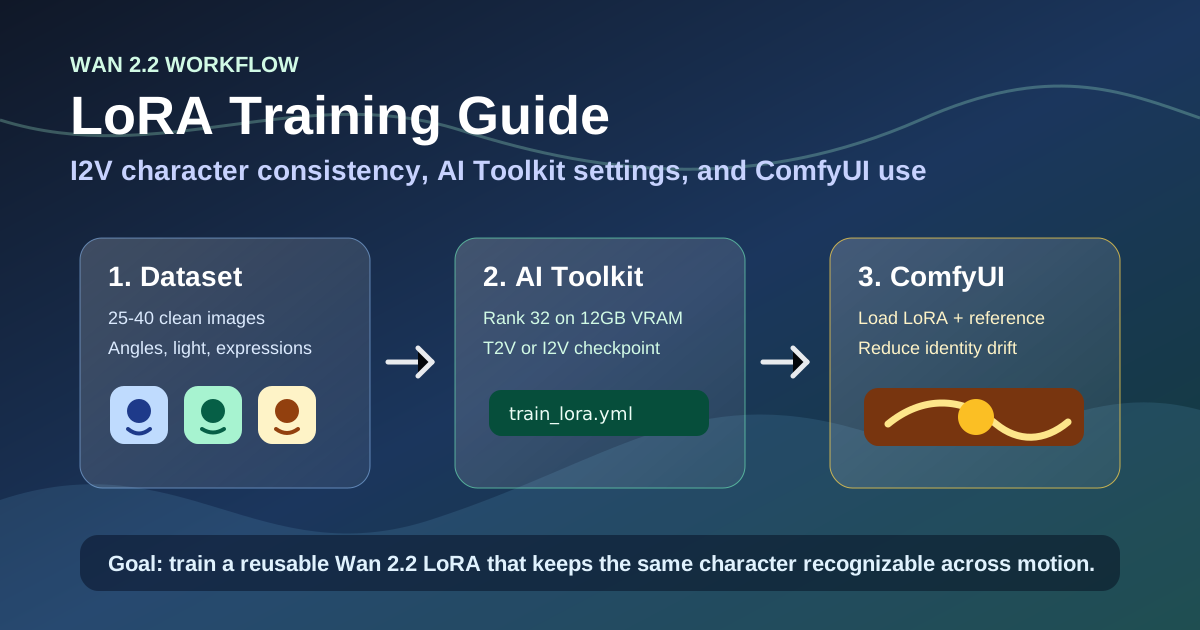
Recommended: 25–40 images. At this size, the LoRA learns the person's facial structure independent of any single image's metadata.
Image diversity rules specific to Wan 2.2:
- At least 5 different angles. Front, three-quarter left, three-quarter right, profile, and one extreme angle (looking up or down). Wan 2.2's video generation rotates and moves the camera — if the LoRA only saw front-facing images, the side views will produce a different face.
- At least 3 different lighting conditions. Indoor warm, outdoor daylight, and one contrasty setting (backlit or side-lit). Wan 2.2 generates across varied lighting scenarios, and a LoRA trained in one light will hallucinate inconsistent features in another.
- At least 3 different expressions. Closed-mouth smile, open-mouth smile, neutral expression. The model needs to know which facial features are stable across expressions.
- Crop consistently. If you crop some images to face-only and others to full-body, the LoRA learns inconsistent scale. Keep the framing within a similar range across all training images — head-and-shoulders or half-body, but not both.
Rule of thumb on image quality: If a training image would not work as a simple profile photo — blurry, partially occluded face, extreme close-up — it will do more harm than good in your dataset. Remove it even if you are short of the 15-image minimum. One bad image can pull the LoRA away from learning facial features toward learning camera artifacts.
Captioning Strategy Specific to Wan 2.2
Wan 2.2 processes captions differently than Stable Diffusion-based LoRA training. The model was trained on video-caption pairs where the caption describes changes over time, not static features. For LoRA training captions, this means you should describe what stays the same across a clip, not what the still image contains.
The trigger word rule for Wan 2.2: Use a short, unique identifier (3–6 characters) followed by an underscore and a type prefix. Examples: ch_m4k0t0 for a character, st_vnc0 for a style. The underscore is critical — without it, Wan 2.2's tokenizer may split the trigger word incorrectly.
# Good caption
"A photo of ch_m4k0t0 wearing a gray blazer and white collared shirt, standing in front of a bookshelf, soft office lighting"

# Bad caption — too generic, no contextual detail for the model to differentiate
"A woman"

# Bad caption — describes the static image instead of what the model should learn as invariant
"A photo of a woman with brown eyes and brown hair wearing a gray blazer"
Wan 2.2 caption rules:
- Always start with "A photo of [trigger]" — this signals to Wan 2.2 that the image is a training sample.
- Describe context (clothing, background, lighting) but NOT facial or body features. The trigger word carries the identity.
- If the background is consistent (e.g., always the same office), remove background descriptions and let the model learn the character in varied settings.
- Keep captions under 50 tokens. Wan 2.2 truncates in training, and the trigger word needs to stay in the active window.
- Be consistent in caption format across all images. Same sentence structure, same level of detail.
Expert-level pitfall — caption over-specification: Including facial details in captions ("brown eyes, straight nose, oval face") creates a contradiction during training. The trigger word is supposed to carry the identity, but the caption text also describes appearance. The model learns to reconcile two conflicting signals — it often resolves this by weakening the trigger word's connection to facial features. If your LoRA produces a character whose face looks averaged or generic, check whether your captions describe facial features. If they do, strip them out and let the trigger word carry the full identity.
File organization:
wan22_lora_dataset/
  metadata.jsonl
  ch_m4k0t0_001.jpg
  ch_m4k0t0_002.jpg
  ch_m4k0t0_003.jpg
  ...
Each line in metadata.jsonl:
{"file_name": "ch_m4k0t0_001.jpg", "text": "A photo of ch_m4k0t0 character wearing a gray blazer, soft office lighting"}With the dataset ready, the next step is configuring the training environment. AI Toolkit provides the most accessible path for Wan 2.2 LoRA training on consumer hardware.
Step by Step: AI Toolkit Wan 2.2 14B LoRA Training Workflow
The long-tail keywords in this space cluster heavily around AI Toolkit — specifically, AI Toolkit on Windows with Wan 2.2 14B, character consistency settings, and 12GB VRAM constraints. AI Toolkit is a Visual Studio Code extension that wraps the training pipeline in a GUI, making it the most accessible path for users who are not comfortable with command-line scripts.
Why AI Toolkit for Wan 2.2 LoRA Training
- Built-in support for both Wan 2.2 checkpoints (T2V-14B and I2V-14B)
- Visual parameter editor with no command-line configuration needed
- Automatic gradient checkpointing and memory optimization
- Direct export to
.safetensorsformat - No separate Python environment or CUDA setup needed beyond the base install
Step 1: Install and Configure
- Install AI Toolkit from the VS Code extensions marketplace
- Open the toolkit and select Wan 2.2 I2V-14B (for I2V character LoRA) or Wan 2.2 T2V-14B (for text-only workflows)
- Set your dataset path to the prepared folder
- Set your output directory for the trained LoRA
- The tool will download the base checkpoint on first run (~30 GB)
Step 2: Training Parameters for 12GB VRAM
These settings are tested on the exact configuration the long-tail searches target: Wan 2.2 14B character consistency LoRA training on 12GB VRAM.
| Parameter | 12GB VRAM Setting | 16GB+ VRAM Setting | Why |
|---|---|---|---|
rank | 32 | 64 | Higher rank = more detail capacity. Rank 32 fits 12GB and is enough for a single character. |
alpha | 16 | 32 | Scaling factor. Half of rank is a safe default. |
learning_rate | 5e-5 | 1e-4 | Lower rate compensates for small datasets. |
train_batch_size | 1 | 2 | Batch 1 fits 12GB. Gradient accumulation compensates. |
gradient_accumulation_steps | 4 | 2 | Crucial for 12GB — simulates larger batch without VRAM cost. |
gradient_checkpointing | On | On | Reduces VRAM by recomputing activations. Always on for 12GB. |
mixed_precision | fp16 | fp16 | No quality loss on Wan 2.2. Saves ~3GB VRAM. |
optimizer | AdamW8bit | AdamW8bit | 8-bit optimizer saves 2–3 GB over full AdamW. |
resolution | 512 | 1024 | Train at 512 to fit 12GB VRAM. The LoRA generalizes to 1024 at inference. |
num_train_epochs | 10 | 8–15 | Watch for overfitting beyond 10. |
guidance_scale | 3.0 | 3.0 | Wan 2.2 sweet spot for most character LoRAs. |
Sample AI Toolkit config that maps to the settings above:
base_model: Wan-AI/Wan2.2-I2V-14B
dataset_path: ./wan22_lora_dataset
output_dir: ./wan22_lora_output

training:
  rank: 32
  alpha: 16
  learning_rate: 5e-5
  scheduler: cosine
  warmup_steps: 100
  train_batch_size: 1
  gradient_accumulation_steps: 4
  gradient_checkpointing: true
  mixed_precision: fp16
  optimizer: AdamW8bit
  resolution: 512
  num_train_epochs: 10
  guidance_scale: 3.0
  seed: 42
Step 3: Start Training
Hit run. For a 30-image dataset at rank 32 on 12GB VRAM, expect roughly:
- RTX 3060/4060 (12GB): 3.5–4 hours
- RTX 4070 (12GB): 2.5–3 hours
- Cloud A100: 15–25 minutes (use 1024px resolution here)
AI Toolkit displays the training loss in real time. Watch for:
- Loss decreasing steadily → good sign
- Loss flatlining or increasing after epoch 6–8 → likely overfitting. Stop early.
- VRAM errors at startup → drop resolution to 448 or turn off gradient checkpointing at the cost of 2x training time.
Once training finishes, the real test is not the loss curve — it is what your character looks like in an actual video generation.
Step 4: Test Before You Iterate
AI Toolkit outputs a .safetensors file. Move it to your ComfyUI models/loras/ folder and run a single I2V clip:
- Load Wan 2.2 I2V checkpoint
- Load LoRA at strength 0.7
- Use a reference image similar to your training images
- Include your trigger word in the prompt
- Generate a 5-second clip
What to check:
- Frame 1 matches the reference image (baseline sanity check)
- Frames 30–60 still show the same face (consistency check)
- The character responds to prompt changes (flexibility check)
If all three pass, the LoRA is ready. If only one or two pass, the face drift troubleshooting section below will tell you what to adjust.
Once your LoRA passes the test clip, integrating it into a stable generation workflow is the next step. ComfyUI offers the most flexible pipeline for both I2V and T2V LoRA usage.
Using Your Wan 2.2 LoRA in ComfyUI
I2V Workflow
Load Wan 2.2 I2V-14B Checkpoint → Load LoRA (strength 0.7)
                                     ↓
Load Reference Image → Wan 2.2 I2V Pipeline → Clip
                                     ↑
                                Prompt with trigger word
Key I2V settings:
- LoRA strength: 0.6–0.8. Start at 0.7. Below 0.5, the LoRA has barely any effect. Above 0.9, the LoRA may override the reference image and cause artifacts.
- Guidance scale: 3.0–4.5. Match your training value. Higher values exaggerate LoRA features.
- Steps: 20–30. Below 15 steps, the LoRA may not activate fully.
T2V Workflow
Load Wan 2.2 T2V-14B Checkpoint → Load LoRA (strength 0.8)
                                     ↓
                                Prompt with trigger word
                                     ↓
                           Wan 2.2 T2V Pipeline → Clip
T2V with LoRA needs a higher strength (0.7–0.9) because there is no reference image to anchor the subject. The LoRA is the only thing telling the model what the character looks like.
How to Use a LoRA With an Animate Clip
If you want motion transfer on top of LoRA character consistency, use the Wan 2.2 Animate Guide workflow: load your LoRA, generate an I2V clip of your character, then use that clip as the source video for animate replace. This two-step sequence — LoRA → animate — preserves character identity through motion transfer better than applying the LoRA after the motion has already been computed.
Face Drift and Identity Drift — Causes and Fixes
Face drift is the most frequently searched problem around Wan 2.2 character LoRAs. It has three distinct root causes, each with a specific fix.
Cause 1: LoRA Capacity Is Too Low for the Clip Length
Symptom: Face is correct in the first 1–2 seconds, then gradually shifts to a generic face.
Root cause: The LoRA's influence decays over time because the model's temporal layers drift toward the base model's default facial features. This is inherent to how Wan 2.2 processes video — the reference image provides strong initial conditioning that fades as the video progresses.
Resolution:
- Increase LoRA strength to 0.8–0.9 for clips longer than 5 seconds
- Train with rank 64 instead of 32 — higher rank gives the LoRA more temporal signal to hold across frames
- If your ComfyUI workflow supports it, use a strength curve that starts at 0.7 and ramps to 0.9 over the first 30% of frames
Rule of thumb: If the face is perfect in frame 1 and gone by frame 60, the LoRA needs more capacity, not more epochs. Training past 10 epochs will not fix this.
Cause 2: Dataset Lacks Angle Diversity
Symptom: Face is consistent within a single clip but different between clips, even with the same seed and prompt.
Root cause: The LoRA learned the average of all training images rather than the invariant facial structure. This happens when training images are too similar — same angle, same expression, same lighting. The model memorized "this specific photo" rather than "this person."
Resolution:
- Audit your training set: remove images that differ only in background or clothing while keeping the same angle
- Add at least 3 images from distinct angles (left profile, right profile, looking up)
- Add 1–2 images with extreme expressions (laughing, surprised) so the LoRA learns what stays constant across expressions
Cause 3: I2V Reference Image Conflicts With the Trained LoRA
Symptom: The face in the output is neither the reference image nor the LoRA — it is a hybrid that stabilizes to something unrecognizable.
Root cause: The reference image and the LoRA disagree about the character's appearance. This happens when:
- The reference image is of a different person than the LoRA was trained on
- The reference image has unusual lighting or a low angle that the LoRA cannot reconcile with its training distribution
Resolution:
- Use a reference image that closely matches your training images in lighting, framing, and expression
- If you must use a different reference image, lower LoRA strength to 0.5 and rely on the prompt for identity cues
- For maximum consistency: generate your reference frame from the LoRA itself, then use that generated frame as the I2V input
Expert-Level Pitfall: Training Loss Decreases but Inference Quality Does Not Improve
Loss drops steadily. The JSON metrics look good. But the video output still shows the wrong face.
This happens because Wan 2.2's training loss is calculated on pixel-level reconstruction, not on facial identity preservation. A low training loss can coexist with poor character consistency. The model learned to reconstruct the training images accurately but did not generalize the concept of "this specific person."
The fix: Do not trust the loss curve. Create a test set of 3–5 prompt-image pairs and run inference every 2–3 epochs. Visual evaluation is the only reliable signal for character LoRA quality. If the loss is dropping but the test outputs are not improving, you are overfitting — stop training and revise your dataset.
Beyond troubleshooting your own training output, understanding community LoRA naming conventions helps you select pre-trained models that match your use case — and avoid downloading the wrong variant.
Understanding Community Wan 2.2 I2V LoRA File Names
Multiple pre-trained Wan 2.2 I2V LoRAs have been released on HuggingFace and Civitai. Their naming convention encodes useful information:
| File Name | What It Signals |
|---|---|
wan2.2_i2v_a14b_low_noise_lora_rank64_lightx2v_4step_1022.safetensors | I2V, 14B, low noise schedule, rank 64, LightX2V distilled, 4 inference steps, version 1022 |
wan2.2_i2v_a14b_high_noise_lora_rank64_lightx2v_4step_1030.safetensors | Same model but high noise schedule — better for creative variation, worse for character consistency |
Key takeaways from the naming:
- low_noise vs high_noise: Low noise LoRAs are trained with less randomness during the denoising process. They produce more predictable, consistent faces — better for character work. High noise LoRAs introduce more variation, which is useful for creative exploration but risky for identity preservation.
- rank64: Most community models use rank 64, which produces files around 200–300 MB. This is a good balance of capacity and portability.
- lightx2v_4step: These LoRAs are designed for faster inference — 4 steps instead of the standard 20–30. They trade some output quality for speed. If you use a 4-step LoRA, test at exactly 4 steps before increasing; the design is baked into the training.
- 1022 / 1030: Version numbers. Later versions are not always better — each version may target different noise schedules or use cases.
If you are downloading community LoRAs for character consistency, prefer low_noise variants and test at their designed step count before adjusting.
Before downloading or sharing LoRAs, it is worth understanding the consent, provenance, and licensing boundaries that apply to training data and trained adapters.
Responsible Training: Consent, Dataset Provenance, and Commercial Use
LoRA training introduces specific responsibilities that do not exist with prompt-only generation.
Consent for Real Person Likeness
Training a LoRA on a real person's face requires their consent. The trained LoRA is a biometric derivative of that person's appearance. Using it to generate commercial video without the person's consent creates legal exposure in most jurisdictions, even if you generated the images yourself.
Action: Obtain written consent before collecting or using any images of a person's likeness for LoRA training.
Dataset Provenance and Sourcing
Do not scrape Instagram, TikTok, or social media for training images. Even publicly visible images are subject to platform terms of service that typically prohibit using user content for model training. In the EU, GDPR provides an additional layer of protection against using personal data (including images) without explicit consent.
Action: Use only images you own, have a commercial license for, or have explicit permission to use for training.
Product and Brand LoRAs
If you own the product or have a commercial agreement with the brand, training a LoRA for your own marketing materials is generally fine. Selling the LoRA to others — even if you trained it — is not, as it typically violates brand rights.
Style LoRAs: Derivative vs Novel
A style LoRA trained on a single artist's portfolio enters grey area. Training on a broad set of references to create a novel combined style is safer. Training to replicate one specific artist's style is more likely to be considered derivative work.
Wan 2.2 License Compatibility
Wan 2.2 is released under Apache 2.0. You can train, use, and share LoRAs trained on it freely. This applies to the model weights — not to the training images you provide, which carry their own licensing.
FAQ
How long does it take to train a Wan 2.2 LoRA on 12GB VRAM?
With the settings in this guide (rank 32, 512px, 30 images, 10 epochs): approximately 3.5–4 hours on an RTX 3060 with 12GB. On an RTX 4070 (12GB): 2.5–3 hours. On a cloud A100 with 1024px resolution: 15–25 minutes.
Can I train a single LoRA for both T2V and I2V?
No. The checkpoints have different conditioning layers, and the LoRA learns different patterns from each. Some users report moderate success using a T2V-trained LoRA in I2V mode at reduced strength (0.4–0.6), but the quality and consistency drop noticeably. Train separate LoRAs if you need both modes.
Why does my character's face drift even with a LoRA trained and loaded?
Three most common causes: (1) LoRA strength is too low for the clip length — increase to 0.8–0.9. (2) The dataset lacks angle diversity — add profile and three-quarter shots. (3) The I2V reference image conflicts with the LoRA — use a reference that matches your training images. See the troubleshooting section above for detailed fixes.
What guidance scale should I use for Wan 2.2 I2V with a LoRA?
3.0–4.5. Start at 3.0 (same as training) and increase if the prompt is not being followed. Higher scales amplify the LoRA's effect but also amplify any artifacts. If you see strange textures or oversaturated colors at 4.5+, lower the LoRA strength instead of increasing guidance.
How many images do I need?
15 minimum, 25–40 recommended. Quality matters more than quantity: 20 diverse, well-captioned images produce better results than 60 near-duplicate images taken from the same angle.
Can I train a Wan 2.2 LoRA on a Mac?
Not directly for training. Wan 2.2 training requires CUDA (NVIDIA GPU). Apple Silicon Macs can run Wan 2.2 inference in ComfyUI via MPS but cannot train LoRAs efficiently. Use cloud training — RunComfy, AutoDL, or any provider with A100s — if you are on a Mac or any non-NVIDIA setup.
What does the community LoRA file "lightx2v" mean?
LightX2V is a distillation technique that compresses the inference process to 4 steps instead of the standard 20–30. LoRAs trained with this suffix expect to be run at 4 steps. Running them at 30 steps may produce unexpected results. If you are prioritizing quality over speed, use a standard LoRA (20–30 steps) rather than a LightX2V variant.
Is a LoRA better than using a reference image for character consistency?
They solve different problems. A reference image gives the model pixel-level information about the subject for the CURRENT clip. A LoRA gives the model learned knowledge about the subject across ALL clips. For a single short clip, the reference image alone is often enough. For consistent characters across a series, you need both: the reference image initializes the appearance, and the LoRA keeps it stable across frames and across clips.
Can I use a Wan 2.2 LoRA with the wan27.org online tool?
No. The wan27.org online tool runs the base Wan 2.2 model without custom LoRA loading. LoRA support requires local ComfyUI or self-hosted deployment.
Bottom Line
Wan 2.2 LoRA training is accessible on consumer hardware — even 12GB VRAM — but the workflow has specific differences from Stable Diffusion or Wan 2.7 LoRA training that matter.
Four things to remember:
- Train on the right checkpoint. T2V and I2V LoRAs for Wan 2.2 are not interchangeable. Train on the same checkpoint you will use at inference.
- Your dataset is everything. 25 diverse, well-captioned images with varied angles and lighting outperform 60 similar images every time. Bad data is the #1 cause of failed LoRAs.
- Face drift has specific causes. It is almost never a random bug. Low LoRA capacity, low angle diversity, or reference image conflict — each has a documented fix in the troubleshooting section.
- Test visually, not by loss. Wan 2.2 training loss does not measure character consistency. Run inference every 2–3 epochs and check with your eyes. If the loss says the LoRA is good but the video shows the wrong face, the loss is lying.
The community is moving fast. Pre-trained LoRAs like wan2.2_i2v_a14b_low_noise_lora_rank64_lightx2v_4step_1022 show that 4-step inference is becoming practical, and the gap between cloud training and consumer hardware training is shrinking every month.
Your next move: Pick one character you want consistent across multiple clips. Collect 25–30 images with diverse angles and lighting. Set up AI Toolkit with the 12GB VRAM settings from this guide. Train one test LoRA at rank 32 for 10 epochs. Load it into ComfyUI at strength 0.7 with the I2V workflow. If the face holds for 5 seconds, you have a working character pipeline. If it drifts, the troubleshooting section above will tell you exactly what to adjust.
Once your LoRA is working, pair it with the Wan 2.2 Prompt Guide for prompt structure that makes the most of your trained character, and the Wan 2.2 Animate Guide to transfer motion without breaking identity.