Table of Contents

You generated a perfect clip. Then you clicked generate again with the same prompt — and got something completely different.
That is the seed problem — and as Wan 2.7 becomes one of the most widely used open video models of 2025, more users are running into it than ever.
The seed parameter is one of the most misunderstood controls in Wan 2.7. Most users either ignore it entirely or assume it guarantees identical results. Neither is correct.
After testing seeds across dozens of prompts, parameter combinations, and durations, we found that seed behavior in Wan 2.7 follows a clear pattern. Once you understand it, you can set seeds deliberately to save credits, isolate variables during testing, and produce consistent results across generations.
This guide covers exactly what a seed controls (and what it does not), how to set it on wan27.org and in the Wan 2.7 API, and the four practical seed strategies that will save you the most rerolls.
What a Seed Actually Controls
In Wan 2.7, a seed is a starting number that initializes the random noise pattern before the model starts generating.
Think of it like this:
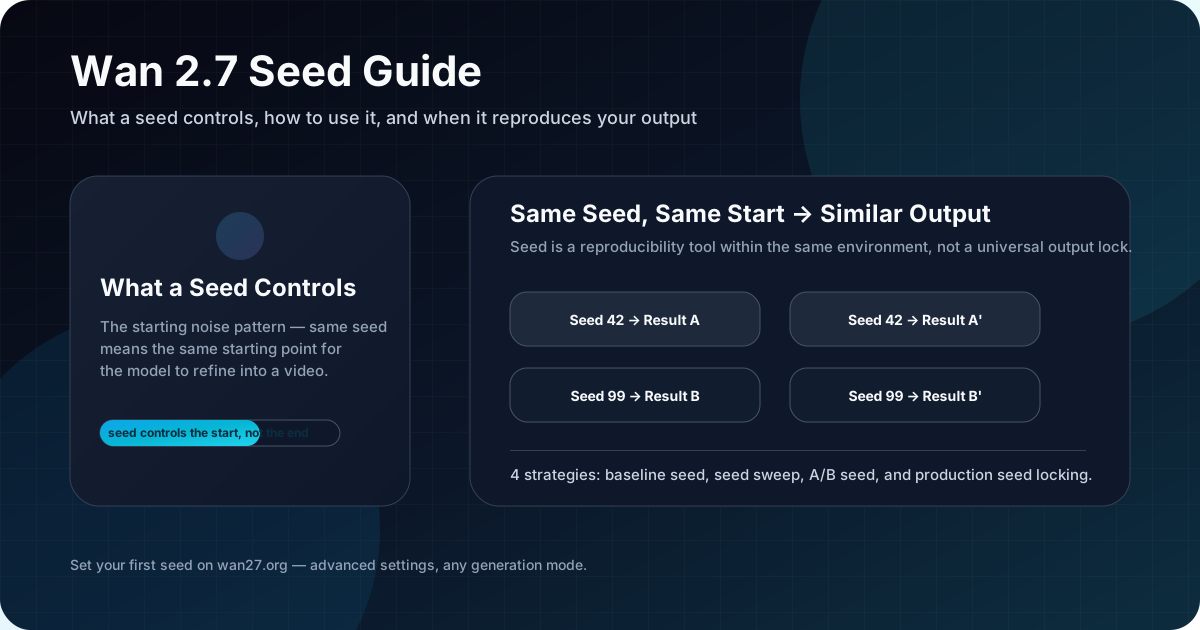
The model always starts from random noise and refines it into a video. The seed determines which random noise pattern it starts from. The same seed means the same starting noise. The same starting noise, combined with the same prompt and parameters, means the model follows the same refinement path.
That is why the same seed can produce a very similar — though not always identical — result across multiple runs.
Key point: seed controls the starting point, not the entire output path. The model's internal randomness still plays a role during generation, which is why identical seeds do not guarantee pixel-identical results every time.
Rule of thumb: if you want the closest possible match between two runs, fix both the seed and every parameter. Changing any single value — prompt, resolution, duration — resets the path.
A common misunderstanding is treating a seed like a style preset. It is not. A seed does not encode composition, color, or motion preferences. It only determines which random noise pattern the model starts from. The same starting noise with a different prompt will produce a completely different output.
Fixed Seed vs No Seed: What Changes
Given what a seed actually controls, the practical question becomes: should you always set a fixed seed, or is it better to let the system randomize? Here is what changes either way.
| Without a fixed seed | With a fixed seed | |
|---|---|---|
| Starting noise | Random each time | Same pattern every time |
| Output consistency | Unpredictable | Highly reproducible |
| Debugging iterations | Hard to isolate variables | Easy to test prompt changes |
| Credit efficiency | Re-roll until something works | Tune from a known baseline |
Without a seed, every generation is a fresh roll of the dice.
With a seed, you establish a baseline you can iterate from.
How to Use Seed on wan27.org
Setting a seed only helps if the interface lets you control it. On Wan 2.7, the seed parameter is available in the advanced settings panel for all generation modes.
Here is where to find it:
- Select your generation mode (Text-to-Video, Image-to-Video, etc.)
- Enter your prompt and settings
- Open Advanced Settings
- Find the Seed field
- Enter a positive integer (any number works)
- Generate
The platform does not require a seed. If you leave it empty, the system assigns a random seed for each generation.
How to Reuse a Seed
After a successful generation, wan27.org shows the seed value used in the result details. You can copy that seed and enter it manually for your next generation to reproduce the same starting condition.
This is especially useful when:
- You found a composition you like but want to tweak the prompt
- You want to test different parameters from the same starting point
- You are collaborating and need to share a reproducible baseline
How to Pass Seed in the API
If you are using Wan 2.7 programmatically, the API also accepts a seed parameter. The behavior is consistent with the web interface, with a few details worth noting.
In the Wan 2.7 API, the seed parameter is optional. When included, it goes in the parameters block of your request payload.
For the official Alibaba-hosted API:
{
  "model": "wan2.7-i2v",
  "input": {
    "prompt": "A dancer spins slowly under warm stage light.",
    "media": [
      { "type": "first_frame", "url": "https://your-cdn.com/frame.png" }
    ]
  },
  "parameters": {
    "seed": 42,
    "resolution": "720P",
    "duration": 5,
    "prompt_extend": true,
    "watermark": false
  }
}
The seed value must be a positive integer. There is no practical upper limit, but values between 1 and 2,147,483,647 (the max for a 32-bit signed integer) are standard.
API Behavior Notes
- If you omit seed, the API assigns one automatically
- The API does not currently return the seed used in the response for all endpoints — check the response body for a
seedfield - If you need seed tracking, store the seed you sent alongside the task ID in your own system
When Seed Reproduces Results — and When It Does Not
Setting a seed is the easy part. Knowing what that seed actually guarantees — and when it will not — is where most of the confusion starts.
Seed reproduces results when:
- The prompt is exactly the same (including capitalization and punctuation)
- All parameters are identical (resolution, duration, model version)
- The model version has not changed
- The service has not updated its inference pipeline
Seed does NOT guarantee identical results when:
- The prompt has changed (even slightly)
- Parameters differ (different resolution, different duration)
- The model version has been updated
- The platform deploys a new inference backend version
- The generation happens across different platforms (wan27.org vs API vs third-party)
The rule of thumb: seed is a reproducibility tool within the same environment, not a universal output lock.
4 Practical Seed Strategies That Save Credits
Understanding when seed works is the foundation. Using it deliberately is where the real credit savings and workflow improvements come from.
Strategy 1: The Baseline Seed
When you get a good first result, note the seed before making any changes. This gives you a fallback point. If your next iteration fails, you can return to the baseline and try a smaller change. This approach alone can save you 3-5 wasted generations per iteration cycle.
Strategy 2: The Seed Sweep
For important outputs, run the same prompt with 3-5 different seeds. Pick the best result and use its seed as your baseline for further refinement.
This is faster than running dozens of rerolls on the same random seed and hoping for improvement.
Strategy 3: The A/B Seed
When testing two prompt variations, use the same seed for both. This isolates the prompt change as the variable — if the outputs differ, you know it was the prompt, not randomness.
A common mistake here is changing both the seed and the prompt at once. If you do that, there is no way to tell which change caused the difference. Change one variable at a time.
Rule of thumb: when A/B testing prompts, always pair a changing prompt with a fixed seed — otherwise you are comparing randomness, not wording.
Strategy 4: The Production Seed
If you are generating videos for a recurring campaign or series, lock in a seed range for each asset. This makes it easier to debug issues across generations because you can rule out seed randomness as a variable.
Rule of thumb: if an output is worth keeping, the seed is worth saving. Note it before you hit generate on the next variation.
Avoid These Common Seed Mistakes
Expecting identical results across platforms
The problem: you set the same seed on wan27.org and a third-party API and got completely different outputs.
Why it happens: each platform's inference pipeline uses its own noise generation and sampling logic. A seed initializes noise, but noise generators are not standardized across implementations.
How to avoid it: use seeds for consistency within one platform only. If you switch platforms, run a new seed sweep rather than porting a specific seed value.
Rule of thumb: treat each platform's seed as a separate namespace. The same number means nothing across different inference stacks.
Forgetting to save seeds
The problem: you produce a great generation but cannot reproduce the starting condition because you did not record the seed.
Why it happens: seed is not automatically saved in all workflows, and it is easy to overlook in the moment — especially when you are iterating quickly.
How to avoid it: make seed logging a standard step in your generation workflow. On wan27.org, check the result details after each generation. In the API, store the seed you send alongside the task ID in your own system.
Rule of thumb: if a result is worth keeping, the seed is worth saving. Note it before you try the next variation.
FAQ
Here are answers to the most common questions about seed behavior in Wan 2.7.
What is a good seed value for Wan 2.7?
Any positive integer works. There is no "best" seed. Some seeds produce more favorable starting noise for certain prompts, but this is unpredictable and varies by prompt and model version.
Can I use a negative seed?
The Wan 2.7 API and wan27.org expect positive integers. Negative values may be rejected or silently converted.
Does seed affect video quality?
Not directly. Seed affects the starting noise pattern, which influences the output, but it does not control resolution, fidelity, or model capability.
Can I use seed to bypass content filters?
No. Seed controls noise initialization, not content policy enforcement.
Why did two runs with the same seed give slightly different results?
The generation pipeline includes non-deterministic operations beyond seed initialization. Platform updates, load balancing, and inference backend versions can all introduce minor variations.
Bottom Line
The seed parameter is a reproducibility tool, not a magic switch. Use it when you want a consistent baseline for iteration. Save seeds for your best results. Change one variable at a time.
If you are just exploring, leave seed empty and let the system randomize. When you find something worth building on, lock in the seed and refine from there.
Start at Wan 2.7, open the advanced settings, and set your first seed. It takes 10 seconds and can save you hours of rerolls.